
Automating Social Media Posts: Tools and Best Practices
Automating social media posts saves time and boosts consistency. Use the right tools and best practices to enhance your online presence effectively.


Automating social media posts means using software to prepare, schedule, publish, and sometimes analyze content across multiple platforms. The right workflow saves time, keeps publishing consistent, and reduces repetitive work without making a brand sound robotic. The most effective approach combines a reliable scheduling tool for social media with a clear content calendar, platform-specific creative, approval controls, and regular human engagement.
What Social Media Automation Should—and Should Not—Do | Build a Workflow Before Choosing a Tool | How to Evaluate Social Media Scheduling Tools | Create a Content Calendar That Can Be Automated | Adapt Every Post to Its Platform | Choose Publishing Times Using Evidence | Use Automation Without Losing Authenticity | Measure Performance and Improve the System | Best-Practice Checklist for Reliable Automation | Frequently Asked Questions
What Social Media Automation Should—and Should Not—Do
Social media automation is most valuable when it handles predictable, repeatable tasks. These include scheduling approved posts, adapting publishing times to audience activity, organizing content in a calendar, adding tracking parameters, routing drafts for approval, and collecting performance data. Instead of manually logging into several accounts every day, a marketer can prepare a week or month of content in a focused production session.
This creates more than a time-saving benefit. A structured system reduces missed posts, rushed captions, duplicated campaigns, and gaps between channels. It also gives teams a clearer view of campaign balance. For example, a content calendar may reveal that a brand has scheduled too many promotional posts and not enough educational, community-focused, or entertaining content.
Automation should not replace judgment, conversation, or cultural awareness. Replies to sensitive comments, reactions to breaking news, customer complaints, and participation in fast-moving trends require human attention. A post that appeared appropriate when it was scheduled may become awkward after an unexpected event. Someone should therefore monitor the calendar and be able to pause upcoming content quickly.
A useful rule is to automate distribution, organization, and reporting while keeping strategy, creativity, and relationship-building human. When automating social media posts, the goal is operational consistency—not unattended communication.
Build a Workflow Before Choosing a Tool
Teams often start by comparing long lists of social media automation tools. A better first step is to map the publishing process. Identify who proposes ideas, creates assets, writes copy, checks brand or legal requirements, approves posts, responds to comments, and reviews results. This exposes bottlenecks that software can actually solve.
Begin with a simple content pipeline: idea, brief, production, review, approved, scheduled, published, and analyzed. Each post should have an owner, target platform, campaign, content format, deadline, publication time, and approval status. If the team uses recurring content pillars, such as tutorials, product stories, customer examples, and behind-the-scenes posts, add those labels as well.
Next, establish a realistic publishing rhythm. Frequency should reflect the team’s production capacity and the audience’s appetite, not an arbitrary industry benchmark. A sustainable schedule of four strong posts per week is usually more useful than an ambitious daily plan that collapses after one month.
Plan at three levels. A quarterly view should show launches, seasonal moments, and major campaigns. A monthly calendar should define themes and channel priorities. A weekly plan should contain final assets, captions, links, tags, and publication times. This layered approach makes auto scheduling social media content easier while leaving room for timely posts.
Finally, create an exception process. Decide who can pause the queue, how urgent changes are communicated, and which posts require extra review. Regulated claims, partnerships, contests, discounts, and user-generated content may need checks that ordinary educational posts do not.

How to Evaluate Social Media Scheduling Tools
A good scheduling tool for social media should fit the channels, formats, and approval requirements the organization actually uses. A solo creator may prioritize a visual calendar and fast mobile publishing. An agency may need client workspaces, permission controls, approval links, reporting, and clear separation between accounts.
Start with platform coverage, but investigate the depth of each integration. Check whether the tool can publish the formats you rely on, such as short-form video, carousels, Stories, first comments, location tags, thumbnails, alt text, or platform-specific mentions. Some features may require a notification-based workflow rather than direct publishing, so test the complete process before committing.
Calendar usability matters because it affects daily work. Look for drag-and-drop rescheduling, filters by campaign or account, clear post previews, duplicate-post warnings, drafts, and bulk upload options. A useful calendar should make crowded weeks and content gaps immediately visible.
For teams, assess roles and permissions carefully. Contributors should be able to prepare drafts without accidentally publishing them. Reviewers need a straightforward way to leave feedback, compare revisions, and approve content. An audit trail can help identify who changed a caption or publication time.
Analytics should connect publishing activity to meaningful outcomes. Basic reach and engagement are useful, but marketers may also need link clicks, conversions, audience growth, response times, and campaign-level reporting. Export options and consistent naming conventions become important when data must be combined with web analytics or business intelligence tools.
Other practical considerations include media storage, integrations, customer support, mobile access, security practices, account limits, and pricing as the team grows. Use a trial period to schedule real posts, run an approval cycle, publish multiple formats, and build a report. A polished demo is less informative than a realistic week of use.
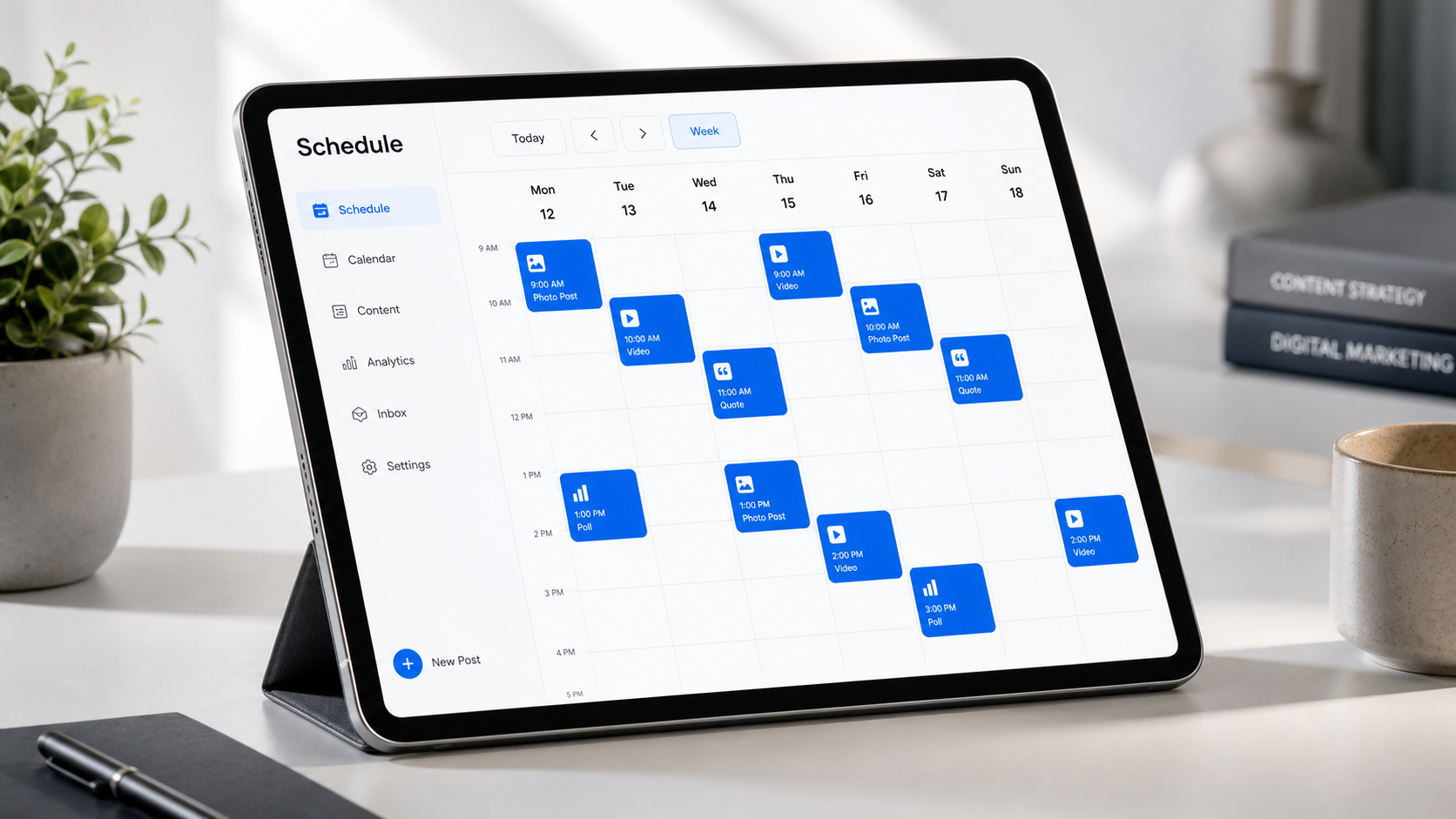
Create a Content Calendar That Can Be Automated
Automation works best when content is planned as a system rather than a collection of unrelated posts. Define several content pillars that connect audience needs with business goals. A software company, for example, might use product education, customer workflows, industry insights, team expertise, and community stories.
Turn those pillars into repeatable series. “Tuesday Tip,” a monthly customer spotlight, or a weekly myth-versus-fact post gives creators a starting point and helps audiences recognize recurring value. Templates can accelerate production, but each post should still contain a useful idea rather than filling a calendar slot for its own sake.
Organize assets with consistent names and versions. Store the final image or video alongside the approved caption, destination link, campaign label, and usage information. This prevents outdated graphics and unfinished drafts from entering the publishing queue. It also makes evergreen content easier to locate and responsibly reuse.
Batching can dramatically reduce context switching. One session might be dedicated to research and briefs, another to recording videos, and another to captions and scheduling. A creator can film several related clips while lighting and equipment are already prepared, then edit and distribute them over several weeks.
Maintain a deliberate balance between scheduled and responsive content. A practical calendar might reserve most publishing slots for planned campaigns while leaving some capacity for trends, current conversations, customer questions, and live events. The exact ratio will vary, but a completely full calendar often becomes inflexible.
Before posts enter the queue, verify the hook, value, call to action, asset dimensions, subtitles, link, tags, disclosures, and accessibility details. A concise checklist prevents small errors from being reproduced automatically across several channels.


Adapt Every Post to Its Platform
Cross-platform scheduling is efficient, but posting identical content everywhere can weaken performance. Each network has its own viewing behavior, native formats, caption conventions, and audience expectations. The core campaign idea can remain consistent while the execution changes.
A long educational concept might become a professional text post on LinkedIn, a concise thread elsewhere, a vertical video for short-form feeds, and a visual carousel on Instagram. The opening line, aspect ratio, duration, call to action, and link placement should suit the destination. Even when social media automation tools offer one-click cross-posting, review each platform version separately.
Pay particular attention to the first seconds of video and the first line of copy. Automated publishing cannot rescue a weak hook. Show the outcome, tension, or practical benefit early, then deliver the promised value. Add captions to videos for viewers who watch without sound, and use readable text sizes that work on small screens.
Avoid stuffing captions with the same block of hashtags or mentions on every platform. Use relevant discovery signals selectively. Add alt text where supported, confirm that tagged accounts are correct, and ensure that calls to action match what users can actually do on that network.
Preview posts before scheduling them. Line breaks, cropped images, thumbnail selection, link cards, and account tags can behave differently after publication. A platform-specific preview and a final mobile check catch problems that may be invisible in a spreadsheet.
Choose Publishing Times Using Evidence
Generic “best time to post” charts can offer a starting hypothesis, but a brand’s own audience data is more valuable. Review when followers are active, when past posts earned early engagement, and when the team is available to respond. The strongest time may differ by platform, region, audience segment, and content format.
Test publication windows systematically. Keep the content category reasonably consistent, vary one time factor at a time, and compare several posts rather than drawing conclusions from a single result. Record reach, watch time, clicks, saves, comments, and conversions according to the objective of the content.
Some scheduling platforms recommend times based on historical engagement. Treat these recommendations as useful inputs, not permanent rules. Audience behavior changes with seasons, work patterns, campaign activity, and platform algorithms. Review timing at least monthly for active accounts.
When targeting multiple time zones, avoid assuming that headquarters’ working hours represent the whole audience. Schedule regional variations where the potential value justifies the effort. For global campaigns, staggered publishing can also help community managers respond during their working hours.
Do not optimize timing so aggressively that it slows production or response. A well-made post published in a good window will usually contribute more than a mediocre post placed at a theoretically perfect minute.
Use Automation Without Losing Authenticity
The main risk of automating social media posts is not the software itself; it is allowing the workflow to become detached from the audience. Repetitive captions, constant promotion, delayed replies, and irrelevant scheduled messages make an account feel unattended.
Assign daily community-management windows even if publishing is fully automated. Review comments, direct messages, mentions, and relevant conversations. Respond with context rather than relying on generic phrases. Questions and objections can also feed the content pipeline by revealing what the audience genuinely wants explained.
Keep space for real people. Founder perspectives, employee expertise, customer experiences, process footage, and honest lessons usually feel more credible than an endless stream of polished promotional templates. Automation can distribute these stories efficiently, but it should not flatten their voices.
Use automated responses sparingly. An immediate acknowledgement may be helpful outside business hours, but it should set accurate expectations and direct urgent cases appropriately. Never disguise a bot response as a personal answer. Sensitive complaints, billing issues, and nuanced product questions should move to a human.
Establish a queue review routine. Check the next seven days of posts at the beginning of each week and review the next day’s content daily. Pause or revise anything that has become inaccurate, insensitive, redundant, or poorly timed.
Measure Performance and Improve the System
Automation creates efficiency only if the saved time is redirected toward better strategy and creative work. Track both content performance and operational performance. Content metrics show whether posts are effective; operational metrics show whether the workflow is becoming easier and more reliable.
Choose metrics based on objectives. Awareness content may prioritize qualified reach, video completion, and audience growth. Educational content may be judged by saves, shares, and meaningful comments. Conversion-focused posts require link clicks, leads, trials, purchases, or another measurable business action.
Operational measures can include production time per post, approval turnaround, percentage of posts published on schedule, revision frequency, and number of last-minute changes. If approvals regularly delay publishing, the solution may be a clearer brief or earlier deadline rather than another tool.
Use consistent campaign names and tracking parameters on links. This allows web analytics to distinguish platforms, posts, creative variations, and campaigns. Platform attribution is useful, but it should be compared with website and conversion data when possible.
Hold a short monthly review. Identify the formats and topics that produced strong outcomes, the posts that underperformed, and the workflow steps that caused friction. Turn those observations into a small number of experiments for the next month. For example, test shorter video openings, stronger carousel covers, a different call to action, or a new publication window.
Avoid automatically recycling a post merely because it performed well once. Confirm that the information remains accurate, update the creative, and consider whether the audience has seen it recently. Evergreen content can be reused, but thoughtful repackaging is more effective than mechanical repetition.
Best-Practice Checklist for Reliable Automation
Before scaling an automation workflow, confirm that every account is connected securely, access is limited by role, and former employees or contractors have been removed. Enable available security protections and document who owns each channel and integration.
- Define content pillars, campaign goals, and a sustainable posting frequency.
- Use an approval process for claims, partnerships, promotions, and sensitive topics.
- Create platform-specific versions instead of publishing identical posts everywhere.
- Preview media, captions, links, tags, subtitles, and alt text before scheduling.
- Maintain a mix of planned, evergreen, timely, and community-led content.
- Reserve time for human replies and active social listening.
- Review the upcoming queue regularly and pause posts when circumstances change.
- Measure business outcomes as well as reach and engagement.
- Back up important assets and keep final versions clearly organized.
- Reassess tools, permissions, costs, and workflows as the team grows.
Start with one or two channels and a two-week calendar. Once the process is dependable, add more accounts, formats, integrations, or approval layers. Gradual expansion makes problems easier to identify and prevents a complicated system from overwhelming the team.
Frequently Asked Questions
What is the best way to start automating social media posts?
Start by creating a two-week content calendar for one or two priority platforms. Prepare the assets and captions, define a simple approval step, and schedule posts with a trusted tool. Review the queue daily and compare results after the test period. Expand only after the basic workflow is reliable.
Can social media automation tools publish every content format?
Not always. Publishing capabilities vary by tool, platform, account type, and format. Some tools can publish a post directly, while others send a reminder so the user can complete it in the native app. Test important formats such as Stories, carousels, short videos, tags, and first comments before selecting a platform.
How far in advance should social media content be scheduled?
Many teams benefit from scheduling evergreen and campaign content one to four weeks ahead. Time-sensitive posts should be prepared closer to publication. Regardless of the planning horizon, review the upcoming week regularly so outdated or inappropriate posts do not publish automatically.
Does auto scheduling social media reduce engagement?
Scheduling itself does not necessarily reduce engagement. Performance depends more on content quality, relevance, format, timing, and community interaction. Problems arise when automation leads to generic cross-posting or unattended comments. Use scheduling for consistent distribution, then remain available for real conversations and timely adjustments.