
Top Tools for Posting and Scheduling Across Social Media Platforms
Effective social media management relies on top tools for posting and scheduling that save time and boost engagement across multiple platforms.


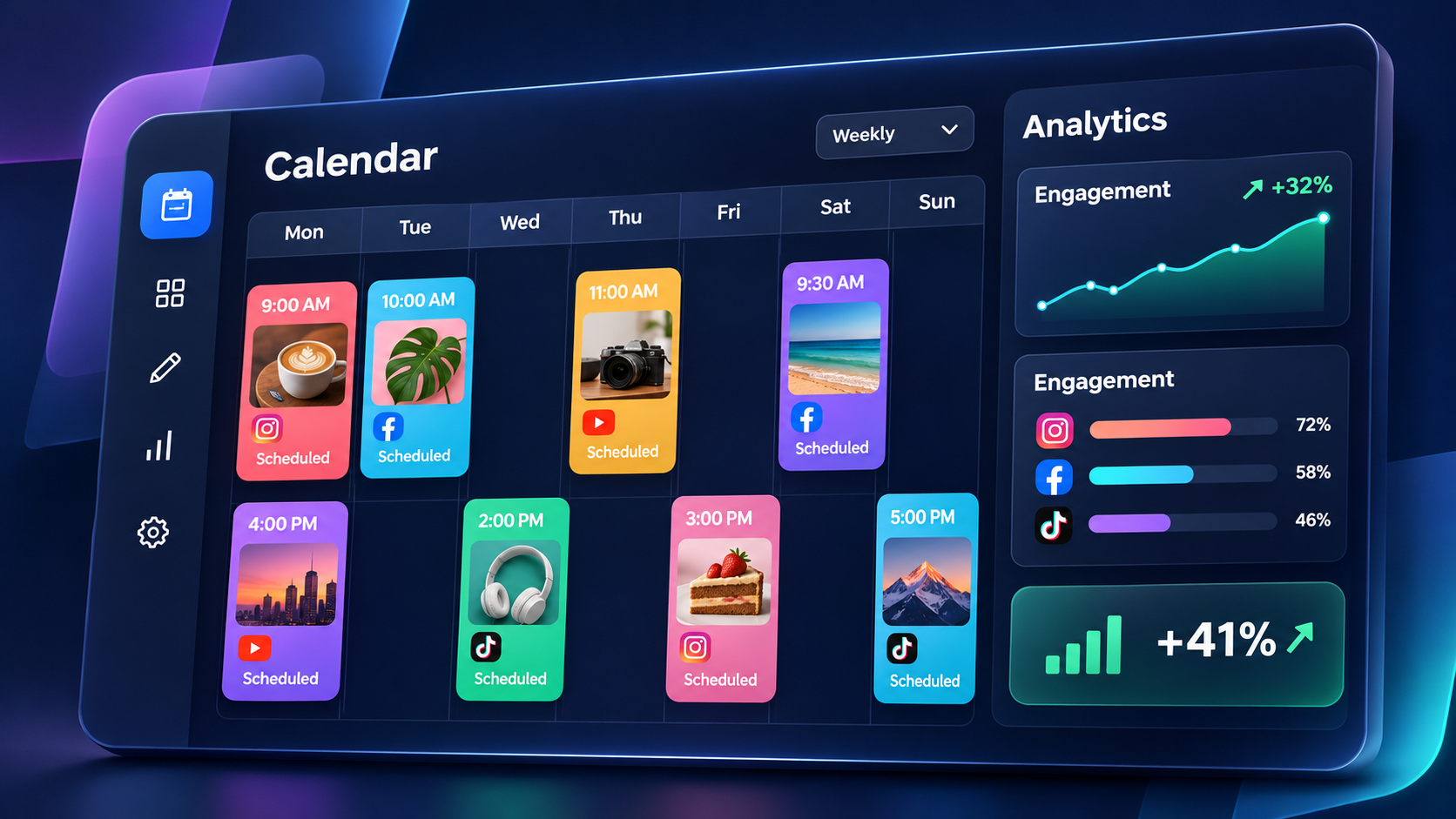
The best tools for posting and scheduling across social media platforms let you prepare content, organize it in a visual calendar, publish to several networks, and monitor results from one dashboard. Instead of manually uploading every post to every account, marketers can use a social media post scheduler such as SMMplanner, Buffer, Hootsuite, Sprout Social, Later, Metricool, SocialBee, or Publer. The right choice depends on your social networks, publishing volume, collaboration needs, reporting requirements, and budget.
Why Multi-Platform Social Media Scheduling Matters | What to Look for in a Social Media Post Scheduler | Best Tools for Posting and Scheduling Across Multiple Platforms | How to Choose the Right Tool for Your Workflow | How to Cross-Post Without Making Content Feel Repetitive | Building an Efficient Scheduling System | Common Scheduling Mistakes to Avoid | Frequently Asked Questions
Why Multi-Platform Social Media Scheduling Matters
Publishing consistently is one of the simplest ways to make a social media strategy more effective, but consistency becomes difficult when a brand manages several channels. Instagram may require a polished carousel, TikTok needs a vertical video, LinkedIn benefits from professional context, and Telegram or Facebook may call for a different caption and publishing time. Logging into each platform separately turns a manageable content plan into a repetitive daily task.
Multi-platform posting apps solve this problem by creating a central workflow. A marketer can upload creative assets, write captions, choose accounts, set publication times, and review the entire schedule without moving between multiple browser tabs. This reduces manual work while making gaps, duplicated messages, and scheduling conflicts easier to spot.
Scheduling also separates content production from content distribution. A creator can film several videos in one session, an editor can prepare the final assets, and an SMM specialist can schedule them throughout the week. This batching approach protects focused work time and reduces the pressure to create something new every morning.
However, efficiency should not come at the cost of relevance. Effective social media cross-posting tools should let users customize each version of a post. The underlying idea or asset may remain the same, but captions, calls to action, hashtags, links, aspect ratios, and publishing times should reflect the conventions of each channel.

What to Look for in a Social Media Post Scheduler
Begin with platform coverage. Make a list of every network and content format your team uses now, followed by those it expects to use during the next year. Check support at the format level rather than accepting a general platform logo as proof. A tool may publish standard image posts to a network but offer limited support for Stories, carousels, short-form video, first comments, location tags, or other native features.
Next, examine the publishing workflow. A strong tool for posting on social media should make it quick to upload media, reuse approved assets, preview posts, edit channel-specific versions, and move content around a calendar. Bulk uploading, recurring schedules, reusable caption templates, media libraries, and saved hashtag groups can be particularly valuable for high-volume teams.
Collaboration features matter when several people touch each post. Look for roles, permissions, internal notes, approval stages, draft status, and a clear record of changes. Agencies may also need separate client workspaces and approval links that do not require every stakeholder to have a full account.
Analytics should support decisions, not simply display attractive charts. Useful reporting connects published content with reach, engagement, clicks, audience growth, and other relevant outcomes. Custom date ranges, post-level comparisons, exportable reports, and cross-channel views make it easier to identify patterns and brief clients or senior stakeholders.
Finally, assess reliability and operating cost. Review notification handling for content that cannot be automatically published, account connection management, support resources, security controls, and limits on users, profiles, scheduled posts, or analytics history. The cheapest plan is not economical if the team must maintain separate spreadsheets and manual publishing routines to compensate for missing features.
Best Tools for Posting and Scheduling Across Multiple Platforms
No single platform is ideal for every organization. Some products prioritize quick publishing, while others combine scheduling with engagement, social listening, analytics, or client management. The following options cover a useful range of workflows for independent creators, marketing teams, agencies, and growing brands.
SMMplanner: Flexible Scheduling for Creators and SMM Teams
SMMplanner is designed to make scheduled publishing across social networks more systematic. It is a practical option for specialists who manage frequent content releases and want to organize posts in advance from a central workspace. Its scheduling-led approach is especially relevant to creators, small businesses, and agencies seeking to reduce repetitive manual publishing.
Use SMMplanner when your priority is building a dependable content queue and coordinating several accounts. Before committing your full workflow, test every format you publish regularly, including video, multi-image posts, temporary content, and channel-specific caption elements. This pilot will show where direct automation is possible and where platform restrictions may require reminders or final manual steps.
Buffer: Straightforward Planning and Publishing
Buffer is known for an accessible interface and a relatively uncomplicated publishing process. It suits individuals and small teams that want to plan posts, maintain a queue, and review upcoming content without adopting a large enterprise system. Its focused workflow can help teams establish a consistent publishing habit quickly.
Buffer is most useful when ease of use is more important than extensive operational complexity. It is worth evaluating for creator brands, early-stage companies, and compact marketing teams. Compare plan limits carefully if you manage many channels or need more sophisticated approvals, reporting, and engagement features.
Hootsuite: Broad Social Media Management
Hootsuite combines scheduling with broader management capabilities, including monitoring, engagement, and reporting. Its multi-column views can help teams follow conversations, mentions, and activity across several accounts. This breadth makes it a stronger candidate for established organizations that want publishing and day-to-day channel management in the same environment.
The platform may offer more functionality than a solo creator needs, so evaluate it against a specific requirements list. For a larger team, test user permissions, approval routes, inbox assignment, listening workflows, and report creation. The value comes from consolidating work that would otherwise be spread across several products.
Sprout Social: Collaboration, Engagement, and Reporting
Sprout Social is positioned toward organizations that need structured collaboration and detailed social media management. Scheduling is integrated with engagement, analytics, and team workflows, which can help departments connect publishing decisions to audience response and service activity.
It is particularly relevant when reporting quality, shared inbox management, governance, and stakeholder visibility are major requirements. A smaller organization should determine whether it will use enough of the broader feature set to justify the investment. Enterprise teams should run a real approval and reporting cycle during evaluation rather than relying only on a feature demonstration.
Later: Visual Planning for Content-Led Brands
Later is a natural candidate for teams that plan social content visually. Its calendar and media-oriented workflow can be useful for lifestyle companies, ecommerce brands, hospitality businesses, and creators who want to see how assets fit together before publication.
Consider Later when Instagram and other visual channels play a central role in your strategy. Test how efficiently your team can repurpose media, preview content, adapt captions, and coordinate short-form video. If text-led or customer-service channels are equally important, compare its broader management capabilities with those of more comprehensive platforms.
Metricool: Scheduling Combined with Performance Analysis
Metricool brings content planning, publishing, and analytics into one workflow. It can suit freelancers, agencies, and businesses that want to compare performance across multiple profiles without building every report manually. Its planning features also make it easier to connect scheduled activity with subsequent results.
When evaluating Metricool, create a sample monthly report using the metrics your organization actually presents. Confirm that definitions, date ranges, exports, and branding options meet stakeholder expectations. A reporting feature is only valuable when its data can be translated into clear decisions about topics, formats, timing, and distribution.
SocialBee: Category-Based Evergreen Scheduling
SocialBee is notable for category-based content organization and recycling workflows. A business can separate educational posts, promotional offers, testimonials, curated links, and community content, then assign different publishing patterns to each category. This can help maintain a healthier content mix.
Evergreen recycling should be used carefully. Review recurring posts regularly, add expiration dates to time-sensitive material, and avoid repeating the same message too frequently. The feature works best for durable resources, recurring reminders, and high-value articles that remain accurate over time.
Publer: Practical Scheduling and Content Reuse
Publer is another option for planning and distributing content across multiple social accounts. It can appeal to users looking for practical scheduling, reusable content, and calendar organization without moving immediately into a heavier enterprise suite.
As with all apps to schedule social media posts, evaluate it using real content rather than generic test messages. Upload your normal image sizes, videos, links, hashtags, and captions. This reveals operational friction much faster than comparing feature lists in isolation.


How to Choose the Right Tool for Your Workflow
Start by documenting your current publishing process. Record who creates content, who edits it, who approves it, where assets are stored, how posts are scheduled, and how results are reported. This exercise identifies the bottleneck the software must solve. A creator may primarily need time savings, while an agency may need client approvals and an enterprise brand may prioritize permissions and auditability.
Create a scorecard with weighted criteria. Platform and format support might account for 30 percent, workflow and collaboration for 25 percent, analytics for 20 percent, ease of use for 15 percent, and cost for 10 percent. Adjust those weights to match your business. Scoring products against agreed criteria prevents the team from choosing a platform solely because its interface looks familiar.
Run a two-week pilot with a representative content set. Include a short-form video, carousel, link post, evergreen post, promotional campaign, and time-sensitive announcement. Ask each participant to complete their normal responsibilities inside the tool. Track preparation time, failed publications, approval delays, manual workarounds, and reporting effort.
Do not migrate every account at once. Begin with one brand, campaign, or regional team, document the final workflow, and then expand. Establish naming conventions for assets, post statuses, campaign labels, and links before the number of scheduled items grows. A well-configured scheduler can become an operational hub; a poorly configured one simply relocates existing confusion.
How to Cross-Post Without Making Content Feel Repetitive
Cross-posting should begin with a shared content idea, not an identical finished post. For example, one customer story could become an Instagram carousel, a short TikTok narrative, a concise LinkedIn case study, a Facebook discussion prompt, and a series of short updates elsewhere. The strategic message remains consistent while the execution respects audience expectations.
Create a master brief containing the objective, audience, core message, evidence, creative assets, offer, and desired action. Then produce platform-specific variants inside your scheduling tool. Adjust the opening line, length, tone, hashtags, link placement, tagging, and visual crop. Use preview functions to catch truncated text, awkward line breaks, and media that does not fit the intended format.
Timing also deserves customization. Publishing every version at the same minute can be appropriate for a coordinated launch, but it is rarely necessary for evergreen content. Use account-level performance data to identify useful time windows, then stagger publication. This gives the campaign several opportunities to gain attention and allows community managers to respond without being overwhelmed.
Maintain a final quality-control step. Confirm the destination link, campaign parameters, spelling, mentions, alt text, subtitles, thumbnail, and call to action. For important posts, open the published item on the native platform after launch. A scheduler reduces repetitive labor, but accountability for the audience experience still belongs to the marketing team.
Building an Efficient Scheduling System
A sustainable system begins with content pillars. Define several recurring themes based on audience needs and business goals, such as education, product use cases, customer proof, industry commentary, company culture, and promotion. Assign a realistic publishing frequency to each pillar so the calendar reflects strategic balance rather than last-minute inspiration.
Work in batches wherever possible. Research several topics together, write related captions in one session, and film multiple videos while the lighting and equipment are ready. Upload approved assets to a shared library with descriptive filenames. Batch production reduces setup time and gives reviewers enough lead time to provide meaningful feedback.
Set clear calendar statuses such as idea, drafting, design, review, approved, scheduled, published, and repurposing. Each post should have an owner and a deadline. Automation is most effective when it supports an explicit process; it cannot compensate for unclear responsibilities.
Review performance on a recurring schedule. Weekly checks can catch publishing errors and emerging opportunities, while monthly reviews should compare themes, formats, channels, and calls to action. Use those findings to refine the next content cycle. The goal is not merely to keep the queue full, but to make every round of publishing more informed than the previous one.
Common Scheduling Mistakes to Avoid
The first mistake is treating every platform as a distribution endpoint for identical content. This saves minutes but can weaken relevance and engagement. Build customization time into the workflow and use the scheduler’s channel-specific editing features whenever they are available.
Another problem is scheduling too far ahead without review points. Evergreen material can be prepared weeks in advance, but news, cultural references, product claims, prices, and campaign details can become outdated quickly. Add a calendar checkpoint for scheduled content and pause automated posts during sensitive events when necessary.
Teams also underestimate account maintenance. Social network permissions can expire, passwords can change, and platform connections may need renewal. Assign someone to monitor failed-post notifications and reconnect accounts. Keep native platform access available for urgent corrections and formats that require manual publication.
Finally, avoid measuring success by posting volume alone. A busy calendar does not guarantee useful reach, meaningful engagement, qualified traffic, or conversions. Connect the scheduler’s data with website analytics, lead tracking, sales information, or other business outcomes. Efficiency matters most when it creates more time for better creative work, audience interaction, and strategic analysis.
Frequently Asked Questions
What is the best tool for posting on social media?
The best tool depends on the number of accounts you manage and the depth of your workflow. SMMplanner, Buffer, and Publer can suit users focused on practical scheduling, while Hootsuite and Sprout Social may be more appropriate for organizations needing broader engagement, governance, and reporting. Later is worth considering for visual planning, Metricool for integrated analysis, and SocialBee for category-based evergreen scheduling. Test your actual formats and approval process before choosing.
Can one app schedule posts for every social media platform?
No app supports every feature on every network equally. Platform APIs, account types, content formats, and publishing permissions can limit automation. Most leading tools cover several major networks, but certain Stories, interactive elements, music options, tags, or advanced video settings may still require a notification and final action in the native app. Verify support for each format your strategy relies on.
Is cross-posting the same content bad for engagement?
Cross-posting is not inherently bad, but publishing an identical post everywhere can produce weak results because audiences and platform conventions differ. Reuse the central idea and creative investment, then adapt the hook, caption, format, timing, and call to action. Thoughtful adaptation preserves efficiency without making the brand appear automated or inattentive.
How far in advance should social media posts be scheduled?
For stable, evergreen content, scheduling two to four weeks ahead can provide useful visibility and production efficiency. Time-sensitive campaigns may require a shorter window and more frequent review. Keep some calendar space available for current conversations, reactive content, and community insights. Regardless of the scheduling horizon, review queued posts regularly for accuracy, relevance, and tone.