
Best Content Calendar for Social Media: Features and Top Picks
Effective social media content calendars streamline planning and boost engagement. Find top features and the best tools to organize your posts efficiently.


The best content calendar for social media is one that turns strategy, production, approval, scheduling, and performance review into a repeatable workflow. For many marketers, that means choosing a dedicated publishing platform such as SMMplanner, Buffer, Later, Hootsuite, or Planable. Smaller teams may prefer a flexible workspace such as Notion, Trello, or Google Sheets. The right choice depends on your publishing volume, social networks, approval requirements, reporting needs, and budget—not simply the number of features advertised.
Why a Social Media Content Calendar Matters | Essential Features to Look For | Top Content Calendar Tools for Different Workflows | How to Compare Social Media Calendar Apps | How to Build a Calendar That Your Team Will Use | Common Content Calendar Mistakes | Frequently Asked Questions
Why a Social Media Content Calendar Matters
A social media calendar is more than a list of publication dates. It is an operating system for your content strategy. It shows what will be published, where it will appear, who owns it, which campaign it supports, and what must happen before it goes live. This visibility makes it easier to maintain a consistent presence without producing content at the last minute.
A useful calendar also helps marketers balance their content mix. When an entire month is visible, you can quickly identify whether the schedule contains too many promotional posts, too few educational videos, or repeated messages aimed at the same audience segment. This is difficult to detect when captions, briefs, and assets are scattered across chats and folders.
For a solo creator, the calendar protects production time. Instead of deciding what to post each morning, the creator can batch related tasks: generate ideas on Monday, film on Tuesday, edit on Wednesday, and schedule on Thursday. For an agency or marketing department, the same calendar creates accountability by assigning owners, deadlines, reviewers, and approval statuses.
The best calendars preserve room for timely content. Planning does not mean locking every slot weeks in advance. A practical schedule combines planned campaigns, recurring content pillars, evergreen posts, and open spaces for trends, news, customer conversations, or reactive brand messages.

Essential Features to Look For
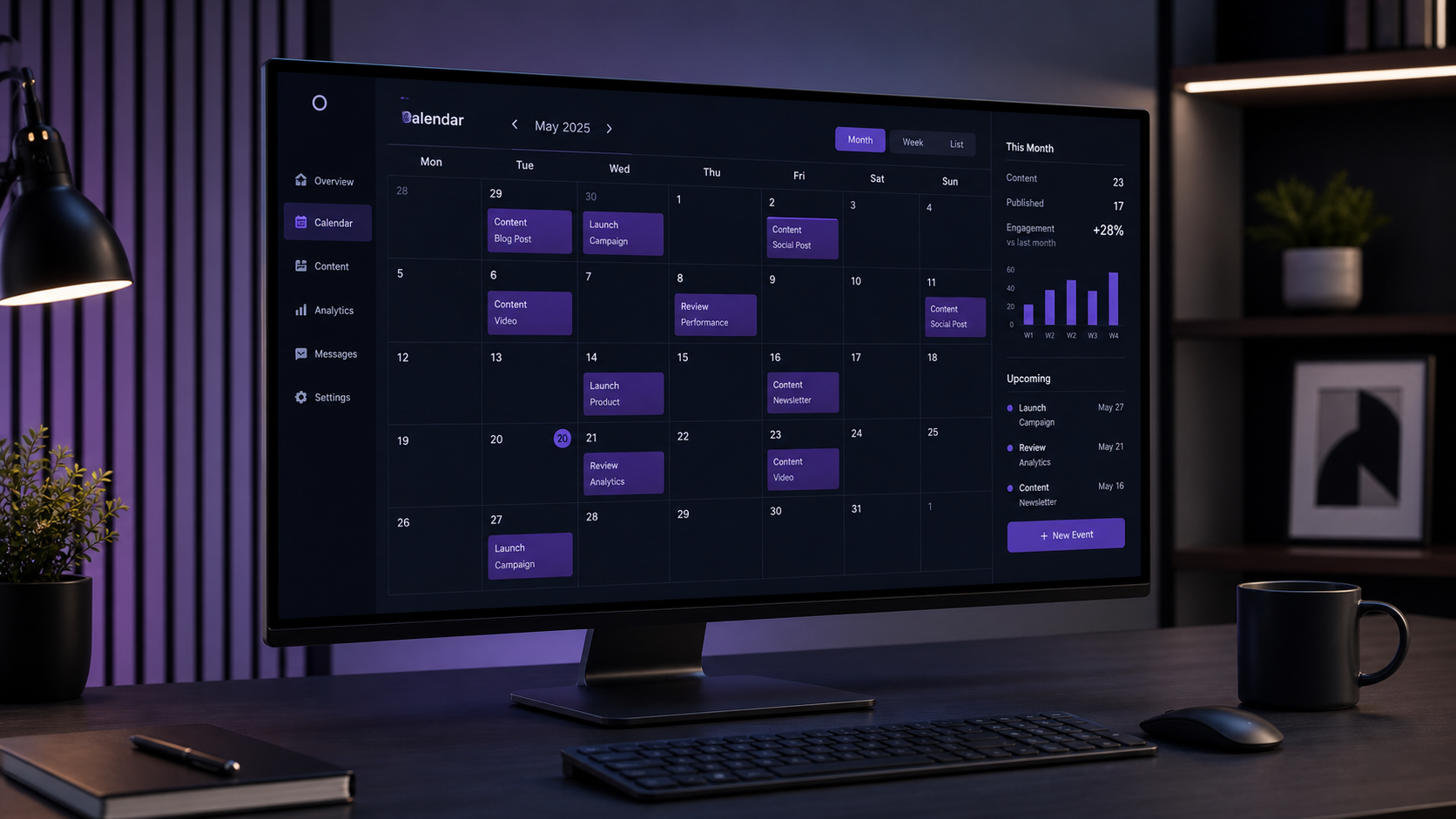
Start with calendar usability. A monthly view is useful for campaign balance, while weekly and daily views help teams manage production details. Drag-and-drop rescheduling is especially valuable because social plans change frequently. The interface should make gaps, overlaps, drafts, and scheduled posts obvious without requiring multiple clicks.
Strong content calendar tools support platform-specific planning. A single campaign may become a vertical video for TikTok, a carousel for Instagram, a short text post for LinkedIn, and a discussion prompt for Facebook. Your tool should let you adapt the caption, format, tags, timing, and creative asset for each network rather than forcing one identical post everywhere.
Look for the following capabilities:
- Multi-platform scheduling: Plan and publish to the social networks your brand actively uses.
- Visual previews: Check how images, videos, captions, and grids may appear before publishing.
- Draft and approval statuses: Move posts through ideation, creation, review, approval, scheduling, and publication.
- Asset management: Store or connect final images, videos, thumbnails, links, and brand files.
- Collaboration: Assign owners, mention teammates, collect comments, and retain a clear feedback history.
- Analytics: Compare results by network, format, campaign, content pillar, or publishing time.
- Labels and filters: Organize posts by brand, client, platform, objective, market, or content type.
- Mobile access: Review schedules, make urgent changes, and receive publishing reminders away from a desk.
Reliability deserves as much attention as interface design. Check whether the tool supports direct publishing for the formats you use most. Social network APIs can impose restrictions, and support may differ for Stories, carousels, short-form video, first comments, location tags, or creator accounts. Review current platform documentation before subscribing.
Finally, consider how the calendar connects to your wider workflow. Useful integrations may include cloud storage, design software, URL shorteners, analytics systems, or project-management tools. The goal is not to collect integrations; it is to reduce copying, downloading, re-uploading, and version confusion.
Top Content Calendar Tools for Different Workflows
No single platform is universally best. The strongest option is the one that removes the most friction from your specific process. The following top picks cover publishing-focused workflows, visual planning, collaboration, enterprise management, and flexible editorial organization.
SMMplanner: Best for Practical Multi-Platform Scheduling
SMMplanner is a natural choice for marketers and creators who want to prepare content in advance and automate routine publishing. It is particularly relevant when the main objective is to maintain a consistent schedule across several accounts without manually opening each social network at publication time.
Use SMMplanner as the execution layer of your calendar: prepare approved captions and media, select destinations, set publication times, and review the queue before campaigns begin. This approach is effective for evergreen series, promotional sequences, educational posts, and recurring brand content. Before building a workflow, confirm current support for your required networks and post formats.
Buffer: Best for Simplicity and Small Teams
Buffer is a strong fit for creators, small businesses, and lean marketing teams that value a straightforward publishing experience. Its calendar and queue-based approach make it easy to see upcoming posts, establish recurring time slots, and customize content for different channels.
Choose Buffer when adoption matters more than complex governance. It can help a small team move from ideas to scheduled posts without a lengthy setup process. Teams with advanced approval structures, extensive listening requirements, or highly customized reporting should compare its available plan features carefully.
Later: Best for Visual-First Content
Later is well suited to Instagram-led brands, lifestyle businesses, ecommerce teams, and creators who make visual presentation a priority. Its visual planning approach helps users arrange upcoming posts, manage media, preview content, and assess how individual assets work together.
This makes Later useful when aesthetic consistency is part of brand performance. However, do not judge content only by grid appearance. Combine visual planning with campaign objectives, audience needs, accessibility requirements, and post-level performance data.
Planable: Best for Reviews and Client Approvals
Planable is designed around collaboration, contextual feedback, and approvals. It is a compelling option for agencies, distributed teams, and regulated organizations where several people must review a post before publication. Stakeholders can evaluate content in a format that resembles the final social post instead of commenting on disconnected copy documents.
The greatest advantage is workflow clarity. A copywriter, designer, account manager, legal reviewer, and client can work through defined stages without losing the latest version. If approval delays are your largest operational problem, a collaboration-first calendar may create more value than a tool with broader analytics.
Hootsuite: Best for Larger Social Media Operations
Hootsuite is commonly considered by organizations that need publishing, engagement, monitoring, analytics, and team management in a broader social media suite. It can suit companies managing many profiles, markets, campaigns, or customer conversations.
The tradeoff is complexity and cost. A large feature set is valuable only when the team has the processes and resources to use it. Before committing, map each required feature to a real task, identify who will own it, and calculate the cost across all users and social accounts.
Notion, Trello, or Google Sheets: Best for Flexible Planning
General-purpose tools remain useful when the calendar must cover more than social publishing. Notion can combine briefs, databases, campaign pages, and editorial documentation. Trello offers an accessible card-based workflow. Google Sheets is familiar, customizable, and easy to share with stakeholders.
These options are inexpensive and flexible, but they usually require a separate scheduler for automated publication. They also depend on consistent manual upkeep. A hybrid system can work well: use a flexible workspace for strategy and production, then transfer approved content to SMMplanner or another publishing tool.


How to Compare Social Media Calendar Apps
Begin with a workflow audit rather than a feature comparison. Document how content currently moves from idea to publication. Note where work becomes delayed, duplicated, or unclear. If posts regularly wait for client feedback, prioritize approvals. If publishing consumes hours each week, prioritize automation. If assets disappear in chat threads, prioritize media organization.
Next, create a scorecard based on real requirements. Score each candidate from one to five for ease of use, supported networks, post formats, scheduling, collaboration, asset handling, analytics, integrations, mobile access, and total cost. Weight the categories according to their importance. A team that publishes video daily should assign more weight to media workflows than to features it may never use.
Test shortlisted social media calendar apps with an actual campaign. Build two weeks of content, invite the people who normally review posts, upload representative media, customize posts for each channel, and reschedule several items. A polished demonstration cannot reveal whether everyday tasks are fast or frustrating.
Calculate the total cost of ownership rather than comparing headline prices. Consider limits on users, profiles, scheduled posts, analytics history, approval features, storage, and premium integrations. Add the internal cost of training and administration. A cheaper platform can become expensive if employees maintain parallel spreadsheets or repeatedly fix failed handoffs.
Security and account management also matter. Larger teams should examine user permissions, access removal, authentication options, activity records, and account recovery procedures. Avoid workflows that require multiple people to share a social network password.
How to Build a Calendar That Your Team Will Use
Start with a small set of required fields. Every planned post should include a publication date, time, platform, format, objective, content pillar, caption, asset, owner, and status. Add campaign tags, audience segments, links, tracking parameters, alt text, subtitles, or approval notes only when they support a genuine decision or task.
Define a limited number of content pillars based on audience needs and business goals. A software company might use education, product guidance, customer proof, industry commentary, and brand culture. A creator might use tutorials, behind-the-scenes content, personal stories, recommendations, and community questions. Tagging each post reveals whether the schedule is balanced.
Establish a rolling planning cadence. Many teams benefit from sketching campaigns one quarter ahead, developing specific topics four weeks ahead, producing content one or two weeks ahead, and reviewing the calendar weekly. This structure provides direction while preserving flexibility for current events and emerging trends.
Use clear status labels, such as Idea, Briefed, In Production, In Review, Approved, Scheduled, Published, and Repurpose. Each status should describe a real stage with an obvious owner. Avoid ambiguous labels such as “Almost Done,” which do not tell teammates what action is required.
Schedule a short weekly calendar review. Check missing assets, overdue approvals, platform balance, campaign timing, tracking links, and any posts affected by recent news. After publication, add performance observations to the planning process so the calendar becomes a learning system rather than a static timetable.
Common Content Calendar Mistakes
The first mistake is overplanning. Filling every slot months ahead can leave no capacity for audience conversations, trends, product changes, or unexpected events. Reserve flexible spaces and distinguish fixed campaign posts from movable evergreen content.
Another mistake is copying the same creative and caption to every network. Cross-posting can save time, but each platform has different audience expectations, formats, and discovery mechanics. Preserve the central idea while adjusting the hook, length, visual treatment, call to action, and publishing time.
Teams also create calendars that track activity but not purpose. A full schedule is not necessarily a strong strategy. Every post should support an objective such as reach, engagement, leads, sales, retention, or customer education. If the objective is unclear, reconsider whether the post deserves production resources.
Finally, avoid treating publication as the end of the workflow. Reserve time to respond to comments, monitor reactions, capture questions, and review performance. The audience’s response should influence future topics, formats, and creative choices. The best content calendar for social media creates this feedback loop.
Frequently Asked Questions
What is the best content calendar for social media?
The best option depends on your workflow. SMMplanner or Buffer can suit scheduling-focused teams, Later is useful for visual planning, Planable emphasizes feedback and approvals, and Hootsuite serves broader social operations. Notion, Trello, and Google Sheets are practical for flexible planning when paired with a publishing tool.
What should a social media content calendar include?
At minimum, include the publication date, time, platform, post format, objective, content pillar, caption, creative asset, owner, and workflow status. Teams may also need campaign labels, tracking links, accessibility fields, approval records, and post-performance notes.
How far in advance should social media content be planned?
For most teams, a rolling two-to-four-week detailed calendar is practical. Major campaigns can be mapped several months ahead, while final posts should retain enough flexibility for timely topics. Review the calendar every week and adjust it using performance data and business priorities.
Are free content calendar tools good enough?
Free tools can be sufficient for a solo creator or small operation with a limited number of accounts. They are also useful for testing a workflow. Upgrade when limits on scheduling, users, approvals, analytics, profiles, or asset storage create measurable delays or increase the risk of publishing errors.