
Best Instagram Scheduling Platforms for Seamless Posting
Top Instagram scheduling platforms streamline your posting process, helping you maintain a consistent presence and boost engagement effortlessly.


The best Instagram scheduling platforms help marketers plan content visually, publish posts automatically, coordinate approvals, and measure performance without managing every upload by hand. For most teams, the right choice depends on publishing volume, collaboration needs, budget, and whether Instagram is the primary channel or part of a broader social media strategy. This guide compares the strongest options—including SMMplanner, Later, Buffer, Hootsuite, Sprout Social, Metricool, and Planable—to help you select an Instagram post scheduler that fits your workflow.
What to Look for in an Instagram Scheduling Platform | 1. SMMplanner: Best for Flexible, Practical Social Publishing | 2. Later: Best for Visual Instagram Planning | 3. Buffer: Best for Simplicity and Small Teams | 4. Hootsuite: Best for Multi-Channel Management | 5. Sprout Social: Best for Analytics and Enterprise Collaboration | 6. Metricool: Best for Performance-Focused Creators and Agencies | 7. Planable: Best for Reviews and Content Approvals | How to Choose the Right Instagram Post Scheduler | Best Practices for Scheduling Instagram Posts | Frequently Asked Questions
What to Look for in an Instagram Scheduling Platform
A reliable scheduler should do more than place a photo on a calendar. It should reduce repetitive work across the entire content cycle: planning, production, review, publishing, community management, and reporting. Before comparing feature lists, map your current workflow and identify where delays occur. A solo creator may need fast mobile scheduling and an intuitive visual planner, while an agency may prioritize client approvals, workspaces, permissions, and exportable reports.
Start with publishing coverage. Confirm that the platform supports the Instagram formats you use most, such as single-image posts, carousels, Reels, and Stories. Some tools can automatically publish certain formats but send reminders for others because of account settings or API limitations. Check the current publishing requirements for your Instagram account type and test the complete workflow before committing to an annual subscription.
Usability is equally important. A drag-and-drop calendar, reusable media library, saved captions, first-comment support, and clear previews can save hours each month. If several people contribute content, look for approval stages, internal comments, version history, role-based permissions, and a visible activity log. These capabilities prevent accidental publishing and eliminate long approval chains scattered across email and messaging apps.
Finally, assess analytics and integrations. Useful reporting should connect individual posts with business goals through metrics such as reach, engagement, audience growth, saves, clicks, and publishing consistency. If your strategy spans short-form video platforms, an Instagram and TikTok scheduler can simplify repurposing—but only if it lets you customize captions, formats, and timing for each network rather than publishing identical content everywhere.

1. SMMplanner: Best for Flexible, Practical Social Publishing
SMMplanner is a strong option for marketers, creators, and small businesses that want structured content planning without an unnecessarily complicated enterprise workflow. Its central value is straightforward: prepare content in advance, organize a consistent publishing schedule, and reduce the need to log in manually whenever a post should go live.
The platform is particularly useful for teams managing frequent campaigns or several social accounts. Marketers can batch content production, prepare captions and media, and distribute posts according to a planned cadence. That makes SMMplanner relevant not only as an Instagram social media scheduler but also as a practical publishing hub for broader content operations.
Its workflow suits an evergreen strategy well. For example, a brand can create recurring content categories—education on Mondays, product demonstrations on Wednesdays, community stories on Fridays—and build a calendar around them. Instead of treating every post as a separate task, the team can work in batches and maintain a recognizable editorial rhythm.
SMMplanner is best for users who value publishing efficiency, flexible scheduling, and a focused interface. Before choosing a plan, review the currently supported networks, post formats, account limits, and automation rules. Then run a short pilot using real content. Schedule a carousel, a short-form video, and a campaign post with a longer caption to confirm that the workflow matches your daily needs.
2. Later: Best for Visual Instagram Planning
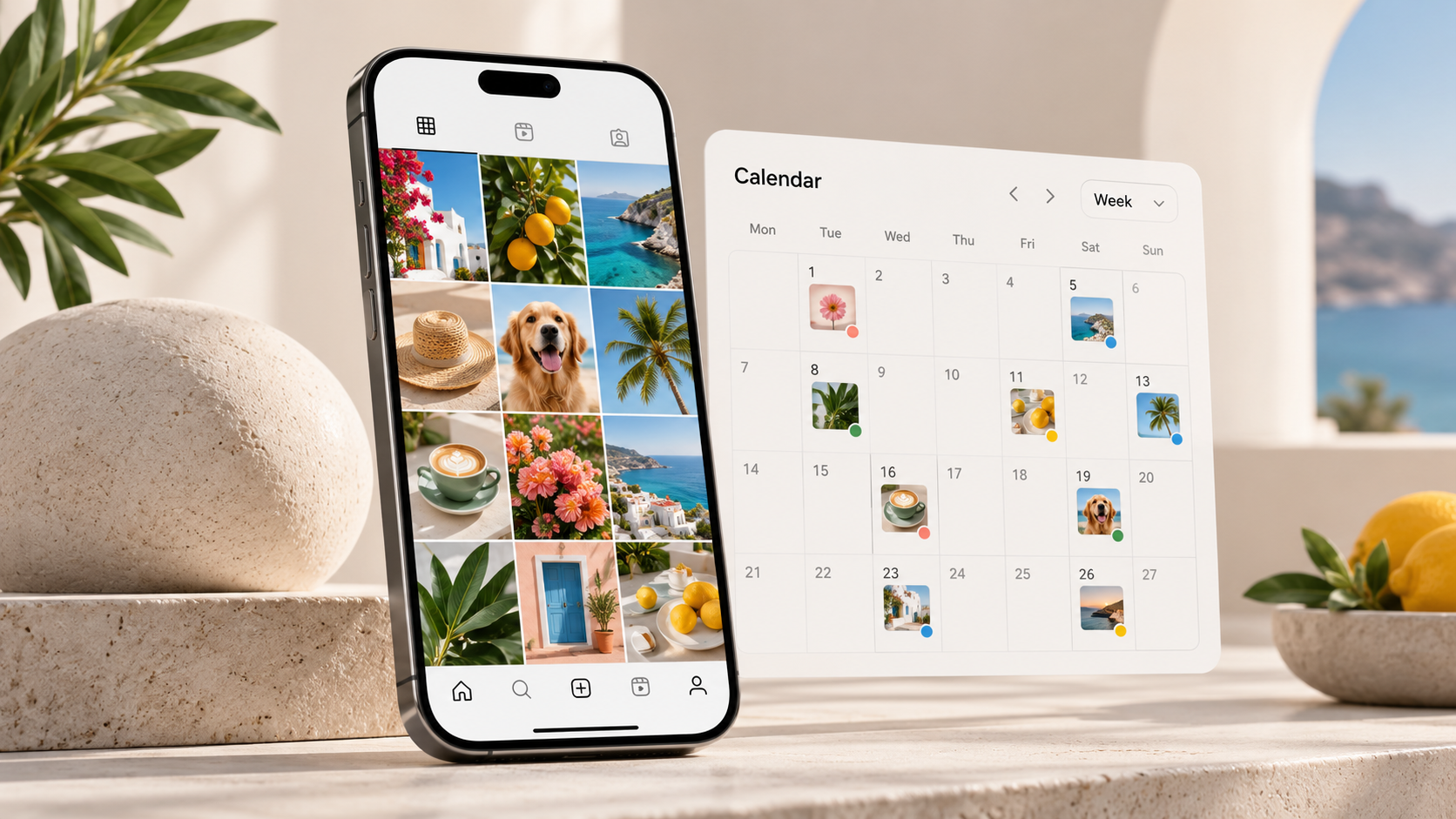
Later is one of the most recognizable Instagram scheduling platforms for visually driven brands. Its visual content calendar and feed-planning tools make it especially helpful for fashion, beauty, travel, food, design, and lifestyle accounts where the relationship between posts matters almost as much as each individual asset.
The visual planner allows users to arrange upcoming content and evaluate how images, graphics, and videos may look together. This is valuable when a campaign relies on a coordinated color palette, alternating content types, or a multi-post product launch. Instead of discovering an awkward feed sequence after publishing, marketers can identify visual repetition or imbalance during planning.
Later also supports workflows beyond Instagram, making it a practical choice for brands that want to coordinate several visual channels. Its media-management features help users organize assets, prepare captions, and maintain a reusable content library. Depending on the selected plan and current feature availability, users may also gain access to collaboration, link-in-bio, analytics, and content-discovery capabilities.
Choose Later if visual consistency is a core part of your brand strategy. However, do not let feed aesthetics dominate your decisions. Use its preview tools alongside performance data, audience needs, and campaign goals. An attractive grid can strengthen brand recognition, but valuable content and strong creative hooks usually matter more for reach and conversions.
3. Buffer: Best for Simplicity and Small Teams
Buffer is a good fit for creators, consultants, startups, and lean marketing teams that want an approachable scheduler without a steep learning curve. The interface emphasizes straightforward planning and publishing, which can make onboarding faster for users who do not need complex enterprise administration.
For scheduling Instagram posts, Buffer provides a clear queue-based workflow. Users can establish preferred publishing times and add content to the next available slots. This is convenient for maintaining a consistent baseline schedule because the team does not need to choose a new time for every evergreen post.
Buffer can also work well when Instagram is only one part of the channel mix. A marketer can coordinate content across supported social networks while adapting the copy for each audience. That distinction matters: a concise Instagram caption may need a different opening, call to action, or link treatment when repurposed elsewhere.
Buffer is most suitable for teams that value clarity over extensive customization. Compare its plan limits carefully, particularly the number of channels, users, scheduled posts, approval features, and depth of analytics. If you are considering it as an Instagram and TikTok scheduler, test video uploads and platform-specific customization before migrating your full calendar.
4. Hootsuite: Best for Multi-Channel Management
Hootsuite is designed for organizations that manage Instagram alongside multiple social networks and need a broad management environment. It combines scheduling with tools for monitoring, engagement, collaboration, and reporting, making it more comprehensive than a basic posting queue.
The unified calendar gives marketers a high-level view of campaigns across channels. This is useful for product launches, events, seasonal promotions, and announcements that require coordinated timing. Teams can spot scheduling gaps, excessive posting, and channel conflicts before content goes live.
Hootsuite can also support community-management workflows through consolidated inbox and monitoring capabilities, subject to the features included in the chosen plan. That helps teams move from publishing to response management without constantly switching between native apps. For brands receiving a high volume of comments and messages, this operational benefit may be more valuable than scheduling alone.
The tradeoff is complexity and cost. Smaller teams may find that they are paying for functions they rarely use. Hootsuite is most compelling when several employees manage multiple accounts, reporting requirements are formal, and centralized oversight is important. Build a requirements checklist before requesting a trial so you can evaluate the features that affect your work rather than being distracted by the size of the platform.

5. Sprout Social: Best for Analytics and Enterprise Collaboration
Sprout Social is a premium social media management platform aimed at organizations that need robust collaboration, reporting, and governance. It is a strong contender for established brands, agencies, and larger marketing departments where social data must be shared with executives, customer-care teams, or other stakeholders.
Its scheduling capabilities are part of a wider system that can include publishing, engagement, social listening, analytics, and team workflows. This broader context helps organizations connect content operations with audience feedback and brand performance. Instead of simply reporting how many posts were published, teams can investigate which themes, formats, and campaigns generate meaningful reactions.
Sprout Social is also suited to structured approval environments. A regulated organization or global brand may need content reviewed by marketing leads, legal teams, or regional managers before publication. Clear permissions and approval paths make those processes easier to manage and audit.
The platform may be excessive for a solo creator who mainly needs a post planner for Instagram. Its value grows with organizational complexity, reporting demands, and the number of people involved. Request a tailored demonstration using your actual use cases, and calculate the total cost across all required users and profiles before deciding.
6. Metricool: Best for Performance-Focused Creators and Agencies
Metricool combines planning with analytics, competitive research, and reporting, making it appealing to users who want publishing and measurement in one place. It is particularly useful for performance-focused creators, freelancers, and agencies that need to understand what happened after content went live.
The planning calendar provides an overview of upcoming posts across supported channels, while analytics can help identify effective topics, formats, and publishing periods. Marketers can use this information to refine future schedules instead of relying on generic “best time to post” advice. Your own audience data is almost always more useful than broad industry averages.
Metricool can be a practical Instagram and TikTok scheduler for short-form video strategies spanning both networks. The best workflow is not to upload the same file with the same caption everywhere. Prepare a clean master video, customize the hook and caption for each platform, and check previews for text placement, cropping, and interface overlays.
Agencies should examine brand limits, reporting options, user access, and client-facing presentation features. A good analytics platform should reduce reporting time while making results understandable. Test whether reports can communicate decisions and next steps, not merely display charts.
7. Planable: Best for Reviews and Content Approvals
Planable focuses heavily on collaboration and approval, making it useful for agencies, distributed teams, and brands with several reviewers. Content appears in a context-rich environment where stakeholders can preview posts, leave feedback, and approve work before it enters the publishing schedule.
This approach addresses one of the most persistent problems in social media production: fragmented feedback. When captions are reviewed in documents, images are shared in messaging threads, and approval arrives by email, it becomes difficult to determine which version is final. Centralizing discussion around the post reduces confusion and revision cycles.
Planable is a strong choice when the bottleneck is not content creation but stakeholder coordination. Teams can structure work by brand or client, assign permissions, and establish clear approval expectations. This makes it easier to protect sensitive accounts while still involving contributors and decision-makers.
If you are searching for a post planner Instagram teams can use collaboratively, assess Planable’s preview accuracy, approval options, supported formats, and workspace pricing. It may not be the first choice for organizations seeking the deepest social listening or analytics, but its focused review experience can produce significant operational savings.
How to Choose the Right Instagram Post Scheduler
Begin by separating essential requirements from attractive extras. Essential requirements may include automatic Instagram publishing, carousel support, Reels scheduling, two approval levels, five user seats, and management of ten profiles. Optional features could include competitor tracking, AI caption assistance, social listening, or advanced link-in-bio tools.
Next, compare total workflow cost rather than subscription price alone. An inexpensive tool becomes costly if staff must manually reformat posts, chase approvals, or assemble reports every week. Conversely, an enterprise platform is poor value when most of its features remain unused. Estimate the hours each option can save per month and compare that figure with its full user and account cost.
Run a realistic trial with at least one complete campaign. Import media, draft captions, request approval, revise content, schedule multiple formats, publish, respond to engagement, and review results. Invite the people who will actually use the software, including creators and approvers. Their experience will reveal friction that a feature comparison cannot.
Also evaluate reliability and account security. Look for clear permission controls, secure authentication, responsive support, transparent service documentation, and a stable connection method. Avoid tools that request unsafe account access or rely on questionable automation practices. Seamless posting is valuable only when it protects the brand and complies with platform rules.
Finally, create a consistent operating process after selecting a tool. Define content pillars, establish a weekly planning session, batch-produce assets, set approval deadlines, and review analytics monthly. Even the best Instagram scheduling platforms cannot fix an undefined strategy, but the right system can make a good strategy much easier to execute.
Best Practices for Scheduling Instagram Posts
Plan around campaigns and content pillars instead of filling empty calendar slots. A useful calendar balances promotional content with education, entertainment, proof, and community participation. If every scheduled post asks for a sale, engagement and audience trust may decline.
Write captions for mobile reading. Place the most important idea in the opening lines, use short paragraphs, and finish with a relevant action. That action might be saving the post, sharing an opinion, visiting a profile link, or sending a direct message. Avoid forcing a call to action into every post when the content is designed primarily for reach or brand affinity.
Build flexibility into the schedule. Leave room for timely trends, customer stories, company news, and reactive content. A fully packed calendar can make a brand feel disconnected from current conversations. Maintain a backlog of evergreen posts that can be moved without disrupting a campaign.
Review scheduled content shortly before publication, especially during sensitive events or rapid news cycles. Check links, dates, tags, locations, product availability, text overlays, and captions. Automation should remove repetitive tasks, but human judgment should remain part of the publishing process.
Measure performance by objective. Track saves and shares for educational content, qualified clicks for conversion posts, watch time for video, and thoughtful replies for community content. Use those insights to update your next production batch. A scheduler becomes strategically valuable when it supports an ongoing loop of planning, publishing, learning, and improvement.
Frequently Asked Questions
What is the best Instagram scheduling platform?
The best platform depends on your workflow. SMMplanner is a practical choice for flexible publishing, Later is strong for visual feed planning, Buffer suits small teams seeking simplicity, and Hootsuite or Sprout Social can support larger multi-channel organizations. Metricool is useful for analytics-focused users, while Planable stands out for approvals and stakeholder feedback.
Can an Instagram post scheduler publish automatically?
Many schedulers can automatically publish supported Instagram formats when connected to an eligible account. However, availability may vary by content type, account configuration, platform permissions, and current Instagram API rules. Some posts may require a mobile notification or final manual action. Verify the latest support details with the scheduling provider and test each format you plan to use.
Is it safe to use an Instagram social media scheduler?
Established scheduling platforms that use authorized connections and follow Instagram’s platform policies are generally the safer choice. Review the provider’s security practices, permissions, authentication options, and reputation. Avoid services that request unnecessary credentials, promise artificial engagement, or use automation that may violate platform rules.
Should I use the same scheduler for Instagram and TikTok?
Using one Instagram and TikTok scheduler can simplify planning, approvals, and reporting, especially for teams producing short-form video at scale. The tool should still allow platform-specific captions, timing, previews, and creative adjustments. Repurpose the core idea, but tailor the final post to the behavior, interface, and audience expectations of each network.