
Best Social Media Scheduling Platforms for 2026
Top social media scheduling platforms for 2026 help streamline content planning and boost engagement across multiple channels efficiently.


The best social media scheduling platform for 2026 is the one that matches your publishing volume, network mix, approval process and reporting needs. Buffer is an accessible choice for solo creators and small businesses, SMMplanner is well suited to practical multi-network scheduling, Later stands out for visual planning, Metricool combines publishing with useful analytics, and Hootsuite or Sprout Social can support larger teams with more complex workflows. The right decision depends less on the longest feature list and more on how reliably a platform helps your team plan, approve, publish and improve content.
What Makes a Social Media Scheduler Worth Using in 2026? | Top Social Media Schedulers for 2026 | Quick Comparison: Which Platform Fits Your Team? | How to Choose the Best Social Media Scheduling App for a Small Business | A Better Scheduling Workflow for Consistent Content | Common Scheduling Mistakes to Avoid in 2026 | Final Recommendation | Frequently Asked Questions
What Makes a Social Media Scheduler Worth Using in 2026?
Scheduling is no longer just a matter of placing a caption and image into a queue. Modern content operations include short-form video, carousels, Stories, first comments, platform-specific copy, client approvals, social inboxes and performance reporting. The best social media content scheduler should reduce the number of manual steps between an idea and a published post without removing the human judgment that makes content relevant.
Network coverage is the first practical test. Check whether a platform supports the exact post formats you use on Instagram, Facebook, TikTok, LinkedIn, Pinterest, YouTube, Threads, Bluesky or other priority channels. A scheduler may list a network as supported while still requiring mobile notifications for certain formats, tags or interactive features. Always test your most complicated recurring post before committing to an annual subscription.
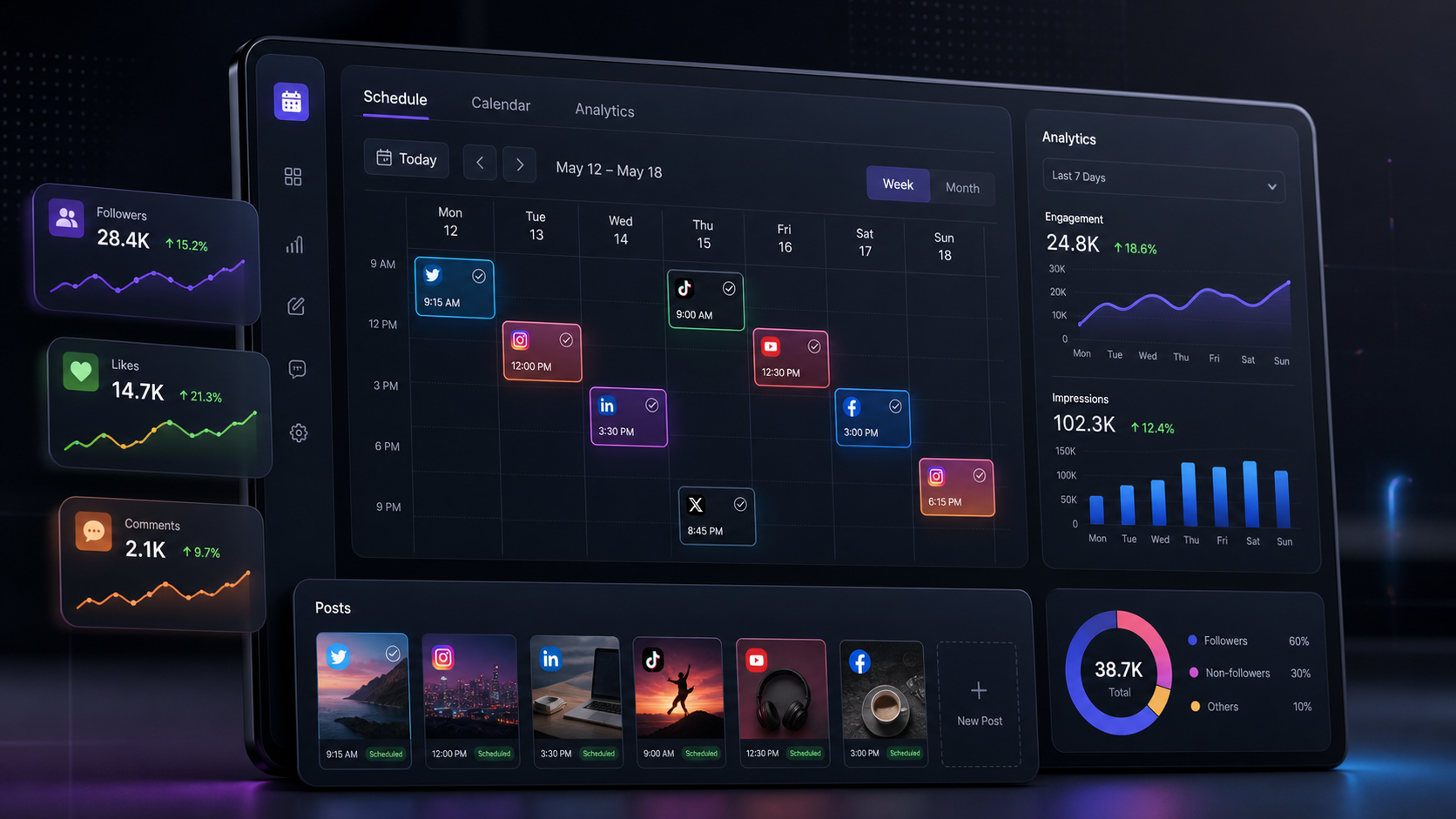
Usability matters just as much. A clear calendar should let you identify gaps, move posts, duplicate campaigns and see which content belongs to each channel. Strong tools also make it easy to store reusable media, customize one idea for several networks and detect publishing errors before they disrupt a campaign.
Collaboration becomes essential when more than one person touches the content. Look for roles, draft statuses, internal notes, approval stages and an audit trail. A small company may only need an owner and a freelance creator, but the ability to separate drafting from approval prevents accidental publishing and protects the brand as the team grows.
Finally, evaluate analytics and engagement features in relation to your goals. A local business may only need reach, clicks and response tracking. An agency may require branded reports, cross-client workspaces and exportable data. Paying for advanced listening or enterprise reporting makes sense only when someone will use those insights to change strategy.

Top Social Media Schedulers for 2026
The following platforms represent different types of social media teams rather than a single universal ranking. Pricing, network integrations and publishing permissions change frequently, so confirm current plan details and test the workflows that matter to you during a trial.
1. SMMplanner: Best for Focused, Practical Content Scheduling
SMMplanner is a natural option for marketers and creators who want to organize scheduled publishing without turning everyday content management into an oversized enterprise process. Its core appeal is a practical workflow: prepare content in advance, arrange a consistent posting rhythm and reduce the manual work of publishing throughout the week.
It is particularly relevant for specialists managing multiple content streams or businesses that need dependable scheduling but do not want to pay for a large suite of features they may never use. When evaluating SMMplanner, connect your real accounts and test format support, media requirements, time-zone handling and any platform-specific publishing rules.
Best for: creators, SMM specialists and small teams that prioritize straightforward planning and automated publishing.
2. Buffer: Best for Simplicity and Flexible Growth
Buffer remains one of the easiest tools to understand. Its publishing workflow is clean, its calendar is approachable and its channel-based model can work well for a business with a carefully chosen social presence. It also offers tools for drafting ideas, adapting posts and reviewing basic performance.
The main advantage is speed of adoption. A solo marketer can start scheduling with little training, while a growing team can add collaboration and analytics as needed. The trade-off is that per-channel costs can rise as a company adds profiles, brands or client accounts. Count every individual profile before comparing Buffer with plans that package accounts into sets or workspaces.
Best for: solo creators, consultants and small businesses seeking a low-friction publishing experience.
3. Later: Best for Visual Content Planning
Later is especially attractive to brands built around Instagram, TikTok, Pinterest and other visual channels. Its calendar and media-oriented workflow help marketers plan how creative assets will appear across a campaign rather than treating posts as isolated text updates.
Features vary by plan, but Later can combine scheduling with analytics, link-in-bio tools, media organization, team management and approval functionality. This makes it useful for lifestyle, beauty, food, travel, fashion and ecommerce teams that produce a steady stream of images and videos. Check scheduling limits and the number of included users or social sets when calculating the real cost.
Best for: visual brands, influencers, ecommerce marketers and teams with asset-heavy calendars.
4. Metricool: Best for Scheduling Plus Accessible Analytics
Metricool brings publishing, campaign measurement and reporting into a relatively approachable workspace. Its strength is the connection between planning and analysis: users can schedule content, review results and compare performance without building a separate reporting stack.
It is a strong candidate for freelance social media managers and budget-conscious agencies. Its visual calendar, competitor analysis options and reporting tools can make monthly reviews more efficient. As with any analytics platform, verify how long data is retained, which metrics are available for each network and whether reports can be customized for clients.
Best for: freelancers, agencies and small businesses that want analytics alongside scheduling.
5. Hootsuite: Best for Established Multi-Network Teams
Hootsuite has evolved beyond basic scheduling into a broader social media management environment. Depending on the plan, teams can combine publishing with a unified inbox, monitoring, reporting, approvals, automation and social listening capabilities.
Its breadth is useful when social media is shared across marketing, customer care and communications teams. However, the platform may be more expensive and complex than a small business needs. It delivers the most value when a company has enough publishing volume, incoming messages and reporting requirements to use several parts of the system consistently.
Best for: established organizations managing many networks, campaigns and stakeholder groups.
6. Sprout Social: Best for Advanced Management and Reporting
Sprout Social is designed for organizations that treat social media as a significant business function. It combines content planning with engagement, governance and detailed reporting. Its interface and reporting capabilities can help teams communicate social performance to managers who need more than a list of likes and impressions.
The principal consideration is cost, particularly when pricing scales by user. Sprout can be a strong investment for a mature team that needs structured collaboration, customer care workflows and executive-ready insights. It is harder to justify when one person primarily needs a publishing calendar.
Best for: larger brands, customer care teams and organizations with demanding reporting requirements.
7. Agorapulse: Best for Community Management Workflows
Agorapulse is a compelling middle ground for teams that need publishing and community management in one system. Its inbox-oriented workflow can help users process comments, mentions and messages without losing track of conversations. Reporting and team features make it relevant to agencies as well as in-house teams.
Consider Agorapulse when engagement volume is creating operational pressure. If your team spends more time responding than publishing, inbox assignment and moderation features may save more time than sophisticated content-generation tools.
Best for: community managers, service-oriented brands and agencies handling active audiences.
8. SocialBee: Best for Evergreen Content Categories
SocialBee is known for category-based scheduling and content recycling. Instead of filling every calendar slot manually, marketers can create themed content categories, establish posting patterns and maintain a balanced queue. This is valuable for businesses with a library of useful articles, tips, testimonials or podcast episodes.
Evergreen recycling still requires editorial oversight. Review recurring posts for outdated claims, expired promotions and audience fatigue. Used thoughtfully, however, category-based scheduling can keep channels active while leaving more time for timely, original content.
Best for: consultants, educators, publishers and businesses with reusable content libraries.
Quick Comparison: Which Platform Fits Your Team?
| Platform | Best suited to | Notable strength | Main consideration |
|---|---|---|---|
| SMMplanner | Creators and small SMM teams | Focused scheduling workflow | Confirm format and network support |
| Buffer | Solo users and small businesses | Simple interface and quick setup | Costs can grow with channels |
| Later | Visual and ecommerce brands | Media-first content planning | Limits differ across plans |
| Metricool | Freelancers and lean agencies | Publishing with accessible analytics | Check data retention and reports |
| Hootsuite | Established multi-team organizations | Broad management feature set | Potentially excessive for simple needs |
| Sprout Social | Larger, data-focused teams | Reporting and governance | Premium per-user investment |
| Agorapulse | Community-focused teams | Unified inbox workflows | Value depends on engagement volume |
| SocialBee | Evergreen content publishers | Category-based recurring queues | Recycled posts require maintenance |
For many companies, the best social media scheduling app for small business will be SMMplanner, Buffer, Later or Metricool because these options can cover core publishing needs without forcing the team into an enterprise workflow. Businesses with a high volume of customer interactions should also examine Agorapulse, while organizations that need governance, listening and advanced reports may receive more value from Hootsuite or Sprout Social.
A comparison table is only a starting point. Build a monthly cost estimate using the number of profiles, brands and users you expect to manage twelve months from now. Include paid add-ons, reporting requirements and approval access for clients. A seemingly inexpensive base plan can become costly once the real operating structure is included.

How to Choose the Best Social Media Scheduling App for a Small Business
Begin with a short operational audit. List every active social profile, who creates content, who approves it and how frequently the business publishes. Then document the formats that generate results. A restaurant may depend on Instagram Reels, Stories and Google Business Profile updates, while a B2B consultancy may care more about LinkedIn documents, video and first comments.
Next, separate essential features from attractive extras. Essentials might include automatic publishing, a drag-and-drop calendar, mobile access, drafts and basic analytics. Optional features could include AI caption generation, competitor monitoring, social listening or white-label reports. This distinction prevents an impressive demonstration from steering the buying decision away from the daily workflow.
Pay attention to limits hidden behind broad feature descriptions. “Supports Instagram” does not necessarily mean that every account type, collaboration tag, trending audio workflow or Story element can be published automatically. “Team collaboration” may mean one additional user rather than a complete approval chain. “Analytics” may offer only recent data or exclude particular networks.
Use a trial to run an actual campaign, not a collection of disposable test posts. Schedule one week of content across your main channels, invite the people who will use the system and deliberately test a revision. Measure how long it takes to create, approve, reschedule and analyze the campaign. The best social media scheduling platform should remove friction at all four stages.
Finally, assess support and reliability. Check how the tool communicates failed posts, expired account connections and network API changes. A missed post is manageable when the warning is immediate and specific. It becomes a business risk when a team discovers the failure several days later.

A Better Scheduling Workflow for Consistent Content
A scheduler produces better results when it supports a clear editorial process. Start with monthly campaign themes tied to business objectives such as product discovery, lead generation, community retention or event promotion. Translate each theme into weekly content pillars, then decide which platform and format best serves each message.
Batch production by task rather than completing one post at a time. Research several ideas together, write multiple hooks in one session and film related videos with the same setup. Upload approved assets to a shared library using descriptive filenames. This approach reduces context switching and makes the calendar easier to fill.
Create a master version of each idea, but customize the published versions. LinkedIn may need context and a professional takeaway, TikTok may need a faster opening, and Instagram may benefit from a concise caption with a stronger visual sequence. Cross-posting should preserve the central idea without making every channel feel identical.
Build review time into the calendar. A practical rhythm is to approve evergreen posts several days ahead while leaving open slots for reactive content. Check links, names, claims, subtitles, crop ratios and calls to action. For video, review the opening seconds without sound because many users decide whether to continue before hearing the audio.
After publishing, use analytics to make decisions rather than merely producing reports. Compare content by objective and format. Identify the hooks that hold attention, the posts that create qualified clicks and the themes that generate useful comments. Feed those findings into the next planning cycle. Scheduling creates consistency; disciplined review turns consistency into growth.
Common Scheduling Mistakes to Avoid in 2026
The first mistake is automating everything. Scheduled campaigns create efficiency, but a fully automated presence can miss cultural context, breaking news or changes in audience mood. Assign someone to review the upcoming queue, especially during major events or sensitive situations.
The second mistake is publishing the same asset everywhere without adaptation. Platforms have different conventions, audiences and technical requirements. A wide YouTube thumbnail, vertical Reel and LinkedIn document may express the same idea, but each needs a format-native presentation.
Another common problem is optimizing for posting frequency instead of business value. Filling every slot does not compensate for repetitive content. A smaller number of useful, differentiated posts often produces better results and gives the team enough time to reply to comments.
Teams also overlook account maintenance. Social connections can expire after password changes, permission updates or API events. Add a recurring check for connection status, failed posts and profile permissions. Keep recovery details controlled by the business rather than a former employee or external contractor.
Finally, avoid selecting a tool solely because it includes generative AI. AI can accelerate ideation, variations and repurposing, but it does not understand your customers as well as a skilled marketer. Evaluate the platform’s scheduling reliability, collaboration and analytics first. Treat AI as a productivity layer, not the foundation of the buying decision.
Final Recommendation
There is no single winner among the top social media schedulers for every organization. SMMplanner is a strong candidate for focused, practical scheduling; Buffer is excellent for ease of use; Later suits visual planning; Metricool offers a useful combination of publishing and analytics; Agorapulse supports engagement-heavy teams; SocialBee is effective for evergreen queues; and Hootsuite or Sprout Social can meet more advanced organizational needs.
For a small business, start with the simplest platform that supports every essential network and format. For an agency, prioritize workspace separation, approvals, user permissions and scalable pricing. For an established brand, place reporting, governance, listening and customer care higher on the list.
The smartest way to evaluate social media scheduling tools in 2026 is to test them against a real week of work. The winning platform should reduce production time, make responsibilities visible, publish reliably and provide insights your team can act on. If it does those things without adding unnecessary complexity, it is the right scheduler for your business.
Frequently Asked Questions
What is the best social media scheduling platform in 2026?
The best choice depends on the user. SMMplanner and Buffer are practical options for straightforward scheduling, Later is strong for visual planning, Metricool balances scheduling with analytics, and Hootsuite or Sprout Social better serve organizations requiring advanced collaboration, engagement and reporting. Test the exact post formats and networks your business uses before purchasing.
What is the best social media scheduling app for small business?
A small business should consider SMMplanner, Buffer, Later or Metricool. These platforms can support common publishing workflows without requiring an enterprise-scale system. Compare the total cost for all profiles and users, not just the advertised starting price, and confirm whether your priority formats can be automatically published.
Can one social media scheduler publish to every network?
Most leading schedulers cover several major networks, but no platform supports every feature on every network equally. API restrictions, account types and native features can affect automatic publishing. Interactive Story elements, trending audio, collaboration tags or newer post formats may still require manual completion in a network’s native app.
How far in advance should social media content be scheduled?
Schedule stable campaign and evergreen content one to four weeks ahead, depending on the pace of your industry. Keep part of the calendar flexible for timely posts, audience conversations and current events. Review the queue at least weekly so scheduled content remains accurate, appropriate and aligned with current priorities.