
Best TikTok Scheduling Tools for Marketers in 2026
Top TikTok scheduling tools in 2026 help marketers plan and optimize content posting for better engagement and streamlined social media management.


The best TikTok scheduling tools in 2026 are SMMplanner for flexible multi-platform publishing, Buffer for creators and small teams, Metricool for analytics-led planning, Later for visual workflows, Sprout Social for enterprise collaboration, and TikTok Studio for free native scheduling. The right choice depends on how many accounts you manage, whether you need automatic publishing, and how deeply your team relies on approvals, reporting, and cross-platform campaigns.
Why TikTok Scheduling Matters in 2026 | How We Evaluated the Best TikTok Scheduling Tools | Quick Comparison of the Top TikTok Schedulers | The Best TikTok Scheduling Tools in Detail | How to Choose the Right Tool for Your Workflow | A Practical TikTok Scheduling Workflow | Common Scheduling Mistakes to Avoid | Frequently Asked Questions
Why TikTok Scheduling Matters in 2026
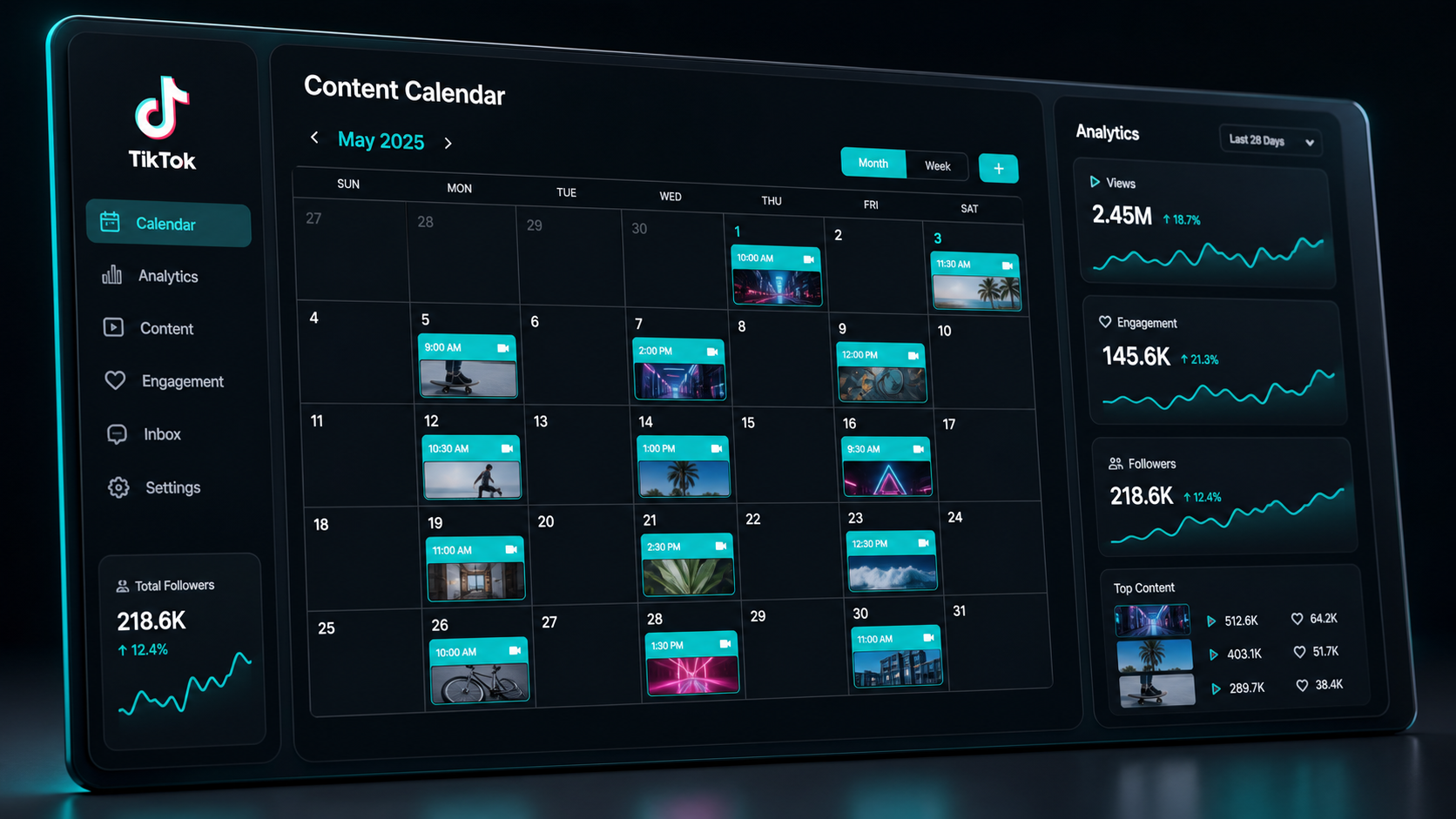
TikTok marketing has evolved beyond recording a video and publishing it immediately. Brands now manage structured content calendars, recurring series, creator partnerships, product launches, and localized campaigns. A reliable tiktok scheduling tool turns that activity into a repeatable production system.
Scheduling is particularly valuable when your audience is active outside your working hours. Instead of asking a team member to publish manually in the evening, you can prepare approved content in advance and release it at the intended time. This improves consistency while reducing missed posts, rushed captions, and accidental uploads from the wrong account.
The operational benefits matter just as much as timing. A calendar makes it easier to balance educational videos, trend-led content, customer stories, product demonstrations, and promotional posts. Managers can identify gaps before they become visible to the audience, while creators gain uninterrupted blocks of time for filming and editing.
Scheduling does not make TikTok completely hands-off, however. Posts that depend on native effects, certain sounds, stickers, or last-minute trend participation may still require notification-based publishing in the TikTok app. The strongest workflow combines scheduled evergreen content with room for fast, reactive posts.

How We Evaluated the Best TikTok Scheduling Tools
The best tool is not necessarily the platform with the longest feature list. It is the one that removes friction from the way your content is actually produced. We evaluated the leading options using criteria that matter to marketers, SMM specialists, agencies, and working creators.
- Publishing workflow: Can the platform publish automatically, or does it only send a reminder?
- Calendar quality: Is it easy to see campaigns, posting gaps, drafts, and account-level schedules?
- Collaboration: Does it support roles, comments, approvals, and clear ownership?
- Analytics: Can marketers evaluate views, engagement, audience growth, and individual post performance?
- Multi-platform support: Can one asset be adapted for TikTok, Instagram Reels, YouTube Shorts, and other channels?
- Scalability: Does the pricing remain practical when more brands, users, or social profiles are added?
- Ease of use: Can a marketer start scheduling without a lengthy implementation project?
Pricing below should be treated as a planning reference rather than a permanent quote. Social media software vendors regularly change plan names, limits, and annual-billing discounts. Always check the current plan page and confirm that the TikTok features you need are included before purchasing.
It is also important to test the complete publishing path. Connect a non-critical account, schedule a representative video, check its cover and caption, and confirm how the post appears inside TikTok. A free trial is most useful when it tests your real production process rather than an empty demo calendar.
Quick Comparison of the Top TikTok Schedulers
| Tool | Best for | Notable strengths | Pricing position |
|---|---|---|---|
| SMMplanner | Marketers managing structured multi-platform calendars | Flexible scheduling, content planning, reusable workflows | Usage-based and accessible for growing workflows |
| Buffer | Creators, freelancers, and small teams | Simple interface, cross-posting, ideas, approvals | Free option; paid plans priced by channel |
| Metricool | Data-driven marketers and small agencies | Planning, analytics, competitor data, reports | Free option; paid plans from the lower-cost professional tier |
| Later | Visual-first brands and creator teams | Visual calendar, media library, creator-oriented workflow | Free or trial availability may vary; tiered paid plans |
| Sprout Social | Large teams and enterprise organizations | Governance, analytics, inbox, advanced collaboration | Premium, per-user enterprise pricing |
| TikTok Studio | Single-account creators needing native scheduling | Native workflow, no external subscription, direct access | Free |
For most small teams, the decision begins with SMMplanner, Buffer, or Metricool. Later becomes especially attractive when visual planning is central to the workflow. Sprout Social is easier to justify when governance and organization-wide reporting matter more than a low monthly price. TikTok Studio remains a useful baseline for anyone who does not yet need a broader social media system.

The Best TikTok Scheduling Tools in Detail
1. SMMplanner: Best for Flexible Content Operations
SMMplanner is a practical choice for marketers who want to organize publishing across multiple social networks without building an unnecessarily complicated technology stack. Its value is strongest when a team needs to prepare posts in batches, maintain a visible calendar, and reduce repetitive publishing work.
The platform suits agencies, SMM specialists, small businesses, and creators who need more control than a native scheduler provides. Marketers can plan content around campaigns rather than treating each post as an isolated task. This makes it easier to coordinate TikTok videos with supporting posts on other channels.
Before choosing a plan, calculate your likely posting volume and the number of connected accounts. SMMplanner can be cost-effective for growing operations, but the best package depends on how frequently you publish and which additional functions you use.
2. Buffer: Best for Creators and Small Teams
Buffer combines a clean publishing experience with idea management, cross-posting, collaboration, and basic performance insights. A creator can prepare one short-form video and adapt it for TikTok, Instagram Reels, and YouTube Shorts without rebuilding the post from the beginning.
Automatic publishing is available when a post meets TikTok’s requirements. If content relies on features that must be added inside TikTok, Buffer can use a notification workflow instead. That distinction is useful because it lets teams schedule routine posts while preserving access to native creative tools.
Buffer offers a free entry point, while paid plans generally charge according to the number of connected channels and selected collaboration features. This model is attractive for a small portfolio, although costs can increase when an agency connects many client profiles.
3. Metricool: Best for Analytics-Led Marketers
Metricool is one of the strongest options for marketers who want scheduling and measurement in the same workspace. Its calendar supports TikTok alongside other major networks, while reporting and competitor-analysis features help teams turn publishing data into decisions.
The free plan is suitable for testing a single-brand workflow, although it has monthly scheduling and feature limits. Paid plans add unlimited scheduling, longer analytics history, reporting tools, additional brands, and integrations. Entry-level paid pricing is typically positioned around the affordable professional range, with the exact cost depending on billing frequency and brand capacity.
Choose Metricool if your weekly review includes questions such as which topics increase watch time, which posting windows perform reliably, and how one account compares with competitors. It is less compelling if you only need a minimal queue and never use reports.
4. Later: Best for Visual Content Planning
Later is designed around visual planning and is a natural fit for lifestyle, fashion, travel, food, beauty, and retail brands. Its calendar and media-management tools help teams see how assets will be distributed before posts go live.
The platform supports multi-network scheduling and provides features aimed at creators and visually driven businesses. Depending on the current plan, teams may also gain collaboration, analytics, link-in-bio, and content-management capabilities.
Later is most valuable when asset organization is a recurring bottleneck. If your team regularly loses track of approved cuts, thumbnails, campaign footage, or creator submissions, a visual media library may save more time than an advanced reporting module.
5. Sprout Social: Best for Enterprise Teams
Sprout Social is built for organizations that need more than a publishing calendar. Its broader platform brings together scheduling, engagement management, reporting, listening, permissions, and team workflows. This makes it one of the best tools for social media managers working across departments or regulated approval structures.
The tradeoff is price. Sprout sits at the premium end of the market, with plans commonly priced per user. Small creator teams may pay for depth they do not need, while enterprises can justify the investment through governance, consolidated reporting, and reduced coordination overhead.
Evaluate Sprout with actual stakeholders during the trial. Ask an editor, approver, community manager, and analyst to complete their normal tasks. Enterprise software creates value when the whole workflow improves, not simply when one person likes the calendar.
6. TikTok Studio: Best Free Native Option
TikTok Studio is the sensible starting point for creators or brands managing one TikTok presence. Eligible creator and business workflows can schedule posts natively without paying for another platform. Native scheduling also removes the need to grant account access to a third-party service.
Its limitations become apparent when you manage several brands or multiple networks. It is not designed to provide a unified campaign calendar, client approvals, bulk operations, or consolidated reporting across social platforms. Native scheduling is therefore best viewed as a publishing utility rather than a complete marketing workspace.
Use TikTok Studio when cost is the main constraint or when TikTok is your only active channel. Move to a dedicated platform when manual status updates, scattered files, or cross-platform duplication begin consuming meaningful time.

How to Choose the Right Tool for Your Workflow
Start with the number of brands and profiles you manage. A solo creator with one TikTok account has very different requirements from an agency coordinating 40 profiles. Compare the total monthly cost at your expected scale, including additional users, brands, reports, and approval features.
Next, map the path from idea to publication. Identify who writes the brief, records the video, edits it, approves it, schedules it, and responds to comments. The right platform should shorten this chain and clarify responsibility. If team members still rely on chat messages to ask whether a video is approved, the workflow remains incomplete.
Consider the other networks in your strategy. The most useful apps to schedule social media posts allow teams to reuse an idea without blindly publishing an identical asset everywhere. TikTok may need a stronger opening hook, Instagram may require a different caption, and YouTube Shorts may benefit from a revised title. Look for tools that combine reuse with channel-level customization.
Finally, distinguish required features from attractive extras. Automatic publishing, approvals, account permissions, analytics exports, and media storage may be essential. An AI caption assistant may be convenient but replaceable. Score each platform against five must-have requirements and choose the simplest option that meets all five.
A Practical TikTok Scheduling Workflow
A strong scheduling process begins before the content enters the calendar. Define three to five recurring content pillars connected to business goals. For example, a software company might use tutorials, customer problems, product demonstrations, industry reactions, and behind-the-scenes culture.
- Plan in weekly themes. Group related videos around a campaign, audience problem, or product use case.
- Batch production. Record several videos in one session while changing hooks, framing, or presenters to maintain variety.
- Prepare platform-specific metadata. Write concise captions, choose a clear cover, verify tags, and document any native sound or effect that must be added manually.
- Run a quality check. Confirm the aspect ratio, safe zones, subtitles, audio rights, call to action, destination link, and account selection.
- Schedule evergreen posts. Place reliable educational and brand content first, leaving open calendar slots for trends and timely responses.
- Assign engagement coverage. Make sure someone is available to monitor comments after publication, especially for launches and potentially sensitive topics.
- Review results weekly. Compare hooks, retention, completion rate, shares, comments, saves, profile visits, and conversions.
Do not treat a recommended “best time” as a universal rule. Industry studies can provide a useful starting point, but your own audience data is more relevant. Test two or three posting windows over several weeks and compare similar formats. Avoid drawing conclusions from one unusually successful or unsuccessful video.
Maintain a buffer of approved evergreen content, but do not fill every future slot. TikTok rewards cultural awareness and timely participation. A calendar should create capacity for responsiveness, not eliminate it.
Common Scheduling Mistakes to Avoid
The first mistake is scheduling content without checking whether it requires native TikTok elements. Trending audio, interactive features, or effects may not transfer through every third-party publishing method. Mark these posts clearly and assign a person to complete the notification-based workflow.
The second mistake is cross-posting without adaptation. A watermark, weak crop, cut-off caption, or platform-specific reference can make recycled content feel careless. Preserve the core idea, but review the opening seconds, text placement, caption, cover, and call to action for every channel.
Another common error is focusing on publication while ignoring engagement. Scheduling can ensure that a video appears at the right time, but it cannot replace thoughtful community management. Prepare saved answers for common questions, establish an escalation process, and monitor early audience reactions.
Finally, avoid building a calendar so rigid that your team cannot respond to trends. Reserve capacity for experiments and topical posts. The most effective TikTok operation combines the discipline of a production calendar with the speed of a newsroom.
Frequently Asked Questions
Can you schedule TikTok posts in advance?
Yes. Eligible accounts can schedule through TikTok’s native tools, while third-party platforms can provide longer planning horizons, multi-account calendars, cross-platform publishing, and collaboration. Some posts can publish automatically; others may require a mobile notification because they use native TikTok features.
What is the best TikTok scheduling tool for a small business?
SMMplanner, Buffer, and Metricool are strong starting points. SMMplanner suits flexible multi-platform planning, Buffer emphasizes simplicity, and Metricool provides deeper analytics. Test each option with your real account count, posting volume, and approval process before committing.
Does scheduling reduce TikTok reach?
Scheduling itself should not be treated as a reach penalty. Performance depends more heavily on content relevance, the opening hook, retention, completion, engagement, and audience fit. The practical risk is creative: excessive automation can produce generic posts or prevent a team from reacting quickly to trends.
How far ahead should marketers schedule TikTok content?
Most teams benefit from scheduling dependable content one to three weeks ahead while keeping open space for trends, news, and audience responses. Campaign assets can be prepared further in advance, but captions, sounds, references, and publishing details should be reviewed shortly before release.