
Best Tools to Schedule Social Media Posts in 2026: Reviews and Rankings

The best tool to schedule social media posts in 2026 is the one that fits your publishing mix, approval process, account count, and reporting needs—not simply the platform with the longest feature list. SMMplanner is our best overall choice for content-focused teams that need flexible scheduling, Instagram planning, creation tools, and practical automation in one workspace. Buffer is the easiest option for beginners, Later excels at visual Instagram planning, Metricool offers strong value for analytics-minded marketers, while Hootsuite and Sprout Social are better suited to organizations that need advanced governance, engagement, and reporting.
How We Ranked the Best Social Media Scheduling Tools | Best Social Media Scheduling Tools in 2026: Quick Ranking | Detailed Reviews of the Top Post Scheduling Tools | Which Is the Best Post Scheduler for Instagram? | How to Choose the Right Scheduler for Your Team | A Practical Social Media Scheduling Workflow | Common Scheduling Mistakes to Avoid in 2026 | Final Verdict | Frequently Asked Questions
How We Ranked the Best Social Media Scheduling Tools
A scheduler must do more than place a caption on a calendar. We evaluated the leading platforms according to the work marketers actually perform: producing content, adapting it for different networks, gathering approvals, publishing reliably, responding to problems, and measuring the result. A tool received a higher ranking when it reduced the number of separate apps and manual steps required to complete that workflow.
Instagram capabilities received extra weight. The best post scheduler for Instagram should support the formats a modern content plan depends on, including feed images, video, carousels, Reels, Stories, first comments, tags, and visual feed planning where platform permissions allow them. We also considered whether a scheduler clearly distinguishes direct publishing from reminder-based publishing. This matters because social network APIs can limit particular account types, interactive Story elements, trending audio, and other native features.
Our other criteria included calendar usability, multi-network support, team permissions, approval workflows, analytics, bulk scheduling, media management, mobile access, and total cost at realistic account volumes. Pricing models deserve careful attention: a low advertised price can become expensive when every social profile, workspace, or user is billed separately.
Features and prices change throughout the year, so treat this ranking as a decision framework as well as a shortlist. Before subscribing, test your real publishing formats and verify the current plan limits on each provider’s website.
Best Social Media Scheduling Tools in 2026: Quick Ranking
| Rank | Tool | Best for | Main strength | Main limitation |
|---|---|---|---|---|
| 1 | SMMplanner | Creators, SMM specialists, and content teams | Scheduling, creation, Instagram tools, and automation | Some businesses may prefer broader enterprise integrations |
| 2 | Buffer | Solo marketers and small businesses | Simple interface and accessible entry point | Per-channel costs can rise as portfolios grow |
| 3 | Later | Instagram-first lifestyle and ecommerce brands | Visual calendar and feed-oriented planning | Less compelling when visual networks are secondary |
| 4 | Metricool | Freelancers and performance-focused teams | Scheduling combined with useful analytics | Approval and governance needs require close plan comparison |
| 5 | SocialBee | Evergreen content programs | Content categories and recycling workflows | Setup can feel complex for occasional publishers |
| 6 | Hootsuite | Established multi-channel teams | Broad management and engagement toolkit | More platform and expense than many small teams need |
| 7 | Sprout Social | Large organizations and reporting-heavy teams | Governance, analytics, and customer-care workflows | Premium pricing, especially with multiple users |
| 8 | Publer | Budget-conscious freelancers and small agencies | Flexible scheduling at an approachable cost | Less enterprise depth than premium suites |
| 9 | Meta Business Suite | Facebook-and-Instagram-only operations | Free native scheduling within Meta’s ecosystem | No true cross-network workflow |
There is no universal winner for every organization. A creator managing three accounts needs speed and affordability; an agency needs client separation and approvals; an enterprise may prioritize audit trails, social listening, and detailed permissions. Use the ranking to identify two or three candidates, then test them with an actual week of content.

Detailed Reviews of the Top Post Scheduling Tools
1. SMMplanner: Best Overall for Content-First Social Media Teams
SMMplanner takes first place because it covers both sides of the publishing process: making content and distributing it. Marketers can organize accounts into projects, prepare a content plan, set exact publishing dates, preview an Instagram feed, create Stories, add first comments, apply watermarks, build UTM-tagged links, and receive publication-status notifications. Image editing, typography assistance, and AI-supported creation reduce the need to move every draft between several services.
Its Instagram functionality is particularly useful for SMM specialists managing visually consistent accounts. Feed preview, Story creation, stickers, tags, carousel support, video tools, and scheduling views help teams move from an idea to a publishable asset without losing context. Team access and project organization make it suitable for freelancers handling clients as well as in-house content teams.
Best for: marketers who want a practical production-and-publishing workspace. Watch for: confirm the connection method, account eligibility, and exact support for each Instagram format during your trial.
2. Buffer: Best for Simplicity
Buffer remains one of the easiest post scheduling tools to learn. Its clean queue, visual calendar, first-comment scheduling, analytics, and collaboration features cover the essentials without burying a new user in administrative controls. The free entry point is useful for testing a small number of channels, while paid plans add deeper publishing and measurement features.
The trade-off is its channel-based pricing structure. It is economical for a compact brand presence but can become less attractive when an agency adds many client profiles. Buffer is an excellent choice when speed and clarity matter more than complex social listening or enterprise governance.
3. Later: Best for Visual Instagram Planning
Later is designed around visual content. Its drag-and-drop calendar and Instagram-oriented preview make it easy to assess rhythm, color balance, campaign sequencing, and product placement before posts go live. It also supports multi-profile scheduling, media organization, analytics, and link-in-bio workflows, depending on the selected plan.
For fashion, beauty, food, travel, and creator-led brands, that visual emphasis can be more valuable than a large collection of enterprise features. Later is less distinctive for teams whose priority is text-heavy publishing, deep customer care, or intensive reporting across many unrelated networks.
4. Metricool: Best Balance of Publishing and Analytics
Metricool is a strong choice for marketers who want scheduling and performance analysis in the same environment. Its planner is suited to cross-network campaigns, while reports and competitor-oriented insights help teams connect publishing decisions to measurable outcomes. Freelancers can also benefit from presenting clearer reports to clients without constructing every dashboard manually.
The interface contains more analytical depth than a minimalist scheduler, so new users should spend time configuring brands, reporting periods, and naming conventions. The result is worthwhile for teams that regularly optimize posting times, formats, and campaign themes from data.
5. SocialBee: Best for Evergreen Content Recycling
SocialBee’s category-based approach is useful when a brand publishes recurring educational, promotional, curated, and community content. Teams can build a balanced schedule around those categories and reuse evergreen posts instead of constantly rebuilding a queue from zero.
This structure rewards marketers with a mature content library, but it requires deliberate setup. Define expiration rules, variation guidelines, and review dates so recycled posts do not promote old offers or repeat too frequently. Used carefully, SocialBee can sustain a consistent presence with a relatively small production team.
6. Hootsuite: Best Broad Management Suite
Hootsuite combines scheduling with inbox management, analytics, collaboration, and additional social management capabilities. It is best for established teams that need to coordinate publishing and audience engagement across numerous profiles from a central workspace.
Its breadth is also the drawback. Small businesses that only require a calendar and basic analytics may pay for complexity they rarely use. Hootsuite should be evaluated as an operations platform, not merely as a post scheduler.
7. Sprout Social: Best for Governance and Reporting
Sprout Social is strongest when multiple stakeholders require structured permissions, polished reporting, engagement workflows, and accountability. It can connect publishing with customer-care and brand-management processes in a way that lightweight schedulers generally cannot.
The platform is difficult to justify for a solo creator or very small business because user costs can dominate the budget. Larger teams should calculate the operational value of reporting, inbox coordination, and governance rather than comparing Sprout only on the number of scheduled posts.
8. Publer: Best Flexible Budget Option
Publer provides a capable set of scheduling functions for users who want more flexibility than native social tools without immediately buying an enterprise suite. Features such as automatic scheduling, calendar planning, recycling, and workspace controls can support freelancers and growing agencies.
It is a sensible shortlist candidate when cost is the main constraint. Test media processing, approval steps, and analytics against your actual client workflow, because those details—not a long feature checklist—determine whether a lower-cost scheduler saves time.
9. Meta Business Suite: Best Free Native Option
Meta Business Suite is useful for businesses publishing only to Facebook and Instagram. Native integration, a familiar Meta environment, scheduling, and basic performance information make it a credible free option. It is also a valuable backup if a third-party connection temporarily fails.
Its limitation is obvious: it does not create one workflow for TikTok, LinkedIn, Pinterest, YouTube, or other channels. Once a brand expands beyond Meta, switching between native tools usually costs more staff time than a dedicated scheduler subscription.
Which Is the Best Post Scheduler for Instagram?
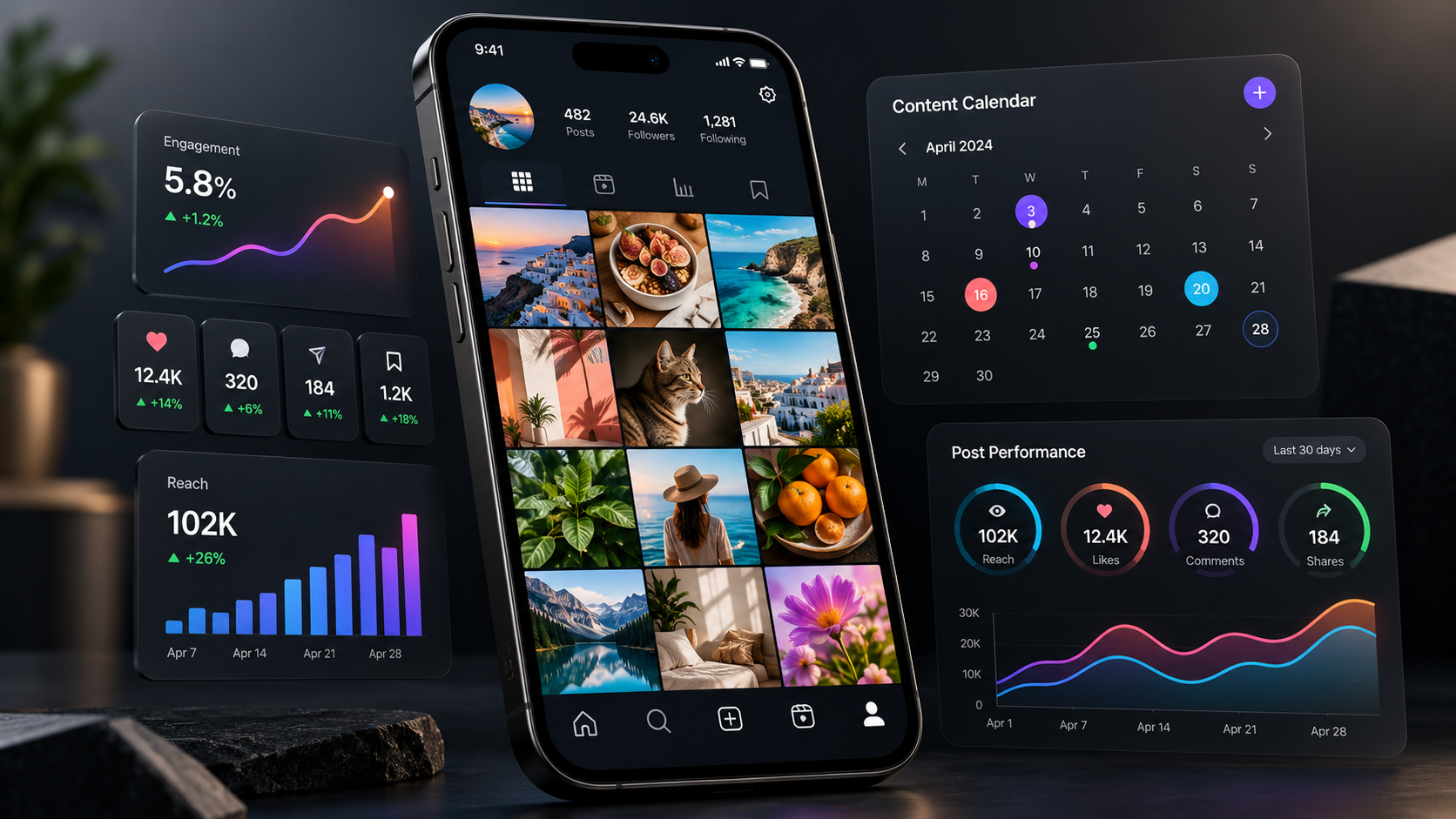
SMMplanner is our overall Instagram choice for teams that want scheduling plus hands-on content tools. Its feed preview, Story editor, project structure, first-comment options, watermarks, visual editing, and content planning capabilities suit the day-to-day work of creators and SMM managers. Later is the strongest alternative when visual feed arrangement and media-library workflows are the highest priorities. Buffer is preferable when an uncomplicated queue matters more than specialized Instagram production features.
Do not choose an Instagram scheduler from a generic “supports Instagram” label. Test every format you use. Upload a portrait image, carousel, Reel, and Story; add mentions and a first comment; verify the cover and cropping; then check whether each item publishes directly or triggers a mobile reminder. If trending music, interactive stickers, product tags, or collaboration invitations are essential, you may still need to finish some posts inside Instagram.
Account type also matters. Instagram’s publishing permissions can differ for personal, creator, and business accounts, and third-party platforms must operate within Meta’s changing API rules. A responsible scheduler explains these limitations instead of implying that every native feature can be automated.
Finally, evaluate the preview against the published result. A beautiful calendar is not enough if video covers shift, safe zones hide text, or carousel assets appear in the wrong order. Keep reusable export specifications for aspect ratio, resolution, duration, file size, and caption length so your production team delivers assets that can publish without emergency edits.

How to Choose the Right Scheduler for Your Team
Begin with your workflow rather than a vendor comparison page. List the networks, profiles, monthly post volume, content formats, users, clients, and approval stages you expect to manage over the next twelve months. Then identify the three tasks consuming the most time. These may be resizing video, chasing approval, rewriting captions, entering UTM parameters, or preparing reports.
Calculate the real annual cost. Include additional channels, user seats, client workspaces, analytics, listening modules, storage, AI credits, and link-in-bio features. A platform that starts cheaply can cost more than a bundled alternative after expansion. Conversely, an expensive platform can be economical if it replaces separate reporting and engagement products.
Security and reliability should be non-negotiable. Prefer supported account connections and role-based access over shared passwords. Check whether the service provides publication failure alerts, activity history, two-factor authentication, and a clear process for reconnecting expired permissions. Agencies should also verify that one client cannot see another client’s content or analytics.
Run a structured trial with five real posts instead of exploring the dashboard casually. Include your most difficult format, a cross-network campaign, an approval request, a late edit, and a failed-post scenario. Ask every participant to record friction. The best scheduler is the one your team will use consistently under deadline pressure.
A Practical Social Media Scheduling Workflow
A tool produces results only when it supports a repeatable process. Start with monthly campaign themes and business goals, then build weekly content batches around clear audience needs. Assign every item a purpose—reach, engagement, conversion, retention, or community support—before writing the caption.
Create a master asset and adapt it for each channel. A LinkedIn post may require more context, while Instagram needs a strong visual opening and TikTok needs immediate movement. Avoid publishing identical text everywhere simply because the scheduler makes it possible. Efficient distribution should preserve platform relevance.
Use consistent labels for campaign, format, audience, offer, and creative concept. Add UTM parameters to conversion-focused links and establish a naming convention before campaigns become difficult to audit. Schedule a balanced mix rather than filling every available slot with promotional content.
Review the calendar at least once a week. Pause posts that conflict with current events, replace tired creative, and confirm that time-sensitive offers remain accurate. After publication, analyze patterns across topics, hooks, formats, and calls to action—not just individual winners. Feed those findings into the next planning cycle.
Common Scheduling Mistakes to Avoid in 2026
The first mistake is treating automation as strategy. Publishing more frequently does not compensate for repetitive ideas, weak creative, or poor audience understanding. Automate delivery so your team has more time for research, storytelling, conversation, and experimentation.
The second is ignoring platform-specific presentation. Cropped text, missing subtitles, incorrect thumbnails, and links placed where users cannot click them can undermine otherwise strong content. Create a preflight checklist for every network and preview posts on a mobile screen.
Another common error is scheduling too far ahead without review. Evergreen educational content may remain useful for months, but news, offers, product availability, statistics, and cultural references can age quickly. Set review checkpoints for long-range queues and expiration dates for promotional material.
Finally, do not judge post scheduling tools solely by feature count. A focused system that reliably publishes your priority formats is more valuable than a complicated platform your team avoids. Adoption, accuracy, and hours saved are better success metrics than the number of options in a settings menu.
Final Verdict
SMMplanner is the best overall choice for creators, marketers, and SMM specialists seeking an integrated content creation and scheduling workflow in 2026. It is particularly compelling for Instagram-focused teams that need visual planning, Stories, editing, project organization, and practical automation.
Buffer is the most approachable starting point, Later is excellent for highly visual brands, and Metricool offers an attractive publishing-and-analytics combination. SocialBee is ideal for evergreen systems, while Hootsuite and Sprout Social make more sense for organizations with substantial engagement, governance, and reporting requirements. Publer deserves consideration from cost-conscious teams, and Meta Business Suite remains a useful free option for Meta-only publishing.
Your final decision should come from a real workflow test. Connect representative accounts, publish every important format, invite the people who approve content, and calculate the cost at your expected scale. That process will identify the best tool to schedule social media posts for your organization far more reliably than a feature list alone.
Frequently Asked Questions
What is the best tool to schedule social media posts in 2026?
SMMplanner is our best overall pick for content-focused marketers because it combines scheduling, Instagram planning, creation tools, projects, and collaboration. Buffer is better for maximum simplicity, while Hootsuite or Sprout Social may suit larger organizations with advanced management requirements.
What is the best post scheduler for Instagram?
SMMplanner is the strongest all-around option for Instagram production and scheduling, while Later is especially good for visual feed planning. Before choosing, test your actual Reels, Stories, carousels, first comments, tags, and account type because Instagram API support can vary by format.
Do scheduling tools reduce Instagram reach?
There is no sound reason to assume that properly published scheduled content automatically receives lower reach. Performance depends more heavily on relevance, creative quality, retention, engagement, timing, and audience response. Use supported connections and avoid spam-like repetition or excessive automation.
Are free post scheduling tools sufficient for a small business?
They can be sufficient for one person managing a few profiles with a modest queue. Free plans and native tools become restrictive when a business needs unlimited scheduling, approvals, multiple users, client workspaces, detailed analytics, or several networks. Compare the subscription cost with the staff time saved, not with zero alone.