
Comprehensive Guide to Social Media Schedule for Small Business
Effective social media scheduling boosts small business growth by optimizing post timing and engagement across platforms for maximum reach.


A social media schedule for small business is a practical plan that defines what your company will publish, where it will appear, and when it will go live. The right schedule helps you post consistently, reach customers when they are active, and connect every piece of content to a business goal. Instead of scrambling for ideas each morning, you can plan campaigns in advance, batch production, automate publishing, and spend more time engaging with your audience.
Why Your Small Business Needs a Social Media Schedule | Set Goals and Choose the Right Social Platforms | Build Your Core Content Strategy | Create a Sustainable Weekly Posting Schedule | Use a Monthly Workflow to Plan and Produce Content | Choose the Best Social Media Scheduler for Small Business | Measure Performance and Improve the Schedule | Common Scheduling Mistakes to Avoid | Frequently Asked Questions
Why Your Small Business Needs a Social Media Schedule
Social media rewards consistency, but consistency does not mean posting everywhere several times a day. It means establishing a sustainable rhythm that your audience can recognize and your team can maintain. A realistic social media posting schedule for business accounts turns content marketing from a collection of last-minute tasks into a repeatable growth process.
A schedule also creates strategic focus. Every post should serve a purpose, such as building awareness, generating leads, supporting a promotion, educating customers, or strengthening loyalty. Without a plan, businesses often publish too much promotional content, repeat the same message, or disappear for weeks when work becomes busy. A calendar makes gaps and imbalances visible before they affect performance.
Planning ahead improves content quality as well. You have time to prepare stronger visuals, write clearer calls to action, gather customer stories, and coordinate posts with product launches or seasonal events. If several people contribute to social media, the schedule establishes ownership and approval deadlines. Even a one-person business benefits because decisions can be made in batches rather than interrupting every workday.
Most importantly, scheduling creates room for meaningful engagement. Automation should handle predictable publishing tasks, not replace conversation. When posts are prepared in advance, you can use your daily social media time to answer questions, respond to comments, participate in relevant discussions, and build customer relationships.

Set Goals and Choose the Right Social Platforms
Before deciding how often to post, define what social media should accomplish for the business. A local restaurant may prioritize reservations and repeat visits, while a consultant may need qualified inquiries. An online retailer might focus on product discovery, website traffic, and sales. Choose one primary goal and one supporting goal for each platform so that results remain easy to evaluate.
Translate those goals into measurable indicators. Reach, impressions, and video views can show whether awareness is growing. Comments, saves, shares, and direct messages reveal deeper interest. Link clicks, email sign-ups, appointments, and purchases connect activity to commercial outcomes. Avoid judging every post by follower growth alone; a smaller, relevant audience can produce more value than a large but disengaged one.
Next, concentrate on platforms your customers actually use. A small team usually performs better on two well-managed channels than on six neglected ones. Consider audience demographics, purchasing behavior, content format, and your available production skills. Instagram may suit a visually distinctive brand, LinkedIn can support business-to-business expertise, TikTok and Reels can accelerate discovery, Facebook remains useful for local communities, and Pinterest may deliver long-term traffic for searchable visual topics.
Assign each selected platform a specific role. For example, a home-renovation company could use Instagram for project transformations, Facebook for local reviews and updates, and Pinterest for evergreen design inspiration. Clear roles prevent indiscriminate cross-posting and help you adapt one core idea to the expectations of each audience.
Build Your Core Content Strategy
An effective calendar begins with content pillars: three to five recurring themes that reflect customer needs and business priorities. A fitness studio might choose practical education, member success stories, instructor expertise, community culture, and class promotions. These pillars make ideation faster while ensuring that the account communicates a coherent brand position.
Within those pillars, balance several types of content. Educational posts answer questions and demonstrate expertise. Inspirational or entertaining posts increase reach and emotional connection. Trust-building content includes testimonials, case studies, behind-the-scenes stories, and demonstrations. Conversion content presents an offer and gives the audience a clear next step. Community content invites opinions, questions, and user participation.
A useful starting mix is 40% educational content, 25% trust-building content, 20% community or entertaining content, and 15% direct promotion. This is not a fixed rule. A new business may need more credibility-building material, while an established retailer may publish more product-led posts during a seasonal campaign. The important principle is to deliver value frequently enough that promotional messages feel relevant rather than intrusive.
Develop recurring series to reduce production effort. Examples include a Monday tip, a weekly customer spotlight, a monthly founder update, or a Friday question. Recurring formats give followers something familiar to anticipate and allow your team to reuse templates, production workflows, and approval criteria.
Finally, create a central idea bank. Record customer questions, sales objections, search queries, industry misconceptions, product use cases, and strong comments from previous posts. Each item can generate multiple formats: a question might become a short video, a carousel, a poll, an email section, and a longer educational article. This approach helps a small business produce more useful content without constantly inventing topics from scratch.
Create a Sustainable Weekly Posting Schedule
The best publishing frequency is the one your business can sustain while maintaining quality. For many small businesses, three to five feed posts per week on a primary platform is a sensible starting point. LinkedIn may require two to four thoughtful weekly posts, while short-form video platforms can support a higher frequency when production is efficient. Stories and informal updates can appear more often because they require less polish.
Do not copy generic “best time to post” charts without testing them against your audience. Use native analytics to identify when followers are active, then compare performance across several time windows. A business serving office workers may perform well before work, at lunchtime, or in the early evening. A hospitality brand may see stronger activity near weekends, while a business-to-business account may gain more attention during weekday working hours.
A practical weekly social media posting schedule for business accounts might include an educational post on Monday, a product demonstration on Tuesday, a customer story on Thursday, and an interactive or behind-the-scenes post on Friday. Stories can reinforce those posts throughout the week, and one successful topic can be adapted into a short video, carousel, and text update.
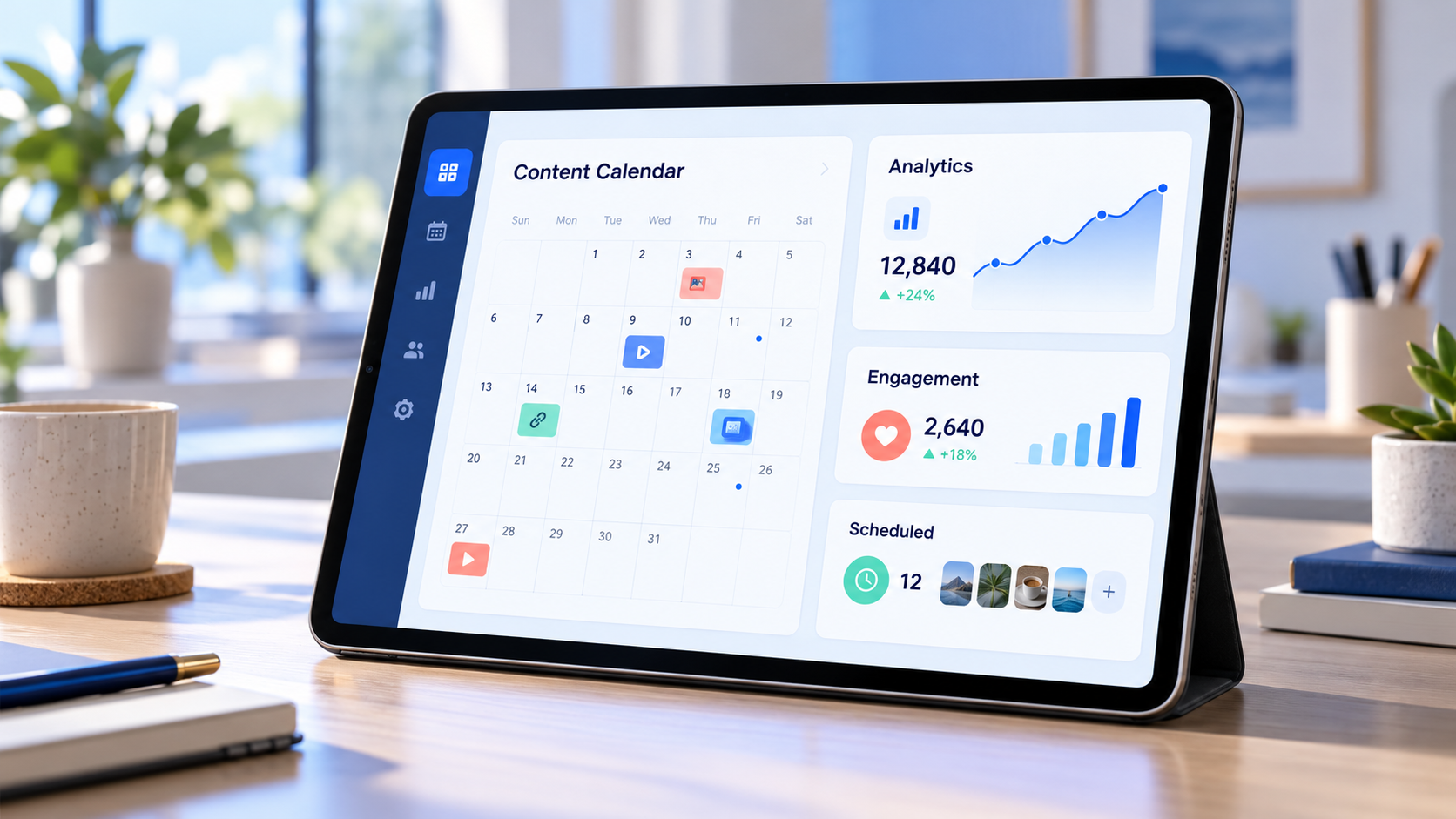
Give every calendar entry essential production details: publication date, platform, content pillar, format, working caption, creative asset, call to action, owner, approval status, and campaign link. Add tracking parameters to links when possible. A detailed small business social media planner eliminates ambiguity and makes missed deadlines less likely.
Leave some capacity for timely content. Planning 70% to 80% of posts in advance creates consistency while preserving space for industry news, local events, trends, customer moments, or spontaneous founder updates. This balance keeps the brand organized without making it feel rigid or disconnected from current conversations.
Use a Monthly Workflow to Plan and Produce Content
Start each month by reviewing business priorities. List promotions, launches, events, holidays, operational updates, and seasonal customer needs. Then connect each priority to a specific audience and objective. A campaign should not enter the calendar simply because a date is approaching; it needs a clear customer benefit and measurable outcome.
Map the month at a high level before writing individual captions. Distribute content pillars across the calendar, check the ratio of value to promotion, and identify assets that require extra preparation. Video shoots, customer interviews, professional photography, or legal approvals should receive earlier deadlines than simple text posts.
Batch similar work to reduce context switching. One session can be used to outline topics, another to write captions, and another to record several videos. Capture reusable supporting footage such as packaging orders, preparing a workspace, greeting customers, or demonstrating a product. A modest library of brand footage makes short-form video production substantially faster.
Set up a lightweight approval process. A solo owner can use statuses such as idea, drafting, ready, scheduled, and published. A larger team may add design review, compliance review, and final approval. Limit the number of reviewers wherever possible; unclear ownership and excessive feedback rounds can make simple posts unnecessarily expensive.
Schedule approved content at least several days ahead, then inspect the live calendar for repetition or conflicts. Verify links, tags, image crops, subtitles, dates, and calls to action. Keep campaign assets in clearly labeled folders so that anyone responsible for publishing can find the correct version.

Choose the Best Social Media Scheduler for Small Business
The best social media scheduler for small business is not necessarily the tool with the longest feature list. It is the one that supports your active platforms, fits your workflow, remains affordable as accounts grow, and saves more time than it takes to manage. Begin by identifying essential features before comparing plans.
Reliable multi-platform publishing is the foundation. Check whether the tool supports the exact formats you use, including carousels, short videos, stories, first comments, link previews, location tags, and platform-specific captions. Some tools advertise support for a network but still require manual notifications for particular post types.
A visual calendar helps you detect gaps, crowded promotional periods, and duplicated topics. Drafts, reusable templates, media libraries, and approval roles are valuable when employees, freelancers, or clients collaborate. Built-in analytics should make it easy to compare posts, identify strong formats, and export reports without spending hours assembling spreadsheets.
Also evaluate operational details. Confirm how many users, workspaces, social accounts, and scheduled posts are included in the advertised price. Look for mobile access, dependable customer support, secure account connections, and clear permission controls. If customer conversations are important, a unified inbox may be more valuable than advanced reporting.
Test shortlisted tools with a real week of content before committing. Schedule different formats, edit an existing post, invite a collaborator, and review the resulting analytics. The right tool should simplify the process from idea to publication. If your team still relies on scattered messages and manual reminders, the workflow needs adjustment even if the software is technically powerful.
Measure Performance and Improve the Schedule
A schedule becomes more effective through regular review. Set aside 30 minutes each week to check publishing accuracy, community responses, and unusual changes in performance. Conduct a deeper monthly review to identify patterns across topics, formats, platforms, and posting times.
Evaluate results in relation to the original goal. For awareness, track qualified reach, video retention, profile visits, and follower relevance. For engagement, monitor meaningful comments, saves, shares, replies, and direct conversations. For conversion, measure link clicks, leads, appointments, sales, and revenue where attribution is available.
Compare similar posts rather than treating every format equally. A short video designed for discovery should not be evaluated by the same standard as a detailed carousel intended to earn saves. Look at both the rate and the total volume of engagement, and consider whether the responses came from potential customers.
Use a simple monthly framework: continue what consistently performs, improve ideas with potential, and stop formats that consume resources without supporting a goal. When a post succeeds, identify the reason. The topic, opening hook, visual treatment, timing, call to action, or distribution may have contributed. Repurpose the underlying insight instead of merely reposting the same creative.
Avoid changing the entire schedule after one weak week. Small accounts can experience significant fluctuations, and external events may affect reach. Test one variable at a time for several weeks. For example, compare morning and evening posts while keeping the topic and format reasonably consistent. This produces more reliable decisions than frequent, unstructured changes.
Common Scheduling Mistakes to Avoid
The first mistake is overcommitting. A daily plan may look ambitious, but it quickly becomes counterproductive if the business cannot maintain quality. Begin with a manageable frequency, establish a reliable workflow, and increase output only when production capacity and audience response justify it.
Another mistake is publishing identical content across every platform. Repurposing is efficient, but effective repurposing adapts the hook, format, length, and call to action. A detailed LinkedIn insight might become a visual Instagram carousel and a concise short-form video. The idea remains consistent while the execution respects platform behavior.
Excessive automation can also weaken audience relationships. Scheduled posts may appear insensitive during emergencies or major events, so monitor current conditions and pause content when appropriate. Check notifications daily, respond in the brand’s natural voice, and escalate customer-service issues promptly.
Businesses also lose opportunities when they schedule posts without planning distribution. Employees, partners, customers, email subscribers, and relevant communities can help strong content reach the right people. Build ethical distribution into the campaign rather than hoping an algorithm will do all the work.
Finally, do not measure activity instead of impact. Publishing 20 posts is not a meaningful success if none attracts the right audience or advances a business objective. A strong social media schedule for small business should improve consistency, customer connection, and commercial results—not simply fill calendar cells.
Frequently Asked Questions
How often should a small business post on social media?
Most small businesses can begin with three to five weekly posts on their primary platform and two to three on secondary platforms. Quality, relevance, and consistency matter more than maximum frequency. Review results after four to six weeks, then increase or reduce output based on audience response and production capacity.
How far in advance should social media content be scheduled?
Plan core content two to four weeks ahead and schedule approved posts several days before publication. Keep 20% to 30% of the calendar flexible for timely updates, customer stories, and industry developments. Major launches and seasonal campaigns may require six to eight weeks of preparation.
What should a small business social media planner include?
A small business social media planner should include the publication date, platform, objective, content pillar, format, caption, creative asset, call to action, link, owner, approval status, and performance notes. It should also display promotions, launches, events, and important customer dates in one calendar.
How do I choose the best social media scheduler for small business needs?
Choose a scheduler based on platform and format support, ease of use, calendar visibility, collaboration features, analytics, security, and total cost. Test the software with real content before purchasing. The best option is the one your team can use consistently and confidently as the business grows.