
Comprehensive Guide to Social Scheduling Apps
Effective social scheduling apps streamline content planning and posting, helping businesses save time and boost engagement across multiple platforms.

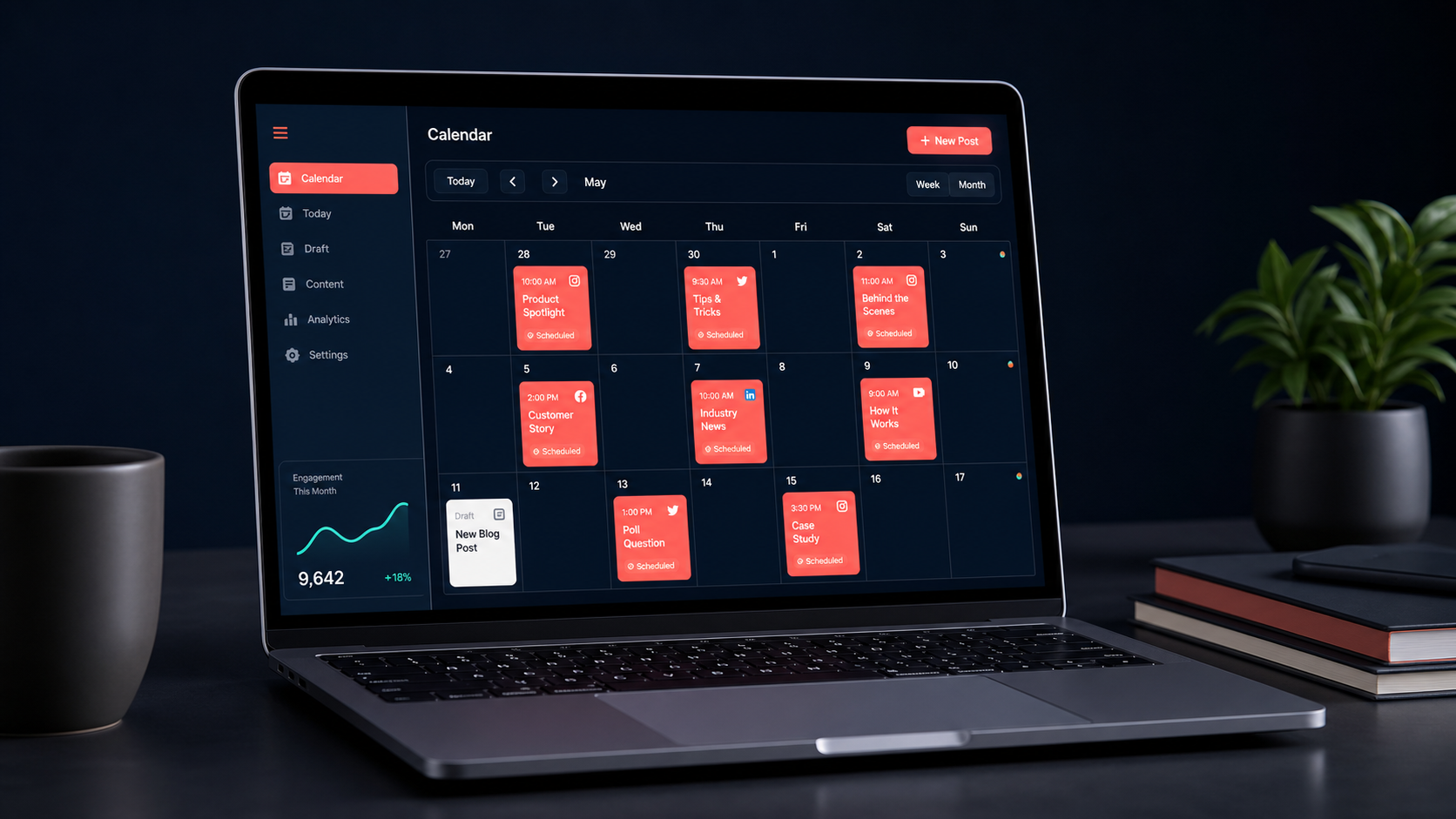
A social scheduling app helps marketers, creators, and businesses plan, prepare, and automatically publish content across multiple social networks from one place. The right platform can replace repetitive manual posting with an organized workflow that includes a content calendar, approval processes, audience-based publishing times, analytics, and engagement tools. This guide explains how social scheduling works, which features matter, how to compare social scheduling apps, and how to build an efficient system without sacrificing content quality or authentic audience interaction.
What Is a Social Scheduling App? | How Social Scheduling Apps Improve Marketing Workflows | Essential Features to Look for in a Social Media Scheduler | How to Compare Social Scheduling Apps | Building an Effective Social Scheduling Workflow | Best Practices for Scheduling Social Media Content | Measuring the Results of Social Scheduling | Common Social Scheduling Mistakes to Avoid | Frequently Asked Questions
What Is a Social Scheduling App?
A social scheduling app is software that lets you prepare social media posts in advance and set a date and time for publication. Instead of logging into every network whenever a post needs to go live, you can manage multiple profiles through a centralized dashboard. Most tools support a combination of Instagram, Facebook, TikTok, LinkedIn, Pinterest, YouTube, X, and other platforms, although the exact publishing capabilities vary.
Basic social scheduling covers writing captions, uploading media, selecting profiles, and choosing publication times. More advanced platforms add visual calendars, reusable content libraries, bulk uploading, post approvals, analytics, social inboxes, and recommendations based on previous performance. These features turn a scheduler into a broader content operations system.
The main purpose of social scheduling is not simply to post more frequently. It is to publish with greater consistency and control. A scheduler gives teams time to review messaging, identify gaps in their content mix, coordinate campaigns, and adapt one idea for several channels. It can also reduce the risk of forgotten posts, duplicated promotions, incorrect links, and last-minute mistakes.
Scheduling does not mean putting every profile on autopilot. Effective marketers automate predictable distribution while keeping human decisions at the center of strategy, creative work, community management, and real-time responses. A well-planned queue creates more time for those higher-value activities.
How Social Scheduling Apps Improve Marketing Workflows
Consistency is one of the clearest advantages of using a social media scheduler. When content is prepared in batches, a busy day, meeting, or time-zone difference is less likely to interrupt the publishing rhythm. This is especially valuable for small teams and independent creators who balance social media with production, client work, sales, or customer support.
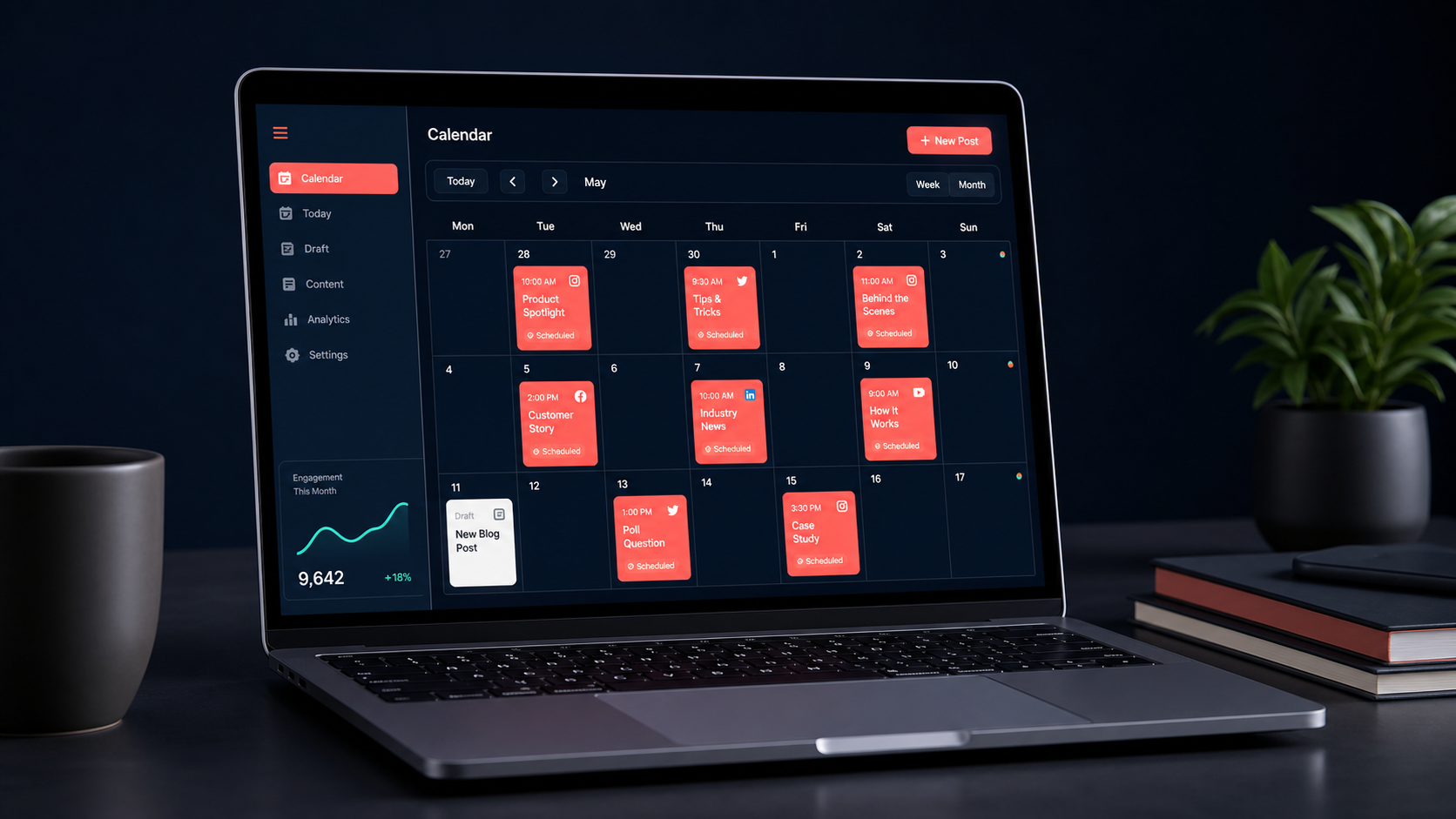
A shared calendar also provides visibility. Marketers can see which campaigns are active, where content gaps exist, and whether the schedule overuses one topic or format. A calendar filled entirely with promotional posts, for example, is easy to spot and rebalance with educational, entertaining, community-focused, or trust-building content.
For teams, social scheduling reduces operational friction. Writers can draft captions, designers can attach assets, subject-matter experts can check claims, and managers can approve posts without moving files between long email threads. Clear statuses such as draft, awaiting review, approved, scheduled, and published make ownership easier to understand.
Scheduling social media posts apps can also support international audiences. A team can publish at relevant local times without requiring an employee to work late at night. However, timing should reflect actual audience behavior rather than generic claims about the “best” hour to post. Platform analytics, website traffic, customer locations, and past engagement offer more useful guidance.
Finally, scheduling creates space for strategic measurement. When campaigns use consistent naming, links, tags, and publication windows, performance becomes easier to compare. Marketers can learn which topics, formats, hooks, and calls to action deserve more investment instead of making decisions from isolated viral posts.

Essential Features to Look for in a Social Media Scheduler
The best feature set depends on the size of your team, the networks you use, and the complexity of your publishing process. A solo consultant may need a fast calendar and reliable auto-publishing, while an agency may prioritize permissions, client approvals, workspace separation, and branded reports.
Platform and format support
Confirm that the tool supports every required account type and content format. A platform may connect to Instagram but handle feed posts, Stories, and Reels differently. The same limitation can apply to TikTok sounds, LinkedIn documents, Pinterest boards, YouTube Shorts, product tags, collaboration labels, or first comments. Review format-level support rather than relying on a list of network logos.
Reliable publishing options
Some content can be published automatically through official platform connections. Other content may require a mobile notification because of API restrictions or native features that cannot be configured externally. Both workflows can be useful, but the distinction should be clear. Test whether notifications arrive reliably and whether the handoff preserves the caption and media.
Visual calendar and queue management
A strong calendar should make it easy to drag posts between dates, filter by profile or campaign, identify empty days, and preview the balance of content. Queue categories can further simplify evergreen publishing by assigning regular time slots to themes such as tutorials, testimonials, product education, or community stories.
Collaboration and approvals
Look for role-based access, internal notes, approval stages, version history, and notifications. Agencies should also check whether clients can review content without receiving access to unrelated accounts. An approval system is most valuable when it stays simple enough for stakeholders to use consistently.
Media management and previews
A useful content library stores approved images, videos, brand assets, captions, hashtags, and links. Platform-specific previews help teams catch awkward line breaks, cropped images, missing thumbnails, and overly long copy. Previews are approximations, however, so important campaigns should still receive a native-platform check.
Analytics and reporting
At minimum, reporting should cover reach, impressions, engagement, clicks, follower trends, and post-level performance. More capable tools offer campaign tags, custom date comparisons, exportable reports, and cross-network views. Before paying for advanced analytics, determine whether the tool measures business outcomes or merely presents attractive charts.
Integrations, security, and support
Integrations with cloud storage, design tools, link trackers, analytics platforms, and automation services can eliminate manual transfers. Security matters equally: check for two-factor authentication, permission controls, audit history, secure account connections, and a process for removing former employees. Reliable customer support is particularly important when scheduled campaign content fails to publish.

How to Compare Social Scheduling Apps
Begin with your workflow rather than a feature comparison table. List the networks, account types, monthly post volume, team members, approval steps, reporting needs, and recurring problems involved in your current process. This prevents an impressive feature list from distracting you from the capabilities you will actually use.
Next, create a short test scenario. Connect one or two non-critical profiles, prepare several content formats, request an approval, reschedule a campaign, and export a report. If you regularly publish video, test a real video workflow rather than evaluating the platform with simple text posts. Pay attention to how many clicks, workarounds, and native-app handoffs are required.
Evaluate cost using the full operating model. A low entry price may increase sharply when you add users, profiles, analytics, workspaces, or approval features. Conversely, an expensive scheduling tool for social media may save money if it replaces reporting software, spreadsheets, asset libraries, and manual coordination.
Reliability should outweigh novelty. Read current documentation about supported formats, publishing limitations, and account requirements. Check whether the provider communicates service incidents clearly and whether failed posts trigger useful alerts. No scheduler can guarantee uninterrupted publication because social networks and their interfaces change, but transparent error handling is a strong sign of operational maturity.
Usability matters because adoption determines return on investment. A powerful system that contributors avoid will quickly create parallel workflows in spreadsheets and messaging apps. Invite the people who draft, approve, publish, and report on content to participate in the trial. Their daily experience may reveal problems that an administrator would not notice.

Building an Effective Social Scheduling Workflow
A dependable scheduling process starts with objectives. Decide whether social content should increase awareness, generate qualified traffic, support a launch, nurture a community, or retain customers. Each objective should influence the chosen channels, content themes, formats, calls to action, and measurements.
Build a small set of content pillars that connect audience needs with business expertise. A software company might use education, customer outcomes, product workflows, industry commentary, and company culture. A creator might focus on tutorials, behind-the-scenes stories, personal perspectives, case studies, and community conversations. Pillars make ideation easier while preventing a random collection of posts.
Plan at two levels. Use a monthly view for campaigns, launches, events, and major themes, then use a weekly view for individual posts and production details. Leave some open space for timely reactions, community questions, platform trends, and unexpected news. A calendar scheduled to maximum capacity can become inflexible.
Batch work by activity when practical. Teams often work faster when they outline several posts together, write captions in one session, produce related visuals together, and schedule after approval. Batching reduces context switching, but content should still be adapted for each network. A LinkedIn document, Instagram carousel, TikTok video, and X thread may share an idea without using identical execution.
Define ownership and deadlines. Every post should have an author, reviewer, final approver, publication date, and response owner where appropriate. Establish a cutoff for changes so stakeholders do not continually revise routine posts minutes before publication. For sensitive announcements, create a separate escalation path.
Before scheduling, check the caption, creative dimensions, accessibility, mentions, links, tracking parameters, disclosures, and call to action. Add descriptive alt text where supported, use readable on-screen text, and include captions in video. Accessibility should be part of production rather than a final optional step.
Best Practices for Scheduling Social Media Content
Customize posts for the audience and conventions of each platform. Cross-posting can save production time, but copying everything unchanged may result in incorrect handles, unsupported formatting, cropped visuals, or an inappropriate tone. Preserve the core message while adapting the hook, length, creative treatment, and call to action.
Use timing as a hypothesis to test. Start with periods when your audience is likely to be active, then compare performance across several weeks. Avoid changing timing, topic, format, and call to action simultaneously; otherwise, it becomes difficult to understand what influenced the result.
Maintain a healthy content mix. A practical calendar may combine evergreen education, timely commentary, community engagement, proof such as testimonials, and direct promotion. The exact proportions should reflect the customer journey and campaign goals. There is no universal formula that works for every brand.
Create an evergreen library, but review it regularly. Advice, screenshots, product details, links, prices, and cultural references can become outdated. Assign expiration or review dates to reusable posts. During a crisis or major news event, pause the queue and inspect scheduled content for messages that could appear insensitive or confusing.
Do not schedule and disappear. Monitor comments, mentions, direct messages, and customer questions after publication. Fast, thoughtful responses can extend a post’s value and give the content team ideas for future posts. Community conversations are also a source of language that reflects how customers actually describe their needs.
Protect account security by avoiding shared passwords. Use official connections, individual user access, two-factor authentication, and the minimum permissions each person needs. Remove access promptly when a contractor or employee leaves, and review connected applications periodically.
Measuring the Results of Social Scheduling
Successful social scheduling should improve both marketing performance and operational efficiency. Measure publishing consistency, on-time approval rates, production time, failed-post rates, and the amount of last-minute work. These indicators show whether the system is making the team more effective even before campaign results are considered.
For content performance, choose metrics that match the objective. Reach and video views may suit awareness, while saves and qualified comments can indicate educational value. Click-through rate, conversions, leads, and revenue are more relevant for acquisition campaigns. Customer responses and resolution time may matter most for support-oriented channels.
Analyze groups of posts instead of judging strategy from single winners or failures. Compare content pillars, formats, campaigns, publication windows, and calls to action over a meaningful period. Separate paid and organic results where possible, and account for major changes in audience size or promotional support.
Use reporting to make decisions. Each review should identify what to continue, what to test, and what to stop. For example, a team might continue a high-saving carousel series, test shorter opening hooks in videos, and stop reposting low-relevance company announcements. A report without a decision is only a historical record.
Remember that the social scheduling app influences distribution and workflow, not the inherent value of an idea. Better timing cannot rescue unclear positioning, generic creative, or content that ignores audience needs. Treat the scheduler as infrastructure supporting a strong strategy rather than as a substitute for one.
Common Social Scheduling Mistakes to Avoid
The first mistake is over-automation. Filling months of content in advance may look efficient, but it can make a brand sound detached from current conversations. Keep a reliable baseline schedule while preserving room for relevant and genuinely useful real-time content.
Another mistake is using one caption and asset everywhere. Networks differ in audience expectations, discovery systems, formats, and interaction patterns. Repurposing is valuable; careless duplication is not. Review every scheduled post from the perspective of a user encountering it on that specific platform.
Teams also create unnecessary complexity by adding too many approval layers. Legal or regulatory review may be essential for certain industries, but routine content should not require a long chain of stakeholders without clear responsibilities. Use templates, brand guidelines, and pre-approved claims to speed up low-risk work.
Ignoring publishing alerts is particularly costly. Configure notifications for failed connections, expired permissions, rejected media, and missed posts. Assign someone to check critical campaign content after it goes live. A scheduled status does not always guarantee successful publication.
Finally, avoid selecting social scheduling apps solely by price or popularity. The best option is the one that fits your channels, formats, team, risk level, and reporting requirements. A smaller, focused tool may outperform a large suite if it removes the specific bottlenecks in your operation.
Frequently Asked Questions
What is the best social scheduling app?
The best social scheduling app is the one that reliably supports your priority networks, content formats, team workflow, and reporting needs at a sustainable price. Test shortlisted tools with real posts and approval scenarios before committing. Solo creators should emphasize speed and simplicity, while agencies and larger teams may need granular permissions, client workspaces, and custom reporting.
Can social scheduling apps publish to every platform automatically?
Not always. Auto-publishing depends on the social network, account type, content format, and features made available through official connections. Some posts may require a notification and final publication inside the native mobile app. Check current format-level support for each tool, especially for Stories, Reels, sounds, product tags, and collaborative posts.
Does scheduling social media posts reduce engagement?
Scheduling by itself does not inherently reduce engagement. Performance is more strongly affected by content relevance, creative quality, timing, audience fit, and post-publication interaction. Engagement may suffer if automation leads to generic cross-posts or unanswered comments, so combine scheduled distribution with active community management.
How far in advance should social media posts be scheduled?
Many teams benefit from scheduling routine content one to four weeks ahead while keeping open slots for timely material. Evergreen campaigns can be planned further in advance, but they should receive regular accuracy checks. Sensitive announcements and trend-based posts usually require a shorter lead time and closer review before publication.