
Digital Social Media Planners: Organizing Your Social Media Strategy
Effective digital social media planners help streamline your content strategy, boost engagement, and keep your posting schedule organized for consistent growth.


A digital social media planner gives marketers and creators one organized system for planning, producing, approving, scheduling, and evaluating social content. Instead of managing ideas in scattered notes, deadlines in spreadsheets, and posts inside separate platforms, teams can use a social media calendar app to connect strategy with daily execution. The right planner makes priorities visible, reduces last-minute work, supports consistent publishing, and helps every post contribute to a measurable marketing goal.
What Is a Digital Social Media Planner? | Why Structured Social Media Planning Matters | Essential Features to Look for in a Social Media Calendar App | How to Build an Effective Digital Planning Workflow | Integrating Planning with Broader Scheduling and Marketing Tools | Choosing the Right Social Media Content Planning Tools | Practical Calendar Practices That Improve Results | Measuring and Improving Your Planning System | Frequently Asked Questions
What Is a Digital Social Media Planner?
A digital social media planner is a workspace used to organize upcoming social content by date, channel, campaign, format, audience, and status. It can be a dedicated calendar application, a project-management system adapted for social media, or a planning feature built into a broader publishing platform. Unlike a simple list of post ideas, it shows how individual pieces of content fit together across time and networks.
Most planners provide daily, weekly, or monthly calendar views. A content card may include the draft caption, creative assets, platform, owner, approval status, publishing time, campaign tag, and tracking link. More advanced products add direct scheduling, automated publishing, analytics, social listening, asset libraries, and collaboration tools.
The planner’s real value is not the calendar grid itself. Its value is the shared operating process behind that grid. When campaign goals, production tasks, publication dates, and performance insights live in one connected workflow, marketers can make faster decisions and identify problems before they affect a launch.
A freelancer might use a lightweight planner to coordinate Instagram Reels, LinkedIn posts, and client approvals. A larger marketing team may need permissions, multi-stage reviews, brand-specific workspaces, and integrations with design, storage, and analytics tools. The underlying purpose remains the same: turning a social media strategy into a visible, manageable publishing plan.
Why Structured Social Media Planning Matters
Social media becomes difficult to manage when publishing decisions are made one post at a time. This reactive approach often produces inconsistent messaging, rushed creative work, missed seasonal opportunities, and an unhealthy dependence on whatever trend appears that morning. A structured plan creates enough lead time to produce stronger content without eliminating the flexibility needed for timely posts.
Planning also improves strategic balance. A calendar makes it easy to see whether a brand is posting too many promotions, neglecting educational content, or repeating the same format. Marketers can deliberately distribute content among awareness, engagement, consideration, conversion, and retention goals. They can also balance evergreen posts with launches, community stories, trends, and real-time responses.
For teams, visibility reduces operational friction. Writers know when captions are due, designers can anticipate asset requests, stakeholders can review campaigns in context, and community managers can prepare for likely responses. Clear ownership prevents the common situation in which several people assume someone else is handling a post.
Structured planning does not mean filling every available slot. It means giving each planned post a reason to exist. A useful calendar should reveal what is being published, whom it serves, what action it should encourage, and how success will be evaluated. That clarity helps teams publish fewer low-value posts and invest more attention in content that supports meaningful business outcomes.

Essential Features to Look for in a Social Media Calendar App
The best social media calendar app is not necessarily the product with the longest feature list. It is the one that fits the complexity of your workflow while remaining easy enough for the team to use consistently. Start by separating essential requirements from features that are merely attractive during a product demonstration.
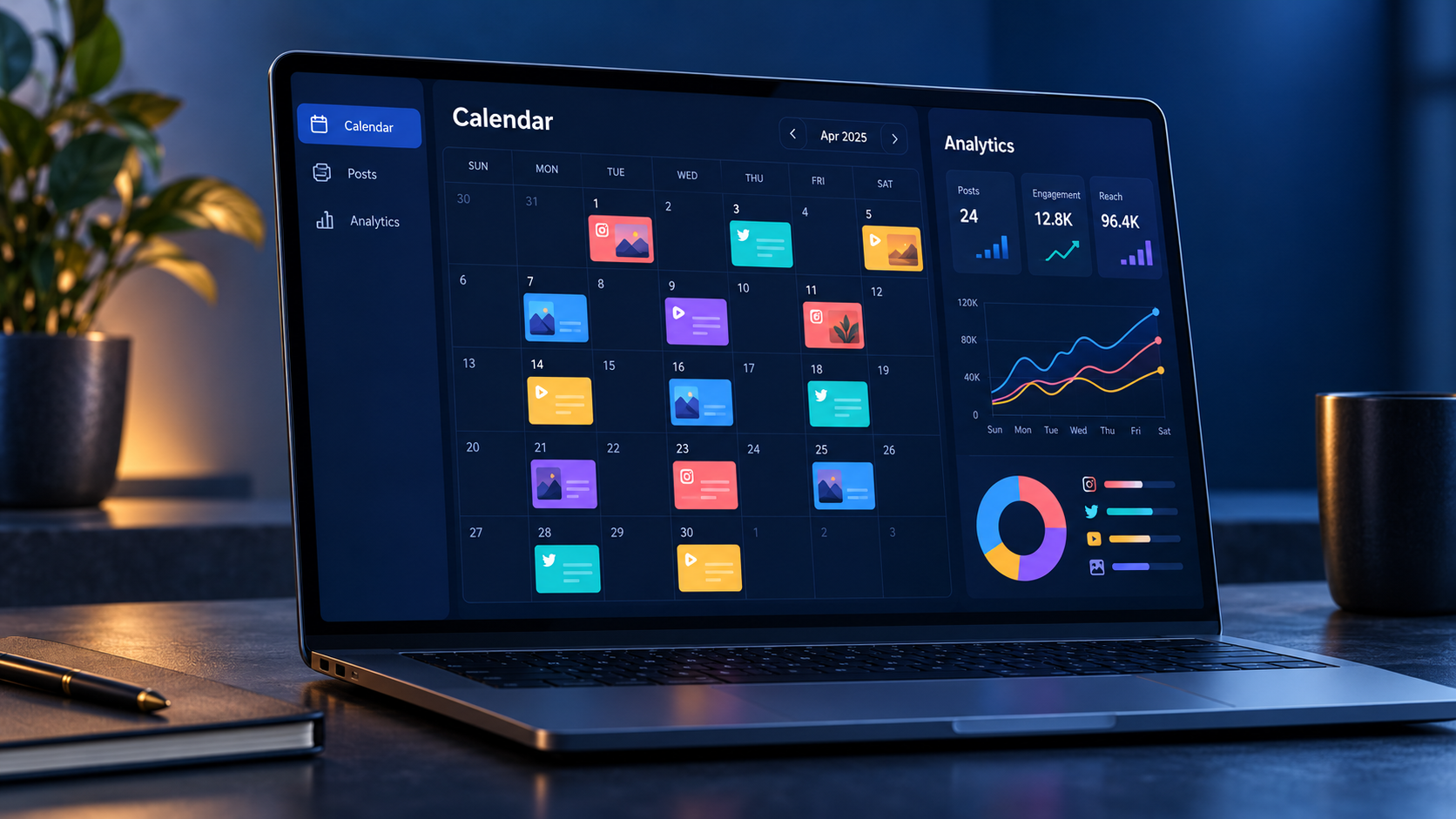
A strong visual calendar should support filtering by account, platform, campaign, owner, content pillar, and status. Drag-and-drop rescheduling is useful when priorities change, but edits should also update related deadlines or notify responsible team members. Look for clear weekly and monthly views as well as a list view for production management.
Drafting and asset management are equally important. Team members should be able to store captions, links, hashtags, briefs, and media files with the relevant post. Platform previews can help identify cropped images, overly long copy, or formatting problems before publication. A searchable media library becomes especially valuable when a brand produces content at scale.
Collaboration features should match the approval process. Comments, mentions, version history, assigned reviewers, and approval states reduce feedback scattered across email and chat. Agencies may also need client-facing views, separate workspaces, permission controls, and an audit trail showing who approved or changed each item.
If direct publishing is required, verify support for the exact networks and formats you use. A tool may schedule standard image posts but handle Stories, carousels, short-form videos, first comments, product tags, or collaborative posts differently. Platform capabilities change, so test real content during a trial rather than relying only on a comparison table.
Reporting should connect output with results. Useful tools let marketers tag posts by campaign or content pillar, compare performance across formats, and export data for stakeholders. Link tracking, reusable UTM parameters, and integration with web analytics help distinguish visible engagement from traffic, leads, or sales.
How to Build an Effective Digital Planning Workflow
Begin with business and marketing objectives, not publishing frequency. Decide whether social media needs to increase qualified reach, generate leads, support a product launch, strengthen community participation, or retain customers. Translate each objective into a limited set of measurable indicators, such as relevant impressions, saves, click-through rate, registrations, assisted conversions, or response time.
Next, define content pillars that connect audience needs with the brand’s expertise. A software company might use education, customer workflows, product guidance, industry perspective, and company culture. A creator might organize content around tutorials, behind-the-scenes stories, personal insight, community questions, and offers. Four to six clear pillars are usually easier to manage than a large taxonomy.
Create a repeatable path from idea to publication. A practical workflow might use the stages “idea,” “briefed,” “in production,” “ready for review,” “approved,” “scheduled,” and “published.” Define what must be true before a post moves into each stage. For example, “ready for review” could require final copy, licensed media, accessibility text, a destination link, and a named reviewer.
Plan campaigns before filling individual dates. Add launches, events, seasonal moments, partnerships, and reporting periods to the calendar. Then map the sequence of posts needed before, during, and after each priority. A launch may require early education, a teaser, an announcement, proof or demonstration, objection handling, and a follow-up post. This sequence is more persuasive than several disconnected announcements.
Assign realistic production deadlines by working backward from publication. Video may require scripting, filming, editing, captions, review, and platform-specific exports. A simple text post may need only drafting and approval. Using separate lead times for different formats prevents a complex Reel or campaign video from being treated like a quick status update.
Finally, reserve open capacity. A calendar planned to 100 percent leaves no room for customer conversations, news, trends, or unexpected opportunities. Many teams benefit from scheduling most evergreen and campaign content while keeping selected slots flexible. The exact ratio depends on the industry, but the principle is universal: consistency needs structure, while relevance needs space.

Integrating Planning with Broader Scheduling and Marketing Tools
Social media content planning tools work best when they connect with the systems a team already uses. The planner may be the control center for social publishing, but it should not become another isolated location where information must be copied manually. Thoughtful integrations reduce duplicate work and create a more reliable flow from campaign planning to measurement.
Connect cloud storage or a digital asset management system when designers and video editors work outside the planner. Establish consistent file names, folders, and version rules so scheduled posts do not use outdated creative. If the team uses a design platform, templates can standardize dimensions, fonts, colors, and safe areas for each network.
Project-management integrations are helpful when social content is one part of a larger campaign. A product launch may involve email, paid media, a landing page, public relations, and sales enablement. Connecting these tasks allows the social team to see dependencies, such as a delayed product page or an unapproved offer, before scheduling promotional posts.
Analytics integrations should carry campaign identifiers across channels. Apply consistent UTM parameters and naming conventions to organic social links, then review results alongside website behavior and conversions. Native engagement metrics remain useful, but they do not always reveal whether a post influenced a newsletter signup, demo request, purchase, or return visit.
Automation can save time when it handles predictable administrative work. For example, an approved status can trigger a scheduling task, a published post can move automatically into a reporting view, or a missed deadline can alert the owner. Avoid automating judgment-heavy decisions, such as responding to sensitive comments or reusing the same caption across platforms without adaptation.
Keep the overall system as simple as the operation allows. Every integration creates another dependency, and overly elaborate workflows can slow down small teams. Document which system owns each type of information: the planner may own publication dates, cloud storage may own final media, and analytics software may own conversion reporting. Clear ownership prevents contradictory versions of the same plan.
Choosing the Right Social Media Content Planning Tools
Start the selection process by documenting the current workflow. Note how ideas are collected, where assets are stored, who reviews posts, which networks require direct publishing, and how results are reported. Then identify recurring sources of delay or error. This produces a practical requirements list grounded in actual work rather than appealing but unnecessary features.
Evaluate tools against team size, publishing volume, number of brands, and governance needs. A solo creator may value speed, mobile access, reusable templates, and an affordable plan. An agency may prioritize client approvals, multiple workspaces, permission controls, white-label reports, and reliable scheduling across dozens of accounts. A regulated organization may require audit logs and formal approval gates.
Calculate the full operational cost rather than comparing subscription prices alone. Include additional users, extra social profiles, analytics upgrades, storage limits, onboarding time, and the cost of maintaining integrations. A more expensive tool can be economical if it eliminates repetitive reporting or prevents publishing errors, while an inexpensive tool can become costly if the team needs several additional systems to fill its gaps.
Run a trial with a real campaign. Import actual posts, attach media, request approval, reschedule content, publish to a test account if possible, and create a report. Ask the people who will use the product daily to participate. Their experience matters because a sophisticated tool delivers little value if contributors avoid it or continue maintaining shadow spreadsheets.
Use a weighted scorecard to make the decision. Give higher weight to essential capabilities such as network support, calendar usability, approvals, reliability, analytics, and security. Give lower weight to optional features. Record evidence from the trial, not just impressions from sales material. This creates a defensible choice and makes trade-offs visible.
Practical Calendar Practices That Improve Results
Use consistent labels across the calendar. Tag every post with its campaign, content pillar, funnel stage, format, target audience, and objective where appropriate. Standardized labels make filtering and reporting possible; inconsistent variations such as “how-to,” “education,” and “educational” fragment the data and obscure patterns.
Adapt posts for each platform instead of distributing identical content everywhere. The core idea may remain consistent, but the opening, length, creative dimensions, call to action, and publishing time should reflect audience expectations on each network. A professional insight developed for LinkedIn may become a concise video script for Instagram or a discussion prompt for a community channel.
Include accessibility and quality checks in the workflow. Add alt text where supported, caption videos, check contrast, proofread on mobile, confirm links, and avoid placing essential text where interface elements may cover it. These practices expand access while also improving the experience for people watching without sound or viewing content on small screens.
Hold a short weekly planning review to confirm the next one or two weeks of content. Check production status, approvals, campaign changes, sensitive dates, and available capacity. Use a monthly review for broader questions: which pillars are performing, which formats consume disproportionate resources, and which audience needs remain underserved?
Build a reusable content library from high-performing work. A successful webinar can become short clips, quote graphics, a carousel, a checklist, and several discussion posts. Record the original source and each derivative asset in the planner. Strategic repurposing extends the value of strong ideas without creating a repetitive feed.
Measuring and Improving Your Planning System
A planning system should be evaluated on both marketing performance and operational performance. Marketing measures show whether content is reaching and influencing the right audience. Operational measures show whether the team can produce that content efficiently and reliably.
Track outcomes by objective rather than judging every post with the same metric. Awareness content may be evaluated using qualified reach, video completion, or profile visits. Educational content may generate saves and shares. Conversion-focused content should be connected to clicks, leads, trials, or revenue where attribution allows. This prevents teams from optimizing everything for superficial engagement.
Operational metrics can include on-time publication rate, average approval time, number of revision rounds, percentage of planned versus reactive posts, and content output by format. If posts regularly miss deadlines, the issue may be insufficient production lead time rather than poor individual performance. If approvals take days, simplify the review chain or establish response expectations.
Use performance data to revise the plan, not merely fill a report. Identify patterns across several posts before drawing conclusions. Compare similar formats and objectives, examine the quality of comments and traffic, and consider outside factors such as paid support, seasonality, and unusually strong distribution. Then turn insights into a specific test for the next planning cycle.
A useful digital social media planner becomes more valuable over time because it preserves the relationship between strategy, execution, and results. When teams can see what they intended to achieve, what they published, and what happened afterward, planning evolves from calendar maintenance into an evidence-based marketing discipline.
Frequently Asked Questions
What is the difference between a digital social media planner and a scheduler?
A planner organizes strategy, ideas, production, approvals, campaigns, and publication dates. A scheduler primarily queues finished posts for automatic publishing. Many products combine both functions, but teams should confirm that the planning features are detailed enough for their workflow and that scheduling supports their required networks and formats.
How far ahead should social media content be planned?
Most teams benefit from outlining campaigns one to three months ahead and finalizing routine content one to four weeks before publication. Complex video or launch content may require more lead time. Keep some capacity open for timely conversations, platform trends, customer stories, and unexpected business developments.
Can a spreadsheet replace a social media calendar app?
A spreadsheet can work for a solo creator or a small operation with limited publishing volume. It becomes less effective when a team needs asset previews, approval history, automated publishing, notifications, permissions, or integrated reporting. Move to a dedicated application when manual coordination begins causing delays, duplication, or mistakes.
Which features are most important for a small marketing team?
Prioritize an intuitive shared calendar, straightforward approvals, media attachments, platform previews, dependable scheduling, and simple performance reporting. Mobile access and reusable post templates can also save time. Choose a tool the entire team will actually maintain before paying for advanced features that do not address a current need.