
Expert Guides on Content Scheduling for Social Media
Effective content scheduling boosts social media engagement and streamlines your posting strategy for consistent audience growth and brand visibility.


The most effective way to schedule social media content is to build a repeatable publishing system: choose a scheduler that supports your priority networks, organize posts in a visual calendar, prepare platform-specific variations, establish an approval workflow, and review performance regularly. The best content scheduler is not simply the tool with the longest feature list. It is the one that helps your team publish consistently, preserve content quality, respond to real-time opportunities, and turn performance data into better future posts.
Why Social Media Content Scheduling Matters | How to Choose the Best Content Scheduler | A Practical Workflow for Scheduling Social Media Content | Instagram Scheduling: Formats, Timing, and Quality Control | How to Compare Social Media Content Scheduling Apps | Building a Calendar That Balances Consistency and Flexibility | Optimization: Turning Scheduling Data into Better Content | Common Scheduling Mistakes and How to Avoid Them | Frequently Asked Questions
Why Social Media Content Scheduling Matters
Content scheduling is the process of preparing social posts in advance and assigning each one a specific publication date and time. Instead of opening every social network whenever a post needs to go live, marketers can plan content in batches and manage distribution from a central calendar. This reduces repetitive work while making campaigns easier to coordinate across Instagram, Facebook, LinkedIn, TikTok, Pinterest, and other channels.
The biggest benefit is consistency. Audiences are more likely to remember a brand that appears regularly with useful, recognizable content. A reliable social media post scheduler helps maintain that presence during busy periods, weekends, product launches, employee absences, and seasonal campaigns. Scheduling also makes it easier to serve audiences in different time zones without requiring a team member to publish manually at inconvenient hours.
Planning ahead improves quality as well as frequency. When teams pre schedule social media posts, they gain time to review copy, confirm links, check visual dimensions, add accessibility details, and verify that each post supports a campaign objective. This is especially valuable for regulated industries or organizations where legal, brand, or client approval is required before publication.
Scheduling should not turn social media into a completely automated broadcast channel, however. Community management, trend participation, customer support, and sensitive communications still require human judgment. Treat scheduled publishing as the stable foundation of your strategy, leaving room for timely posts and genuine conversations.
How to Choose the Best Content Scheduler
Begin with your actual publishing requirements rather than a generic list of popular products. Document the networks you use, the number of profiles you manage, your monthly publishing volume, the people involved in approvals, and the formats you create most often. A solo Instagram creator and a multinational marketing department may both need content scheduling tools, but their ideal solutions will be very different.
Network support deserves close attention. Confirm that a tool can publish the formats your strategy depends on, such as Instagram Reels, carousels, Stories, LinkedIn documents, Pinterest Pins, or short-form videos. “Supports Instagram” may mean full automatic publishing, notification-based reminders, or only limited post types. Review these distinctions before committing to a subscription.
The best social scheduling app should make everyday work easier. Look for an intuitive calendar, saved drafts, media storage, post previews, reusable captions, first-comment publishing, link tracking, bulk uploads, and clear notifications when a post fails. Teams may also need role-based permissions, internal comments, approval stages, audit histories, and separate client workspaces.
Analytics should help you make decisions rather than merely display numbers. Useful reports connect posts with reach, engagement, clicks, conversions, and follower activity. Ideally, the scheduler allows you to compare formats, topics, publishing times, and campaigns. Exportable reporting is particularly important for agencies and in-house teams that regularly communicate results to stakeholders.
Finally, evaluate reliability, security, support, and total cost. Check whether the provider uses official platform integrations, offers two-factor authentication, and clearly explains how account access is handled. Calculate the price based on the profiles and users you will actually need, including add-ons. Test the leading candidates with real posts before choosing one.

A Practical Workflow for Scheduling Social Media Content
A strong scheduling workflow begins before anyone writes a caption. Start with quarterly or monthly goals, such as generating qualified leads, increasing product awareness, educating customers, or strengthening community loyalty. Translate those goals into several content pillars. A software company might use product education, customer stories, industry insights, company culture, and conversion-focused offers.
Next, define a realistic publishing rhythm for every platform. Avoid copying an ambitious template that your team cannot sustain. It is better to publish three high-quality posts every week than to plan daily content and repeatedly miss deadlines. Assign recurring slots to your pillars—for example, an educational carousel on Tuesday, a customer story on Thursday, and a short video on Saturday—while preserving flexibility for timely content.
Develop ideas in batches. One long-form article, webinar, interview, or customer case study can supply several social assets: a short video, a carousel, a quote graphic, a poll, and a series of text posts. Batch production reduces context switching and helps visual assets feel connected without becoming repetitive.
Store every planned post in one calendar. Each entry should include the platform, publication time, objective, content pillar, creative asset, caption, call to action, destination link, campaign tag, owner, and approval status. Use consistent naming conventions so assets remain searchable after the campaign ends.
Build quality checks into the workflow. Confirm image and video specifications, subtitle accuracy, link destinations, tracking parameters, mentions, hashtags, disclosure requirements, and alt text. Preview posts on mobile whenever possible. A caption that looks concise on a desktop calendar may become difficult to scan on a phone.
Schedule approved posts in manageable windows. Many teams benefit from preparing evergreen content two to four weeks ahead while keeping some calendar space open. Review the upcoming queue at least weekly to catch outdated references, changed offers, or posts that may be inappropriate following unexpected news.
Instagram Scheduling: Formats, Timing, and Quality Control
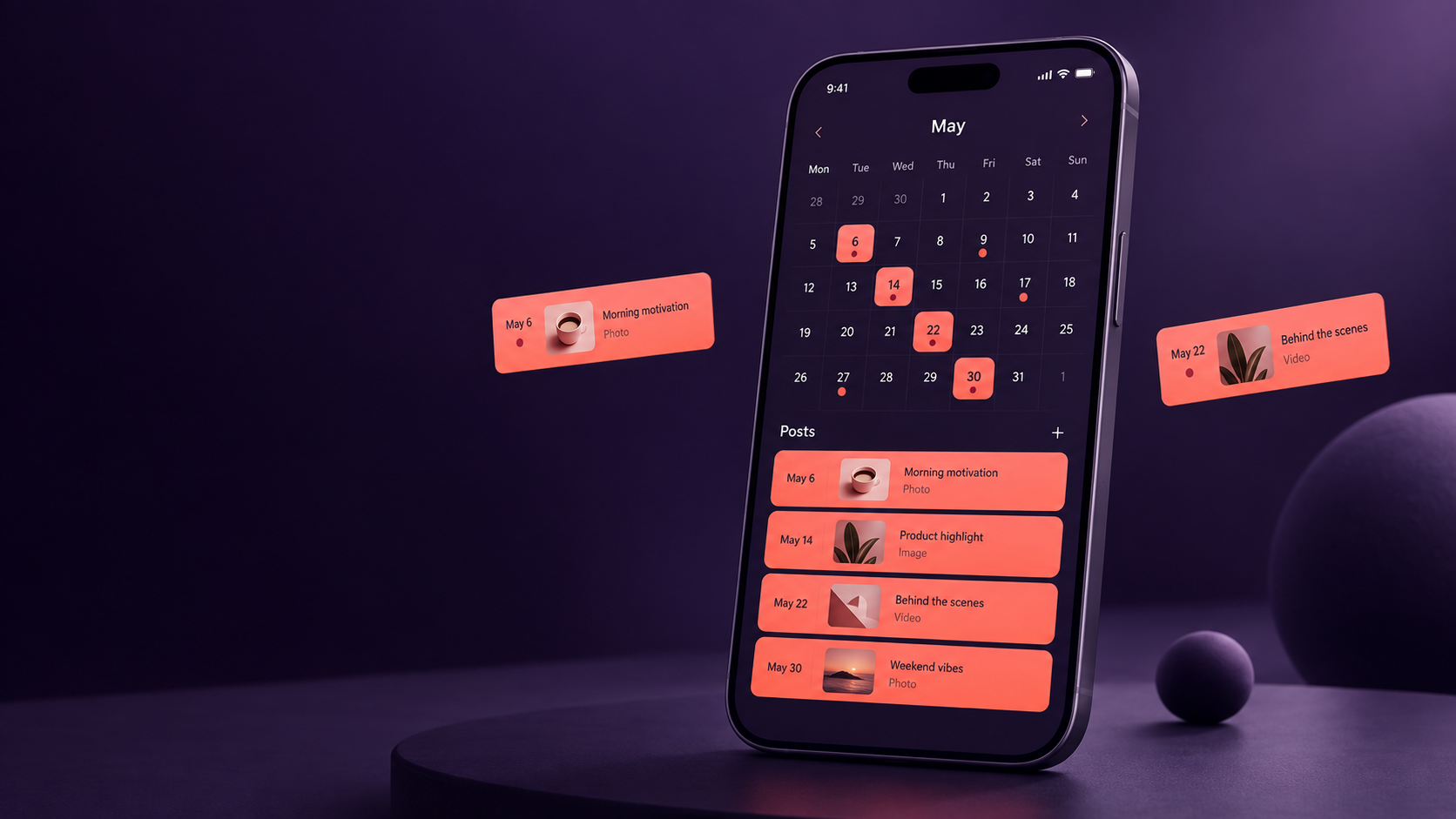
Instagram requires more than dropping images into empty calendar slots. Effective planning accounts for the role of each format. Reels can support discovery, carousels can explain complex ideas, feed images can reinforce brand identity, and Stories can deliver timely updates or encourage interaction. The strongest scheduling apps for Instagram let marketers coordinate these formats without treating them as interchangeable.
Choose Instagram scheduling apps that provide accurate feed previews and support the formats you publish regularly. Useful features may include cover selection, crop previews, first comments, location tags, collaborator reminders, hashtag groups, and Story notifications. If a particular feature cannot be published automatically because of platform limitations, the app should provide a clear mobile reminder and preserve all prepared assets and text.
Optimize every post for mobile consumption. Make the opening second of a Reel visually clear, place the strongest idea near the beginning of a caption, and ensure carousel covers communicate a specific benefit. Add on-screen text and captions to videos, but keep critical text away from interface elements. Use high-contrast typography and check that every slide remains readable on a small screen.
Avoid choosing publishing times based only on broad industry studies. Use your own account insights to identify when followers are active, then test nearby time slots. Compare results over several weeks because content quality, topic, format, and distribution can affect performance more than the exact minute of publication.
Instagram engagement does not end when a scheduled post appears. Plan time to answer comments, share relevant responses, monitor direct messages, and engage with collaborators. When a post promotes an event or limited offer, assign a community manager to watch the conversation soon after publication. Automation can handle delivery, but relationships still require people.


How to Compare Social Media Content Scheduling Apps
Create a weighted scorecard to compare social media content scheduling apps objectively. List the features that influence your results, then give the greatest weight to non-negotiable requirements. For example, a video-first creator may prioritize reliable short-form video publishing and mobile previews, while an agency may value client approvals, workspace separation, and branded reports.
Test each shortlisted tool with a small but realistic campaign. Schedule several formats across your main networks, invite a colleague to review them, edit a post after approval, and examine the published result. Deliberately test exceptions too: replace an asset, move a post to another day, reuse content for a second platform, and investigate a failed publication alert.
Evaluate the calendar from both strategic and operational perspectives. A good calendar should reveal content gaps, campaign conflicts, and an unbalanced mix of topics. It should also make routine actions—duplicating, rescheduling, filtering, and approving posts—quick and understandable. If common tasks require extensive training, adoption may suffer regardless of the tool’s advanced capabilities.
Consider how the platform fits your existing systems. Integrations with cloud storage, design software, analytics platforms, URL shorteners, and team communication tools can eliminate manual transfers. However, integrations should solve genuine workflow problems. An impressive catalog of connections has little value if none support the way your team works.
Do not overlook exit costs. Ask whether captions, media, analytics, and reports can be exported. A scheduler should improve your operating system without becoming the only place where campaign knowledge exists. Maintain organized copies of important creative assets and performance data in systems your business controls.
Building a Calendar That Balances Consistency and Flexibility
A useful content calendar provides structure without filling every available slot. Reserve most of the schedule for planned campaigns, recurring series, educational content, and evergreen posts. Keep the remaining capacity available for trends, announcements, user-generated content, and audience questions. The right ratio depends on your industry, but a starting split of roughly 80 percent planned and 20 percent flexible content works for many teams.
Balance promotional posts with content that earns attention before asking for action. Educational tutorials, original observations, behind-the-scenes stories, customer examples, and practical templates create value. Promotional posts become more effective when they appear within a broader program that has already built familiarity and trust.
Use labels or color coding to make the calendar easy to audit. Colors can represent platforms, campaigns, objectives, funnel stages, or content pillars. Pick one system and apply it consistently. During a weekly review, look for clusters of similar posts, long gaps between important topics, and campaigns competing for attention on the same day.
Establish a pause procedure. A designated person should know how to stop scheduled publishing during a crisis, breaking-news event, product issue, or sensitive moment. Document which accounts must be checked, who makes the decision, and how paused posts will be reviewed before being rescheduled. This simple process protects the brand from publishing cheerful or promotional content at an inappropriate time.
Optimization: Turning Scheduling Data into Better Content
Scheduling creates a useful dataset, but only if the team reviews it. Hold a recurring performance review and compare results by platform, format, theme, objective, call to action, and publishing time. Look for patterns across multiple posts rather than declaring a strategy successful or unsuccessful based on one outlier.
Match metrics to the purpose of each post. Reach and video views may matter for awareness, while saves and shares can indicate lasting usefulness. Link clicks, leads, trial registrations, and sales are more relevant for conversion campaigns. Community content may be judged through comments, replies, direct messages, and sentiment.
Use controlled experiments whenever possible. Change one meaningful variable at a time, such as the opening hook, thumbnail style, caption length, or publication window. Keep a record of the hypothesis and outcome in the calendar. Over time, this turns the scheduler into an institutional memory rather than a simple publishing queue.
Review underperforming posts without assuming the topic was wrong. The problem may have been a weak opening, unclear design, poor timing, an unconvincing call to action, or a mismatch between format and platform. Repurpose strong ideas using a different execution, then compare the results.
Also monitor operational performance. Track how long posts remain in review, how often deadlines move, how frequently publications fail, and where revisions accumulate. The best content scheduler should reduce these bottlenecks. If the team still relies on scattered messages and last-minute asset searches, refine the workflow before buying more software.
Common Scheduling Mistakes and How to Avoid Them
The most common mistake is posting identical content everywhere. Cross-platform scheduling saves time, but each network has different user expectations, formats, and conversational styles. Adapt the opening line, creative dimensions, hashtags, links, and call to action. Preserve the core message while making the post feel native to its destination.
Another mistake is scheduling too far ahead without review. Evergreen posts can often be prepared weeks in advance, but news references, prices, availability claims, statistics, and event information may change. Add a final review checkpoint for anything time-sensitive and avoid placing unverified claims deep in an automated queue.
Teams also over-automate engagement. Automatic publishing is useful; automated responses pretending to be personal are riskier. Use saved replies as starting points, not universal answers. Escalate complaints, safety issues, payment concerns, and sensitive questions to a person who can understand context.
Finally, avoid measuring success by posting volume. A crowded calendar can hide weak strategy. Every scheduled item should have a clear audience, purpose, and next step. If a post does not educate, entertain, reassure, inspire, or motivate a relevant action, reconsider whether it deserves space.
Frequently Asked Questions
What is the best content scheduler for social media?
The best content scheduler is the one that supports your essential networks and formats while fitting your workflow, team size, approval needs, and budget. Compare tools using real campaign tasks rather than feature counts. Reliability, ease of use, publishing accuracy, useful analytics, and responsive support are usually more important than a large collection of rarely used features.
How far in advance should I pre schedule social media posts?
Many brands schedule evergreen content two to four weeks ahead and review the queue weekly. Time-sensitive posts may be scheduled only a few days in advance. Keep open space for relevant conversations and establish a process for pausing content when circumstances change.
Can one social media post scheduler manage every platform?
Many tools manage several major networks from one dashboard, but support varies by post type and platform feature. Confirm automatic publishing capabilities for your specific needs, especially Stories, Reels, collaboration tags, multi-image posts, and interactive elements. Some posts may still require mobile notifications or manual finishing steps.
Do scheduled posts receive less engagement?
Scheduling itself does not make content less valuable. Engagement is more strongly influenced by relevance, creative quality, audience fit, timing, and community interaction. Scheduled posts can perform well when they are optimized for the platform and supported by timely replies after publication. Review your own analytics instead of relying on assumptions about automated posting.