
Facebook Scheduling Tools: Everything You Need to Know
Facebook scheduling tools streamline your social media management by allowing you to plan, organize, and automate posts efficiently for better engagement.


A Facebook scheduling tool lets you prepare posts in advance, choose when they will be published, and manage content without being online at every posting time. Whether you use Meta Business Suite or a third-party Facebook post scheduler, scheduling can improve consistency, simplify approvals, support multiple Pages, and give your team more time to engage with followers. This guide explains the available methods, essential features, practical workflows, tool-selection criteria, and best practices for effective Facebook post automation.
What Is a Facebook Scheduling Tool? | How to Schedule Facebook Posts with Meta Business Suite | Native Scheduling Versus Third-Party Scheduling Tools | Essential Features to Compare in a Facebook Post Scheduler | How to Build an Effective Facebook Scheduling Workflow | Facebook Post Automation Best Practices | Common Scheduling Mistakes and How to Avoid Them | How to Measure and Improve Scheduled Facebook Content | Frequently Asked Questions
What Is a Facebook Scheduling Tool?
A Facebook scheduling tool is software that stores prepared content and publishes it to a Facebook Page at a specified date and time. A scheduled post can contain text, links, images, videos, and other supported formats. Some tools also handle Instagram and additional social networks, making them useful for brands that want one publishing calendar across several channels.
The simplest option is Facebook’s native scheduling environment, Meta Business Suite. It provides publishing, calendar, draft, and basic performance-management features for Facebook Pages and connected Instagram accounts. It is generally sufficient for an individual creator or small business with a straightforward publishing process.
Third-party tools add capabilities designed for larger or more complex operations. Depending on the platform, these can include bulk uploading, reusable content libraries, client workspaces, approval chains, automated reports, link tracking, team permissions, and publishing across many accounts. A dedicated Facebook social media scheduler can therefore function as both a publishing utility and a lightweight content-operations system.
Scheduling is not limited to saving time. It creates a deliberate separation between content production and publication. Instead of writing each update moments before posting, marketers can develop content in batches, review it in context, and distribute it according to campaign priorities. That process tends to produce a more balanced Page with fewer rushed, repetitive, or off-brand posts.
However, automation should support human communication rather than replace it. Scheduling can handle predictable publishing tasks, but comments, customer questions, breaking news, and sensitive situations still require active oversight. The strongest strategy combines reliable automation with timely community management.

How to Schedule Facebook Posts with Meta Business Suite
Meta Business Suite is the logical starting point for most Page administrators because it is Meta’s own publishing environment. After selecting the relevant Facebook Page, create a new post, add the copy and media, review the preview, and choose the scheduling option instead of publishing immediately. Set the desired date and time, confirm the settings, and save the post to the calendar.
Before scheduling, check where the post will appear. A connected Instagram account may also be selected, but identical publishing is not always the best choice. Facebook and Instagram have different user behaviors, visual expectations, link capabilities, and copy conventions. If a post is intended for both platforms, tailor the caption and creative treatment whenever the interface allows it.
Use the planner or calendar view to inspect the sequence of upcoming posts. This view can reveal problems that are difficult to notice while creating content individually: three promotional posts in a row, multiple updates competing on the same day, long gaps in the schedule, or repeated visual styles. A weekly or monthly calendar review helps maintain a healthy mix of educational, entertaining, community-focused, and commercial content.
Native scheduling has important advantages. There is no additional subscription, the workflow is closely connected to Facebook, and new post formats may be supported there before they become available through external services. It also reduces the number of integrations that need account access.
There are limitations, especially for agencies or mature marketing departments. Native tools may not provide the depth of bulk operations, cross-channel reporting, client approvals, asset management, or governance that a larger team needs. If employees repeatedly copy information between spreadsheets, chat threads, storage folders, and the publishing interface, a more comprehensive Facebook post scheduler may create meaningful efficiency gains.
Native Scheduling Versus Third-Party Scheduling Tools
The right choice depends less on brand size than on workflow complexity. A small company publishing three times a week to one Page may be perfectly served by Meta Business Suite. A two-person agency managing ten client Pages may need stronger separation, permissions, and reporting even though its internal team is small.
Native scheduling is best when Facebook and Instagram are your main channels, your approval process is simple, and you do not need advanced reporting. It offers a direct, cost-effective path from content creation to publication. It is also useful as a fallback when an external integration encounters an error or does not support a particular format.
A third-party Facebook social media scheduler becomes more valuable when content must move through several stages. For example, a writer may prepare the caption, a designer may attach creative, a strategist may check campaign alignment, and a client may provide final approval. A tool that records comments and status changes in one place prevents outdated versions from being scheduled accidentally.
Cross-network management is another major differentiator. If the same team publishes on Facebook, Instagram, LinkedIn, Pinterest, TikTok, or other platforms, a unified calendar can show the entire campaign. This visibility helps marketers coordinate launches while adapting each post to the conventions of its destination.
Third-party platforms can also offer content queues. Instead of assigning a unique publication time to every evergreen post, marketers define recurring time slots and add approved content to a queue. This is useful for tips, testimonials, blog promotion, and other recurring categories. Time-sensitive announcements should still receive specific dates and manual attention.
Cost must be evaluated against the hours and errors a tool eliminates. Compare subscription tiers carefully because limits may apply to users, social profiles, scheduled posts, reporting history, storage, or approval features. The least expensive product is not necessarily the best value if it forces the team to maintain several parallel systems.
Essential Features to Compare in a Facebook Post Scheduler
Begin with publishing reliability and format support. Confirm that the tool can publish the Facebook formats your strategy actually uses, including images, video, links, and any specialized formats important to your Page. Integration restrictions can change, so test critical workflows during a free trial rather than relying only on a feature list.
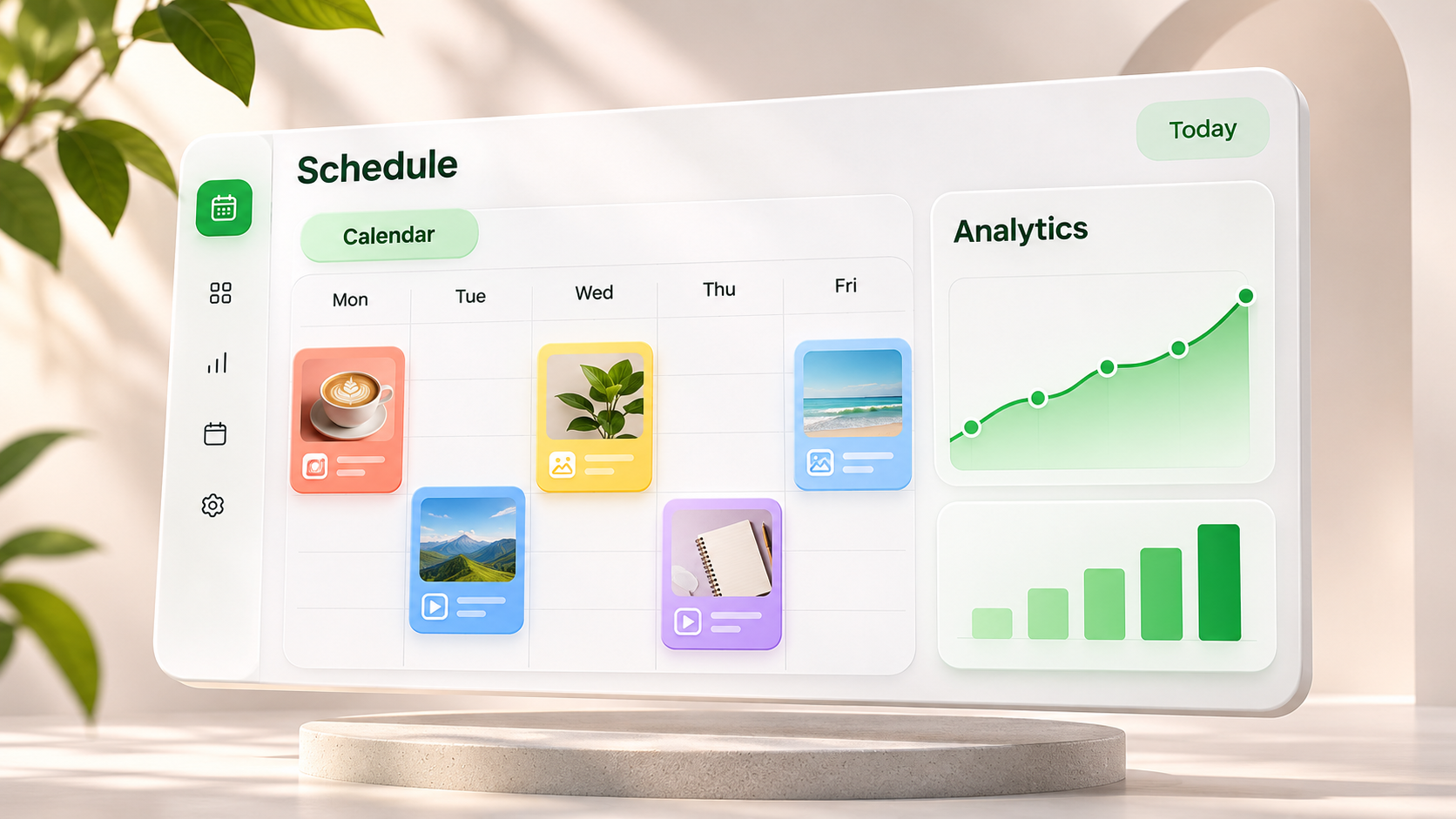
A strong visual calendar should make content easy to scan, edit, duplicate, and reschedule. Drag-and-drop planning is particularly helpful when campaign dates change. Filters for Page, platform, campaign, owner, and approval status become increasingly important as the volume of content grows.
Look closely at collaboration controls. Useful capabilities include role-based access, internal comments, assigned tasks, version history, approval deadlines, and a clear distinction between draft, approved, scheduled, and published content. Agencies should also check whether clients can approve posts without receiving access to unrelated accounts.
Bulk scheduling can save hours when a team prepares content in monthly batches. Some products accept spreadsheet uploads, while others support queues, content recycling, or duplication across profiles. Treat automatic recycling carefully: an evergreen post can still become inaccurate if it mentions an old statistic, expired offer, unavailable product, or outdated cultural reference.
Asset management is another practical consideration. A searchable media library with tags, folders, usage records, and brand-specific collections can prevent duplicated work. It should be easy to identify the correct logo, campaign image, or approved product photograph without searching through personal drives and message threads.
Analytics should answer business questions rather than merely display numbers. At minimum, assess whether the scheduler reports reach, impressions, engagement, clicks, video performance, and audience activity in a usable way. Features such as campaign labels, exportable reports, and tracked links make it easier to connect individual posts with traffic, leads, or sales.
Finally, examine security and operational resilience. Prefer tools with role-based permissions, two-factor authentication, transparent access controls, and a straightforward process for removing former employees or clients. Check how the platform handles expired connections, failed posts, and notifications. A failed-post alert is useful only if it reaches someone who can respond quickly.
How to Build an Effective Facebook Scheduling Workflow
Start with objectives, not empty calendar slots. Define what Facebook should contribute during the planning period, such as increasing qualified website visits, supporting a product launch, generating event registrations, educating customers, or strengthening community participation. Every scheduled post should have a recognizable role within one of those goals.
Next, establish content pillars. A software company might use product education, customer stories, industry guidance, company culture, and conversion-focused offers. A creator might organize content around tutorials, behind-the-scenes updates, opinions, audience questions, and new releases. Content pillars provide enough structure for consistency without making the Page feel mechanical.
Plan at campaign level before writing individual posts. Mark launches, events, seasonal moments, deadlines, and other fixed dates. Then add supporting content before and after each key moment. A webinar campaign, for example, may include an educational teaser, a speaker introduction, a registration reminder, a final-day post, and a follow-up recording.
Create content in batches where it improves focus. Writers can draft several captions in one session, while designers prepare a coordinated group of assets. Batch production reduces context switching, but every post still needs an individual quality check. Repeated sentence structures, calls to action, or stock imagery can make a batch feel monotonous.
Introduce a documented approval path. Identify who checks factual accuracy, who protects brand voice, who verifies design, and who has final publishing authority. Set internal deadlines early enough to absorb revisions. Posts that remain unapproved near publication time should not be pushed live simply to preserve the calendar.
Schedule approved content and conduct a final calendar review. Verify dates, time zones, links, campaign tags, media, and destination Pages. On launch days, confirm that connected accounts are active and that no external event has made the content inappropriate. This last check is especially important for humorous, celebratory, or promotional posts.

Facebook Post Automation Best Practices
Schedule for audience behavior rather than generic “best time” recommendations. Review your own performance data to identify when followers are active and when posts earn meaningful engagement. Test comparable content at different times, then look for patterns over several weeks. One unusually successful post is not enough to define a permanent schedule.
Maintain a sustainable cadence. Publishing more frequently does not automatically improve performance, particularly if quality falls or posts compete with one another. Choose a rhythm your team can support with strong creative, useful ideas, and responsive community management. Consistency matters because it helps both the audience and the team develop reliable expectations.
Adapt content for Facebook. Even when a campaign spans several networks, avoid copying every caption unchanged. Facebook posts may benefit from clear context, a conversational opening, accessible formatting, and a focused next step. Give the audience a reason to respond on Facebook specifically.
Use automation for repeatable actions, not indiscriminate repetition. Queues and evergreen recycling can distribute valuable material efficiently, but set expiration dates and review intervals. Maintain a list of content that must never recycle automatically, including limited-time offers, event reminders, crisis communications, hiring posts, and announcements involving named employees.
Keep space in the calendar for timely content. A schedule filled months in advance can leave no room for customer conversations, relevant trends, or unexpected opportunities. Consider reserving flexible slots or being willing to move evergreen content when something more valuable emerges.
Accessibility should be built into production. Add useful alternative text where supported, caption videos, avoid placing essential information only inside an image, and use readable visual contrast. Clear language and descriptive copy improve the experience for a wider audience and often make content easier for everyone to understand quickly.
Finally, assign ownership after publication. Someone should monitor comments, answer questions, identify potential issues, and escalate sensitive conversations. Facebook post automation has completed only half its job when the post goes live; the other half is turning publication into interaction and business value.
Common Scheduling Mistakes and How to Avoid Them
One common mistake is treating the scheduled calendar as finished work. Conditions can change between approval and publication. Review the near-term calendar regularly and pause content that conflicts with breaking news, a company issue, supply problems, or an unexpected change in campaign details.
Another mistake is over-automating engagement. Automated replies can acknowledge basic inquiries, but audiences quickly notice impersonal or irrelevant responses. Use templates as starting points where appropriate, then have a person handle questions that require context, judgment, or empathy.
Teams also overlook time zones. Confirm whether the scheduler displays the Page’s time zone, the user’s local time, or a workspace setting. This matters for international campaigns, live events, embargoed announcements, and daylight-saving changes. Include the intended time zone in campaign briefs so reviewers can catch discrepancies.
Broken links and incorrect previews remain frequent problems. Open every destination URL, check tracking parameters, and inspect the preview before approval. If a landing page is not yet live, assign someone to confirm it before the post publishes. A flawless caption cannot compensate for a destination that returns an error.
Finally, avoid measuring the scheduler by how many posts it publishes. The purpose of a Facebook scheduling tool is to improve marketing execution, not maximize output. Evaluate whether the process produces better content, faster approvals, fewer errors, more useful insights, and stronger business results.
How to Measure and Improve Scheduled Facebook Content
Choose metrics that correspond to each post’s purpose. Reach and video views can help assess awareness, while comments, shares, and meaningful reactions indicate interaction. Link clicks, landing-page conversions, registrations, or purchases are more relevant when the post is intended to drive action.
Label posts by content pillar, format, campaign, and objective. After enough data accumulates, compare groups instead of isolated winners. You may discover that short educational videos drive reach, customer stories earn comments, and practical link posts generate the most qualified traffic. Those findings can shape the next calendar.
Review efficiency as well as performance. Track how long content takes to move from idea to approval, how often scheduled posts fail, how many last-minute revisions occur, and whether assets are easy to find. These operational indicators reveal whether your tool and workflow are genuinely helping the team.
Run controlled experiments whenever possible. Change one major variable at a time, such as format, opening line, call to action, posting time, or creative style. Record the hypothesis and evaluate the outcome over multiple posts. This approach produces more reliable learning than reacting to every short-term fluctuation.
Complete a monthly review and convert insights into decisions. Continue effective themes, revise weak executions, retire outdated content, and identify new tests. The best scheduling system is iterative: it turns past results into a smarter plan rather than simply repeating last month’s calendar.
Frequently Asked Questions
Can I schedule Facebook posts without a third-party tool?
Yes. Page administrators can use Meta Business Suite to create drafts, schedule eligible posts, and manage upcoming content through a calendar. It is a practical free option for creators and businesses with relatively simple Facebook and Instagram workflows.
How far in advance should Facebook posts be scheduled?
Many teams plan routine content two to four weeks ahead while keeping the immediate calendar flexible. Evergreen campaigns can be prepared earlier, but time-sensitive posts should receive a final review close to publication. The ideal window depends on approval time, industry volatility, and campaign complexity.
Does scheduling Facebook posts reduce reach?
Scheduling itself should not be treated as a substitute explanation for weak reach. Content relevance, creative quality, audience response, competition, timing, and distribution all influence performance. Compare scheduled and manually published posts with similar objectives and formats before drawing conclusions from your own results.
What is the best Facebook post scheduler?
The best option is the one that matches your accounts, publishing volume, approval process, reporting needs, security requirements, and budget. Meta Business Suite is a strong starting point for straightforward native scheduling. Teams managing multiple brands, users, or networks should test third-party tools using a real campaign before committing to a subscription.