
Hootsuite Planner: Features, Benefits, and User Guide
Hootsuite Planner streamlines social media scheduling with powerful features and easy-to-use tools, helping users manage posts efficiently and save time.

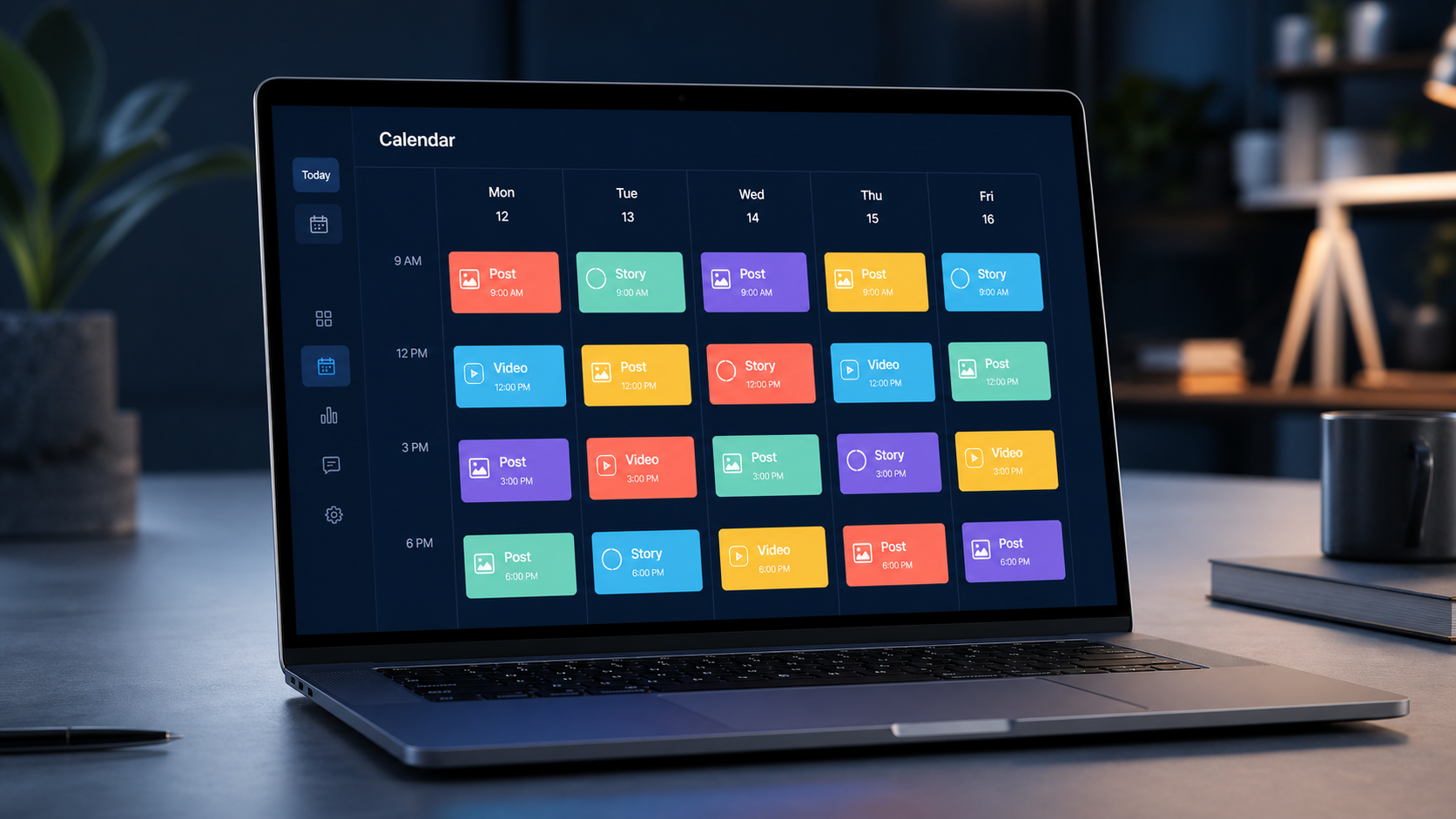
Hootsuite Planner is a visual scheduling workspace that helps marketers organize, review, and publish social media content from one central calendar. It combines post creation, multichannel scheduling, collaboration, and campaign planning, making it easier to maintain a consistent publishing rhythm across multiple accounts. This guide explains how the Hootsuite content calendar works, where it delivers the most value, and how to build an efficient workflow around it.
What Is Hootsuite Planner? | Core Features of the Hootsuite Content Calendar | Benefits for Marketers, Creators, and Social Media Teams | How to Set Up Hootsuite Planner | Step-by-Step Guide to Scheduling a Post | How to Build a Better Social Media Calendar | Workflow Tips for Getting More From Hootsuite Planner | Measuring Performance and Improving the Schedule | Common Mistakes to Avoid | Frequently Asked Questions | Final Takeaway
What Is Hootsuite Planner?
Hootsuite Planner is the calendar-based area of Hootsuite used to manage scheduled, drafted, and previously published social media posts. Instead of switching between individual networks, marketers can see their publishing activity in one place. This unified view is especially valuable for agencies, distributed marketing teams, and brands that operate several accounts.
The Planner presents content according to its scheduled date and time. Users can move between calendar views, open posts for closer inspection, and identify gaps or crowded periods in the publishing schedule. Color, profile, campaign, and status information can help teams understand what is happening without opening every post individually.
Although people sometimes use the terms interchangeably, the Planner is more than a basic publishing queue. A queue emphasizes the next posts that will go live, while a content calendar provides broader editorial context. It shows how product announcements, educational posts, promotions, community content, and evergreen material fit together over time.
The exact publishing options available may differ by social network, account type, Hootsuite subscription, and changes to network APIs. Before designing a workflow, confirm that the channels and post formats important to your organization are supported on your current plan.
Core Features of the Hootsuite Content Calendar
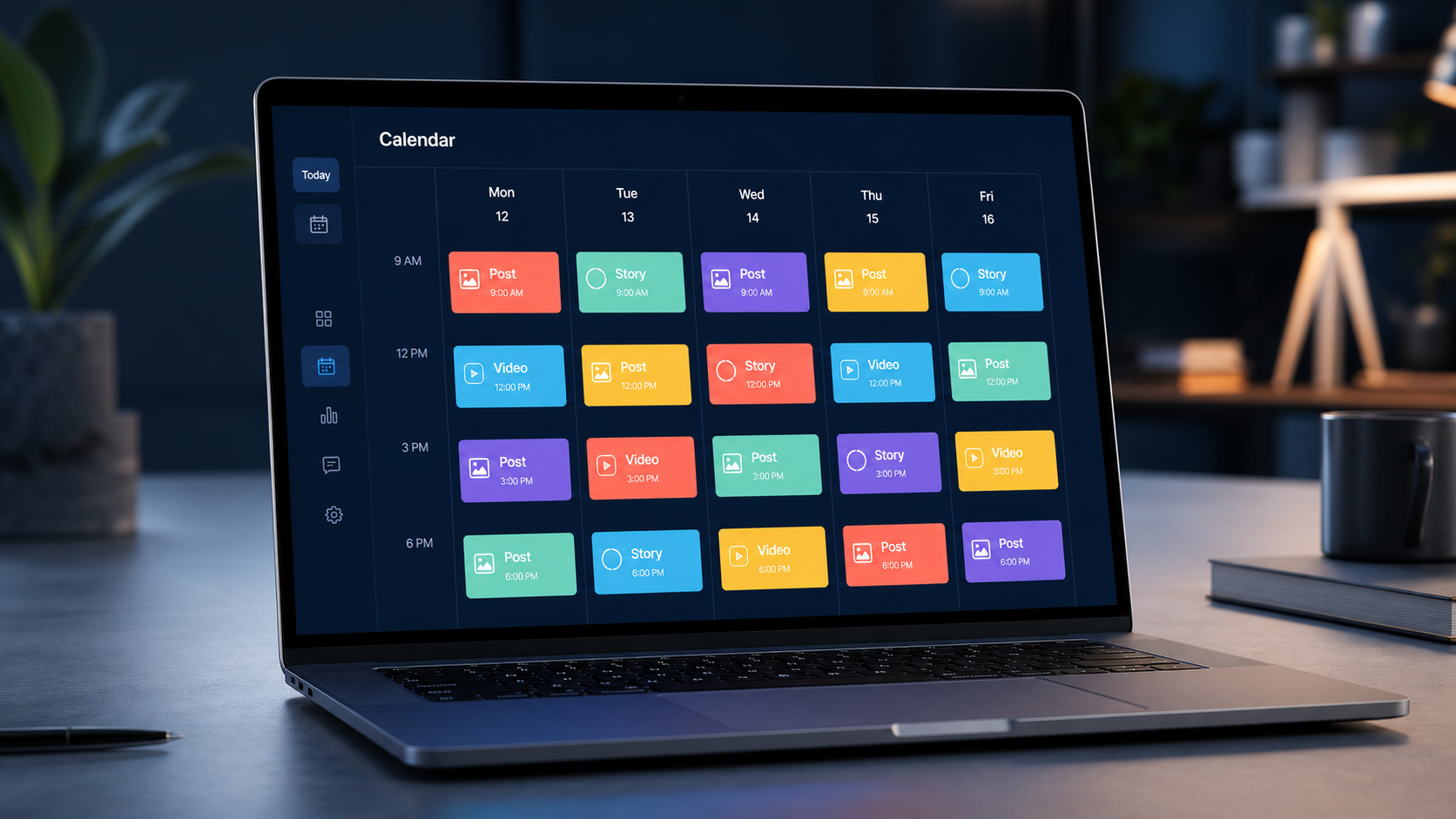
The primary strength of the Hootsuite content calendar is visibility. Marketers can inspect content across connected social profiles without maintaining a separate spreadsheet for every network. Calendar views support both detailed daily work and higher-level planning, helping users spot publishing conflicts and empty periods before they affect a campaign.
Post creation and scheduling are integrated into the workflow. A user can prepare copy, select social accounts, attach approved media, choose a publishing time, and review available network-specific settings. Teams can tailor the same campaign idea for different channels rather than forcing identical text and creative into every platform.
Drafts allow incomplete ideas to remain inside the publishing environment until they are ready. Depending on the organization’s Hootsuite setup, team members may also use approval workflows and permissions to separate content creation from final authorization. This reduces the risk of an unfinished or noncompliant post being published accidentally.
Filtering makes a busy calendar more manageable. For example, an agency can narrow its view to one client profile, while an internal marketing manager can focus on a campaign or network. This is considerably faster than scanning a large calendar containing every post from every account.
Bulk scheduling can accelerate campaigns with many prepared posts. However, bulk uploading should not replace editorial judgment. Each item still needs appropriate formatting, media, timing, tracking parameters, and a final quality check. Treat bulk scheduling as an operational shortcut, not an excuse to publish generic content.
Benefits for Marketers, Creators, and Social Media Teams
A centralized planner reduces context switching. Without one, a marketer may move repeatedly among native publishing tools, chat threads, spreadsheets, cloud folders, and approval emails. Bringing scheduling and calendar management together saves time and lowers the chance that a post will be forgotten, duplicated, or assigned the wrong publication date.
The calendar also improves strategic balance. When content is viewed across a week or month, it becomes easier to see whether the brand is publishing too many promotions and too little educational or community-focused material. A team can compare its intended content mix with what is actually scheduled.
For creators and small businesses, the Hootsuite social media scheduler supports batching. Instead of interrupting production work several times each day, a creator can reserve one session for preparing and scheduling posts. This makes the publishing process more predictable while leaving room for spontaneous, timely content.
Larger teams gain accountability. Clearly defined roles, shared drafts, internal notes, and approvals can create a traceable path from idea to publication. Managers can review the calendar without requesting status updates from every contributor, while specialists can see deadlines and dependencies more easily.
Scheduling also supports consistency across time zones. A global brand does not need every team member to be online whenever an audience becomes active. Posts can be prepared during normal working hours and scheduled for appropriate local times. Human monitoring is still important, particularly for sensitive announcements and posts likely to generate customer questions.
How to Set Up Hootsuite Planner
Begin by connecting only the social accounts your team is authorized to manage. Use organizational accounts rather than personal credentials where possible, and apply the principle of least privilege when assigning access. Document account ownership so that personnel changes do not interrupt publishing.
Next, define your calendar structure. Decide which profiles belong to each brand, region, client, or business unit. Establish campaign names and content categories before the calendar becomes crowded. Consistent naming makes filters useful and prevents slightly different labels from fragmenting campaign reporting.
Create a practical publishing framework for each channel. Record the purpose of the account, its primary audience, core topics, preferred formats, posting frequency, and brand voice. Avoid treating frequency targets as rigid quotas. A smaller number of relevant posts is usually more valuable than filling every calendar slot with weak material.
Prepare reusable assets before scheduling. These may include approved logos, brand templates, product images, video covers, disclosure language, campaign links, and platform-specific copy guidelines. A well-organized asset library reduces errors and helps contributors work independently.
Finally, configure your review process. A solo creator may need only a personal checklist, while a regulated company may require legal, brand, and product approval. Assign a clear owner to each stage and set internal deadlines earlier than the publication date. This creates time to resolve feedback without delaying the campaign.

Step-by-Step Guide to Scheduling a Post
Start from the Planner or Hootsuite’s post composer and choose the social profiles that should receive the content. Select profiles deliberately. A post intended for one brand or region can cause confusion if it is accidentally scheduled across every connected account.
Write the core message, then adapt it to the selected networks. Consider audience expectations, available post formats, link behavior, caption length, hashtags, mentions, and accessibility. Cross-posting can save time, but copying the exact same text everywhere often produces awkward results.
Add the appropriate creative asset and preview the post. Check image cropping, video orientation, thumbnail selection, subtitle availability, and text legibility on a small screen. Include alternative text or other accessibility information when the network and workflow support it.
Choose the publication date and time. Hootsuite may provide recommended timing information depending on the product configuration and available account data, but recommendations should be treated as informed starting points. Compare them with your own campaign results, audience locations, customer-service coverage, and the timing of related communications.
Before scheduling, verify every dynamic element. Open the destination URL, confirm tracking parameters, inspect tagged accounts, check offer dates, and make sure prices or claims are current. For high-impact posts, ask another person to review the final preview.
After the post is scheduled, return to the calendar and examine its position in context. Make sure it does not compete with another important announcement or create an unintended sequence. A technically correct post can still be poorly timed relative to the rest of the campaign.

How to Build a Better Social Media Calendar
An effective calendar begins with business goals, not empty time slots. Assign each planned post a purpose such as awareness, education, engagement, lead generation, conversion, retention, or customer support. If a post has no clear audience benefit or business purpose, reconsider whether it belongs on the calendar.
Build recurring content pillars around subjects the brand can discuss credibly. A software company might use product education, customer workflows, industry insights, company culture, and case studies. Content pillars create consistency while leaving enough flexibility to respond to trends and audience questions.
Plan campaigns in layers. Start with major events, launches, deadlines, and seasonal moments. Add supporting educational and proof-oriented content around them. Then fill remaining space with evergreen posts, community interaction, and experiments. This prevents minor content from crowding out strategically important messages.
Use status conventions consistently. Teams should be able to distinguish ideas, drafts, posts awaiting assets, items under review, approved content, and scheduled posts. Hootsuite can manage part of this workflow, while a project-management system may still be useful for complex campaigns with design, legal, web, and email dependencies.
Protect some calendar capacity for timely content. Scheduling every slot weeks in advance can make a brand sound detached from current conversations. A practical calendar combines dependable evergreen publishing with flexible space for news, community responses, and real-time opportunities.
Review the calendar at least once per week. Examine not only what is scheduled, but also what is missing. Look for repetitive calls to action, an overreliance on one format, neglected audience segments, unsupported campaign claims, and days on which several posts compete for attention.

Workflow Tips for Getting More From Hootsuite Planner
Batch work by task rather than completing posts one at a time. Research several topics together, draft captions in one focused session, produce related visuals as a group, and schedule only after the campaign has been reviewed. Batching reduces mental switching and creates stronger consistency across a series.
Develop a pre-publication checklist for every post. It should cover brand voice, spelling, factual accuracy, links, tracking, media rights, accessibility, tags, disclosures, dates, and approvals. Keep the checklist short enough to use consistently, but strict enough to prevent costly mistakes.
Create a naming system for campaigns and assets. A format such as brand, campaign, channel, content type, and date makes creative files easier to locate. Clear names are especially helpful when similar visuals exist for multiple markets or when a campaign returns each year.
Do not schedule and forget. Assign responsibility for monitoring replies, questions, and sentiment after publication. If a post goes live outside normal working hours, confirm that someone can respond when the subject is sensitive or customer support demand is likely.
Keep a pause protocol for emergencies. Teams should know who can stop scheduled content, which campaigns must be reviewed during a crisis, and how stakeholders will be notified. A cheerful promotional post published during a serious event can damage trust even when it was scheduled days earlier.
Measuring Performance and Improving the Schedule
A calendar becomes more valuable when it is connected to a measurement routine. Evaluate results by objective instead of judging every post by likes. Awareness content may be measured through reach or video completion, while conversion content may require link clicks, qualified visits, leads, or revenue.
Compare content categories, formats, channels, and publication windows over a meaningful period. One unusually successful post does not prove that a time slot or format will always work. Look for repeated patterns across several weeks, then test changes gradually.
Use performance insights to update the Hootsuite content calendar. If short educational videos consistently hold attention, allocate more production capacity to them. If a recurring promotional post receives little engagement and few conversions, revise its proposition instead of merely changing its publication time.
Document experiments directly in your planning process. State the hypothesis, variable, target audience, success metric, and review date. For example, test whether a demonstration-led opening improves video retention while keeping the topic and distribution conditions similar.
Complete a monthly calendar review. Identify the posts that should be reused, repurposed, revised, or retired. Strong material can become a new format, such as turning a high-performing guide into a short video series. Weak content should generate a lesson, not simply disappear from the reporting dashboard.
Common Mistakes to Avoid
The first mistake is confusing activity with strategy. Filling the Hootsuite Planner does not guarantee useful marketing. Every scheduled item should serve a defined audience and contribute to a broader communication goal.
Another mistake is publishing identical creative everywhere. Networks differ in user behavior, presentation, and format. Preserve the central campaign idea, but adapt the hook, caption, crop, call to action, and posting context for each channel.
Teams also create risk when they schedule content too far ahead without review dates. Offers change, links expire, products sell out, and external events alter the meaning of previously harmless copy. Add checkpoints for long-range campaigns and revalidate time-sensitive details before publication.
Finally, avoid relying exclusively on automated recommendations. A Hootsuite social media scheduler can organize delivery and surface useful data, but it cannot fully understand internal priorities, cultural context, customer-service capacity, or every reputational risk. Use automation to support professional judgment.
Frequently Asked Questions
What is Hootsuite Planner used for?
Hootsuite Planner is used to view, create, organize, and schedule social media posts across connected accounts. It gives marketers a calendar-based overview of drafts, scheduled content, and publishing activity, helping them coordinate campaigns and maintain a balanced posting schedule.
Is Hootsuite Planner the same as the Hootsuite social media scheduler?
They are closely related, but the terms emphasize different functions. The scheduler refers to preparing posts for automatic publication, while Planner refers to the broader visual calendar used to review and manage those posts in context.
Can I manage multiple social networks in the Hootsuite content calendar?
Yes, Hootsuite is designed for multichannel social media management. Available networks, post types, account limits, approval features, and publishing options depend on your subscription and each network’s current integration rules.
How often should I review my Hootsuite Planner?
Review it briefly each working day for immediate changes and conduct a deeper review once per week. Add a monthly performance review to adjust content pillars, formats, timing, and campaign priorities using actual results.
Final Takeaway
Hootsuite Planner is most effective when it functions as the operational center of a deliberate content system. Its calendar and scheduling capabilities can improve visibility, consistency, collaboration, and control, but the quality of the outcome still depends on clear goals, strong creative work, careful review, and responsive community management.
Start with a manageable calendar, define ownership, adapt content for each network, and measure performance against the purpose of each post. With those habits in place, Hootsuite Planner becomes more than a publishing utility: it becomes a practical framework for running social media marketing with greater focus and fewer preventable errors.