
Hootsuite Scheduling: Features and How to Maximize Efficiency
Hootsuite scheduling offers powerful tools to streamline social media management and boost productivity by organizing posts across multiple platforms efficie...

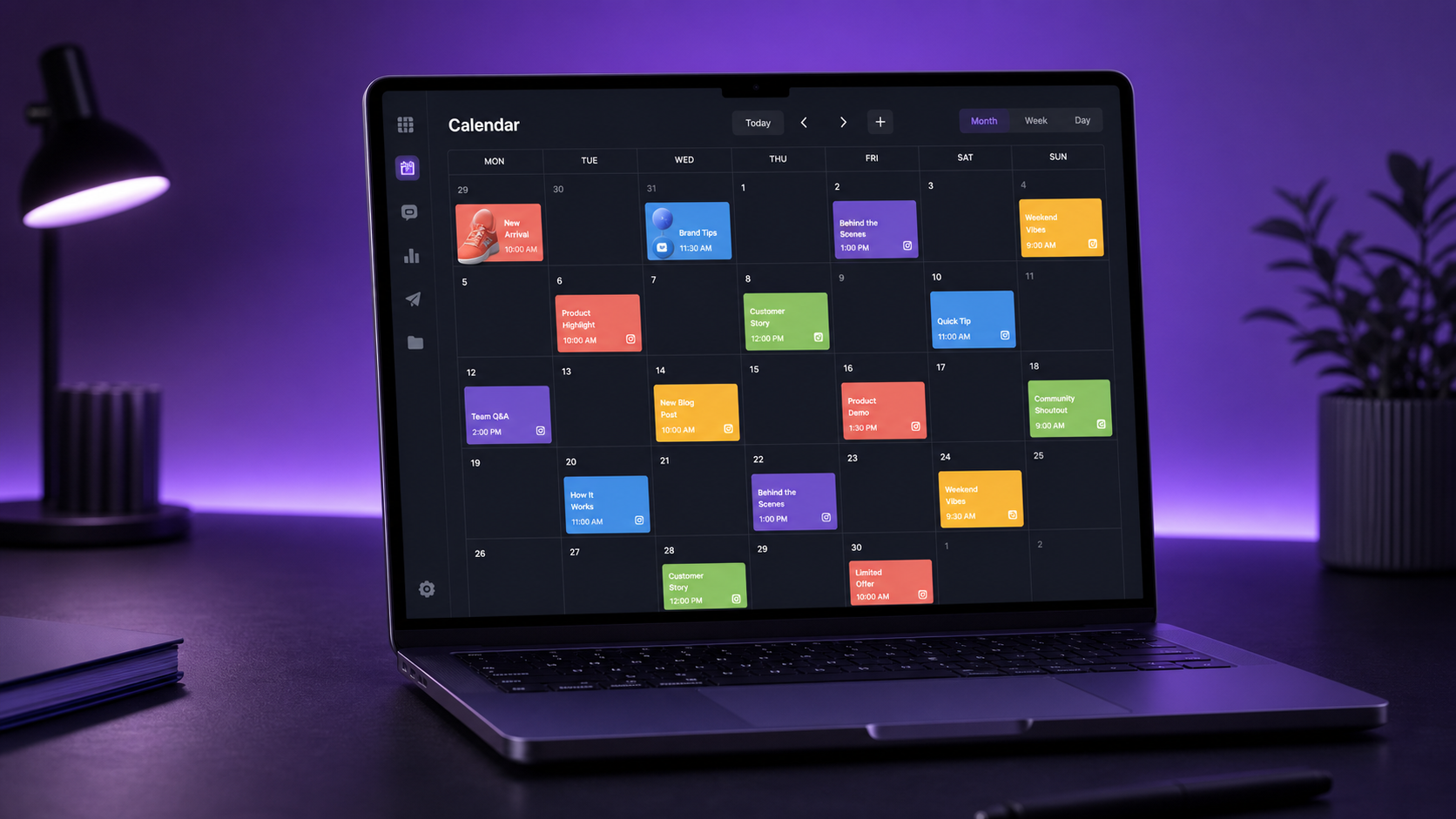
Hootsuite scheduling helps marketers plan, create, approve, publish, and measure social media content from one central workspace. Its publishing tools combine a multi-network content calendar, recommended posting times, bulk scheduling, collaboration workflows, and performance analytics. Used strategically, Hootsuite can replace fragmented spreadsheets and manual posting routines with a repeatable system that saves time while improving consistency and campaign visibility.
What Is Hootsuite Scheduling? | How the Hootsuite Content Calendar Works | Creating, Customizing, and Scheduling Posts | Bulk Scheduling and Campaign Production | Collaboration, Approvals, and Brand Governance | Using Hootsuite Analytics to Improve the Schedule | How to Maximize Efficiency With Hootsuite Scheduling | Common Hootsuite Scheduling Mistakes to Avoid | Frequently Asked Questions
What Is Hootsuite Scheduling?
Hootsuite is a social media management platform built to coordinate publishing across major networks, including Facebook, Instagram, LinkedIn, TikTok, Pinterest, YouTube, X, and other supported channels. Instead of opening each platform separately, marketers can prepare posts in one composer, customize them for individual networks, and select when they should be published.
The core value of Hootsuite scheduling is not simply the ability to queue posts in advance. It creates a central operating system for social content. Teams can see what is planned, identify gaps, manage approvals, reuse creative assets, and connect publishing decisions with performance data.
For an individual creator, that can mean producing and scheduling an entire week of posts in one focused session. For an agency or marketing department, it can mean coordinating dozens of accounts without relying on scattered documents, chat threads, and reminders.
Hootsuite supports both one-off scheduling and higher-volume workflows. You can prepare an individual post, schedule multiple network-specific variations, or upload posts in bulk. The exact networks, collaboration controls, publishing options, and analytics available may vary by subscription plan and by the permissions provided through each social network.
How the Hootsuite Content Calendar Works
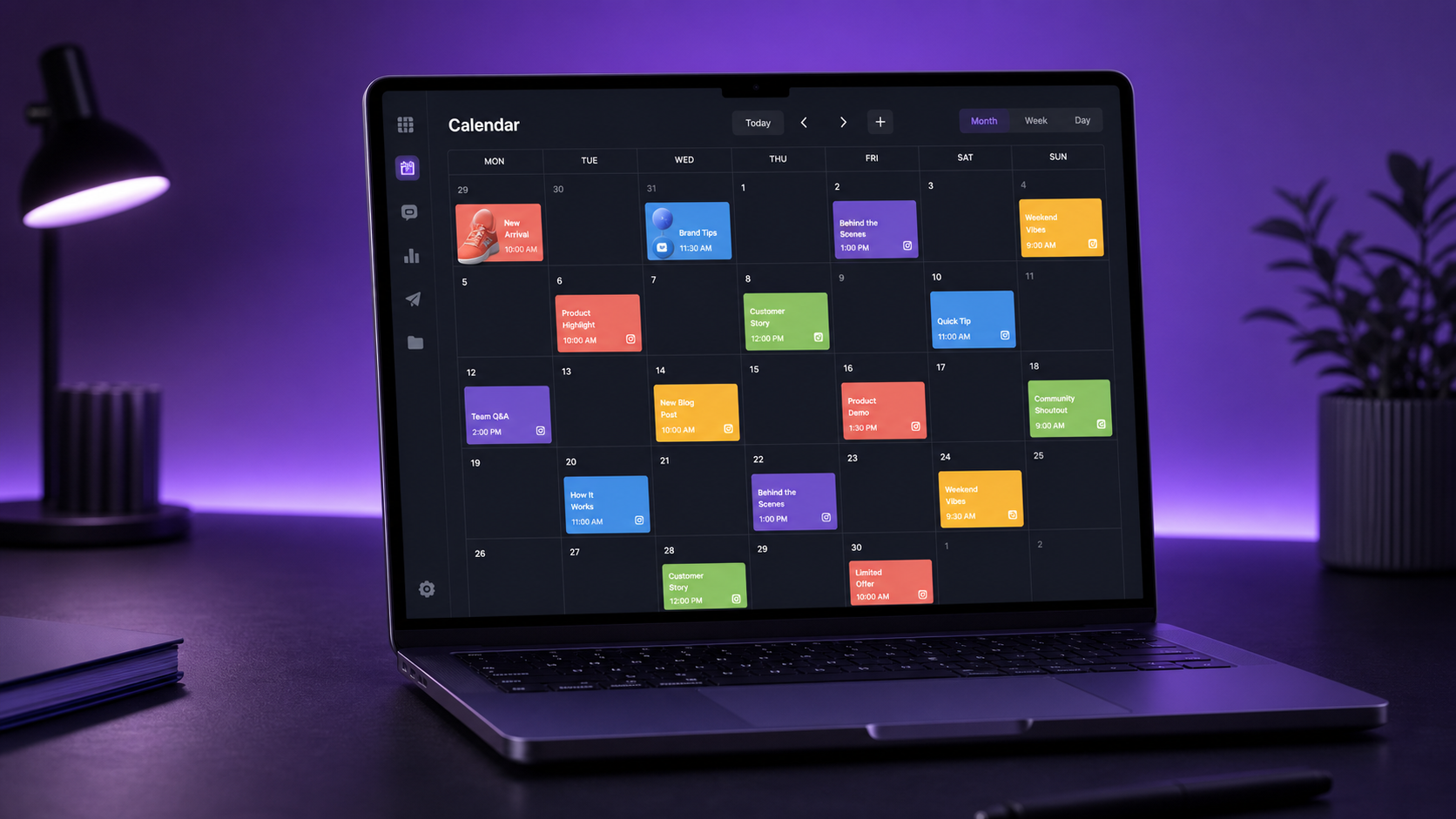
The Hootsuite content calendar provides a visual overview of scheduled, published, draft, and other planned content. Depending on the selected view, marketers can inspect posts across a week, month, or list-based schedule. Filtering by account or network makes it easier to focus on one brand, campaign, market, or publishing channel.
A unified calendar immediately answers operational questions that are difficult to resolve in a spreadsheet. Is Instagram overloaded on Monday while LinkedIn is empty? Are campaign posts spaced appropriately? Has a product announcement been scheduled before its supporting educational content? These issues become visible before they affect the audience.
Calendar cards provide access to important post information and management actions. Teams can review timing, destination accounts, media, copy, and publishing status without reconstructing the campaign from separate files. Posts can be edited or duplicated, while drag-and-drop calendar controls can make rescheduling faster when priorities change.
Use the calendar as a decision-making tool rather than a storage area. Apply a simple content taxonomy to every campaign, such as education, engagement, proof, promotion, and community. Then inspect the weekly calendar for balance. If every post asks for a sale, add useful or entertaining content. If the schedule generates attention but never supports a business objective, introduce stronger conversion posts.
A practical review rhythm is to inspect the calendar at three levels. Review the next 24 hours for publishing risks, the next seven days for balance and campaign sequencing, and the next month for gaps, launches, holidays, and production requirements. This layered approach keeps daily execution connected to the broader strategy.
Creating, Customizing, and Scheduling Posts
Hootsuite’s composer lets users create a post, choose connected social accounts, add text and media, and define a publishing time. When a message will appear on several networks, the efficient approach is to build a strong base post and then customize each version before scheduling.
Cross-posting identical content everywhere is fast, but it often wastes the strengths of each channel. A LinkedIn post may need a clear professional insight and more context. An Instagram post may depend on a strong visual, concise opening line, and relevant hashtags. A TikTok or short-form video caption should support the video rather than repeat its script. Network-specific editing preserves efficiency without making the content feel automated.
Before scheduling, preview each post and verify the details that commonly cause errors:
- The correct account and network have been selected.
- The opening line communicates value without requiring a click.
- Images and videos use suitable dimensions and file formats.
- Links work and include the intended campaign tracking parameters.
- Mentions, hashtags, location details, and accessibility text are accurate.
- The selected date reflects the correct time zone.
- Any platform-specific options have been configured properly.
Recommended publishing times can help teams move beyond generic “best time to post” advice. Hootsuite can surface time recommendations based on available account data and particular objectives, helping users schedule content when their audience is more likely to respond. Treat these suggestions as informed starting points, not permanent rules. Audience behavior changes with seasonality, campaigns, geography, and content format.
For evergreen content, maintain a small reserve of approved posts that can fill unexpected gaps. For time-sensitive content, leave enough room for a final factual review. A reliable social media scheduler should accelerate execution, but it should not eliminate editorial judgment.
Bulk Scheduling and Campaign Production
Bulk scheduling is particularly useful for agencies, franchise networks, multi-location businesses, and marketers running recurring campaigns. Hootsuite supports bulk post scheduling through a structured upload workflow, allowing teams to prepare many posts outside the composer and add them to the publishing schedule together. Current limits and required file structures should always be checked in Hootsuite before preparing a large upload.
The most efficient workflow begins before anything is uploaded. Build a production sheet containing the publish date, time, account, platform, copy, destination URL, asset reference, campaign name, content category, owner, and approval status. Standardizing these fields reduces cleanup and makes errors easier to detect.
Bulk scheduling works best for predictable material such as recurring tips, event reminders, evergreen resources, product spotlights, and campaign countdowns. It is less appropriate for reactive commentary, breaking news, or content that depends on live audience sentiment. Those posts require more context and should remain flexible.
Do not confuse volume with efficiency. Uploading hundreds of weak posts merely automates low-quality publishing. Before a bulk upload, remove duplicate copy, confirm that dates do not collide, vary repeated calls to action, and inspect how frequently each account will post. After importing, review the actual calendar rather than assuming the file produced the intended schedule.
Batch production can make this workflow even faster. Separate ideation, writing, design, review, and scheduling into dedicated sessions. Context switching is expensive: writing ten captions in one block is usually more efficient than writing, designing, approving, and scheduling each post individually.


Collaboration, Approvals, and Brand Governance
Scheduling becomes more valuable when it creates a clear path from idea to publication. Hootsuite offers collaboration and approval capabilities that can help teams assign work, review posts, and control who can publish. Availability and sophistication vary by plan, so teams should match their subscription to their actual governance requirements.
A practical workflow might move content through five stages: brief, draft, design, approval, and scheduled. Assign one accountable owner at every stage. Shared responsibility often becomes invisible responsibility, leading to missed deadlines and rushed reviews.
Approval workflows are most effective when reviewers know what they are evaluating. Give them a concise checklist covering factual accuracy, brand voice, creative quality, legal or regulatory concerns, link validity, and campaign alignment. Without defined criteria, approvals can turn into subjective rewriting sessions.
Asset libraries and integrations with creative tools can reduce time spent locating final files. Establish naming conventions that include the campaign, channel, format, and version. For example, a descriptive filename is far safer than uploading several assets called “final,” “final-new,” and “final-2.”
Permission design also matters. Give users enough access to complete their responsibilities, but avoid giving every contributor unrestricted publishing control. Agencies should pay particular attention to account selection because posting approved content to the wrong client profile can create reputational risk.
Finally, create an emergency process. Identify who can pause scheduled content, when a pause is justified, and who decides when publishing should resume. During a crisis, major news event, product issue, or sudden change in public sentiment, yesterday’s harmless scheduled post can become today’s liability.
Using Hootsuite Analytics to Improve the Schedule
Scheduling saves labor; analytics improves the decisions behind that labor. Hootsuite Analytics can consolidate network data into reports that help marketers examine reach, impressions, engagement, clicks, audience growth, video activity, and other supported metrics. Reports and advanced capabilities depend on the connected networks and Hootsuite plan.
Start with business questions rather than collecting every available metric. If the objective is awareness, prioritize reach, impressions, video views, and audience growth. If the objective is engagement, examine meaningful interactions such as comments, shares, saves, and engagement rate. For traffic or lead generation, monitor qualified clicks, conversions, and cost or value where reliable tracking is available.
Compare performance over equivalent periods and add campaign context. A seven-day product launch should not be evaluated against an ordinary seven-day period without acknowledging the difference in spend, posting frequency, creative volume, and audience attention. Use annotations or internal campaign records to explain unusual peaks and declines.
Post-level analysis is especially useful for improving Hootsuite scheduling. Group results by network, topic, format, publishing time, content category, and call to action. Look for repeated patterns rather than isolated winners. One viral post may be an exception; five strong educational videos published in a similar time window suggest a strategy worth testing again.
Build a monthly feedback loop:
- Export or review the highest- and lowest-performing posts.
- Identify patterns in topics, formats, hooks, timing, and creative style.
- Choose one or two variables to test during the next month.
- Adjust the content mix and calendar based on those findings.
- Record the result so the team builds institutional knowledge.
Avoid changing too many variables simultaneously. If the format, topic, posting time, caption style, and audience all change at once, you will not know what caused the result. Controlled experimentation turns the content calendar into a learning system rather than a repetitive publishing queue.

How to Maximize Efficiency With Hootsuite Scheduling
The fastest Hootsuite workflow begins with a documented content strategy. Define each network’s role, core audience, recurring content pillars, target frequency, preferred formats, and primary metrics. Without those decisions, the team may operate the software efficiently while publishing content that lacks direction.
Use campaign templates for recurring work. A webinar campaign, for example, might always include an announcement, speaker introduction, educational teaser, registration reminder, event-day post, recap, and evergreen clip. Templates reduce planning time while leaving room for creative variation.
Create content in batches, but review the calendar in shorter intervals. A monthly production day can generate the foundation of the schedule, while weekly reviews accommodate new information and daily checks catch publishing risks. This combination provides efficiency without sacrificing relevance.
Maintain a sensible approval deadline. Routine posts might require approval two or three working days before publication, while regulated or high-visibility campaigns may need a longer window. Set an escalation rule for overdue reviews so content does not remain trapped in draft status.
Use duplication carefully. Repurposing a strong idea is efficient, especially when adapting it into different formats or updating evergreen content. However, duplicate posts should be revised for the current audience, platform, and context. Refresh the opening, creative, examples, and call to action rather than endlessly recycling identical material.
Reserve open calendar space for reactive opportunities. A schedule filled to maximum capacity leaves no room for timely commentary, community stories, user-generated content, or unexpected trends. For many brands, planning roughly 80 percent of content and keeping 20 percent flexible creates a useful balance.
Finally, audit the system every quarter. Remove inactive accounts, check user permissions, reconnect channels that require authorization, archive outdated assets, review time zones, update templates, and confirm that reports still reflect current objectives. Operational maintenance is less exciting than content creation, but it prevents avoidable failures.
Common Hootsuite Scheduling Mistakes to Avoid
One common mistake is treating Hootsuite as a set-and-forget automation tool. Scheduled posts still need oversight. Links expire, launches move, conversations change, and scheduled humor can land badly during serious events. Assign someone to review the near-term queue every day.
Another mistake is using one message unchanged across every network. Centralized scheduling should improve coordination, not erase platform differences. Customize the hook, length, media, hashtags, and call to action while preserving the campaign’s central idea.
Teams also lose efficiency when they fail to create naming and tagging standards. If campaigns, assets, and links cannot be identified consistently, reporting becomes slower and attribution less reliable. Agree on conventions before the campaign begins.
Posting at recommended times without evaluating results is another weak practice. Recommendations become more valuable when paired with tests. Compare suggested time slots with alternative windows, control for content quality where possible, and update the schedule using account-specific evidence.
Finally, avoid measuring productivity only by the number of posts scheduled. A better efficiency measure connects effort with outcomes: production hours per campaign, approval turnaround time, publishing error rate, cost per useful engagement, qualified traffic, or conversions. Efficient social media management means achieving better results with a clearer process, not merely publishing more often.
Frequently Asked Questions
Can Hootsuite schedule posts to multiple social networks?
Yes. Hootsuite can schedule content across multiple supported social networks from a central dashboard. Users can select several accounts and create network-specific variations. Available post types and publishing options differ because each social platform provides different technical capabilities.
What is the Hootsuite content calendar used for?
The Hootsuite content calendar is used to view, organize, edit, and reschedule planned social posts. It helps marketers identify content gaps, campaign conflicts, uneven posting frequency, and missing network coverage while giving teams a shared view of upcoming activity.
Does Hootsuite recommend the best time to post?
Hootsuite provides recommended publishing times based on available performance and audience data. These recommendations can help improve timing decisions, but marketers should continue testing because optimal posting times vary by account, objective, audience, content format, and season.
Is Hootsuite a good social media scheduler for teams?
Hootsuite can be particularly useful for teams that manage multiple accounts, require shared calendars, or need formal review and approval processes. Its value increases when teams establish clear roles, naming standards, deadlines, performance metrics, and an emergency procedure for pausing scheduled content.