
How to Plan Social Media Posts the Best Way
Effective social media post planning boosts engagement and streamlines your content strategy for consistent and impactful online presence.


The best way to plan social media posts is to connect every post to a clear business goal, organize ideas around repeatable content pillars, schedule production in batches, and use performance data to improve future decisions. A strong plan does more than fill a calendar: it helps your team publish consistently, respond to trends without losing focus, and create content that audiences genuinely want to engage with.
Start With Goals, Audience Needs, and Platform Priorities | Build Content Pillars and a Balanced Publishing Mix | Create a Practical Social Media Content Calendar | Use a Step-by-Step Production and Approval Workflow | Batch Content Without Making It Feel Repetitive | Schedule for Consistency, Timing, and Platform Fit | Measure Results and Improve the Next Planning Cycle | Common Social Media Planning Mistakes to Avoid | Frequently Asked Questions
Start With Goals, Audience Needs, and Platform Priorities
Effective planning begins before you brainstorm captions or choose publishing dates. First, define what social media should accomplish during the next month or quarter. Your primary goal might be increasing brand awareness, generating qualified leads, driving online sales, strengthening customer loyalty, or building a recognizable expert presence. Each objective requires a different content mix and different success metrics.
Turn broad ambitions into measurable targets. Instead of aiming to “grow engagement,” set a target such as increasing meaningful comments and shares by 15 percent over the next eight weeks. Rather than planning to “post more,” commit to publishing three useful LinkedIn posts per week or four short-form videos per month. Specific targets make it easier to decide which ideas deserve production time.
Next, document what your audience needs at different stages of its relationship with your brand. Someone discovering your company may need a simple explanation of the problem you solve. A potential customer comparing options may want demonstrations, case studies, or answers to objections. Existing customers may benefit from advanced tutorials, product updates, and community-focused content.
Create a compact audience reference that includes common challenges, motivations, questions, preferred formats, and reasons people might hesitate to act. Use customer interviews, support conversations, search queries, sales notes, and comments on previous posts as evidence. Real audience language will produce stronger topics and more persuasive copy than assumptions made in a brainstorming session.
Finally, assign a specific role to each platform. Instagram might support visual storytelling and community interaction, while LinkedIn develops professional authority. TikTok may help your brand reach new audiences through educational entertainment, whereas Facebook could serve an established community. You do not need to publish everything everywhere. Prioritizing channels according to audience behavior, resources, and objectives is one of the most reliable social media post planning methods.

Build Content Pillars and a Balanced Publishing Mix
Content pillars are the recurring themes your brand can discuss with authority. They prevent random posting while making idea generation faster. Most brands benefit from three to five pillars: enough variety to remain interesting, but not so many that the account loses its identity.
A project-management company, for example, might choose workflow education, team leadership, product guidance, customer success, and workplace culture. A fitness creator could focus on technique, nutrition, motivation, recovery, and personal experience. Each pillar should connect an audience need with an area that supports the brand’s expertise or offer.
Break each pillar into smaller topic clusters. Under “workflow education,” you might cover meeting efficiency, prioritization, delegation, automation, and time tracking. Then match those topics to formats such as tutorials, checklists, short videos, carousels, opinion posts, polls, interviews, and customer stories. This structure creates dozens of relevant ideas without relying on inspiration at the last minute.
Your publishing mix should also reflect different communication purposes. A practical starting model is to divide content among education, trust building, conversation, and conversion. Educational posts solve problems. Trust-building content provides evidence through stories, demonstrations, results, or behind-the-scenes access. Conversation posts invite useful participation. Conversion posts present an offer and explain the next step.
A balanced plan does not mean assigning exactly the same number of posts to every category. Adjust the ratio to your current goal. A new account may emphasize discoverable educational content, while a company launching a product may temporarily increase demonstrations, testimonials, and conversion-focused posts. The important point is to make the choice deliberately.
Develop two or three repeatable series within your pillars. Examples include a Monday myth-busting post, a monthly customer spotlight, a weekly tool demonstration, or a recurring “one-minute audit” video. Series reduce planning effort, teach followers what to expect, and make consistency easier without forcing every post to look identical.
Create a Practical Social Media Content Calendar
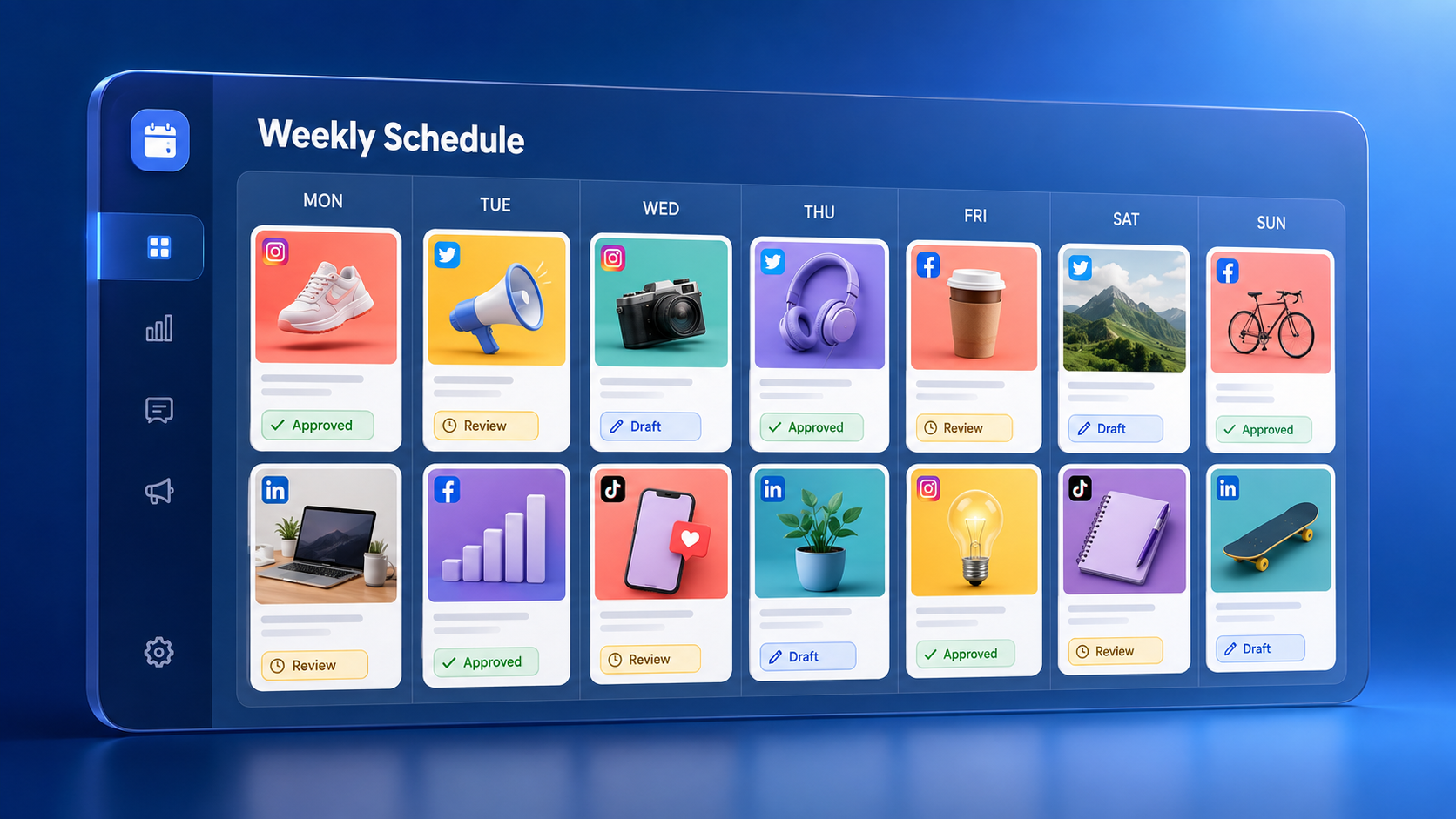
A content calendar turns strategy into a visible workflow. It should show what will be published, where it will appear, why it exists, who owns it, and when each production stage is due. The calendar can live in a spreadsheet, project-management system, or social scheduling platform. The best tool is the one your team will update consistently.
Include essential fields such as publication date, platform, content pillar, format, campaign, objective, draft status, owner, caption, visual asset, call to action, destination link, approval deadline, and final scheduling status. Add tracking parameters where relevant so website activity can be attributed correctly. A notes field is also useful for platform-specific adjustments and community-management instructions.
Plan at two levels. First, create a monthly overview that maps campaigns, launches, seasonal moments, recurring series, and major brand priorities. Second, maintain a detailed weekly production view containing individual posts and deadlines. This combination protects the larger strategy while giving creators enough operational detail to complete their work.
Start by placing immovable dates on the calendar: product launches, events, webinars, holidays, reporting deadlines, and planned announcements. Add recurring series next. Then fill remaining slots with evergreen posts selected from your content pillars. Reserve some capacity for timely reactions, audience questions, or relevant trends rather than scheduling every available space weeks in advance.
Use a realistic cadence based on production capacity and content quality. Publishing five weak posts because the calendar demands them is less effective than publishing three strong posts and actively responding to the resulting conversation. Evaluate the effort required by each format; a researched carousel or edited video may need significantly more time than a poll or concise text update.
Color coding can make the plan easier to scan. You might assign colors to content pillars, platforms, campaigns, or workflow stages. However, avoid building an elaborate system that becomes harder to maintain than the content itself. A useful calendar should make priorities and bottlenecks obvious within seconds.
Use a Step-by-Step Production and Approval Workflow
Planning fails when ideas enter the calendar but never become finished assets. A defined workflow moves each post from concept to publication with fewer delays. A typical process includes ideation, briefing, drafting, design or filming, editing, review, approval, scheduling, engagement, and performance analysis.
Begin every substantial post with a short creative brief. State the audience, objective, core message, content format, desired action, supporting evidence, brand requirements, and deadline. For video, include the hook, key talking points, shot requirements, on-screen text, and approximate length. A clear brief reduces revisions because everyone understands what the post must accomplish.
Give each post one primary message and one primary call to action. A post that asks people to read an article, buy a product, follow the account, share an opinion, and subscribe to a newsletter creates unnecessary friction. Choose the action that most closely supports the post’s objective.
Assign ownership at every stage. One person should be accountable for moving the post forward, even if several specialists contribute. Establish who can request changes and who gives final approval. Set internal deadlines before the publication date so minor delays do not immediately become missed posts.
Create a pre-publication checklist covering spelling, claims, links, tags, image dimensions, subtitles, accessibility, brand consistency, disclosure requirements, and platform previews. Confirm that video captions are accurate, important visual information is understandable, and alternative text is added where supported. These checks protect both quality and audience access.
For sensitive or regulated topics, document a separate review path. Legal, compliance, or leadership approval may require additional lead time. Build that time into the initial plan instead of treating it as an unexpected obstacle at the end of production.

Batch Content Without Making It Feel Repetitive
Batching is one of the most effective social media scheduling strategies because it reduces the mental cost of switching repeatedly between planning, writing, filming, designing, and scheduling. Instead of producing one post from start to finish, group similar activities into focused sessions.
For example, use one session to research audience questions, another to outline ten posts, and another to write captions. Film several short videos while lighting, sound, and equipment are already prepared. Design related carousels from a flexible template system, then schedule approved content in one final session.
Batching should create efficiency, not sameness. Change the hook, framing, examples, visual composition, and emotional tone across posts. A single topic can become a tutorial, a contrarian opinion, a customer story, a checklist, and a short demonstration. The central expertise remains consistent while the audience experience changes.
Repurposing can extend the value of high-effort work. A webinar may produce several short clips, a quote graphic, a carousel, a written summary, and a question for the community. A detailed article can become a sequence of educational posts. Adapt each asset to the conventions of its destination rather than copying the same caption and dimensions across every network.
Maintain an evergreen content library alongside the calendar. Store approved tips, customer quotes, frequently asked questions, product demonstrations, brand photography, and reusable video footage. Tag assets by pillar, format, audience stage, and campaign so they can be found quickly when a scheduling gap appears.
A sensible batching rhythm might include monthly strategy planning, weekly writing and design, and one or two filming sessions per month. Leave room for real-time participation. Scheduled content creates consistency, but timely comments, responses, and culturally relevant observations make the account feel present.

Schedule for Consistency, Timing, and Platform Fit
Scheduling software can improve reliability, but automation should serve the strategy rather than replace judgment. Schedule posts after checking platform previews, link behavior, cropping, character limits, tags, and supported features. Some posts—especially those connected to breaking developments or sensitive events—should remain flexible until publication.
Use your own account data to identify promising publishing windows. Review when followers are active and compare reach, watch time, clicks, and engagement across different days and hours. Industry benchmarks can provide an initial hypothesis, but audience behavior is more valuable than a universal “best time to post.”
Timing also depends on the content’s purpose. A quick professional insight may work during a weekday commute, while a detailed tutorial may perform better when followers have time to save and study it. Event-related content must appear while the conversation is still relevant. Test timing by holding topic and format as consistently as possible, then compare results over several weeks.
Customize posts for each platform. Adjust the opening line, aspect ratio, caption length, editing pace, keywords, hashtags, and call to action. A LinkedIn post may need context and professional analysis; an Instagram carousel may rely on a concise promise and visual progression; a short-form video needs an immediate hook. Platform adaptation usually produces better results than identical cross-posting.
Do not confuse scheduled publishing with completed work. Assign someone to monitor responses after posts go live. Early replies can clarify questions, encourage deeper discussion, and reveal useful customer language. Create guidelines for common questions and an escalation process for complaints, misinformation, or sensitive issues.
Measure Results and Improve the Next Planning Cycle
The strongest content plans are feedback systems. At the end of each week or month, compare results with the objective assigned to each post. Awareness content might be assessed using reach, impressions, video retention, profile visits, and follower quality. Consideration content may be judged by saves, shares, meaningful comments, link clicks, or direct messages. Conversion content should connect to leads, trials, purchases, or another defined outcome.
Avoid treating engagement rate as the only measure of success. A post can attract reactions without influencing business results, while a niche post with modest reach may generate several qualified inquiries. Evaluate metrics in context and distinguish between visible activity and valuable behavior.
Review performance by content pillar, format, platform, hook, call to action, and production effort. Look for repeatable patterns rather than one viral exception. Ask which topics consistently earn saves, which formats retain viewers, which calls to action generate clicks, and which posts take too much time relative to their impact.
Record qualitative signals as well. Comments may expose objections, requests, or confusing language. Sales and support teams may notice prospects referencing particular posts. Creators may identify formats that are easy to produce sustainably. These observations can be as useful as dashboard metrics when refining the plan.
Use a simple decision framework after every reporting period: continue, improve, test, or stop. Continue reliable formats, improve promising posts with weak execution, test one meaningful variable at a time, and stop activities that repeatedly consume resources without supporting a goal. This turns analytics into concrete editorial decisions.
Finally, document lessons directly in the next calendar. If tutorials outperform generic tips, schedule more tutorials. If customer stories generate qualified conversations, build a process for collecting them. The best way to plan social media posts is not to create a perfect calendar once; it is to build a repeatable cycle of planning, publishing, learning, and improving.
Common Social Media Planning Mistakes to Avoid
One common mistake is planning around available formats instead of audience value. Filling a calendar with “one Reel, two carousels, and three Stories” does not guarantee relevance. Begin with the audience problem and desired outcome, then choose the format that communicates the solution effectively.
Another mistake is overcommitting. An ambitious cadence may look impressive in a strategy document but collapse when approvals, client work, or launches compete for attention. Build a sustainable baseline first. You can increase frequency after the workflow proves reliable.
Teams also lose effectiveness when they chase every trend. Trends can provide creative distribution opportunities, but they should pass three tests: relevance to the audience, alignment with the brand, and enough time to execute while the trend is active. If a trend fails those tests, skipping it is usually the better decision.
Other frequent problems include unclear ownership, excessive approval layers, inconsistent brand voice, missing accessibility checks, and failure to review results. Addressing these operational issues often improves performance more than simply increasing the number of posts.
Protect your plan from becoming too rigid. Unexpected news, customer feedback, or a strong spontaneous idea may deserve space. A calendar should coordinate good decisions, not prevent them. Keep a small percentage of publishing capacity open and define who can approve timely additions.
Frequently Asked Questions
How far in advance should social media posts be planned?
Most brands benefit from planning themes and campaigns four to eight weeks ahead while finalizing individual posts one to two weeks before publication. This provides enough production time without eliminating flexibility. Launches, partnerships, and complex video projects may require a longer lead time, while reactive posts can be created and approved on the same day.
How often should a brand post on social media?
There is no universal frequency that works for every brand. Choose a cadence your team can sustain while maintaining quality and responding to the audience. Start with two to four strong weekly feed posts on a priority platform, measure the results, and adjust. Platform expectations, audience size, format complexity, and available resources should guide the final schedule.
What should be included in a social media content calendar?
Include the publication date, platform, content pillar, objective, format, campaign, owner, caption, creative asset, call to action, link, approval status, and scheduling status. Teams may also track audience segment, keywords, hashtags, production deadlines, accessibility notes, and post-publication metrics. Keep the calendar detailed enough to coordinate work but simple enough to maintain.
How can a small team maintain posting consistency?
A small team should prioritize one or two high-value platforms, use three to five content pillars, build repeatable series, batch similar production tasks, and maintain an evergreen asset library. Templates and scheduling tools can reduce routine work, but the greatest improvement usually comes from choosing a realistic cadence and assigning clear ownership for every post.