
How to Use Later Post Scheduler to Maximize Social Media Efficiency
Maximize your social media efficiency by mastering the Later Post Scheduler to plan, organize, and automate your posts with ease and precision.

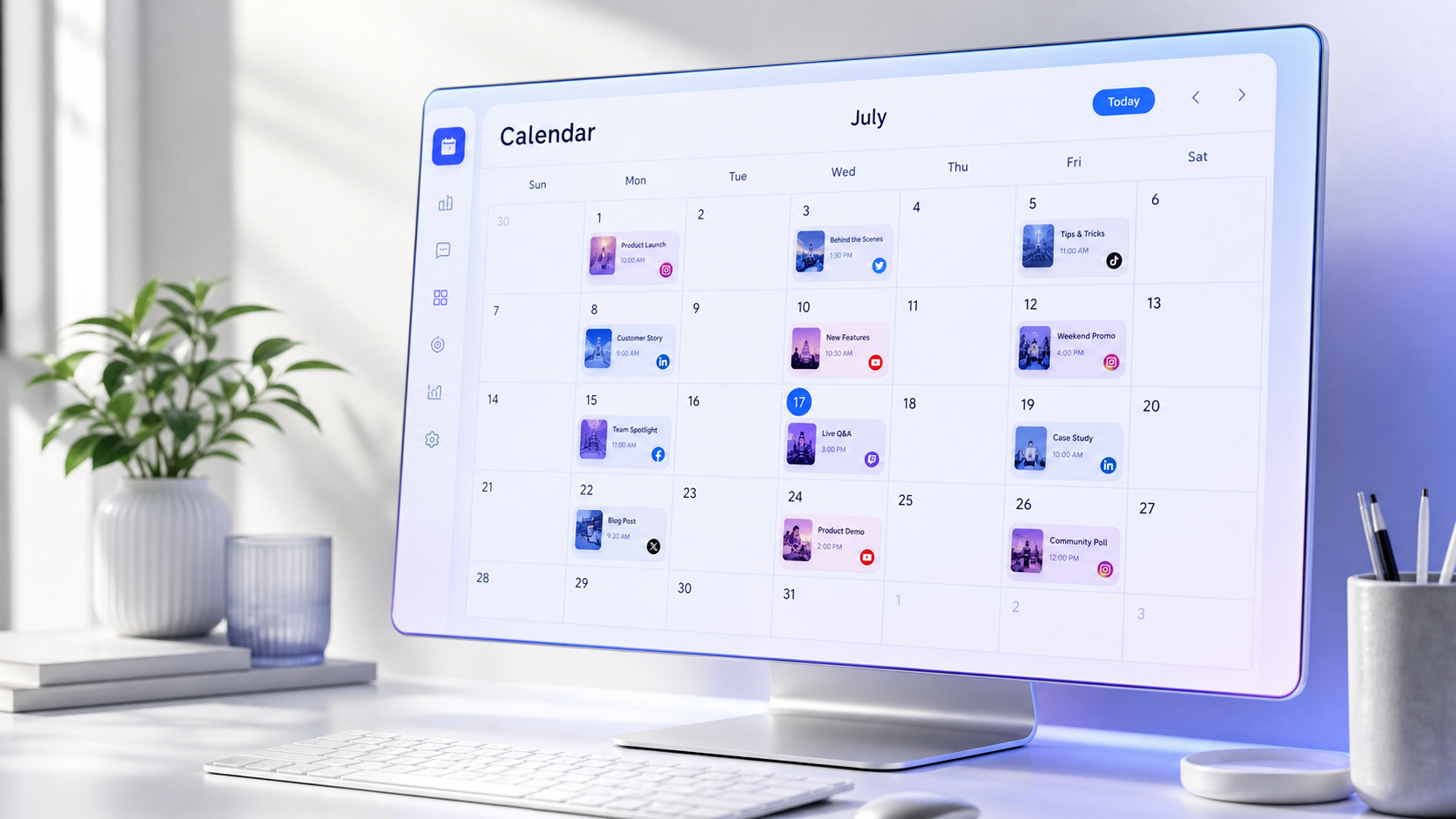
The Later post scheduler helps marketers, creators, and social media teams plan content in advance, organize assets, publish across multiple platforms, and maintain a consistent posting schedule from one central calendar. To use it efficiently, connect your social profiles, build an organized media library, schedule posts in focused batches, customize every post for its destination, and use performance data to improve future publishing times and content choices.
Why Use Later as Your Social Media Scheduler? | Set Up Later Before Scheduling Your First Post | Build an Organized Media Library and Content Calendar | Schedule a Post in Later Step by Step | Customize Multi-Platform Posts Instead of Blindly Cross-Posting | Use Timing, Batching, and Automation More Effectively | Apply Best Practices That Prevent Scheduling Mistakes | Measure Results and Improve Your Scheduling Strategy | Frequently Asked Questions
Why Use Later as Your Social Media Scheduler?
Manual posting creates more work than the publishing action itself suggests. You must locate the correct media file, retrieve an approved caption, check links, add hashtags, remember the publishing time, and repeat the process for every channel. Interruptions make this workflow even more expensive because each post pulls attention away from strategy, production, engagement, or client work.
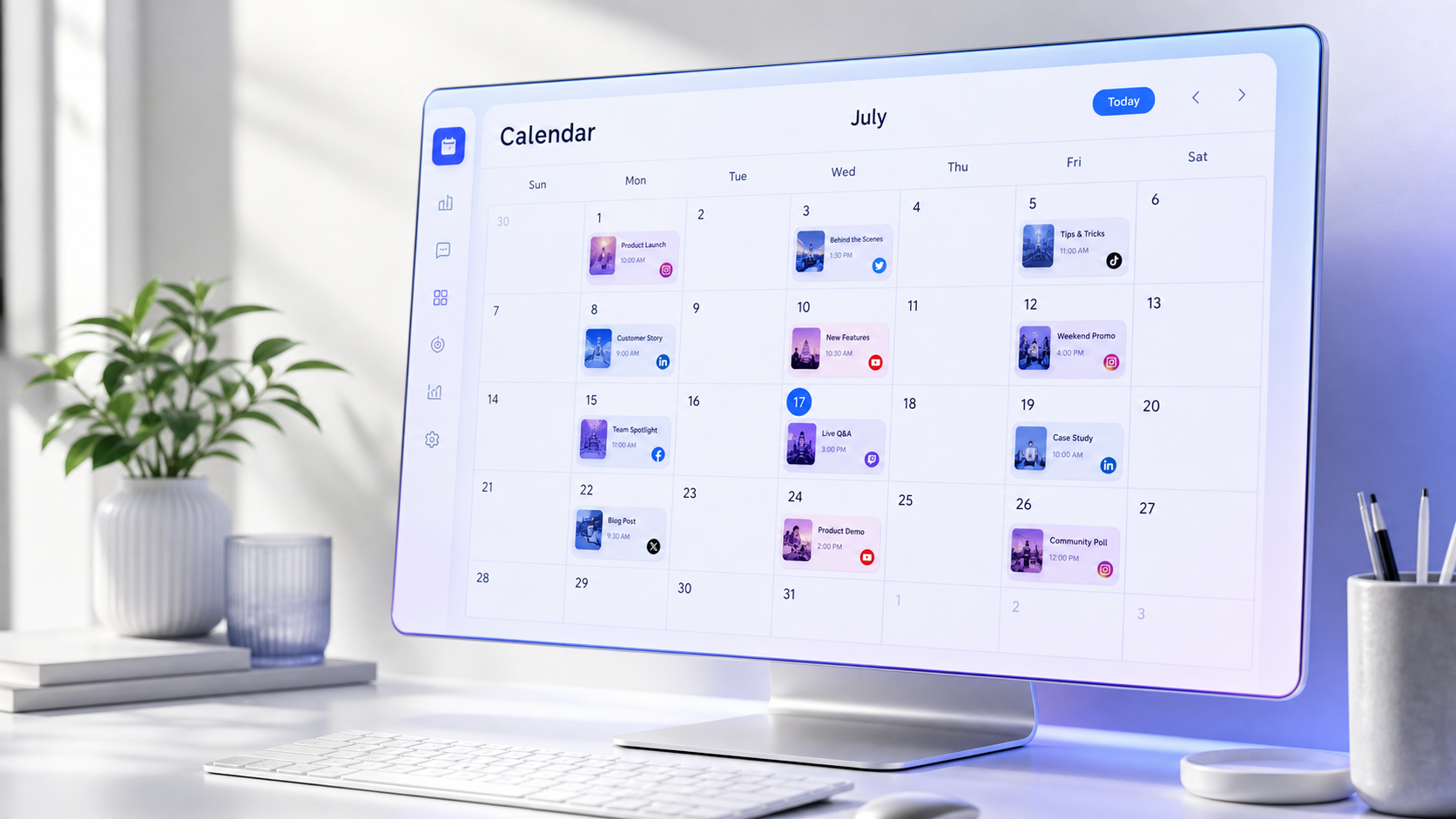
A social media scheduler consolidates these tasks into a planned workflow. Later provides a visual content calendar where you can see upcoming posts, identify gaps, move content to new dates, and coordinate publishing across social profiles. Instead of deciding what to publish each morning, you can prepare a week or month of content during a dedicated scheduling session.
Later is especially useful for visual-first brands because media, captions, and calendar placements can be managed together. Its publishing tools support major networks such as Instagram, Facebook, TikTok, LinkedIn, Pinterest, YouTube, and Threads, although available post formats and publishing methods can vary by network, account type, plan, and platform API rules.
The biggest efficiency gain comes from consistency. A reliable schedule helps audiences recognize your publishing rhythm while giving your team more time to create stronger content. Scheduling does not eliminate real-time marketing; it protects time for it. Once evergreen, educational, promotional, and recurring posts are prepared, marketers can respond to trends without neglecting the core content plan.
Set Up Later Before Scheduling Your First Post
Begin by connecting the social profiles you are authorized to manage. In Later on desktop, open the settings area, find the section for social profiles or access groups, and choose the option to add a profile. Select the relevant network and complete its authorization process. Repeat this for every account that belongs in your publishing workflow.
Check the selected account carefully whenever you schedule. Agencies and multi-brand teams often manage profiles with similar names, making an accidental cross-post surprisingly easy. Use clear access groups, consistent brand naming, and appropriate team permissions. Give collaborators only the access they need, and remove former employees or contractors promptly.
Next, configure your working time zone. A post scheduled for 9:00 a.m. should publish at 9:00 a.m. for the intended audience, not merely for the person building the calendar. Teams operating across regions should document which market controls the calendar and include the time zone in campaign briefs.
Review whether each profile supports automatic or notification-based publishing for the content formats you plan to use. Auto Publish sends eligible content live at the chosen time. Notification publishing sends a reminder through the Later mobile app and requires someone to complete the post manually. Notification publishing may be necessary when a format, account type, or platform feature cannot be published automatically.
Finally, install the mobile app even if most scheduling happens on desktop. Confirm that notifications are enabled, the correct person is logged in, and backup coverage exists for holidays or absences. Test one low-risk post before relying on the system for a major launch.
Build an Organized Media Library and Content Calendar
The Media Library is the operational foundation of the Later post scheduler. Upload approved photos, videos, graphics, and campaign assets from your computer or supported cloud storage. You can also drag files directly into the library. Uploading in batches is faster than searching for individual files every time you create a post.
Organization matters as the library grows. Apply labels that reflect how your team actually searches, such as campaign, product, content pillar, format, region, or approval status. A useful label system might include “Summer Launch,” “Customer Story,” “Tutorial,” and “Approved.” Avoid creating dozens of nearly identical labels that nobody remembers.
Before scheduling, establish several content pillars tied to marketing goals. For example, a software brand might rotate educational tips, product demonstrations, customer proof, company culture, and conversion-focused offers. A creator might use tutorials, personal stories, behind-the-scenes content, portfolio work, and community questions. Pillars prevent the calendar from becoming a random collection of attractive posts.
Use a rolling calendar rather than treating the monthly plan as fixed. Many teams work well when they plan two to four weeks ahead, review the next seven days in detail, and reserve approximately 20 percent of their capacity for trends, announcements, or timely conversations. This structure provides predictability without making the brand sound disconnected from current events.
Look at the calendar as a sequence. Check whether several promotional posts appear consecutively, whether one topic dominates the week, or whether every post uses the same visual format. Varying educational, conversational, entertaining, and commercial content creates a healthier audience experience. It also gives you better data about which combinations support reach, engagement, traffic, and sales.
Schedule a Post in Later Step by Step
On the Calendar page, select the social profile or profiles you want to use. Then choose media from the library and drag it onto the desired date and time. You can also start through the post-creation controls, depending on whether you are working on desktop or mobile.
Write the caption inside the post editor. Lead with a clear hook that tells people why they should stop, read, or watch. Develop one main idea rather than squeezing several unrelated messages into a single post. Finish with a call to action appropriate to the objective, such as saving the tutorial, answering a question, visiting a landing page, or sending a message.
Add hashtags, keywords, links, mentions, and other network-specific elements where supported. Saved captions can speed up recurring elements such as branded hashtags, disclosures, store details, or campaign language. Treat saved text as a starting point, however. Repeating the same generic caption structure indefinitely makes content feel automated in the wrong way.
Review the media before publishing. Crop images for the destination, trim videos if necessary, confirm that text is readable on a phone, and check that important visual elements are not hidden by interface overlays. Add accessibility information such as alt text or captions when the platform and workflow support it. Videos should communicate even when viewed without sound.
Select the date and time, choose Auto Publish when the post is eligible, and save it. For notification-based posts, assign responsibility for completing the final steps. Open the reminder promptly, verify the copied caption and media, add any features that must be applied natively, and publish from the social network.
Perform one final quality-control pass from the calendar. Confirm the profile, date, local time, media order, spelling, link destination, campaign tags, and publishing method. This sixty-second review can prevent hours of damage control.


Customize Multi-Platform Posts Instead of Blindly Cross-Posting
Later can help you schedule one concept across multiple social profiles, but efficient distribution should not mean publishing an identical post everywhere. Each network has different audience expectations, media requirements, discovery systems, and interaction patterns. Reuse the core idea while adapting its presentation.
When scheduling to multiple profiles, select the relevant accounts before creating the post. Connected profiles generally need to belong to the same access group, and the number of profiles you can select may be limited. Because a scheduled post may not be expandable to additional profiles afterward, verify the distribution list before saving.
Customize the post for every channel. An Instagram caption might emphasize visual storytelling, searchable language, and a save-worthy takeaway. A LinkedIn version can provide professional context and invite an experience-based discussion. TikTok copy should quickly reinforce the video’s hook, while Pinterest needs a descriptive title and search-oriented wording. Threads usually benefits from a direct, conversational tone.
Adjust the asset as well as the caption. A vertical video may suit Reels, TikTok, or Shorts, while a landscape demonstration could work better on LinkedIn or Facebook. Reframe the opening text, cover image, duration, and call to action when necessary. Always check current network specifications before a high-priority campaign because platform requirements can change.
This customization adds a few minutes during scheduling but saves time overall. It is more efficient to adapt one strong campaign concept intentionally than to publish a weak universal version and later compensate for poor performance.
Use Timing, Batching, and Automation More Effectively
Choose publishing times based on audience behavior rather than generic “best time” articles alone. Later’s recommended posting-time features, where available, can use account data to identify promising windows. Treat these suggestions as hypotheses to test. Audience location, content format, industry, season, and campaign objective can all affect performance.
Review results over several weeks. If posts published on Tuesday mornings repeatedly generate strong saves but weak clicks, while Thursday afternoons produce fewer impressions and more conversions, use those findings according to the campaign goal. The best time for reach may not be the best time for leads or sales.
Batch scheduling is another major efficiency lever. Separate the workflow into focused blocks: planning topics, producing assets, writing captions, obtaining approval, and scheduling. Context switching between design, copywriting, analytics, and administrative work slows every stage. A two-hour scheduling block is usually more productive than ten scattered twelve-minute sessions.
Create recurring checkpoints around the automated calendar. Review the next seven days every Monday, inspect tomorrow’s posts before the end of each workday, and audit failed or missed posts promptly. Automation should reduce repetitive work without removing editorial oversight.
Leave space for community management after publication. Schedule time to answer comments, respond to messages, repost audience reactions, and join relevant conversations. A social post scheduler handles distribution, but meaningful engagement still requires human judgment and attention.

Apply Best Practices That Prevent Scheduling Mistakes
Start with a sustainable cadence. Publishing three valuable posts every week is better than scheduling daily content for one month and then disappearing. Estimate your production capacity, account for review time, and choose a frequency your team can maintain during busy periods.
Build an approval process proportionate to risk. Routine educational posts may need one reviewer, while regulated claims, partnerships, contests, pricing announcements, or crisis communications may require legal and leadership approval. Record approval before scheduling rather than treating the calendar placement as proof that content is ready.
Keep evergreen and time-sensitive content separate. Evergreen tutorials can often move to another date safely. Posts tied to launches, holidays, inventory, news, or temporary offers require expiration dates and closer monitoring. Pause scheduled content during emergencies or unexpected events if its tone could appear insensitive.
Avoid filling the calendar months ahead without review points. Product details, links, messaging priorities, and platform trends can change. Schedule confidently within a practical planning window, then reassess future posts during weekly calendar reviews.
Maintain a pre-publish checklist for every social post scheduler workflow. Verify account selection, asset version, caption, links, tags, disclosure language, accessibility, timing, and publishing method. For video, inspect subtitles, audio rights, thumbnail, safe zones, and the first three seconds.
Finally, create a recovery procedure. Decide who receives failed-post alerts, who can edit scheduled content, and how urgent errors will be escalated. Take screenshots of unusual error messages, check whether profile permissions have expired, and confirm that the media meets the network’s requirements before rebuilding the post.
Measure Results and Improve Your Scheduling Strategy
Efficiency is not simply the number of posts published per hour. The goal is to produce better business results with less unnecessary effort. Define a primary objective for each content pillar and campaign before examining analytics. Awareness content may prioritize reach, video views, and profile visits. Educational content may focus on saves, shares, or completion rate. Conversion content should be evaluated through clicks, leads, purchases, or qualified messages.
Use Later’s analytics and native platform data to compare formats, topics, posting times, and calls to action. Review patterns across several posts instead of judging the strategy from one unusually strong or weak result. Record what happened, propose a reason, and design the next scheduling cycle to test that explanation.
Track operational performance too. Measure how long it takes to prepare a week of content, how many posts require last-minute edits, how often approvals arrive late, and how many scheduled posts fail. These indicators reveal workflow problems that engagement metrics cannot show.
At the end of each month, identify content to repeat, refresh, repurpose, or retire. A high-performing tutorial can become a carousel, short video, LinkedIn post, or updated series. A weak promotional post may need a stronger offer, clearer creative, different audience timing, or a more appropriate format. Feed these decisions directly into the next calendar so analytics lead to action.
Frequently Asked Questions
Can Later automatically publish every type of social media post?
No. Auto Publish availability depends on the social network, account type, post format, Later plan, and current platform API restrictions. Some posts can publish automatically, while others require notification publishing through the Later mobile app. Check the publishing method shown in the post editor before relying on unattended publication.
Can I schedule one post to multiple social profiles?
Yes, Later supports multi-profile scheduling for eligible connected accounts, allowing you to prepare a common post and customize it for each destination. Select all intended profiles before scheduling, then adjust captions, media, links, and formatting individually. Profile grouping and selection limits may apply.
How far in advance should I use the Later post scheduler?
For most teams, a rolling two-to-four-week calendar offers a useful balance between efficiency and flexibility. Schedule stable campaigns and evergreen content ahead of time, review the coming week in detail, and leave room for trends or company updates. Longer lead times can work for seasonal campaigns if you schedule regular accuracy checks.
Does using a social post scheduler reduce engagement?
Scheduling itself does not inherently reduce engagement. Performance depends more on content quality, relevance, timing, creative execution, and community response. A social media scheduler can improve consistency and free time for interaction, but teams should still monitor published posts, answer comments, and adjust the plan using real performance data.