
Instagram Scheduling and Planning Tools: Comprehensive Insights for 2026
Effective Instagram scheduling and planning tools streamline content management and boost engagement for brands aiming to excel in 2026 social media strategies.


Instagram scheduling and planning tools help marketers, creators, and social media teams organize content, publish posts automatically, coordinate campaigns, and improve performance without managing every upload manually. In 2026, the best solution is more than a basic posting queue: it combines a visual calendar, Reels and Stories workflows, collaboration, analytics, approval controls, asset management, and reliable integration with Instagram’s publishing capabilities. This guide explains how to choose and use a social media scheduler for Instagram, build an effective planning system, and avoid the workflow problems that reduce reach or waste production time.
What an Instagram Scheduler Should Do in 2026 | Essential Features to Compare Before Choosing a Tool | How to Select the Right Instagram Planning Tool | Building a Practical Instagram Planning Workflow | Scheduling Reels, Stories, Carousels, and Feed Posts | Best Practices for Timing, Frequency, and Content Balance | Integrations and Automation That Improve Efficiency | Measuring and Improving Your Scheduling Strategy | Common Scheduling Mistakes to Avoid | Frequently Asked Questions
What an Instagram Scheduler Should Do in 2026
An Instagram post scheduler assigns content to future dates and times, then either publishes it automatically or sends a reminder when manual action is required. Automatic publishing is ideal for standard feed posts, carousels, and eligible Reels. Notification-based publishing remains useful when a post needs a feature that an external platform cannot apply directly, such as a specific interactive sticker, a final audio selection, or an in-app creative adjustment.
Modern scheduling should begin well before publication. Strong Instagram planning tools support the complete content lifecycle: capturing an idea, preparing a brief, producing the asset, writing the caption, obtaining approval, scheduling the post, and reviewing its results. This makes the calendar a shared operating system rather than a collection of disconnected reminders.
A capable platform should accommodate Instagram’s major formats, including single-image posts, carousels, Reels, and Stories. It should also preserve important publishing details such as aspect ratios, cover images, first comments, location data, accessibility text, collaborator instructions, and campaign labels where supported. Since available publishing options can differ by account type and integration, teams should verify format-level support before committing to a tool.
The distinction between scheduling and planning is important. Scheduling answers, “When will this post go live?” Planning answers broader questions: “Why are we publishing it, who is it for, which campaign does it support, who owns the next step, and how will success be measured?” The most useful Instagram social media scheduler connects both layers.

Essential Features to Compare Before Choosing a Tool
Start with publishing reliability. A scheduler should clearly display whether an item will auto-publish or require a mobile reminder. It should identify missing media, invalid dimensions, unsupported settings, and connection problems before the scheduled time. Failed posts are particularly damaging during product launches, seasonal campaigns, and paid partnerships, so error alerts and retry options matter more than an impressive feature list.
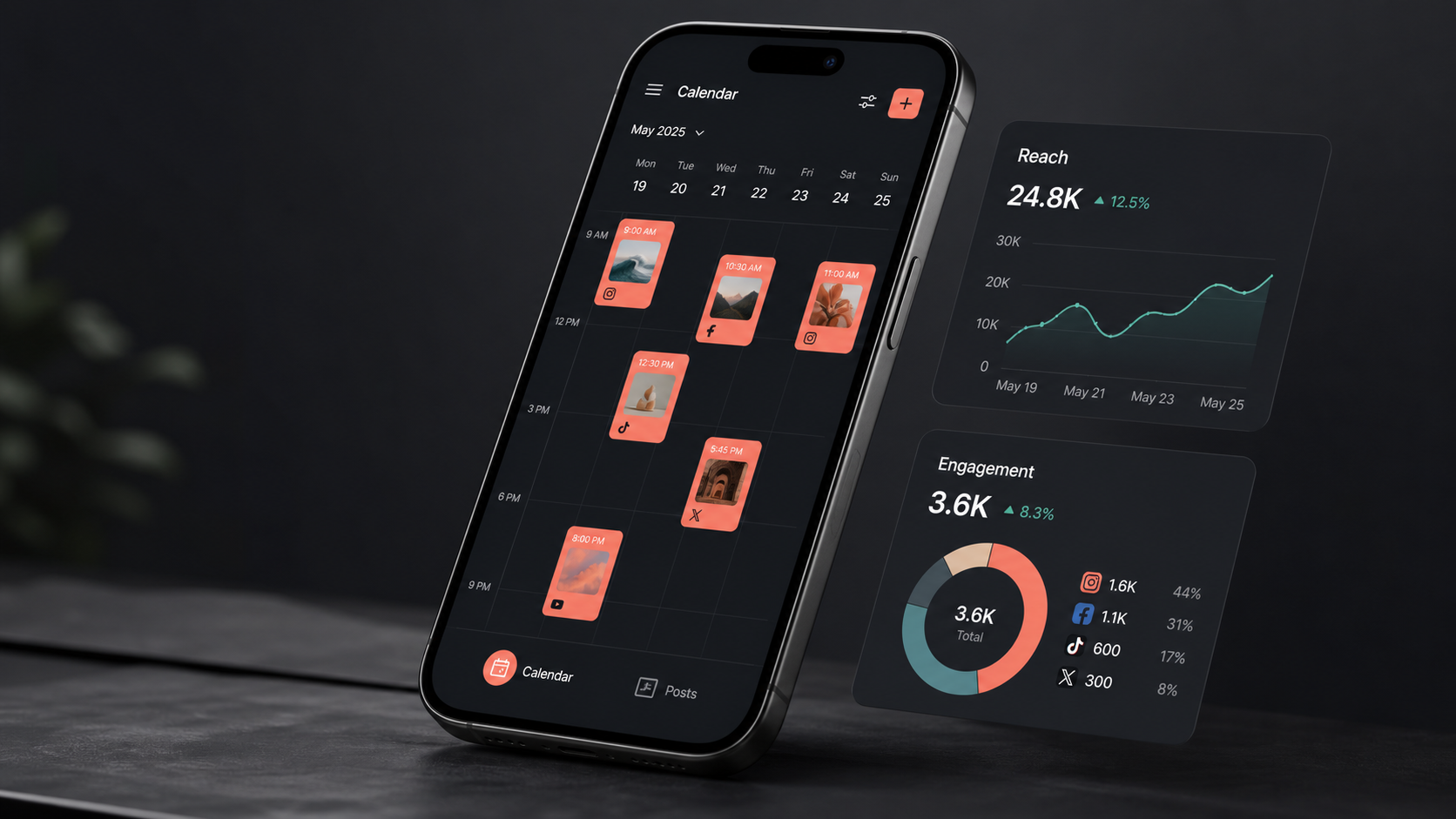
A visual content calendar is the next priority. Look for daily, weekly, and monthly views, drag-and-drop rescheduling, color-coded campaigns, filters by account or owner, and a clear distinction between drafts, approved posts, scheduled items, and published content. Agencies and larger teams should also be able to view several Instagram accounts without confusing brands, time zones, or approval chains.
Because Instagram is highly visual, preview features deserve careful evaluation. A grid preview helps teams balance colors, subjects, product shots, educational graphics, and creator-led content. A post-level preview should show likely caption placement, carousel order, Reel cover cropping, and feed appearance. Previews are not perfect replicas of every device display, but they can catch obvious inconsistencies before publication.
Collaboration features should reflect the complexity of the team. A solo creator may need only drafts and reminders. A growing brand may require comments, assignments, role-based access, approval stages, version history, and client-facing review links. These controls reduce risky practices such as sharing passwords or approving captions through scattered chat threads.
Analytics should move beyond collecting likes. Useful reporting includes reach, impressions, watch time, retention, saves, shares, profile activity, follower growth, and website actions where data is available. The strongest tools connect each result to a format, topic, campaign, publishing time, or creative pattern. Exportable reports and customizable date comparisons are especially valuable for agencies and stakeholders.
Finally, examine the media library and integration options. Searchable assets, tags, folders, usage history, and cloud-storage connections prevent duplicate work. Integrations with design tools, file-storage systems, link tracking, team messaging, customer relationship management software, and reporting platforms can turn an Instagram scheduling app into part of a larger marketing workflow.
How to Select the Right Instagram Planning Tool
The right choice depends on operational needs, not the number of features advertised. Begin by documenting your publishing volume, account count, content formats, team size, approval process, reporting requirements, and existing software. A small business posting three times per week has different needs from an agency coordinating hundreds of monthly assets across multiple clients.
Create a shortlist and test each platform with real content. Schedule a carousel, a Reel, a Story workflow, and a post containing all the metadata your team regularly uses. Invite the people who create, approve, and report on content. A tool may appear intuitive to a strategist while creating unnecessary steps for a designer, client, or community manager.
Evaluate total workflow time rather than subscription price alone. A low-cost Instagram social media planner can become expensive if the team must repeatedly download files, copy captions, resize media, or chase approvals. Conversely, an advanced enterprise platform may be wasteful if most of its governance and reporting functions remain unused.
Security and account administration should be part of the decision. Prefer official Instagram integration methods, individual user access, configurable permissions, two-factor authentication, connection health alerts, and a transparent process for removing former employees or contractors. Teams should avoid services that require unsafe credential sharing or promise unsupported automation.
Also review scalability. Ask whether the system can add accounts, brands, users, approval stages, asset storage, and reporting capacity without forcing a complete migration. Data portability matters too: confirm whether you can export calendars, published-post records, analytics, and media metadata if the organization later changes tools.

Building a Practical Instagram Planning Workflow
A reliable workflow begins with content pillars. Define three to six recurring themes that support audience needs and business goals, such as education, product discovery, customer proof, company culture, entertainment, and community participation. Assign each pillar a purpose and a primary success metric so the calendar does not become a random sequence of attractive posts.
Next, establish a repeatable production pipeline. A practical sequence is idea, brief, production, editing, caption, review, approval, scheduling, publication, engagement, and analysis. Each calendar item should have an owner, deadline, status, target audience, format, campaign, call to action, and measurement tag. Templates make these details easier to complete consistently.
Plan in layers. Maintain a quarterly view for launches, promotions, cultural moments, partnerships, and major creative themes. Use a monthly calendar to balance content pillars and formats. Then complete detailed production and scheduling one or two weeks ahead. This combination provides strategic direction while leaving room for relevant trends and timely community conversations.
Batching can significantly reduce production overhead. Record several short videos in one session, photograph multiple products under the same lighting setup, and prepare caption drafts together. However, avoid making every post feel mechanically identical. Change hooks, camera angles, pacing, visual structures, and calls to action while keeping the underlying production process efficient.
Build a contingency buffer into the Instagram social media planner. Keep a small library of evergreen posts that can replace delayed approvals, unavailable products, or content made inappropriate by current events. Leave selected calendar spaces flexible for reactive content, but do not rely on last-minute publishing as the default operating model.

Scheduling Reels, Stories, Carousels, and Feed Posts
Each Instagram format needs a different scheduling approach. Reels should be planned around the opening hook, viewing experience, cover image, on-screen text, audio, caption, and intended action. Before scheduling, check whether the tool supports the required audio and publishing settings. When a final in-app step is necessary, assign responsibility and set a notification early enough to avoid rushed execution.
For Stories, plan sequences rather than isolated slides. A useful sequence may introduce a problem, build curiosity, provide evidence, and end with an action. External tools may schedule or auto-publish eligible Story assets, but interactive elements can require manual completion. Include precise notes for links, polls, questions, mentions, countdowns, and stickers so the publisher does not have to reconstruct the strategy at the last minute.
Carousels work well for tutorials, comparisons, case studies, checklists, and narrative reveals. Confirm the slide order in the scheduler and review the first slide as both a hook and a grid asset. Maintain consistent safe zones for text, and ensure each slide can be understood quickly. The final slide should provide a purposeful next step, such as saving the guide, commenting with an opinion, or visiting a resource.
Single-image feed posts remain valuable when the visual has a clear focal point and the message does not require several frames. They can support announcements, product imagery, campaign statements, and memorable brand moments. Use the grid preview to check visual variety, but do not sacrifice a strong individual post merely to create a perfectly patterned profile.
Regardless of format, include accessibility in the production checklist. Add meaningful alternative text where supported, use readable contrast, avoid placing essential words near crop zones, and caption spoken video. Accessibility improves usability and also encourages clearer creative decisions.
Best Practices for Timing, Frequency, and Content Balance
There is no universal best time to post on Instagram. Start with audience activity data and historical post performance, then run controlled tests. Compare similar formats and topics across several time windows rather than drawing conclusions from one unusually successful post. Account for the audience’s local time, work patterns, and content-consumption habits.
An effective instagram post scheduler should support recommended-time insights, but recommendations are starting points rather than rules. A post’s relevance, creative quality, hook, and early audience response can matter more than a small difference in publishing time. Teams should evaluate whether optimal-time suggestions produce measurable gains for their specific account.
Choose a frequency the production system can sustain without reducing quality. A smaller number of distinctive, useful posts is generally more valuable than a crowded calendar filled with repetition. Monitor performance per post, total weekly reach, production cost, and signs of audience fatigue. Increase frequency only when the team has evidence that additional publishing expands results.
Balance planned and responsive content. A useful starting model is to reserve most calendar capacity for recurring pillars and campaigns, while leaving a smaller portion for experiments, trends, and community-led ideas. The precise split should reflect how quickly the organization can review and publish reactive work.
Finally, protect time after publication. Scheduling is not a substitute for participation. Assign someone to monitor comments, respond to relevant messages, engage with collaborators, and document audience questions. These conversations can provide ideas for future posts and reveal objections that formal research misses.
Integrations and Automation That Improve Efficiency
Integrations are most valuable when they remove handoffs without removing judgment. A design integration can move approved graphics into the media library. Cloud-storage integration can keep final videos synchronized. Project-management connections can update production status, while messaging integrations can alert reviewers that an asset needs approval or a scheduled post has failed.
Use automation for predictable administrative tasks. Examples include applying campaign tags, creating tracking links, notifying an owner before publication, archiving final assets, and sending weekly performance summaries. Avoid automating audience interactions in ways that produce generic comments, unsolicited messages, or behavior that may violate platform rules.
Connect Instagram reporting to broader marketing measurement when possible. Use consistent campaign names and tracking parameters to distinguish profile visits, landing-page traffic, leads, and sales. An Instagram social media scheduler can show publishing performance, but analytics software or customer systems may be needed to understand downstream business results.
Document every integration, its owner, and what happens when it fails. Token expirations, permission changes, disconnected accounts, and renamed folders can interrupt an automated workflow. A monthly connection audit and a clear manual fallback help prevent minor technical problems from becoming missed campaigns.
Measuring and Improving Your Scheduling Strategy
Measure performance at three levels: content, operations, and business outcomes. Content metrics indicate whether people watched, saved, shared, commented, or visited the profile. Operational metrics show whether assets were completed on time, approvals caused delays, posts failed, or production exceeded its budget. Business metrics connect Instagram activity with leads, purchases, registrations, or other organizational goals.
Review results by content pillar, format, hook, creative style, call to action, and publishing window. Instead of asking only which post performed best, identify repeatable patterns. For example, short demonstrations may generate high reach, while detailed carousels produce more saves and qualified profile visits. Both can be valuable at different stages of the customer journey.
Run structured experiments inside your instagram planning tools. Change one major variable at a time, such as the first frame, caption opening, video length, publishing period, or call to action. Record the hypothesis before publication and evaluate several examples before adopting a rule. This prevents the team from overreacting to normal performance variation.
Hold a monthly review to decide what to continue, improve, stop, and test. Update templates, briefing questions, scheduling rules, and content pillars based on the findings. A planning tool creates lasting value when it supports this learning cycle, not merely when it fills every square on the calendar.
Common Scheduling Mistakes to Avoid
One common mistake is treating the calendar as a volume target. Filling every day can create repetition and distract the team from audience value. Give each scheduled post a clear role, and remove content that does not support a campaign, customer need, or meaningful experiment.
Another mistake is assuming that scheduled means finished. Links may change, products may sell out, news may alter the context, and collaborators may request revisions. Establish a final review for sensitive or time-dependent posts and pause scheduled content when circumstances require it.
Teams also lose efficiency by planning in too many places. When ideas live in spreadsheets, approvals in email, assets in chat, and dates in a separate calendar, errors become likely. Choose one Instagram scheduling app as the authoritative source for publication status, then define how supporting systems connect to it.
Finally, do not ignore account health. Review publishing permissions, reconnect accounts before tokens expire, keep mobile applications updated, and monitor failure alerts. Assign a named owner for technical administration so responsibility is never ambiguous during an important launch.
Frequently Asked Questions
What is the best social media scheduler for Instagram?
The best social media scheduler for Instagram is the one that reliably supports your required formats, account count, approval process, analytics, and integrations at a sustainable cost. Solo creators may prioritize speed, mobile access, and grid previews, while agencies may need permissions, client approvals, multi-account views, and branded reports. Test shortlisted tools with real posts before purchasing an annual plan.
Can an Instagram post scheduler publish Reels and Stories automatically?
Many schedulers can auto-publish eligible Reels and Stories, but support depends on the account, content, selected features, and Instagram’s current integration capabilities. Interactive Story elements, certain audio choices, or specialized publishing settings may still require a mobile notification and manual completion. Check the tool’s current format documentation and test the exact workflow you intend to use.
Does scheduling Instagram posts reduce reach?
Using an authorized scheduling tool does not inherently make content less valuable to an audience. Reach is influenced by factors such as relevance, creative quality, viewer response, format, timing, and competitive context. Scheduling can improve consistency and quality control, although teams should still participate after publication by responding to comments and monitoring performance.
How far in advance should Instagram content be planned?
Plan major campaigns and themes one to three months ahead, organize the detailed monthly mix several weeks ahead, and finalize most assets roughly one or two weeks before publication. Keep some flexibility for timely opportunities and audience feedback. The ideal planning horizon is long enough to protect quality but short enough to remain relevant.