
Monday.com Social Media Scheduler: Productivity Meets Scheduling
Monday.com Social Media Scheduler streamlines content planning and boosts productivity by integrating scheduling tools with team collaboration features.


Monday.com can be used as a social media scheduler by turning its flexible boards, calendars, automations, and integrations into a structured content operation. It is especially effective for planning campaigns, assigning production tasks, managing approvals, and tracking publishing dates. However, Monday.com is primarily a work management platform, so automatic publishing usually requires an integration with a dedicated social media publishing tool. For marketing teams that need stronger workflows around scheduling, Monday.com offers an adaptable command center that connects content strategy with day-to-day execution.
What Is a Monday Social Media Scheduler? | Where Monday.com Fits in the Social Media Workflow | How to Build a Social Media Scheduling Board in Monday.com | Automations That Make the Workflow More Reliable | Can Monday.com Publish Social Media Posts Automatically? | Best Practices for Content Planning and Approval | Using Dashboards to Improve Social Media Performance | Advantages and Limitations of Monday Social Media Tools | A Practical Weekly Operating Routine | Frequently Asked Questions
What Is a Monday Social Media Scheduler?
A Monday social media scheduler is a customized Monday.com workspace used to organize the creation, review, scheduling, and analysis of social content. Instead of managing ideas in one document, approvals in email, and publication dates in a separate calendar, teams can bring the entire workflow into a single board.
Each item on the board can represent a social media post, video, story, carousel, campaign asset, or content idea. Columns then store the information required to move that asset toward publication. A typical setup might include the platform, content format, campaign, owner, production status, approval status, due date, scheduled date, caption, asset link, and performance metrics.
This approach makes Monday.com scheduling different from the experience offered by a conventional publishing platform. A dedicated scheduler is usually optimized for selecting a social account, uploading media, writing a caption, and setting a publication time. Monday.com focuses more heavily on coordinating the people, decisions, and dependencies behind the post.
That distinction is important. Social scheduling is rarely just a matter of choosing a date. A single post may require research, copywriting, design, legal review, client approval, localization, and final quality assurance. Monday.com helps make those steps visible and repeatable, reducing the risk of missed deadlines or unfinished assets reaching the publishing queue.

Where Monday.com Fits in the Social Media Workflow
Monday.com works best as the operational layer between strategy and publishing. It can hold the content plan, guide each asset through production, and show what is ready to be scheduled. A native or third-party integration can then transfer approved content into the tool responsible for publishing it.
For example, a campaign manager might create a group for an upcoming product launch. Individual items could represent a teaser video, an Instagram carousel, a LinkedIn announcement, a series of short-form clips, and several community posts. Writers, designers, editors, and account managers can work from the same plan while viewing only the information relevant to them.
The platform is particularly useful when content production has multiple stages. A simple workflow might use the following statuses:
- Idea submitted
- Brief approved
- Copy in progress
- Design or editing in progress
- Internal review
- Client or stakeholder approval
- Ready to schedule
- Scheduled
- Published
- Performance reviewed
These stages create a shared definition of progress. If a post is marked “Internal review,” everyone knows that the creative work is complete but approval is still pending. If an item is “Ready to schedule,” the social media manager knows it has passed the required checks and can be added to the publishing queue.
This structure is valuable for agencies and distributed teams, where unclear handoffs can create more delays than the creative work itself. Monday social media tools provide accountability without forcing managers to request constant status updates. Owners, deadlines, dependencies, and recent activity are visible on the board.
How to Build a Social Media Scheduling Board in Monday.com
Start with one primary content board rather than creating separate boards for every channel. A consolidated board provides a complete view of publishing activity and makes it easier to identify gaps, campaign conflicts, and periods of excessive posting. Platform-specific views can be added later with filters.
Create one item for each publishable asset. If the same creative will be adapted substantially for different networks, create separate items and connect them through a campaign field. This preserves platform-specific copy, dimensions, deadlines, and approvals while keeping the assets associated with the same initiative.
A practical board should include the following core columns:
- Post name: A short, recognizable working title.
- Platform: Instagram, TikTok, LinkedIn, Facebook, YouTube, Pinterest, or another channel.
- Format: Reel, carousel, short video, image, story, text post, livestream, or article.
- Campaign or content pillar: The strategic theme or initiative supported by the post.
- Owner: The person responsible for moving the content forward.
- Production status: The current stage of writing, design, or editing.
- Approval status: Whether the post is awaiting review, approved, or requires changes.
- Publish date and time: The intended scheduling slot.
- Caption or copy: The final or working text for publication.
- Asset link: A direct link to the approved image, video, or source file.
- Publishing status: Ready, scheduled, published, paused, or canceled.
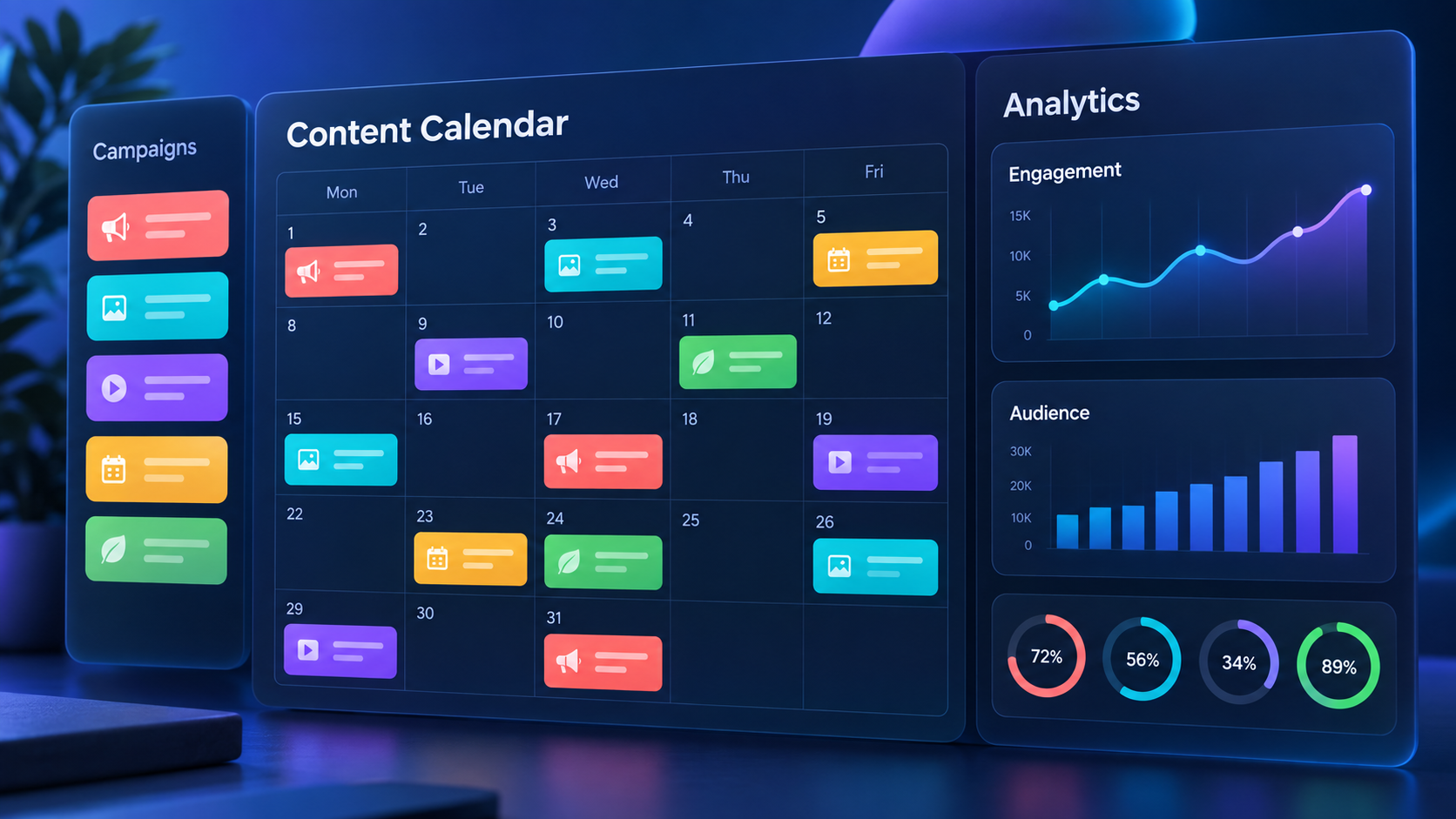
Next, build views for different working styles. The main table is helpful for bulk editing. A calendar view lets marketers assess cadence and move content across dates. A Kanban view makes production bottlenecks obvious. A workload view can reveal whether one designer or editor has too many assignments. Dashboards can summarize campaign progress, overdue tasks, content mix, and publication volume.
Use Monday.com scheduling fields carefully. A production due date and a publication date are not the same thing. If a video is scheduled to go live on Friday, the editing deadline might be Tuesday and approval might be due Wednesday. Storing these milestones separately protects the publication date from last-minute production delays.

Automations That Make the Workflow More Reliable
Automations are where a basic content calendar becomes a useful operating system. They reduce repetitive coordination and help the team respond consistently when content changes status.
One useful automation notifies a reviewer when production is complete. For example, when the production status changes to “Internal review,” Monday.com can assign the item to the social lead and send a notification. When approval changes to “Approved,” another automation can update the publishing status to “Ready to schedule.”
Deadline automations are equally valuable. The system can remind an owner two days before a production deadline, notify a manager when an item becomes overdue, or flag posts that are approaching their publish date without final approval. These small alerts prevent quiet delays from becoming missed publishing opportunities.
Teams can also create recurring items for repeatable content. Weekly tips, monthly reports, recurring webinars, and regular customer stories can be generated according to a schedule. The recurring item should include a reusable brief or checklist, but the copy and assets should still be customized to avoid formulaic content.
Useful automation recipes include:
- When an item is created, assign the channel owner based on the selected platform.
- When production is complete, notify the designated reviewer.
- When approval is granted, set the item to “Ready to schedule.”
- When the publish date arrives, notify the social media manager if the item is not scheduled.
- When a post is marked published, create a performance-review task for a later date.
- When a deadline passes, alert the owner and campaign manager.
Avoid automating every possible action. Too many notifications create noise, and complex status chains can become difficult to maintain. Focus first on high-risk handoffs: production completion, approval, scheduling readiness, overdue work, and post-publication analysis.

Can Monday.com Publish Social Media Posts Automatically?
Monday.com is stronger at workflow management than native multi-network publishing. Teams should not assume that placing a post on a Monday calendar automatically sends it to Instagram, LinkedIn, TikTok, or other platforms. The calendar date may represent the intended publication time without initiating publication itself.
Automatic posting generally depends on the available integrations and the capabilities of the connected publishing service. A team might connect Monday.com to a dedicated scheduler through a built-in integration, an automation platform, or an API-based workflow. The specific setup will depend on the social networks involved, account permissions, media formats, and integration limits.
A reliable integration should transfer only approved content. The trigger could be a status such as “Ready to schedule,” combined with required fields for platform, publication time, caption, and final asset. The connected workflow can create a post in the publishing tool and then return a confirmation or scheduled-post link to Monday.com.
Before relying on an automated process, test it with several content types. Image posts, videos, carousels, first comments, mentions, and platform-specific options may behave differently. Confirm how failures are reported and decide who is responsible for correcting them. A failed automation that remains invisible can be more damaging than a clearly assigned manual task.
For teams with modest publishing volume, a manual final scheduling step can be perfectly efficient. Monday.com manages preparation and approval, while the social media manager uploads approved assets to the publishing platform. The important goal is not automation for its own sake; it is a dependable process with clear ownership.
Best Practices for Content Planning and Approval
Build the board around decisions, not merely information storage. Every status should signal what has happened and what must happen next. Labels such as “Working on it” are often too vague for a marketing workflow. “Copy draft,” “Design in progress,” and “Awaiting client approval” provide more useful context.
Define required fields before an item can move into scheduling. A ready post should normally have an approved caption, final asset, platform selection, publication time, campaign tag, and responsible owner. If your organization handles regulated or sensitive material, include compliance approval and evidence of the final review.
Create templates for repeatable formats. A short-form video template could include tasks for the hook, script, shot list, filming, edit, subtitles, thumbnail, caption, and platform review. A carousel template might include the core argument, slide outline, design, proofreading, accessibility text, and final export.
Use comments for decisions and feedback, but store final deliverables in dedicated fields. Important information can disappear inside a long update thread. The approved caption should live in the caption column or linked document, and the final creative should have a clearly labeled asset link.
Maintain naming conventions across campaigns. A title such as “September Product Launch – LinkedIn – Customer Proof” is more searchable than “Post 4.” Consistent naming makes dashboards, filters, reporting, and historical research more dependable.
Finally, schedule a brief content operations review. Once a week, examine overdue items, upcoming publication gaps, unresolved approvals, overloaded team members, and campaigns without enough creative variation. This habit turns the Monday social media scheduler into a management system rather than a passive calendar.
Using Dashboards to Improve Social Media Performance
Monday.com dashboards can help teams connect execution with strategic balance. Managers can monitor how many posts are planned for each network, how content is distributed across pillars, which campaigns are delayed, and how much work is assigned to each contributor.
Performance data can also be added after publication. Useful fields include reach, impressions, video views, engagement rate, clicks, saves, shares, leads, and conversions. Not every team needs every metric. Choose the measures that reflect the post’s objective. Awareness content may be judged by reach or watch time, while conversion content may require clicks, qualified leads, or revenue.
Because Monday.com is not primarily a social analytics platform, importing every available metric can create unnecessary administration. A better approach is to record a focused set of decision-making metrics or connect a reporting source that updates the board automatically.
Create a performance-review date rather than expecting analysis immediately after publication. Some content needs several days to accumulate meaningful results. When the review date arrives, assign an owner to record the outcome and summarize what should be repeated, changed, or tested next.
Over time, filters can reveal patterns across format, channel, campaign, and content pillar. A team might discover that educational carousels generate saves, creator-led videos improve reach, or customer stories produce higher-quality leads. These insights should feed directly into the next planning cycle.
Advantages and Limitations of Monday Social Media Tools
The main advantage of Monday.com is flexibility. Teams can design a workflow around their actual structure rather than adapting every campaign to a rigid publishing calendar. The platform can support internal marketing departments, agencies, freelance collaborators, approval-heavy organizations, and multi-stage creative teams.
It also improves visibility. Stakeholders can see what is planned without requesting a new presentation, while contributors can identify their assignments and deadlines. Custom views allow executives, creators, reviewers, and channel managers to use the same underlying data without navigating an identical interface.
Another strength is the connection between social content and wider marketing work. A social campaign can be linked to a product launch, event, email sequence, website update, or paid media initiative. This makes cross-channel coordination easier than it would be inside a social publishing tool alone.
The tradeoff is that flexibility requires setup and governance. Poorly designed boards can become crowded, inconsistent, and difficult to trust. Someone must define the workflow, maintain templates, remove redundant fields, and ensure that statuses retain clear meanings.
Monday.com may also be excessive for a solo creator who only needs to queue a few posts. In that situation, a dedicated scheduler may provide a faster experience. Conversely, a growing team with frequent approvals and multiple contributors may find that a basic publishing calendar cannot adequately manage production.
The most effective stack often combines both categories: Monday.com for campaign planning and creative operations, plus a specialized platform for channel previews, account management, automatic publishing, moderation, and social analytics.
A Practical Weekly Operating Routine
On Monday, review the upcoming two to three weeks of content. Confirm campaign priorities, check channel balance, fill calendar gaps, and assign newly approved ideas. Make sure every near-term post has an owner and production deadline.
During the week, creators and specialists update item statuses as work progresses. Reviewers respond inside the relevant item, and final captions and assets are placed in their designated fields. Automated reminders surface overdue work and notify the next person responsible for each handoff.
Before scheduling, run a final quality check. Verify the platform, publication time, media dimensions, caption, links, mentions, accessibility details, tracking parameters, and approval status. If the post is transferred through an integration, confirm that it appears correctly in the publishing tool.
At the end of the week, review published content and operational issues. Note which posts performed well, but also examine where the workflow slowed down. If approvals repeatedly arrive late or video editing is consistently overloaded, adjust lead times and capacity rather than treating each delay as an isolated problem.
This operating rhythm keeps planning, production, scheduling, and learning connected. It is the combination of those activities—not the calendar alone—that makes Monday.com scheduling valuable for a serious social media program.
Frequently Asked Questions
Is Monday.com a dedicated social media scheduler?
No. Monday.com is primarily a work management platform, but it can be configured as a social media planning and scheduling hub. It excels at organizing content production, responsibilities, approvals, deadlines, and campaign visibility. Automatic publishing typically requires a compatible integration or a separate social media scheduling platform.
What should a Monday social media scheduler board include?
At minimum, include the post title, platform, format, campaign, owner, production status, approval status, publish date, caption, asset link, and publishing status. Larger teams may also need separate production deadlines, dependencies, compliance approval, localization fields, tracking links, and performance metrics.
Can Monday.com manage content for multiple social networks?
Yes. A single board can manage content for Instagram, TikTok, LinkedIn, Facebook, YouTube, Pinterest, and other channels. Use platform labels and filtered views to create channel-specific calendars while preserving a unified view of campaigns and team capacity.
Who benefits most from Monday social media tools?
Monday social media tools are most useful for teams with multiple contributors, recurring campaigns, structured approval processes, or complex production requirements. Agencies, in-house marketing departments, and growing creator businesses can benefit significantly. Solo creators with simple publishing needs may prefer a dedicated scheduler unless they also use Monday.com to manage broader business operations.