
Scheduling Apps for Instagram: Features and Benefits
Scheduling apps for Instagram streamline content planning and posting, helping users save time and maintain consistent engagement with their audience.


Scheduling apps for Instagram help marketers, influencers, and creators plan content in advance, publish posts automatically, manage approval workflows, and measure performance from one place. The right tool can replace inconsistent manual posting with a reliable content system, saving hours each week while improving timing, brand consistency, and collaboration. This guide compares popular options by usability, pricing structure, publishing capabilities, analytics, and integrated features so you can choose an Instagram post scheduler that fits your workflow and budget.
Why Instagram Scheduling Apps Matter | Essential Features to Compare Before Choosing a Scheduler | Comparison of Popular Instagram Scheduling Apps | Usability, Pricing, and the True Cost of a Scheduling Tool | How to Build an Effective Instagram Scheduling Workflow | Analytics and Optimization After Publishing | How to Choose the Best Instagram Scheduler for Your Needs | Common Mistakes to Avoid | Frequently Asked Questions
Why Instagram Scheduling Apps Matter
Publishing consistently on Instagram involves much more than selecting a photo and writing a caption. A practical strategy may include feed posts, carousels, Reels, Stories, product launches, influencer collaborations, and seasonal campaigns. Without a scheduling system, teams often store assets in scattered folders, approve captions in chat threads, and rely on reminders to publish at the right time.
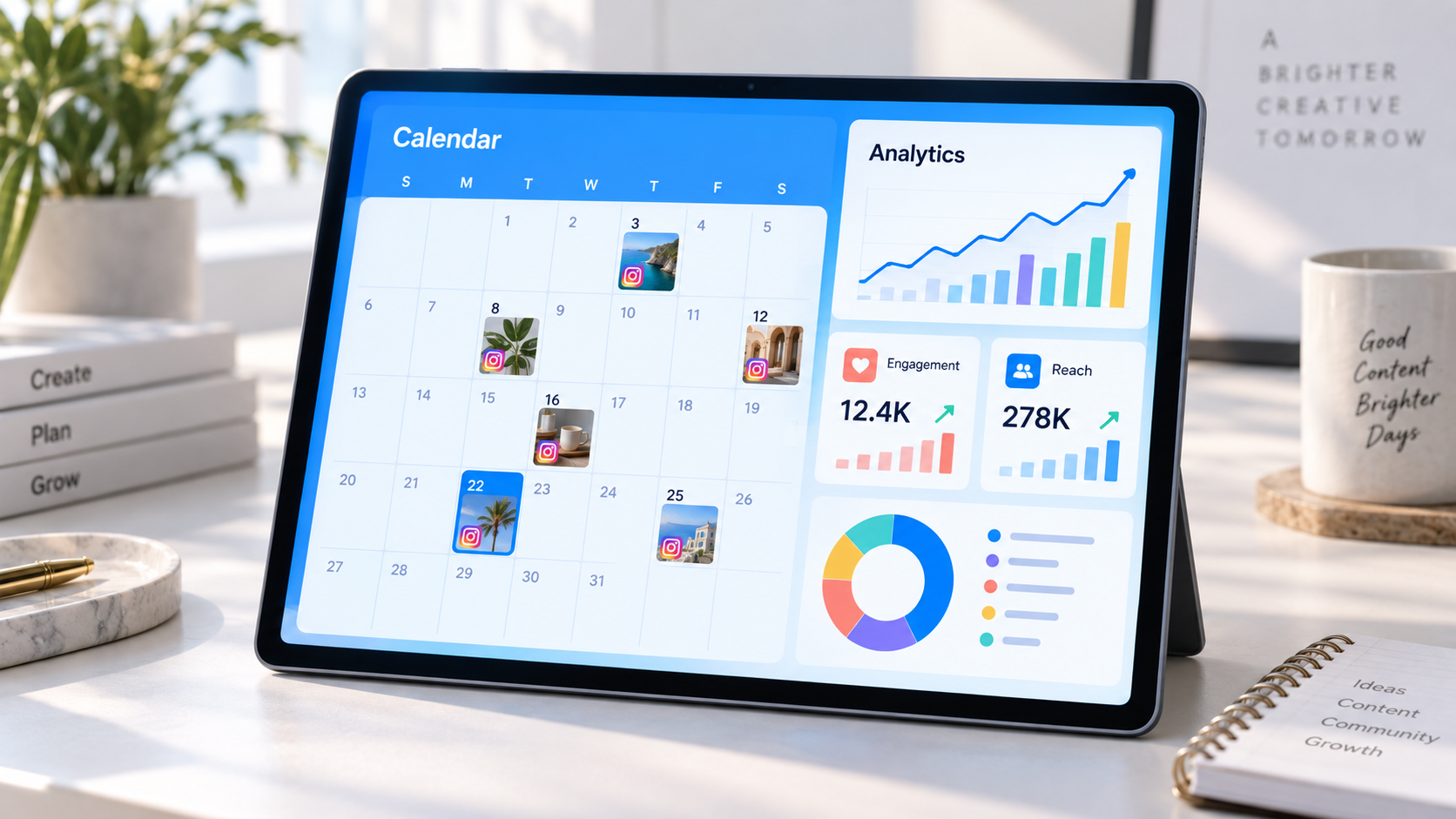
Scheduling apps for Instagram bring these activities into one organized workflow. A visual calendar shows what is being published and when, while media libraries keep approved assets accessible. Drafting tools let marketers prepare captions, hashtags, locations, tags, and first comments before publication. Many platforms can then publish eligible content automatically through Instagram’s official integrations.
The clearest benefit is time efficiency. Instead of interrupting each workday to post manually, a creator can batch a week of content in one focused session. Agencies can schedule campaigns across multiple client accounts, while internal teams can review upcoming posts without arranging another status meeting.
Scheduling also improves strategic consistency. When content is visible on a calendar, it becomes easier to balance educational posts, product promotions, customer stories, entertaining Reels, and community-focused updates. Gaps, repeated topics, and competing calls to action become obvious before they affect the live feed.
Automation should not mean abandoning real-time engagement. The strongest workflow automates repetitive publishing tasks while reserving human attention for comments, direct messages, trend participation, and thoughtful community interaction. A scheduler creates operational breathing room; it does not replace audience relationships.

Essential Features to Compare Before Choosing a Scheduler
The best Instagram scheduler apps share several core functions, but the quality and depth of those functions vary considerably. Start with publishing support. Confirm whether a tool can automatically publish single-image posts, videos, carousels, Reels, and Stories. Some formats may require a mobile notification or final manual step because of account permissions, music licensing, stickers, interactive elements, or other Instagram limitations.
A visual content calendar is equally important. It should make rescheduling easy, ideally through drag-and-drop controls, and clearly distinguish drafts, scheduled posts, failed publications, and published content. Weekly and monthly views help campaign planning, while filtering by account, client, status, or content type is valuable for larger teams.
Look closely at media management. Useful features include cloud storage integrations, asset labels, saved captions, hashtag groups, image cropping, video previews, and duplicate-content warnings. Creators working heavily with Reels should check video size limits, thumbnail selection, aspect-ratio validation, and whether the scheduler preserves video quality.
Collaboration features become essential when more than one person touches a post. Approval stages, internal comments, version history, permission controls, and client-friendly review links reduce mistakes and shorten feedback cycles. Agencies should verify whether external approvers need paid user seats, because that detail can materially change the total cost.
Analytics should go beyond displaying follower counts. A capable platform tracks reach, impressions, engagement, profile actions, video views, saves, shares, and publishing-time patterns. Exportable reports and account comparisons are particularly useful for agencies and marketing managers. Remember that analytics depth can depend on Instagram account type and the data available through Meta’s API.
Finally, evaluate broader integrations. A scheduler may also include social listening, a unified inbox, Canva integration, link-in-bio pages, AI-assisted caption drafting, user-generated content collection, or publishing to TikTok, Facebook, LinkedIn, Pinterest, and YouTube. These extras are valuable only if they simplify your actual process. A long feature list should not outweigh dependable publishing and an interface your team will use every week.
Comparison of Popular Instagram Scheduling Apps
No single platform is the best choice for every user. Some products prioritize visual Instagram planning, while others are full social media management suites. The following comparison focuses on practical fit rather than declaring one universal winner. Pricing and plan limits change regularly, so treat the categories below as guidance and verify current terms before subscribing.
| Tool | Best for | Notable strengths | Pricing position |
|---|---|---|---|
| SMMplanner | Creators, businesses, and agencies seeking straightforward scheduled publishing | Multi-account planning, automated posting, bulk workflow, broad social support | Flexible usage-oriented option |
| Later | Visual brands and Instagram-first creators | Visual planner, media library, link-in-bio tools, creator-friendly workflow | Entry to mid-range subscriptions |
| Buffer | Individuals and small teams | Clean interface, simple queue, cross-platform publishing, accessible analytics | Budget-friendly with scalable channel costs |
| Hootsuite | Established marketing teams and larger organizations | Publishing, monitoring, inbox, analytics, permissions, broad integrations | Premium professional platform |
| Sprout Social | Data-driven teams and agencies with advanced reporting needs | Deep analytics, collaboration, social inbox, listening, governance | High-end pricing |
| Metricool | Freelancers, creators, and performance-focused marketers | Planning, competitor analysis, reporting, ad data, link tracking | Competitive freemium-to-professional range |
| Planoly | Creators and visually led small businesses | Grid planning, content ideation, link-in-bio tools, visual organization | Entry to mid-range subscriptions |
SMMplanner
SMMplanner is a practical choice for marketers who want to prepare and automate social posts without building an unnecessarily complex enterprise workflow. Its emphasis on scheduled publishing, multi-account management, and efficient content preparation makes it relevant to creators, small businesses, and agencies handling recurring campaigns. It is especially useful when content must be distributed consistently across several social platforms rather than Instagram alone.
Consider SMMplanner if your main priorities are reliable scheduling, a clear publishing process, and the ability to manage content at volume. When comparing plans, estimate monthly posting volume and the number of accounts you actually manage. This produces a more realistic cost comparison than looking only at the advertised starting price.
Later
Later is closely associated with visual planning. Its calendar and feed-preview approach suits lifestyle, fashion, travel, food, and ecommerce brands that care deeply about how individual posts work together visually. Media organization and link-in-bio capabilities also make it attractive to creators who use Instagram to drive traffic.
The platform is easy to understand, but growing teams should inspect limits on social sets, users, analytics, and scheduled posts. It is strongest when Instagram presentation and creator workflows matter more than complex enterprise governance.
Buffer
Buffer is known for a relatively uncluttered publishing experience. Its queue-based workflow is approachable for solo professionals, startups, and small teams that need to schedule content across a few networks without extensive training. It also offers engagement and analytics features, depending on the selected plan.
Buffer is a strong candidate when usability is the deciding factor. However, costs can rise as channels and advanced capabilities are added, so map every required profile before comparing it with bundles from competing platforms.
Hootsuite
Hootsuite is designed for broader social media operations. Beyond scheduling, it provides monitoring, engagement, reporting, and team controls across multiple networks. These capabilities suit organizations where customer care, brand monitoring, and campaign publishing need to coexist in one environment.
The tradeoff is complexity and a typically higher investment. Small creators may not use enough of the suite to justify it, while established teams may value its permissions, integrations, and centralized oversight.
Sprout Social
Sprout Social targets organizations that treat social media as a mature business function. Its reporting, shared inbox, collaboration features, and social intelligence capabilities can support agencies, customer-care teams, and brands that need polished stakeholder reporting.
It is generally better evaluated through return on investment than through price alone. If advanced analytics save reporting hours or help a large team coordinate customer conversations, the premium may be justified. For straightforward Instagram scheduling, it may be more platform than a solo creator needs.
Metricool and Planoly
Metricool combines publishing with analytics, reporting, competitor research, and data from additional marketing channels. It is a compelling option for marketers who want to connect content execution with measurable performance. Planoly takes a more visual, creator-oriented approach and is particularly useful for planning an attractive grid and organizing branded assets.
Both deserve a trial based on workflow. Metricool may feel more natural to a performance marketer, while Planoly may appeal to a product-based business or creator who starts planning with imagery.
Usability, Pricing, and the True Cost of a Scheduling Tool
Usability is not a cosmetic concern. Every extra click is repeated across dozens or hundreds of posts, and a confusing approval flow can delay an entire campaign. During a trial, ask a team member to complete a realistic task: upload a carousel, edit its caption, request approval, move it to a different date, and confirm its publication status. The experience should be understandable without constant reference to documentation.
Mobile functionality matters too. Even with automatic publishing, social media work is rarely confined to a desk. Check whether the mobile app supports calendar changes, approval, notifications, asset uploads, and troubleshooting. Creators who film on a phone should be able to move content into the schedule without a cumbersome transfer process.
When evaluating pricing, ignore the headline figure until you understand its unit. Platforms may charge by user, social profile, social set, workspace, brand, or feature tier. Determine the cost for your expected configuration, including Instagram accounts, other networks, approvers, client workspaces, analytics history, and reporting exports.
Account for operational costs as well. A low-priced tool that lacks approvals may require extra project-management software. A premium platform with built-in reports might eliminate hours of spreadsheet work. Conversely, paying for listening, CRM integrations, and enterprise permissions makes little sense if one person manages a single account.
Use a simple value calculation: estimate monthly hours saved, multiply them by the realistic hourly value of the people involved, and compare that figure with the subscription. Add the value of fewer publishing errors, faster approvals, and more consistent campaign execution. This method frames an Instagram post scheduler as a productivity investment rather than another software expense.

How to Build an Effective Instagram Scheduling Workflow
Begin with content pillars: three to five recurring themes connected to audience needs and business goals. A software company might use education, product use cases, customer evidence, company culture, and industry commentary. A creator might choose tutorials, personal stories, behind-the-scenes material, recommendations, and community prompts.
Next, assign each pillar an approximate publishing frequency. This prevents the calendar from becoming overly promotional and makes idea generation easier. Build a rolling backlog of concepts, then select and produce content in batches. For example, film several short videos in one session, edit them together, and write captions during a separate focused block.
Create a consistent status system such as idea, in production, ready for review, approved, scheduled, and published. Every post should have one owner and one clear next action. Small teams can keep the process simple; agencies may need separate internal and client approval stages.
Before scheduling, use a publication checklist. Confirm the aspect ratio, video length, cover image, caption, accessibility text, account tags, location, campaign link, disclosure language, and call to action. Preview the content on mobile whenever possible. For Reels, make sure essential text remains within safe areas and is not hidden by interface elements.
Schedule content when your audience is likely to be active, using account analytics rather than generic “best time” recommendations. Treat the initial schedule as a hypothesis. Compare reach, watch time, saves, shares, and meaningful actions across time slots, then refine the calendar after several weeks of data.
Leave space for reactive content. A fully packed calendar makes it difficult to respond to trends, announcements, or community conversations. A useful rule is to schedule the predictable majority of content while keeping some production capacity available for timely opportunities.

Analytics and Optimization After Publishing
Scheduling is only one half of the process. The other half is learning what happens after a post goes live. Select metrics based on the job each piece of content is intended to perform. Awareness content may be evaluated through reach and video views, educational posts through saves and shares, and conversion content through profile visits, link clicks, leads, or sales.
Avoid relying on engagement rate without context. A post can attract many lightweight likes while producing few saves, conversations, or business outcomes. For video, study retention and watch time alongside views. If viewers leave immediately, stronger distribution alone will not solve the underlying creative problem.
Tag content by pillar, format, campaign, or creative treatment where the scheduler permits it. Monthly analysis can then answer useful questions: Do tutorials outperform promotional Reels? Do founder-led videos create more profile visits? Are carousels saved more often than single images? Does a particular call to action increase qualified comments?
Use those findings to create specific tests. Change one meaningful variable at a time, such as the opening hook, cover design, caption length, publishing time, or call to action. Repeating proven structures with new ideas is usually more productive than reinventing the strategy every week.
Review failed and missed posts as operational data too. Frequent errors may reveal unsupported formats, expired account permissions, unstable connections, or a weak approval process. A good scheduler should make failures visible and notify the appropriate person quickly.
How to Choose the Best Instagram Scheduler for Your Needs
Start by documenting requirements before watching demos. List the number of Instagram accounts, other social networks, monthly posts, users, approvers, required formats, and reporting needs. Separate essential capabilities from useful extras. This protects you from choosing a platform because of an impressive feature you will rarely use.
Solo creators should prioritize speed, mobile access, visual previews, affordable pricing, and support for Reels and carousels. Small marketing teams often gain more from shared calendars, approvals, reusable assets, and basic reporting. Agencies need account separation, client access, permissions, bulk operations, exportable reports, and predictable scaling costs.
Enterprise teams should examine security, governance, audit trails, identity management, customer support, data retention, and procurement requirements. They should also involve daily users in the decision; a platform can satisfy technical requirements and still fail because the publishing team finds it inefficient.
Shortlist two or three scheduling apps for Instagram and run the same campaign through each trial. Use real assets and involve the people who will plan, approve, publish, and report. Score every platform on publishing reliability, ease of use, collaboration, analytics, support, integrations, and total annual cost.
The best choice is the tool that removes the most friction from your real content operation. An influencer may thrive with an elegant visual planner, while an agency may need structured approvals and multi-client reporting. Choose for the workflow you have now, with enough capacity for the next stage of growth.
Common Mistakes to Avoid
Do not schedule content and then disappear. Automated publishing should be followed by active community management, especially during the first hours after publication. Timely replies can deepen discussion, reveal audience questions, and provide ideas for future posts.
Avoid filling every slot simply to maintain frequency. Consistency matters, but weak posts can dilute positioning and exhaust production resources. A sustainable schedule of useful content is better than an aggressive calendar that collapses after one month.
Do not assume every feature works identically for every Instagram account or post type. Business and creator accounts may have different access than personal accounts, and certain music, stickers, collaboration settings, or branded-content options may still require native Instagram actions.
Finally, avoid choosing solely on price. Free and inexpensive plans can be excellent, but restrictive limits, short analytics history, watermarked reports, or missing approvals may create hidden work. Test the entire process from ideation to reporting before committing.
Frequently Asked Questions
Can Instagram scheduling apps publish posts automatically?
Yes, many scheduling tools can automatically publish eligible feed posts, carousels, videos, and Reels through official Instagram integrations. Some Stories or posts using music, stickers, collaboration features, or other native elements may require a mobile notification and manual completion. Confirm support for your account type and preferred formats before subscribing.
What is the best Instagram post scheduler for beginners?
Beginners usually benefit from a clear calendar, easy media uploads, reliable previews, and straightforward pricing. Buffer, Later, Planoly, Metricool, and SMMplanner are all worth evaluating, depending on whether the priority is simplicity, visual planning, analytics, or multi-platform posting. A free plan or trial is the best way to test personal fit.
Will using a scheduler reduce Instagram reach?
Using an approved scheduling integration does not inherently reduce reach. Performance depends more heavily on content relevance, viewer response, retention, timing, and account health. Avoid unofficial tools that request unsafe credentials or use prohibited automation, and continue engaging with people after scheduled posts are published.
How far in advance should Instagram content be scheduled?
Many teams schedule evergreen and campaign content one to four weeks ahead while leaving room for current events and trends. The ideal horizon depends on production complexity and industry pace. Review the calendar weekly so planned posts remain accurate, timely, and appropriate before they go live.