
Semrush Instagram Scheduler: New Entrant Overview
Semrush Instagram Scheduler offers efficient post planning and management tools to streamline your social media marketing strategy with ease.


The Semrush Instagram Scheduler is a practical publishing tool for marketers who want to plan, create, schedule, and analyze Instagram content within the broader Semrush ecosystem. Offered through Social Poster in the Semrush Social Toolkit, it combines an interactive calendar, direct publishing for Instagram Business accounts, AI-assisted content creation, bulk scheduling, analytics, and competitor tracking. It is especially compelling for existing Semrush users, although teams that need advanced Instagram-specific production and approval features should compare it carefully with established schedulers.
What Is the Semrush Instagram Scheduler? | Key Features and Day-to-Day Workflow | Where Semrush Adds More Than Basic Scheduling | Semrush Versus Established Social Media Schedulers | Pricing, Limits, and Account Requirements | Who Should Choose It—and Who Should Look Elsewhere? | How to Test Semrush Social Media Scheduling Properly | Initial Verdict | Frequently Asked Questions
What Is the Semrush Instagram Scheduler?
The scheduler is not a completely separate Instagram application. It is the Instagram publishing component of Semrush Social Poster, which sits inside the company’s wider Social Toolkit. Social Poster centralizes content for Instagram, Facebook, TikTok, LinkedIn, Pinterest, Google Business Profile, and YouTube, allowing marketers to manage several channels from one calendar.
For Instagram, users can connect an eligible Business account, prepare a caption, add media, select a publication time, and publish directly through Semrush. Posts can also be saved as drafts or published immediately. This makes the tool suitable for routine campaign planning, evergreen content, product announcements, educational carousels, and other content that can be prepared in advance.
Calling it a “new entrant” requires some context. Semrush has offered social publishing capabilities for years, but the current product is entering more marketers’ scheduler shortlists as Semrush expands from search marketing into a collection of interconnected marketing toolkits. The important development is not simply the ability to queue an Instagram post. It is the combination of publishing, AI content assistance, analytics, competitive intelligence, and broader digital marketing data in one environment.
That positioning distinguishes Semrush social media scheduling from a lightweight calendar. Its strongest proposition is workflow consolidation: a marketer researching search demand, studying competitors, creating campaigns, and measuring social performance can perform more of that work without moving between unrelated products.

Key Features and Day-to-Day Workflow
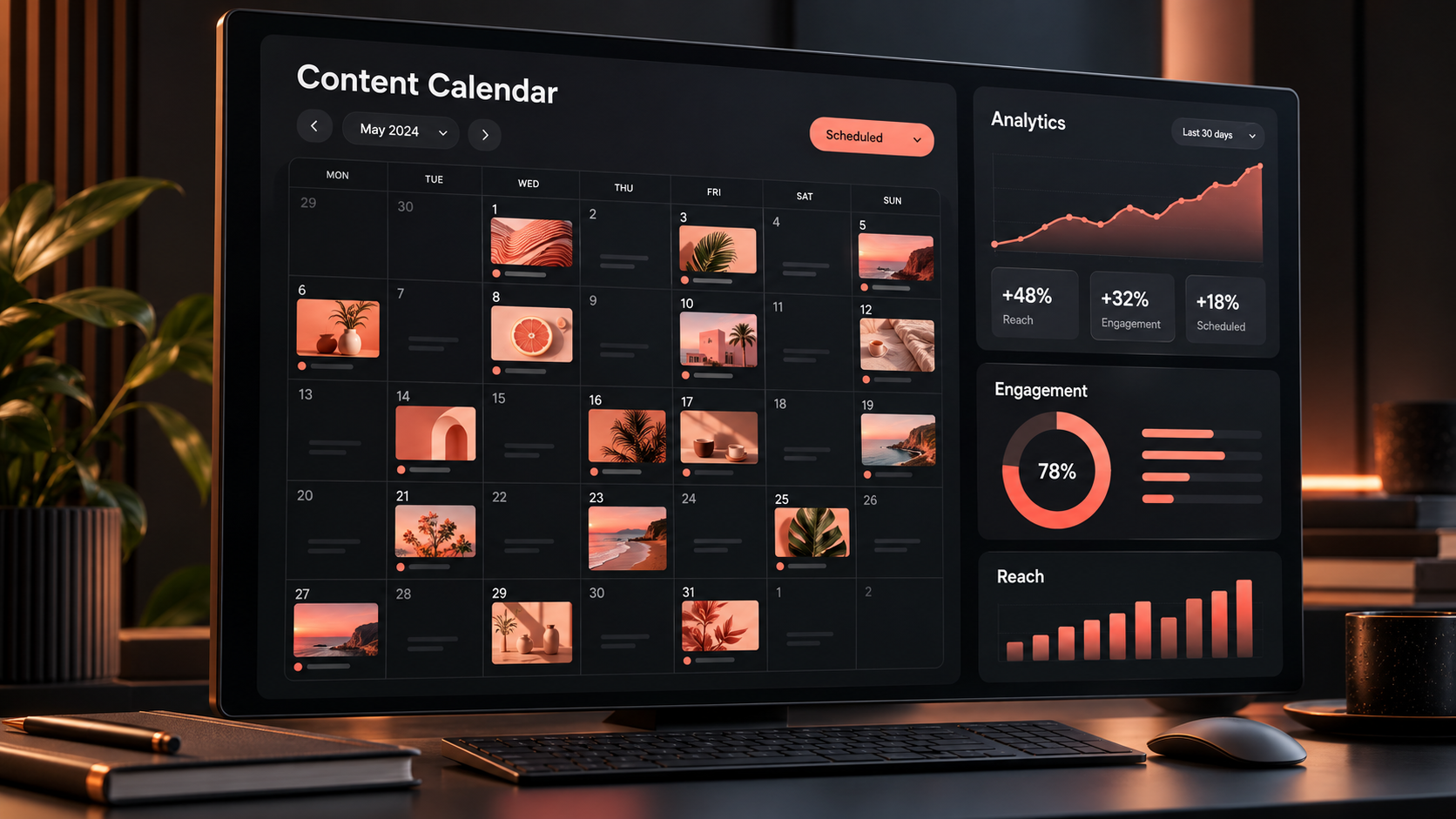
The central workspace is an interactive publishing calendar. Marketers can review scheduled, published, draft, and flagged posts by date and platform, then switch between monthly and weekly timeline views. This makes it easier to identify inactive periods, crowded campaign days, or an unbalanced mix of formats.
Creating a post follows a familiar workflow. Select the Instagram profile, write or generate the caption, upload an image or video, inspect the preview, and choose whether to publish now, schedule for later, add the item to a queue, or save it as a draft. A post can be moved or revised from the calendar, which is useful when a launch date changes or an approval arrives late.
Instagram Business accounts can publish multi-image posts containing up to ten photos or videos, according to Semrush’s current product documentation. Stories can also be prepared through a dedicated toggle. Format and file restrictions still apply, so teams should test their usual Reels, Stories, carousels, and video dimensions during the trial rather than assuming every native Instagram option will be reproduced.
For larger campaigns, bulk scheduling is a meaningful efficiency feature. Social Poster accepts a CSV containing post copy, dates, times, and destinations, with imports of up to 100 posts at once. A marketer can therefore build a campaign matrix in a spreadsheet, import it, and perform the final quality check inside the calendar. This is much faster than creating dozens of posts individually.
The editor also includes an AI assistant and media-editing options. These tools can help produce initial caption drafts, adapt messaging, generate ideas, or make basic visual adjustments without leaving the platform. They are best treated as production accelerators rather than autonomous campaign strategists: brand voice, factual accuracy, calls to action, and platform fit still require human review.
A Content Ideas area can pull material from selected websites, blogs, news sources, and YouTube channels. This is useful for curation-led accounts and thought-leadership programs. Add reliable industry feeds, evaluate the available stories, and turn a relevant item into a scheduled post. The feature is less important for highly visual lifestyle brands, but valuable for B2B marketers who regularly interpret industry news.
Where Semrush Adds More Than Basic Scheduling
The strongest reason to consider the Instagram scheduler Semrush offers is the surrounding intelligence layer. A publishing calendar answers “When will we post?” Semrush’s connected social tools are intended to help answer broader questions: “What is performing?”, “How are competitors behaving?”, and “What should we test next?”
Social Dashboard provides a combined view of performance, including audience growth, engagement trends, impressions, and post-level results. Social Analytics supports deeper examination of connected accounts, while Social Content Insights helps marketers identify the themes and formats associated with stronger results. Availability and limits can depend on the selected plan and platform connection.
Competitor tracking is another useful differentiator. Instead of judging an Instagram program only against its previous month, a team can compare publishing frequency, engagement, and content patterns with selected competitors. The purpose is not to duplicate another brand’s feed. It is to identify gaps: a format the category underuses, a topic attracting unusual engagement, or a publishing rhythm that appears more sustainable.
This integration is particularly relevant for search-led content teams. Suppose a company discovers growing demand for a topic during keyword research, publishes a guide, and then distributes the guide through Instagram, LinkedIn, and other channels. Keeping research, distribution, and performance work in a related ecosystem can reduce handoffs and make campaign reporting more coherent.
However, buyers should distinguish integration from depth. A broad marketing suite may connect more stages of the campaign, while a specialist Instagram platform may provide finer control over visual feed planning, creator approvals, link-in-bio pages, user-generated content, or mobile-first production. The better option depends on where the team loses the most time today.

Semrush Versus Established Social Media Schedulers
Established tools such as Buffer, Later, Hootsuite, Sprout Social, Metricool, and Planable approach scheduling from different directions. Some prioritize simplicity and affordability; some began with visual Instagram planning; others focus on enterprise reporting, social listening, customer care, or complex review workflows. Semrush competes most convincingly when scheduling needs to connect with a wider marketing intelligence stack.
Compared with simple schedulers, Semrush provides a broader strategic context through competitor analysis, content insights, and its adjacent search marketing capabilities. A multidisciplinary marketer may prefer one account and a connected set of reports over several inexpensive applications that each solve only one task.
Compared with Instagram-first platforms, Semrush may feel less specialized. Teams that rely on a precise visual grid, creator asset collection, detailed link-in-bio management, or platform-specific creative workflows should verify those requirements individually. Native Instagram features change frequently, and third-party tools do not always support every sticker, collaboration setting, audio option, product tag, or emerging post type at launch.
Compared with collaboration-focused products, the evaluation should center on approvals. Agencies often need client workspaces, internal notes, multi-stage sign-off, version history, and tightly controlled publishing permissions. Semrush supports team access and shared workflows, but a team with elaborate governance requirements should reproduce its real approval process during the trial before migrating.
Reporting requirements matter too. Semrush is attractive when stakeholders want social performance interpreted alongside SEO, content, competitor, or brand-discovery work. A dedicated social suite may be stronger when the organization needs sophisticated inbox management, customer-service routing, detailed response metrics, or reporting across dozens of brands.
The practical conclusion is that Semrush does not need to outperform every specialist feature to be valuable. It needs to remove enough fragmentation from a marketer’s weekly workflow. For an existing Semrush customer managing a handful of brand profiles, that threshold may be easy to meet. For a large social-first agency, specialist tools may remain more efficient.

Pricing, Limits, and Account Requirements
Semrush currently presents the Social Toolkit as a separate product with Base, Pro, and Business tiers. According to its published pricing information, Base is listed at $20 per month and supports five social profiles, 50 scheduled posts per month, and tracking for ten competitor profiles. Pro is listed at $40 per month, increases the allowance to ten social profiles and 20 competitors, and includes unlimited post scheduling. Business is listed at $250 per month and adds influencer and media-monitoring capabilities. Pricing and limits can change, so confirm them on the official Semrush Social Toolkit pricing page before purchasing.
The Base plan can work for a solo marketer or small company publishing several times a week. Fifty monthly posts are enough for one daily post with room for additional campaign content, but that allowance is shared across connected profiles. Cross-posting frequently to several networks can consume it faster than expected. Pro is the more realistic tier for an active multi-channel operation.
Instagram connectivity is another important qualification. Semrush’s documentation specifies Instagram Business accounts, connected through the appropriate Meta authorization flow. Personal accounts are not supported for direct publishing. Before starting a trial, confirm that the Instagram profile has the correct professional configuration and that the person connecting it has the necessary permissions.
Semrush offers a seven-day trial for Social Toolkit plans. Use it as a structured compatibility test, not a casual product tour. Connect the actual profiles, upload the formats the team publishes most often, schedule posts in the relevant time zone, test a carousel and video, invite an appropriate colleague, and export or review the metrics needed for monthly reporting.
Who Should Choose It—and Who Should Look Elsewhere?
The semrush instagram scheduler is a strong candidate for existing Semrush customers who want fewer disconnected tools. It also makes sense for small marketing teams that treat Instagram as one component of a larger acquisition strategy rather than their only channel. Those teams can combine scheduled distribution with competitor research and performance analysis in a familiar environment.
B2B marketers are another good fit. Their workflows often begin with research, articles, webinars, reports, and product launches, then extend into social distribution. Social Poster’s calendar, content feeds, AI assistance, and multi-network support align naturally with that model.
Solo creators should assess value more carefully. A creator who needs only Instagram and posts a few times each week may find a native scheduler or lower-cost specialist adequate. Semrush becomes more attractive if the creator also runs a website, produces search-driven content, monitors competitors, or publishes across several platforms.
Social-first agencies and large editorial teams should investigate specialist alternatives when they require complex approvals, deep engagement management, granular user permissions, large numbers of profiles, or extensive client-facing reporting. The Business plan’s influencer and monitoring features may be useful, but the jump in price should be justified by actual campaign requirements.
A simple decision rule helps: choose Semrush when research, competitive insight, publishing, and measurement need to converge. Choose a specialist scheduler when Instagram-native production, visual planning, community management, or approval architecture is the dominant operational problem.
How to Test Semrush Social Media Scheduling Properly
Start with a representative seven-day content batch. Include a single-image post, a carousel, a short video, a Story, and one cross-platform campaign. This exposes format limitations and reveals whether the preview gives your team enough confidence before publishing.
Next, define a small tagging system. Tag content by campaign, funnel stage, product, or creative theme so that later performance reviews answer useful questions. Avoid creating dozens of labels at the beginning. Three to six consistent categories usually produce cleaner analysis than a complicated taxonomy nobody maintains.
Build the first calendar around operational reality. Schedule high-confidence evergreen posts in advance, but leave space for timely content, audience responses, and trend participation. Automation should create breathing room; it should not turn the account into an inflexible broadcast feed.
After publication, review both execution and outcomes. Execution metrics include failed posts, editing time, approval delays, and the number of manual steps avoided. Outcome metrics include reach, saves, shares, profile actions, clicks, and conversions where attribution is available. A scheduler that saves four hours per week can be valuable even before it improves engagement.
Finally, compare the trial with your current process and one established alternative. Use the same content volume and score each option on reliability, Instagram format support, calendar usability, collaboration, reporting, and total monthly cost. This produces a more defensible decision than comparing feature checklists.
Initial Verdict
Semrush Social Poster is a credible scheduler with a clear advantage for marketers already working inside Semrush. Its calendar, direct Instagram Business publishing, bulk CSV import, AI-assisted creation, multi-network support, analytics, and competitor tracking cover the core requirements of a modern social publishing workflow.
Its main strength is breadth rather than pure Instagram specialization. The tool can connect content research and competitive analysis with distribution and measurement, reducing the number of applications required to run a campaign. That is a meaningful benefit for lean teams and multidisciplinary marketers.
The main caution is that Instagram operations can be unusually specific. Trending audio, collaboration options, interactive Story elements, advanced grid planning, and approval requirements may determine whether a scheduler genuinely fits. These details should be tested with real content rather than inferred from a general feature list.
Overall, the Instagram scheduler Semrush provides deserves a place on the shortlist for existing customers, B2B teams, and marketers managing social alongside SEO and content. Instagram-first creators and high-volume agencies should compare it with dedicated platforms before committing. The right question is not whether Semrush can schedule a post—it can—but whether its connected intelligence makes the entire marketing workflow faster and more useful.
Frequently Asked Questions
Can Semrush schedule Instagram posts automatically?
Yes. Social Poster can schedule and directly publish supported content to connected Instagram Business accounts. Users can also publish immediately, save drafts, and manage upcoming posts through the interactive calendar. Personal Instagram accounts are not supported for direct publishing.
Does Semrush support Instagram carousels, videos, and Stories?
Semrush documents support for multi-image Instagram posts with up to ten photos or videos, as well as a Story scheduling option. Media must meet the platform and tool’s current technical requirements. Test the exact file types, dimensions, durations, and Instagram features used by your team before adopting the scheduler.
Is Semrush Social included with every Semrush subscription?
The Social Toolkit is offered as a specialist toolkit with its own plans and limits rather than being automatically unlimited with every Semrush subscription. Semrush also describes a limited-feature free version and seven-day trials for paid Social plans. Check the current account and pricing pages because packaging may change.
Is Semrush better than Buffer, Later, or Hootsuite for Instagram?
It depends on the workflow. Semrush is especially appealing when social scheduling must connect with content, competitor, and broader marketing intelligence. Buffer may suit teams prioritizing simplicity, Later may appeal to visual-first Instagram workflows, and Hootsuite may fit organizations needing extensive social management. Compare them using your real formats, profile count, approval process, and reporting needs.