
Social Media Calendar Templates for Real Estate Professionals
Social media calendar templates designed for real estate professionals help streamline content planning and boost online engagement effectively.


A social media calendar for real estate gives agents, brokers, and property teams a repeatable system for planning listings, neighborhood insights, client stories, educational posts, and timely market updates. Instead of deciding what to publish each morning, you can organize content around business goals, schedule it efficiently, and maintain a recognizable presence across Instagram, Facebook, LinkedIn, TikTok, and other relevant channels.
Why Real Estate Professionals Need a Dedicated Social Media Calendar | A Practical Weekly Social Media Calendar Template for Real Estate | Monthly Real Estate Content Calendar Template | Content Pillars That Keep a Real Estate Feed Useful | How to Turn One Property into a Complete Content Campaign | Scheduling Tips for Agents and Real Estate Teams | Choosing Real Estate Content Calendar Tools | How to Measure and Improve Your Calendar | Frequently Asked Questions
Why Real Estate Professionals Need a Dedicated Social Media Calendar
Real estate marketing operates on several timelines at once. Agents must promote active listings, react to market changes, nurture future clients, support current transactions, and remain visible between closings. A generic marketing calendar rarely accounts for this combination. A dedicated real estate social media planner connects everyday publishing with the actual stages of the property and client journey.
The calendar also prevents an account from becoming an endless stream of listing announcements. Property posts matter, but most followers are not ready to buy or sell today. They may be comparing neighborhoods, monitoring prices, planning a move, or simply learning how the process works. Educational and community-focused content keeps these people engaged until they are ready to speak with an agent.
Consistent planning improves content quality as well. Rather than rushing to photograph a property after it is listed, an agent can schedule photography, vertical video, agent commentary, and neighborhood footage in advance. One property can then support a coordinated campaign instead of a single post that quickly disappears from the feed.
A useful calendar should make business priorities visible. Each planned post should support at least one objective: generating inquiries, earning local awareness, building authority, nurturing relationships, promoting inventory, or attracting referrals. Tracking those objectives helps teams identify whether their content is balanced or overly dependent on one format.
- Visibility: Maintain a reliable presence in the geographic areas and property categories you serve.
- Authority: Explain market conditions, financing concepts, negotiations, and transaction processes clearly.
- Trust: Show client outcomes, local knowledge, professional standards, and the people behind the business.
- Lead generation: Give interested followers relevant reasons to message, register, download, or book a consultation.

A Practical Weekly Social Media Calendar Template for Real Estate
The most sustainable calendar is one that matches your available time and inventory. For many individual agents, four or five feed posts per week are sufficient when supported by regular Stories or short updates. Larger teams may publish daily, but frequency should never come at the expense of accuracy, usefulness, or local relevance.
The following weekly template balances properties, expertise, community knowledge, and human connection. It can be repeated each week while changing the topic, listing, audience segment, and call to action.
| Day | Content theme | Suggested format | Primary goal |
|---|---|---|---|
| Monday | Local market insight | Carousel, chart, or talking-head video | Establish expertise |
| Tuesday | Featured property or buyer match | Reel, photo carousel, or virtual tour | Generate inquiries |
| Wednesday | Buyer or seller education | Checklist, explainer, or short video | Nurture prospects |
| Thursday | Neighborhood and community spotlight | Local video, interview, or photo story | Build local recognition |
| Friday | Client success or behind the scenes | Testimonial, closing story, or agent diary | Build trust |
| Weekend | Open house and interactive content | Stories, live video, poll, or Q&A | Encourage action |
Monday’s market post should interpret information rather than merely repeat statistics. Instead of publishing “inventory increased by 8%,” explain what that change could mean for a first-time buyer, move-up seller, landlord, or investor. Use a clear geographic label and state the period covered so followers can evaluate the information correctly.
Property content should also be framed around audience needs. A walkthrough titled “Three-bedroom house for sale” is less compelling than one built around a recognizable use case, such as “A practical layout for remote-working parents.” Accurate, specific positioning helps suitable buyers recognize themselves without exaggerating the property.
Reserve at least one weekly slot for local lifestyle content. Schools, commuting options, parks, architecture, new businesses, seasonal events, and walkable routes can demonstrate expertise that listing portals cannot provide. Always verify details and avoid language that could create fair housing concerns. Describe objective property and area characteristics rather than suggesting which types of people belong in a neighborhood.
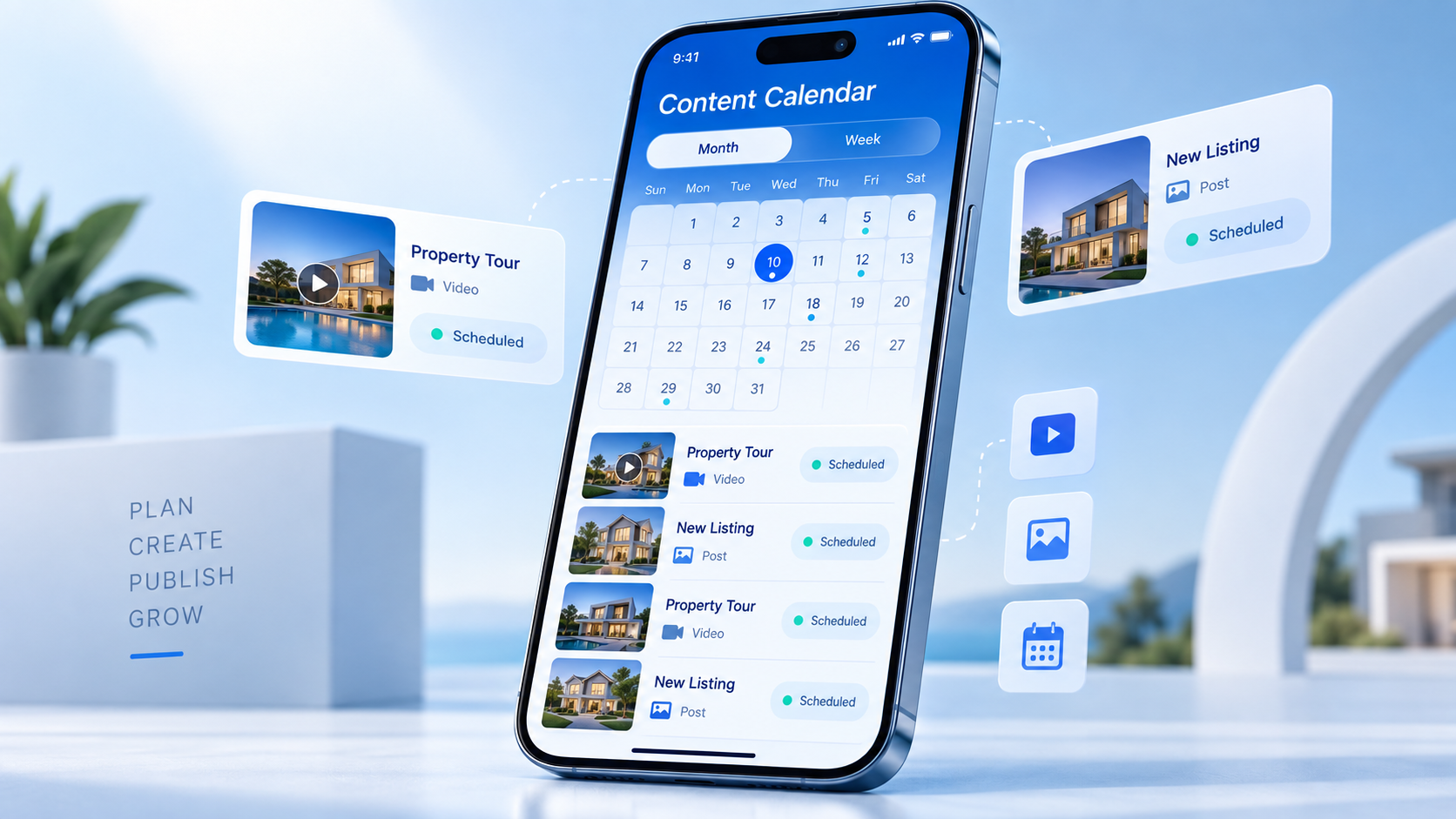
Monthly Real Estate Content Calendar Template
A monthly plan provides enough structure to coordinate campaigns without locking the team into content that may become outdated. Begin with fixed dates: open houses, listing launches, closings, community events, office milestones, holidays, and scheduled market reports. Then add evergreen educational themes and leave several flexible spaces for new inventory or timely developments.
A simple monthly framework can assign a strategic focus to each week:
- Week one: Market clarity. Publish a local data summary, explain one important trend, and answer a common question prompted by the numbers.
- Week two: Buyer support. Cover financing preparation, viewings, offers, inspections, appraisals, or closing costs.
- Week three: Seller support. Address pricing, preparation, photography, showings, negotiation, or evaluating offers.
- Week four: Community and credibility. Feature a local place, share a client story, introduce a team member, or document professional work behind the scenes.
Within that framework, use campaigns to give important properties more than one opportunity to reach the right audience. A listing campaign might begin with a teaser, continue with a complete tour, highlight one distinctive feature, answer questions from viewers, promote an open house, and conclude with a status update. Each post should add information rather than reposting the same images and caption.
Your monthly template should include fields for publication date, platform, content pillar, format, property or campaign, target audience, caption status, asset status, approval owner, call to action, destination link, and performance result. These fields turn a basic calendar into a production system. They also make delays visible before they disrupt a launch.
Plan approximately 70% to 80% of the month in advance and preserve the remaining capacity for responsive content. New listings, interest-rate announcements, weather issues, price changes, and community news cannot always be predicted. A calendar should provide control without making the account feel detached from current local conditions.

Content Pillars That Keep a Real Estate Feed Useful
Content pillars are recurring categories that make planning faster and ensure followers receive more than promotional messages. A strong social media calendar for real estate usually contains five to seven pillars. The exact mix should reflect the agent’s specialty, location, target clients, and sales cycle.
Listings and property opportunities
Include new listings, feature breakdowns, open-house invitations, construction updates, price changes, and appropriately labeled sold properties. Focus on details that affect decisions: layout, condition, outdoor space, storage, transport access, renovation potential, building amenities, and recurring costs. Use current information and update scheduled posts immediately when availability changes.
Buyer and seller education
Educational posts can answer questions people may hesitate to ask directly. Explain how pre-approval works, what sellers should prepare before photography, how contingencies affect an offer, or which documents clients may encounter. Keep the guidance general where regulations and financial circumstances vary, and encourage followers to consult qualified local professionals when necessary.
Local market interpretation
Market content should translate data into practical context. Compare active inventory, median prices, average market time, sale-to-list ratios, and transaction volume with relevant prior periods. Cite the source, define the geographic area, and avoid predicting guaranteed outcomes. Credibility grows when an agent explains uncertainty honestly.
Neighborhood expertise
Highlight public amenities, business districts, parks, transit routes, architectural details, development plans, and community events. Ask local businesses for permission before filming extensively on their premises, tag them accurately, and make the feature valuable to them as well. These posts can earn shares while reinforcing the agent’s connection to the area.
Proof and personality
Testimonials, transaction stories, negotiation lessons, professional development, and behind-the-scenes moments help followers understand how the agent works. Protect client confidentiality and obtain written permission before sharing identifiable details. When a client prefers privacy, turn the experience into an anonymous lesson instead of revealing the transaction.

How to Turn One Property into a Complete Content Campaign
A single property can supply multiple assets when production is planned before the shoot. Start with a content brief that identifies the ideal audience, the property’s most relevant features, potential objections, required disclosures, visual priorities, and campaign dates. This helps the photographer, videographer, agent, and editor capture everything during one coordinated visit.
Create a core asset package that includes wide horizontal photographs, vertical clips, exterior footage, detail shots, an agent introduction, a floor-plan graphic, and short answers to likely questions. Capture several neutral opening and closing clips so videos can be repurposed without sounding repetitive.
The resulting campaign could include:
- A short teaser focused on one visually striking feature.
- A detailed carousel with room-by-room information.
- A vertical walkthrough narrated by the agent.
- A post explaining who might value the layout or location.
- A Stories sequence with a question sticker.
- An open-house reminder with date, time, and access instructions.
- A follow-up video answering recurring questions.
- A final status update when the listing changes stage.
Adapt the editing and caption for each network. Instagram may prioritize strong visuals and saves, TikTok may reward an immediate narrative hook, Facebook can support local discussion and event promotion, while LinkedIn is useful for market commentary, development news, and professional case studies. Cross-platform planning does not mean publishing an identical package everywhere.
Build quality controls into the workflow. Confirm the address, price, status, specifications, open-house times, links, and required brokerage information before scheduling. Assign one person to perform the final check. A beautiful post containing outdated listing details can damage trust and create avoidable compliance problems.
Scheduling Tips for Agents and Real Estate Teams
Batching is the most effective way to maintain consistency without allowing social media to consume every workday. Set aside a monthly strategy session, one or two production blocks, and a weekly review. During the monthly session, select themes and campaigns. Use production blocks for filming, photography, design, and caption drafting. The weekly review handles changes, approvals, and engagement opportunities.
Schedule evergreen content in advance, but review time-sensitive posts close to publication. Property status, event times, market figures, and financing information may change quickly. Create a calendar field labeled “recheck required” for any post that depends on current conditions.
Timing should follow audience behavior rather than generic industry claims. Start with several reasonable time slots, then compare reach, watch time, saves, replies, link clicks, and qualified inquiries over at least four weeks. Separate results by platform and content type. The best time for a property tour may differ from the best time for a detailed market explanation.
Do not automate the relationship-building portion of social media. Scheduling tools can publish content, but agents should still respond to relevant comments and messages personally. Establish a daily engagement window, define who owns incoming inquiries, and set a response standard. Move conversations involving personal or financial information to an appropriate private channel.
For teams, use a clear approval sequence: subject-matter review, brand review, compliance review where needed, and final scheduling. Avoid sending assets through scattered message threads. Centralize the current caption, approved media, links, and revision history in the calendar so everyone works from the same version.
Choosing Real Estate Content Calendar Tools
The best real estate content calendar tools reduce administrative work and make responsibilities obvious. An individual agent may need only a simple calendar and publishing platform. A multi-office brokerage may require permissions, approval stages, shared asset libraries, analytics exports, and separate workspaces for different brands or locations.
Evaluate tools according to the workflow you actually use. Essential capabilities may include a visual calendar, multi-platform scheduling, draft collaboration, role-based approval, reusable templates, media storage, link tracking, comment management, and performance reporting. Mobile access is particularly useful for agents who capture content while touring properties or attending local events.
A real estate social media planner should also make rescheduling easy. Transactions move quickly, and a planned campaign may need to pause when a property goes under contract or an open house changes. Look for drag-and-drop editing, bulk adjustments, clear status labels, and the ability to update related posts without rebuilding the entire calendar.
Choose integrations carefully. Connections with cloud storage, design software, customer relationship management systems, and analytics platforms can save time, but more integrations do not automatically create a better process. Select tools that remove a documented bottleneck, and define which system is the authoritative source for property information.
Before committing, run a two-week test using real content. Invite the people responsible for writing, design, approval, scheduling, and reporting. Measure how quickly a post moves from idea to publication, whether reviewers can find the correct version, and how easily the team can react to a listing update. A practical trial is more informative than a long feature list.
How to Measure and Improve Your Calendar
A calendar becomes more valuable when it records results. Review performance monthly and compare content by pillar, format, platform, audience, and business objective. Avoid judging every post by likes. Saves can signal educational value, shares can expand local visibility, direct messages can reveal intent, and appointment requests can connect activity to revenue.
Use a compact set of metrics: reach, engagement rate, video retention, saves, shares, profile visits, link clicks, inquiries, and appointments. Add qualitative notes when a post produces a valuable conversation or exposes a repeated client question. Those notes often suggest better future topics than surface-level engagement totals.
Assess patterns across several posts rather than copying one unusually successful result. A high-performing luxury-home video may have benefited from exceptional visuals but attracted people outside your market. A modest first-time buyer checklist may produce fewer views yet generate qualified consultations. Evaluate performance against the intended goal.
At the end of each month, choose three actions: repeat one format that worked, improve one underperforming category, and stop one activity that consumed time without supporting a meaningful objective. Add the decisions to the next calendar. This creates a continuous improvement loop and keeps the plan aligned with the business.
Frequently Asked Questions
How far in advance should real estate social media content be planned?
Plan evergreen education, neighborhood features, and recurring market content two to four weeks ahead. Prepare listing campaigns as early as the property timeline allows, but recheck every time-sensitive detail before publication. Keep approximately 20% to 30% of the calendar flexible for new listings, market developments, and schedule changes.
How often should a real estate agent post on social media?
A sustainable starting point is three to five substantial feed posts per week, supported by Stories or lighter updates when relevant. Quality, consistency, and responsiveness matter more than daily posting. Select a pace that allows you to verify information, create useful content, and answer audience interactions promptly.
What should be included in a social media calendar for real estate?
Include the publication date, platform, content pillar, format, target audience, campaign or property, caption, media link, call to action, approval status, owner, and results. Add a recheck flag for listings, events, market statistics, and other information that may change before publication.
Can the same real estate content be used on every platform?
The central idea and source footage can be reused, but the presentation should be adapted. Adjust the opening hook, video length, crop, caption depth, call to action, and publishing time for each platform. This preserves production efficiency while respecting how audiences consume content on different networks.