
Social Media Calendar Tools: Best Options to Plan Your Posts
Effective social media calendar tools help you plan and schedule posts efficiently, boosting engagement and streamlining your content strategy.

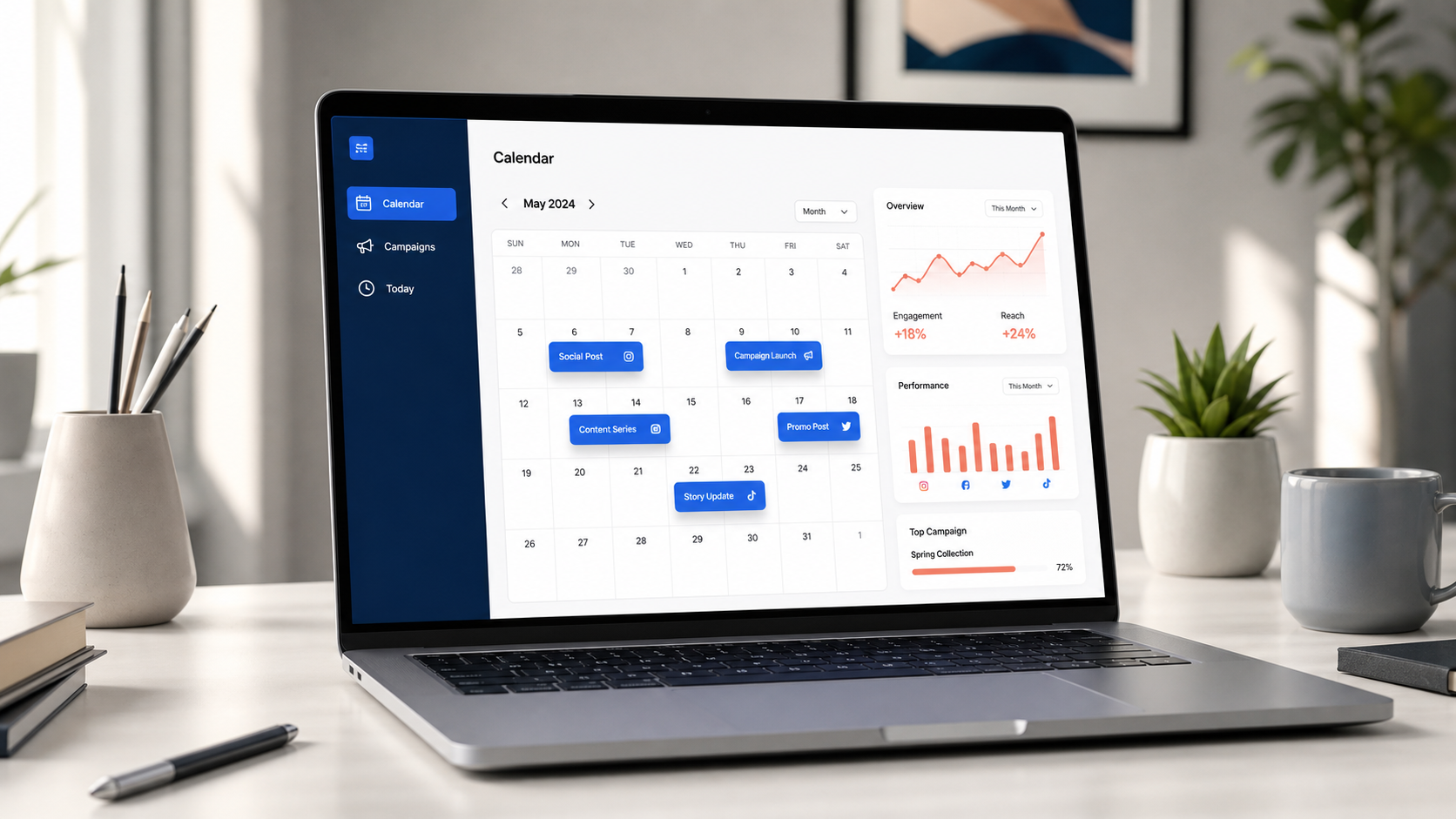
The best social media calendar tools help you organize ideas, coordinate campaigns, schedule posts and review performance from one reliable workspace. The right option depends on how many accounts you manage, whether posts require approval and how much automation your workflow needs. For many creators and small businesses, a straightforward scheduler is enough; agencies and larger marketing teams usually benefit from advanced permissions, collaboration and reporting.
What Is a Social Media Calendar Tool? | What to Look for in the Best Social Media Calendar Tools | Best Social Media Calendar Tools by Use Case | Quick Comparison: Which Tool Fits Your Workflow? | How to Build a Monthly Social Media Calendar | How to Turn a Calendar into a Reliable Scheduling System | Common Calendar Mistakes to Avoid | Frequently Asked Questions
What Is a Social Media Calendar Tool?
A social media calendar tool is software used to plan when, where and why content will be published. At its simplest, it displays upcoming posts by day, week or month. More capable platforms also store drafts, media, links, campaign labels, approval statuses and performance data.
This makes a calendar different from a basic to-do list. A task such as “publish a product video” does not tell the team which account to use, who owns the final edit, whether the caption has been approved or how the post supports a business goal. A structured calendar puts those details in one visible record.
There are three common categories of social media calendar tools:
- Planning tools such as Notion, Airtable and Trello organize ideas, briefs and production tasks but may require a separate publishing platform.
- Scheduling tools publish approved content automatically or send reminders when direct publishing is unavailable.
- Social media management suites combine planning, scheduling, approvals, engagement, listening and analytics.
The best choice is not necessarily the platform with the longest feature list. It is the one your team can use consistently without creating duplicate work. If every caption must still be copied between a spreadsheet, chat thread and scheduler, the system is not truly centralized.
What to Look for in the Best Social Media Calendar Tools
Begin by mapping your real publishing process. Count your brands, profiles, users and monthly posts. Then identify the stages that cause delays or mistakes. A solo creator may need fast scheduling and a visual feed preview, while an agency may care more about client approvals, account permissions and reporting.
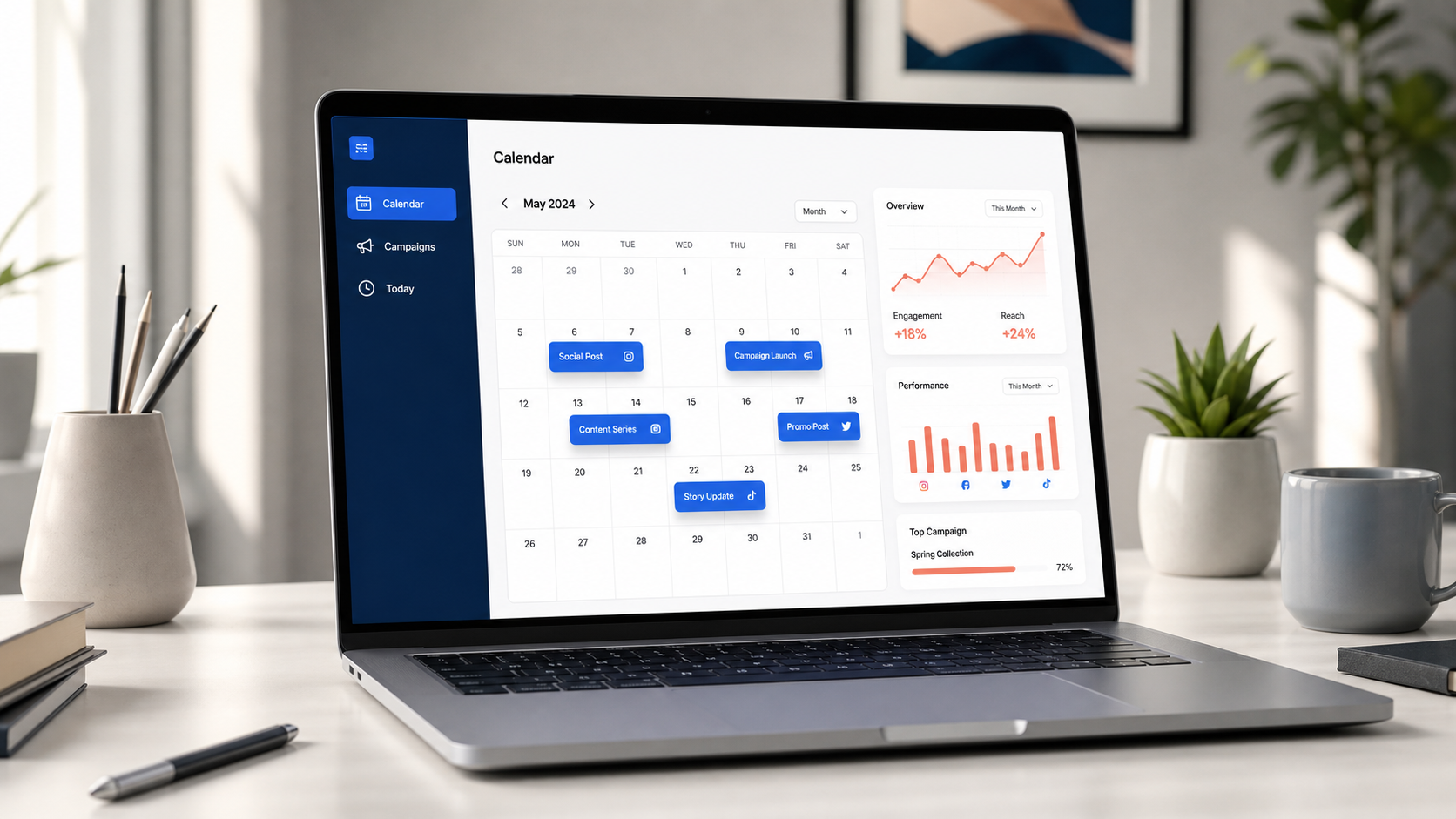
A useful monthly social media calendar should make the entire content mix easy to scan. Look for day, week and month views; filters for networks or campaigns; clear status labels; and drag-and-drop rescheduling. These features reveal gaps, crowded days and repetitive formats before they affect the audience.
Evaluate the following capabilities during a trial:
- Network support: Confirm that the tool supports every format you publish, not merely the social network itself. Reels, Stories, carousels, first comments and thumbnails may have different publishing rules.
- Reliable scheduling: Check time-zone controls, queue settings, recurring slots, bulk uploads and failure notifications.
- Content adaptation: A good composer should let you customize captions, mentions, media and publishing times for each network instead of forcing one identical post everywhere.
- Collaboration: Look for assignments, comments, version history, approvals and roles that restrict who can publish.
- Asset management: Teams need a searchable place for approved images, video, links and campaign materials.
- Analytics: Reporting should connect published posts with metrics that matter, such as reach, saves, clicks, leads or conversions.
- Usability: Test how many steps it takes to create, approve, move and duplicate a post. Small points of friction become expensive at scale.
Do not select software based on the advertised monthly price alone. Compare the cost for your actual number of users and social profiles, including approval, analytics or listening features that may only appear on higher plans. Platform capabilities and prices change, so verify current limits before committing annually.
Best Social Media Calendar Tools by Use Case
No single platform is best for every marketer. The following options cover common workflows, from lightweight publishing to enterprise collaboration.
SMMplanner: Best for Focused Content Scheduling
SMMplanner is a practical choice for marketers and creators who want to prepare posts in advance and keep routine publishing under control. Its scheduling-first approach is useful when the main objective is to batch content, maintain consistency and reduce manual posting.
Choose a focused scheduler when you do not need an oversized social management suite. Before adopting it, connect the profiles you use, test every priority format and run several non-critical posts through the full workflow. This confirms how media, captions, time zones and publishing notifications behave.
Buffer: Best for Solo Creators and Small Teams
Buffer is known for a relatively approachable publishing workflow. Its calendar can display content from one or several channels, making it suitable for creators and small businesses that want to move beyond manual posting without introducing a complex operating system.
It is especially useful for maintaining a repeatable queue and adapting posts across channels. Teams with sophisticated approval, listening or reporting requirements should compare its higher-tier capabilities with broader platforms. Review the current features in Buffer before choosing a plan.
Later: Best for Visual-First Brands
Later is a strong candidate for businesses whose planning begins with images and short-form video. Fashion, food, beauty, travel and lifestyle teams often benefit from seeing the visual sequence of content rather than working only from rows of text.
A feed preview can help balance colors, products, people and formats, but aesthetics should not replace strategy. Add campaign goals, calls to action and content pillars to the calendar so the brand does not produce a beautiful feed that fails to generate meaningful results.
Hootsuite: Best for Multi-Channel Management
Hootsuite combines an online social media calendar with broader publishing and management features. It is designed for teams coordinating several profiles and needing a consolidated view of scheduled activity. Its publishing platform includes planning and calendar functions, while broader plans may support workflows such as approvals, inbox management and reporting.
This breadth can be valuable for established teams, but buyers should determine which features they will use every week. Explore the current Hootsuite publishing tools and test the interface with a realistic campaign before purchasing.
Sprout Social: Best for Structured Marketing Teams
Sprout Social suits organizations that treat social media as a coordinated business function. Its collaborative calendar centralizes posts across profiles and can support drafts, queues, tagging, approvals and multi-profile publishing. These capabilities are useful when strategists, designers, community managers and stakeholders all contribute to the process.
The platform is most compelling when teams will use its wider management and reporting ecosystem, not just its calendar. Review Sprout Social’s calendar features and calculate the cost for every person who needs access.
Loomly: Best for Guided Campaign Workflows
Loomly is designed around content planning and collaboration. It can work well for teams that want briefs, post development and approval to happen around a shared calendar. Guided workflows are particularly helpful when contributors have different levels of social media experience.
During evaluation, check whether its approval logic matches your organization. A calendar should shorten review cycles, not reproduce a long email chain inside another interface.
Notion, Airtable or Trello: Best for Custom Editorial Planning
Flexible work-management platforms are useful when content production involves research, scripts, design requests, shoots and multiple deliverables. They let teams create custom fields, views and templates around their exact process.
The tradeoff is that they may not replace dedicated social media content scheduling tools. Many teams use one of these platforms as the editorial source of truth, then transfer approved posts to a scheduler. This can work well if ownership is explicit and automation prevents double entry.


Quick Comparison: Which Tool Fits Your Workflow?
| Tool | Best for | Primary strength | Consider before choosing |
|---|---|---|---|
| SMMplanner | Creators and practical scheduling workflows | Focused advance publishing | Test support for priority networks and formats |
| Buffer | Solo users and small teams | Accessible multi-channel scheduling | Advanced needs may require a higher plan |
| Later | Visual-first brands | Visual planning and feed organization | Ensure the workflow supports non-visual channels |
| Hootsuite | Multi-channel marketing teams | Broad management capabilities | Avoid paying for functions the team will not use |
| Sprout Social | Established and cross-functional teams | Collaboration, governance and reporting | Calculate the complete user and feature cost |
| Loomly | Campaign planning and approvals | Guided collaborative workflow | Confirm that approval stages match your process |
| Notion, Airtable or Trello | Custom content production systems | Flexible briefs, fields and views | May require a separate publishing tool |
Use this comparison as a shortlist, not a final verdict. Create the same five-post campaign in two or three candidates. Include a video, a carousel, a platform-specific caption, an approval request and a rescheduled post. The best social media calendar tools become obvious when tested against real work.
How to Build a Monthly Social Media Calendar
Creating a social media calendar starts with business priorities, not empty date boxes. Define what the month needs to achieve: product awareness, qualified traffic, event registrations, community growth, customer retention or another measurable outcome. Every campaign should have an owner and a primary metric.
Next, establish three to five content pillars. A software company might use education, customer stories, product guidance, industry opinion and company culture. A fitness creator might use technique, motivation, nutrition, client progress and personal experience. Pillars keep the calendar varied while making ideation faster.
Then map fixed dates: launches, events, promotions, reporting deadlines, holidays and recurring series. Add production lead time before each publishing date. A post scheduled for Friday may require a brief on Monday, footage on Tuesday, editing on Wednesday and approval on Thursday. Recording only the final publication date hides most of the work.
Build each calendar entry with a consistent set of fields:
- Publication date, time and time zone
- Social network and account
- Campaign and content pillar
- Format, hook and working caption
- Creative asset or production link
- Call to action and destination URL
- Owner, reviewer and approval status
- Tracking parameters and success metric
Finally, review the month as a whole. Check that promotional content is supported by educational, entertaining or community-oriented posts. Look for overused formats, duplicated messages and long gaps. Reserve some capacity for reactive content; a calendar should provide direction without preventing timely participation in relevant conversations.

How to Turn a Calendar into a Reliable Scheduling System
A calendar creates visibility, but operating rules create consistency. Establish clear statuses such as idea, briefed, in production, ready for review, approved, scheduled and published. Each status should have a precise meaning. If “approved” sometimes means the copy is approved but the video is not, errors will follow.
Assign one accountable owner to every post. Contributors can include writers, designers and subject-matter experts, but one person must be responsible for moving the item forward. Set review deadlines earlier than publishing deadlines so feedback does not become an emergency.
Batch similar work whenever possible. Research several posts together, write captions in one session and film multiple videos under the same setup. Social media content scheduling tools generate the greatest time savings when they support a batched production process rather than simply automating the final click.
Create reusable templates for recurring formats. A case-study template might require a customer problem, evidence, solution, result, quote, visual and call to action. Templates reduce forgotten details while leaving room for creative execution.
Use guardrails for automation. Confirm account names before bulk scheduling, review time zones and preview cropped media. Keep notifications enabled for failed posts. Automation removes repetitive effort, but it does not remove accountability.
Common Calendar Mistakes to Avoid
The first mistake is filling every date before defining the strategy. Publishing more often is not automatically better. A smaller number of purposeful posts can outperform a crowded calendar of generic material.
Another mistake is copying exactly the same post to every platform. The core idea may remain consistent, but the hook, length, format and call to action should match how people use each network. Build platform-level variants under one campaign entry to retain efficiency without ignoring context.
Teams also overplan. Locking every slot weeks in advance leaves no room for customer questions, cultural moments or new performance insights. Keep a portion of the schedule flexible and establish criteria for deciding when reactive content deserves priority.
Finally, many calendars stop at publication. Add a recurring review to examine results by pillar, format, channel and objective. Record actionable conclusions, such as “tutorial carousels generate more saves” or “customer videos drive higher-quality clicks.” Feed those lessons into the next monthly social media calendar.
Frequently Asked Questions
What is the best social media calendar tool?
The best tool is the one that matches your account count, content formats, approval process and reporting needs. SMMplanner or Buffer may suit straightforward scheduling, Later can support visual planning, and platforms such as Hootsuite or Sprout Social may be more appropriate for larger multi-channel teams. Test shortlisted tools with a real campaign before subscribing.
Can I create a social media calendar for free?
Yes. A spreadsheet, shared calendar, Trello board or free software tier can support a basic workflow. Free options are often sufficient for one creator or a small number of profiles. Paid software becomes more valuable when you need automatic publishing, higher scheduling limits, approvals, advanced analytics or several users.
What should an online social media calendar include?
At minimum, include the publication date, platform, account, content pillar, format, caption, creative asset, call to action, owner and status. Teams should also add campaign labels, approval details, destination links, tracking parameters and post-publication results.
How far in advance should social media posts be planned?
Plan strategic themes and major campaigns one to three months ahead, then finalize routine posts one to four weeks before publication. Keep flexible slots for timely topics and community responses. The ideal horizon depends on production complexity: a simple text post needs less lead time than a filmed campaign involving several stakeholders.