
Social Media Content Calendar and Planning Tools
Effective social media content calendar and planning tools help streamline posting schedules and boost engagement across all platforms efficiently.

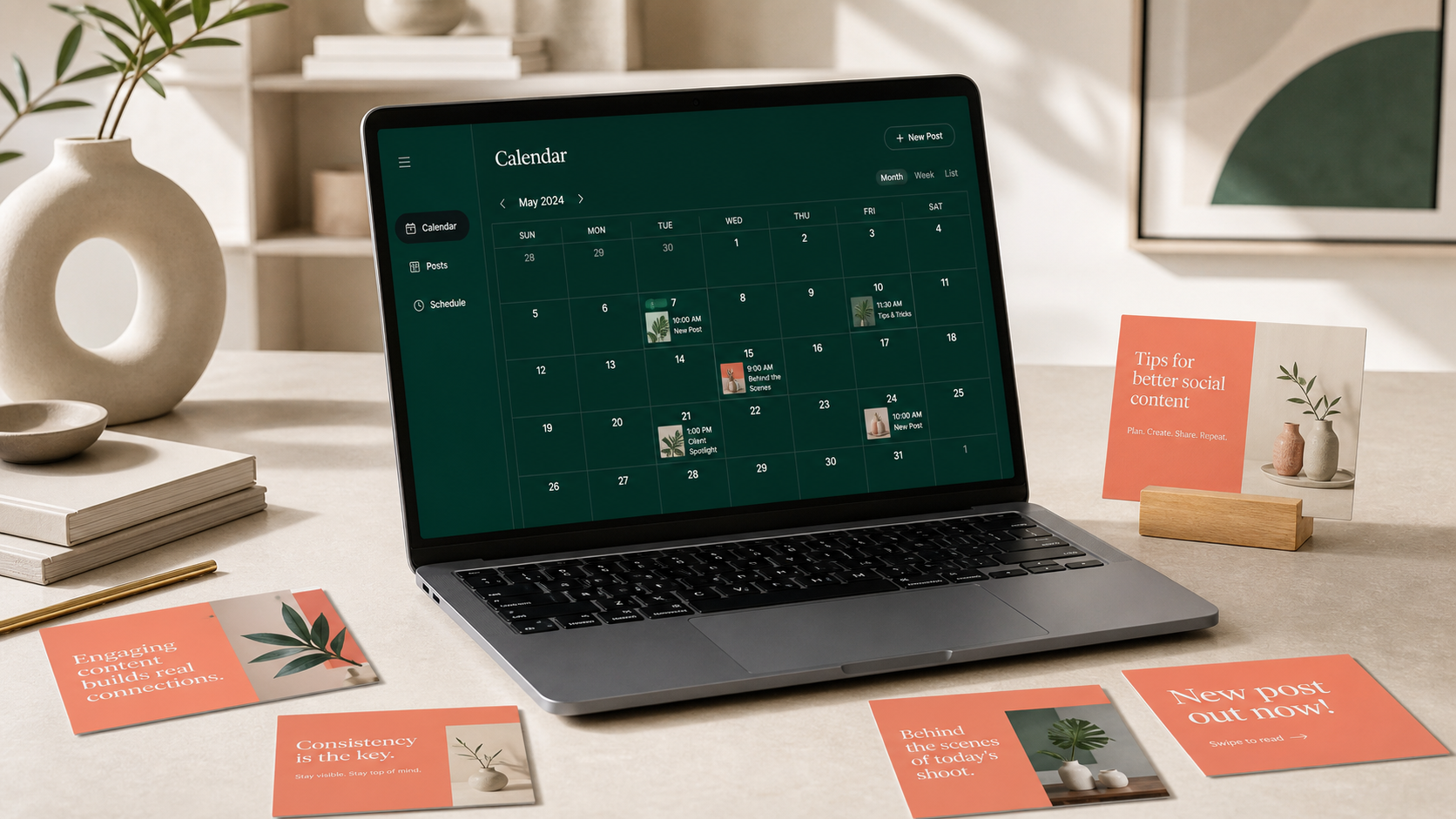
The best content calendar for social media gives your team one reliable place to plan campaigns, organize posts, coordinate approvals, and publish consistently. Whether you manage one creator account or dozens of brand profiles, an effective calendar connects strategy with daily execution: what you will publish, where it will appear, when it will go live, who owns it, and how success will be measured. This guide explains how to build that system, choose the right planning tools, and turn your calendar into a practical engine for better content.
What Is a Social Media Content Calendar? | What an Effective Calendar Should Include | How to Build a Practical Planning Workflow | How to Compare Social Media Calendar and Feed Planning Tools | How to Choose the Best Content Calendar for Social Media | Planning a Balanced Monthly Social Media Calendar | Using Performance Data to Improve Future Content | Common Content Planning Mistakes to Avoid | Frequently Asked Questions
What Is a Social Media Content Calendar?
A content calendar for social media is a visual schedule of upcoming posts across platforms such as Instagram, TikTok, LinkedIn, Facebook, Pinterest, YouTube, and X. At its simplest, it shows publication dates and post topics. A mature calendar also records formats, captions, creative assets, campaign goals, audience segments, approval status, links, tracking parameters, and performance results.
The calendar serves as the operational layer of your social media strategy. A strategy defines the audience, positioning, objectives, content pillars, and channel priorities. The calendar converts those decisions into specific deliverables. For example, a strategy might prioritize customer education and product discovery; the calendar turns that direction into a Monday tutorial Reel, a Wednesday carousel, a Friday customer story, and supporting Stories throughout the week.
A social media management calendar is especially valuable when several people contribute to content. Writers can see deadlines, designers can find creative briefs, managers can review drafts, and community specialists can prepare for launches. Instead of coordinating through scattered messages and files, everyone works from the same source of truth.
Consistency is another important benefit. Without a calendar, teams often alternate between rushed publishing and long periods of silence. Planning ahead creates a sustainable rhythm, protects time for higher-quality production, and makes it easier to balance promotional content with education, entertainment, conversation, and community building.
What an Effective Calendar Should Include
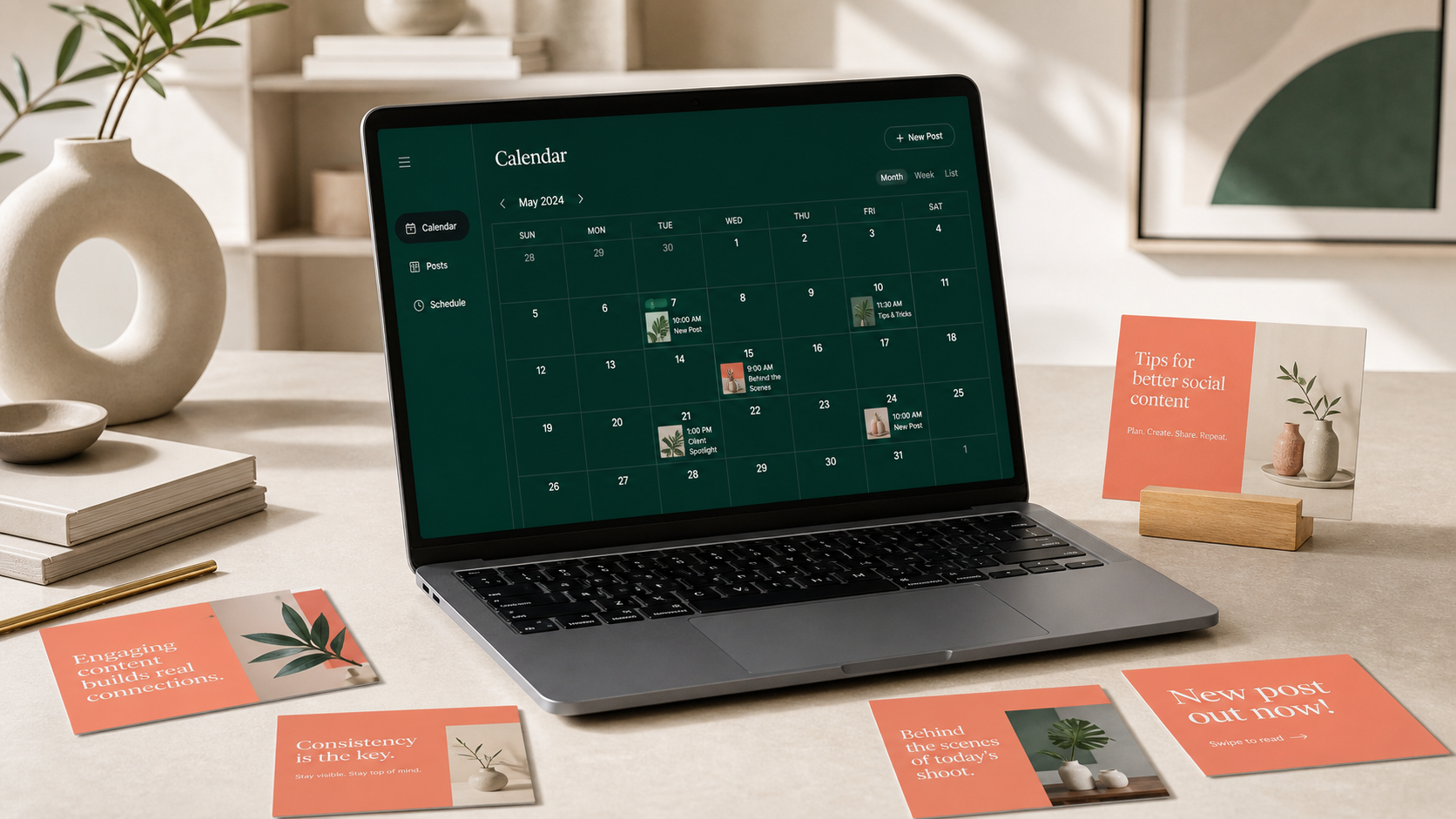
A useful calendar contains enough information to guide production without becoming an administrative burden. Begin with the essentials: publication date, time, platform, account, content pillar, format, topic, caption, asset link, owner, and workflow status. These fields answer the questions that most frequently delay publishing.
Add strategic context where it improves decisions. Record the objective of each post, such as awareness, engagement, traffic, lead generation, conversion, or retention. Include the intended audience segment and a call to action. This prevents the team from publishing attractive but directionless content and makes reviews more objective: a post can be evaluated against its purpose rather than personal preference.
Use clear workflow labels such as Idea, Briefed, In Production, Ready for Review, Approved, Scheduled, Published, and Repurpose. Assign one accountable owner at every stage. If multiple people appear to own a task, it often means nobody knows who should move it forward.
Your monthly social media calendar should also identify campaigns, launches, holidays, industry events, and recurring editorial series. Color-coding these categories helps reveal whether the month is balanced. If nearly every entry is a product promotion, the problem becomes visible before audience fatigue affects performance.
Finally, connect posts to their assets. Store the final image, video, thumbnail, subtitle file, caption, landing-page URL, and campaign parameters with the calendar entry. Consistent file naming—such as date, platform, campaign, and version—reduces the risk of publishing an outdated creative or sending traffic to the wrong page.
How to Build a Practical Planning Workflow
Start with goals, not empty calendar cells. Choose one or two primary business outcomes for the planning period, then identify the social behaviors that contribute to them. If the goal is qualified website traffic, useful indicators might include link clicks, landing-page sessions, saves, and profile visits. If the goal is community growth, prioritize meaningful comments, shares, direct-message conversations, and returning viewers.
Next, define three to six content pillars. These are repeatable themes that connect audience needs with brand expertise. A productivity software company might use workflow education, customer results, product demonstrations, workplace culture, and industry commentary. Pillars make ideation faster while preserving variety.
Build a realistic publishing cadence for each platform. Avoid copying the same frequency across every channel. A team may have the capacity for four weekly Instagram posts, two LinkedIn posts, and one YouTube video. Production capacity matters more than an arbitrary benchmark. A sustainable schedule executed for six months is more valuable than an aggressive schedule abandoned after three weeks.
Plan in layers. Map major campaigns quarterly, select themes and key dates monthly, finalize production weekly, and make small adjustments daily. This approach provides direction without locking the team into an inflexible schedule. Social media moves quickly, so reserve space for timely responses, trends, customer questions, and relevant industry news.
Batch related work to reduce context switching. Hold one focused ideation session, write several briefs together, record multiple short videos in one production block, and schedule approved posts in batches. A social media post organizer should make these batches easy to filter by owner, platform, campaign, or production stage.
End every weekly cycle with a short editorial review. Confirm that upcoming posts are accurate, on-brand, accessible, and technically ready. Check aspect ratios, safe zones, captions, subtitles, tags, links, disclosures, and calls to action. Then review recently published content and feed the lessons into the next planning cycle.

How to Compare Social Media Calendar and Feed Planning Tools
The right tool depends on workflow complexity, team size, publishing needs, and budget. Do not choose a platform solely because it has the longest feature list. Choose the simplest system that solves your recurring coordination problems and can grow with your operation.
| Tool category | Best for | Key strengths | Main limitation |
|---|---|---|---|
| Spreadsheet | Solo creators and small teams | Flexible, inexpensive, familiar, easy to customize | Limited visual preview, automation, and approval controls |
| Project management platform | Multi-step creative production | Strong ownership, dependencies, briefs, and status tracking | Publishing may require a separate tool |
| Dedicated social media calendar app | Brands managing several networks | Scheduling, previews, approvals, analytics, and account management | Costs can rise with users and profiles |
| Visual feed planner | Instagram-first brands and creators | Grid preview, aesthetic planning, drag-and-drop sequencing | May offer weaker campaign and cross-channel management |
| Enterprise social suite | Large or regulated organizations | Permissions, governance, listening, reporting, and audit trails | Higher price and implementation complexity |
When testing an online social media planner, evaluate the full path from idea to reporting. Can users capture ideas quickly? Can they attach creative assets and briefs? Are comments tied to the correct post? Can reviewers approve content without searching through messages? Does the publishing system support the formats and account types you actually use?
Visual accuracy matters for image-led channels. A social media feed planner should show how posts will appear together, not only as isolated thumbnails. Look for grid previews, cropping controls, cover selection, and mobile-friendly views. These features help creators protect visual continuity while still prioritizing the quality of each individual post.
Check collaboration and governance features carefully. Useful capabilities include role-based permissions, approval stages, version history, internal notes, client-facing views, and activity logs. Agencies may also need separate workspaces for each client, while global brands may require regional calendars and layered approvals.
Finally, assess analytics and data portability. A good planner should make it easy to compare results by channel, content pillar, format, campaign, and date range. You should also be able to export calendars and performance data. Your editorial history is a valuable business asset, so avoid systems that make it unnecessarily difficult to retrieve.


How to Choose the Best Content Calendar for Social Media
Begin by documenting your current bottlenecks. If posts are regularly late because assets arrive slowly, prioritize production tracking and deadline visibility. If incorrect versions get published, prioritize centralized assets and approvals. If the feed looks inconsistent, prioritize visual previews. If reporting consumes hours, prioritize automated analytics and exportable dashboards.
Create a shortlist using non-negotiable requirements rather than appealing extras. These requirements might include support for specific platforms, direct publishing, video scheduling, first-comment publishing, team approvals, client access, mobile use, analytics, and integrations with cloud storage or design tools.
Run a realistic trial with actual content. Import two weeks of planned posts, invite the people who will use the system, and move several pieces through the complete workflow. Test a carousel, short-form video, Story, link post, and evergreen reshare. A polished demonstration can hide friction that becomes obvious during daily use.
Measure adoption as well as functionality. The best content calendar for social media is one that the team consistently updates. If contributors return to private documents and chat messages, investigate why. The system may require too many fields, lack a convenient view, or force people to duplicate work.
Consider total cost rather than the headline subscription price. Include charges for additional users, social profiles, analytics history, approval workflows, storage, and premium integrations. Also estimate the time saved through batching, automated publishing, fewer revision cycles, and faster reporting. A paid tool can be economical if it prevents missed campaigns and reduces repetitive coordination.
Planning a Balanced Monthly Social Media Calendar
A strong month contains intentional variety. Start by placing immovable dates: product launches, webinars, promotions, events, partnerships, and seasonal moments. Then add recurring series and evergreen topics. Leave a portion of the calendar open for timely ideas and community-led content.
Balance content according to audience value, not a rigid universal ratio. Educational brands may emphasize tutorials and frameworks; entertainment accounts may emphasize participation and cultural relevance. Most calendars benefit from a mix of educational, inspirational, conversational, proof-based, community-focused, and promotional posts.
Map formats alongside themes. Repeating the same subject in different forms can increase reach without exhausting the idea. A research report might become a LinkedIn document, an Instagram carousel, a short expert video, a poll, a newsletter excerpt, and several quote graphics. This is strategic repurposing, not indiscriminate cross-posting.
Adapt every version to the channel. Adjust the hook, pacing, dimensions, caption structure, call to action, and creative conventions. A professional LinkedIn post should not automatically become an Instagram caption, and a TikTok opening may need more immediate movement than a YouTube introduction.
Review the month from the audience’s perspective. Are several sales messages clustered together? Are you repeatedly speaking to the same customer segment? Does the calendar answer real questions at different stages of the buying journey? A monthly review reveals gaps that are hard to notice while producing one post at a time.
Using Performance Data to Improve Future Content
A calendar becomes more valuable when it records what happened after publication. Add a reporting stage and capture results after a consistent measurement window. The appropriate window varies by platform and format, but consistent comparisons are more useful than checking every post at a random time.
Track metrics that match the post’s objective. Reach and video views help assess awareness. Saves, shares, comments, and completion rates reveal content resonance. Click-through rate, leads, purchases, and assisted conversions are more relevant to commercial outcomes. Avoid declaring a post successful because it generated likes when its purpose was to drive registrations.
Tag posts by pillar, format, campaign, creator, audience segment, and call to action. After several weeks, these labels allow useful comparisons. You may discover that customer demonstrations generate fewer impressions but more conversions, or that founder videos outperform polished animations for watch time and comments.
Use those patterns to form testable hypotheses. Instead of concluding that “video works,” specify that “short demonstrations showing the result in the first three seconds may increase completion rate among new viewers.” Schedule controlled variations in the next calendar and compare outcomes.
Do not optimize exclusively for historical winners. Repeating one format can create audience fatigue and limit learning. Reserve a modest portion of the calendar for experiments involving new hooks, formats, topics, posting times, collaborations, and creative styles. The calendar should preserve operational consistency while making structured experimentation possible.
Common Content Planning Mistakes to Avoid
Overplanning is one of the most frequent mistakes. Filling every slot months ahead may create a reassuring sense of control, but it leaves no room for audience feedback or changing circumstances. Lock major campaigns early and keep flexible spaces for responsive content.
Another mistake is treating the calendar as a publishing timetable instead of a production system. A date alone does not ensure that the concept, copy, design, review, and scheduling will happen. Work backward from publication dates and assign internal deadlines for each stage.
Teams also create unnecessary complexity by tracking too many fields. Every field should support a decision, handoff, or report. If information is never used, remove it. A lightweight calendar maintained accurately is more useful than a sophisticated template everyone avoids.
Ignoring platform context is equally risky. Automated cross-posting can save time, but identical execution may produce awkward crops, truncated copy, unsupported links, or calls to action that do not match the platform. Use automation for efficiency while preserving channel-specific quality control.
Finally, avoid separating planning from performance. If reporting lives in an unrelated document, lessons rarely reach the next briefing session. Bring results back into the social media management calendar so the team can see which decisions produced meaningful outcomes.
Frequently Asked Questions
What is the best content calendar for social media?
The best option is the tool your team can maintain consistently while supporting its real workflow. Solo creators may work efficiently with a spreadsheet or visual planner. Growing teams usually benefit from a social media calendar app with approvals, asset attachments, direct scheduling, and analytics. Test shortlisted tools with real posts before committing.
How far ahead should social media content be planned?
Plan major campaigns one to three months ahead, build the detailed monthly calendar several weeks in advance, and finalize production weekly. Keep some capacity open for trends, news, customer conversations, and performance-driven adjustments. The ideal planning horizon balances preparation with flexibility.
What should a social media post organizer include?
At minimum, include the publication date, platform, content pillar, format, topic, caption, creative link, owner, status, and objective. Teams may also need audience segments, campaign tags, approval notes, tracking URLs, accessibility checks, and performance metrics.
Can one calendar manage multiple social media platforms?
Yes. A centralized calendar can coordinate campaigns across multiple networks while preserving platform-specific versions. Use filters or separate views for each channel, and create distinct captions, formats, posting times, and calls to action where necessary. Centralized planning should improve consistency without forcing identical content everywhere.