
Social Media Content Management Tools: Central Hub for Scheduling and Beyond
Social media content management tools streamline scheduling and organization, serving as a central hub to boost efficiency and maintain consistent posting.


Social media content management tools give marketers, SMM specialists, creators, and businesses one central hub for planning, producing, approving, publishing, and analyzing content across multiple platforms. Instead of juggling spreadsheets, shared folders, messaging apps, and native publishing interfaces, teams can use a single system to manage the entire content lifecycle. The right platform does more than schedule posts: it improves collaboration, protects brand consistency, reveals performance trends, and turns social media activity into a repeatable marketing operation.
What Are Social Media Content Management Tools? | Core Features That Turn Scheduling Into Content Operations | How to Build an Effective Multi-Platform Workflow | Choosing the Right Social Media Management Scheduler | Using Automation Without Making Content Feel Automated | Measuring Performance and Improving Your Content System | Common Mistakes to Avoid | Frequently Asked Questions
What Are Social Media Content Management Tools?
Social media content management tools are platforms designed to organize and control the work involved in running one or more social accounts. Their capabilities typically include a visual content calendar, post scheduling, media storage, collaboration workflows, publishing controls, analytics, and account management. More advanced products may also provide social listening, inbox management, automated reporting, competitor monitoring, content suggestions, and integrations with design or customer relationship management systems.
The main value of these tools is centralization. A marketing team might otherwise store ideas in a spreadsheet, creative assets in cloud folders, feedback in email threads, and publishing dates in individual calendars. That fragmented workflow creates avoidable delays and makes it difficult to identify the current version of a post. A centralized platform connects the brief, caption, visual, approval status, publishing time, and performance data.
A social media management scheduler is one part of this broader system. It handles when and where content is published, while the full management platform supports what happens before and after publication. This distinction matters when evaluating products: a simple scheduler may be sufficient for an individual creator, but a growing business usually needs collaboration, reporting, permission management, and asset organization as well.
The category serves a wide range of users. Freelancers can coordinate content across client accounts. In-house teams can manage brand campaigns and approvals. Agencies can separate workspaces by client. Creators can batch content and maintain a consistent publishing rhythm without being online throughout the day. The ideal tool depends on workflow complexity, team size, platform mix, and reporting requirements.

Core Features That Turn Scheduling Into Content Operations
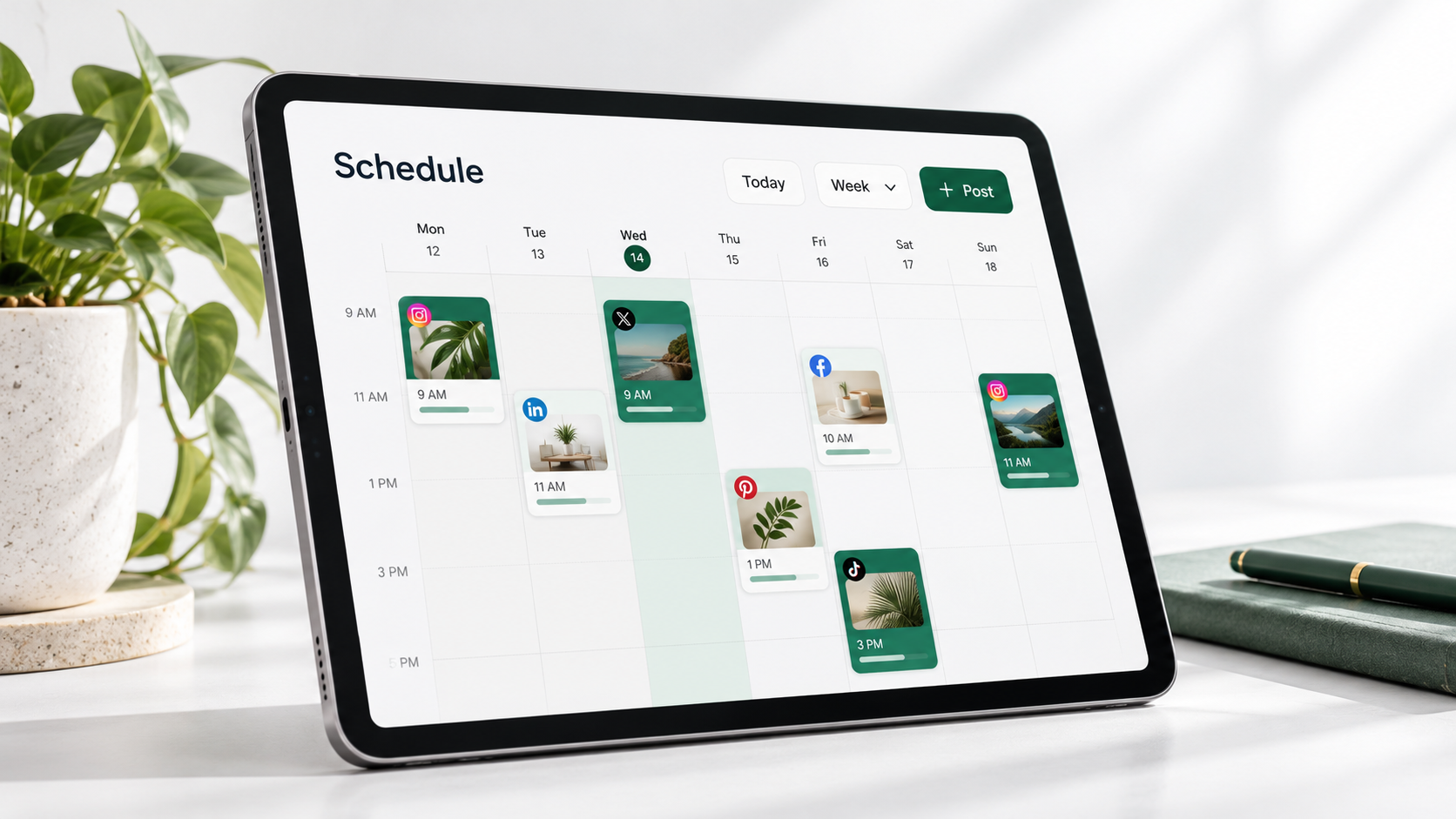
Scheduling is the foundation of most social media management tools, but operational value comes from the features surrounding it. A capable calendar should display scheduled, drafted, pending, failed, and published posts in a format that makes gaps and conflicts immediately visible. Drag-and-drop rescheduling is especially useful when priorities change or a campaign must be paused.
Multi-platform publishing allows users to prepare posts for Instagram, Facebook, LinkedIn, TikTok, Pinterest, X, and other supported networks from a single interface. However, effective cross-platform management should not mean publishing an identical post everywhere. Strong tools let marketers customize captions, media formats, hashtags, mentions, links, and publishing times for each network while keeping the posts connected to one campaign.
A shared content library is another essential feature. It should make approved photos, videos, templates, logos, and brand resources easy to locate through folders, tags, or search. Version control is valuable when multiple people edit creative assets. Without it, an outdated visual or incorrect logo can reach the publishing queue even when the caption has been approved.
Collaboration features transform the platform into a working environment rather than a posting utility. Look for comments, assignments, approval stages, status labels, change histories, and notifications. Teams should be able to distinguish between an idea, a draft, a post awaiting legal review, and content ready to publish. Clear statuses reduce the need for repeated check-ins and prevent unfinished work from going live.
Analytics complete the content loop. Useful reporting goes beyond totals and shows patterns across post formats, publishing times, topics, campaigns, and platforms. The tool should help answer practical questions: Which short-form videos generate profile visits? Which LinkedIn topics drive qualified clicks? Which publishing windows produce meaningful engagement rather than empty impressions?
- Content calendar: Provides a complete view of campaigns, posting frequency, and open dates.
- Platform-specific editing: Adapts each post to the conventions and technical requirements of its destination.
- Approval workflows: Establishes accountability before content reaches the publishing queue.
- Asset management: Keeps brand-approved creative materials accessible and organized.
- Analytics and reporting: Connects publishing decisions with measurable results.
- Permissions: Controls who can draft, approve, publish, or access sensitive accounts.
How to Build an Effective Multi-Platform Workflow
A tool produces better results when it supports a clearly defined process. Begin by establishing content pillars: the recurring themes that connect audience interests with business goals. A software brand, for example, might use education, product guidance, customer stories, industry commentary, and company culture. These pillars make planning faster and help prevent a feed from becoming repetitive or excessively promotional.
Next, create a master calendar around campaigns, launches, seasonal moments, events, and evergreen topics. Treat the calendar as a strategic map rather than a list of empty publishing slots. Each scheduled post should have a purpose, such as increasing awareness, encouraging engagement, supporting consideration, generating traffic, or retaining existing customers.
Build content in batches where possible. A creator might record several short videos during one production session, while a marketing team might prepare a month of educational carousels from one research project. Batch production reduces setup time and makes it easier to maintain visual and editorial consistency. Assets can then be stored in the management tool and assigned to specific channels and dates.
Adapt the content for each platform. A single campaign idea could become a concise Instagram Reel, a detailed LinkedIn document post, a TikTok tutorial, and a Pinterest graphic. The central message remains consistent, but the hook, pacing, format, and call to action should reflect how people consume content on each network. Social media management scheduler tools are most useful when they make these adaptations easy to create and compare.
Introduce a review process that matches the risk of the content. Routine evergreen posts may need only one editor, while product claims, partnership announcements, or regulated topics may require additional review. Avoid making every post pass through an unnecessarily complex chain. The objective is reliable quality control without turning approvals into a bottleneck.
Finally, schedule a regular optimization session. Review results weekly for immediate operational insights and monthly for broader patterns. Record what changed and why. If a new publishing time, format, or call to action improves performance, document the finding so that it becomes part of the team’s working knowledge rather than an isolated observation.


Choosing the Right Social Media Management Scheduler
Start with workflow requirements, not the longest feature list. Document the number of brands, users, accounts, and platforms you need to manage. Identify who creates content, who approves it, and who needs access to reports. A platform that works well for one creator may become restrictive when an agency adds multiple clients and reviewers.
Check platform support carefully. A vendor may claim multi-platform publishing while limiting certain post formats, tagging options, first comments, thumbnails, collaboration features, or analytics. Test the exact formats you use, including carousels, Stories, short-form video, PDFs, location tags, and platform-specific links. Social networks change their APIs and publishing rules, so current compatibility matters more than an old comparison chart.
Evaluate usability with a real campaign during the trial period. Add actual assets, invite a colleague, request an approval, customize posts for several networks, and generate a report. This exposes friction that a product demonstration may not reveal. Count how many manual steps remain outside the system and whether the tool genuinely creates a central source of truth.
Pricing should be assessed against the complete operating model. Some products charge by user, social profile, workspace, scheduled post volume, or advanced feature tier. Calculate the likely cost after adding clients, accounts, and collaborators. Also consider the cost of missing features: a cheaper scheduler may be less economical if the team still needs separate reporting, storage, and approval software.
Security and governance deserve particular attention. Look for two-factor authentication, role-based access, audit history, secure credential handling, and a reliable process for removing former employees or contractors. Agencies should verify that client workspaces and reports can be separated. Larger organizations may also need single sign-on, compliance documentation, and structured data retention.
Customer support, onboarding resources, and product reliability should influence the decision as well. Failed posts can disrupt time-sensitive campaigns, so investigate how the tool reports errors and whether users receive actionable notifications. A responsive support team is especially important when a platform connection expires or a network changes its publishing requirements.
Using Automation Without Making Content Feel Automated
Automation should remove repetitive administration while preserving human judgment. Good uses include queueing approved posts, resizing common formats, recycling suitable evergreen content, assigning review tasks, generating tracking parameters, and delivering performance reports. These functions save time without compromising the relevance or personality of the message.
Avoid using automation as a substitute for audience awareness. A scheduled promotional post can appear careless during a breaking event, public crisis, or sudden change in community sentiment. Assign someone to monitor the publishing queue and pause content when context changes. A central dashboard makes this easier because upcoming posts can be reviewed and adjusted in one place.
Templates can accelerate production, but they should provide structure rather than sameness. Create frameworks for recurring series, campaign briefs, caption patterns, and visual layouts while leaving room for fresh examples and platform-native language. Repeated formats can strengthen recognition; repeated ideas will create fatigue.
Automated content recommendations and AI-assisted writing can support brainstorming, repurposing, and editing. Human review remains essential for accuracy, tone, originality, and brand fit. Before approving an assisted draft, confirm every claim, remove generic phrasing, and add insight that comes from genuine customer knowledge or practical experience.
Community interactions require even more care. Saved replies can help answer recurring logistical questions, but complaints, nuanced requests, and emotionally charged comments should be handled personally. The best management system helps teams identify and route these conversations without making the audience feel as though it is speaking to a queue.
Measuring Performance and Improving Your Content System
Measurement should begin with objectives. Awareness campaigns may focus on qualified reach, video completion, and branded search. Engagement programs may prioritize meaningful comments, shares, saves, and community participation. Conversion campaigns may track landing-page visits, leads, assisted conversions, or sales. Selecting metrics based on the objective prevents teams from treating every high-impression post as a success.
Use consistent campaign tags and naming conventions so results can be compared accurately. Posts related to the same launch should share a recognizable campaign label inside the tool. Links should use structured tracking parameters where appropriate. This makes it easier to combine social analytics with website and conversion data.
Compare content across several dimensions, including format, topic, hook, audience segment, platform, publishing time, and call to action. Change one or two meaningful variables at a time so conclusions remain useful. If the topic, visual style, caption length, and timing all change together, it becomes difficult to identify what produced the result.
Do not evaluate performance solely at the individual-post level. A content series may need several installments before audiences recognize and anticipate it. Likewise, educational posts can contribute to trust even when they do not immediately generate conversions. Review both post-level signals and longer-term account trends, such as follower quality, returning viewers, profile actions, and conversion rate.
Create a concise reporting rhythm. Weekly reviews should surface publishing issues, unexpected winners, and timely opportunities. Monthly reviews should assess content pillars, format performance, and campaign progress. Quarterly reviews can guide larger decisions about channels, resources, tools, and creative strategy. Reports should end with actions, not merely charts.
Common Mistakes to Avoid
The first common mistake is selecting a platform before documenting the workflow. Teams can be drawn to sophisticated features that do not address their actual constraints. Define the publishing process, approval needs, reporting expectations, and account structure first; then evaluate which social media content management tools support them.
Another mistake is posting identical content to every network. Centralized scheduling makes duplication easy, but convenience should not override audience context. Adapt the format and message while maintaining a consistent campaign idea. This approach balances efficiency with platform relevance.
Teams also underestimate the importance of ownership. Every calendar, draft, and approval stage should have a responsible person. A tool can display an overdue task, but it cannot resolve ambiguous accountability. Assign owners for strategy, production, review, publishing, community management, and reporting.
Over-scheduling is equally risky. Filling every available slot can make the calendar look productive while reducing quality and responsiveness. Reserve space for timely posts, community insights, user-generated content, and emerging conversations. A flexible plan is more resilient than a calendar packed weeks in advance with no room to adapt.
Finally, avoid collecting analytics without converting them into decisions. A report that lists reach and engagement but changes nothing is administrative output, not marketing intelligence. Each review should identify what to continue, what to stop, what to test, and who will implement the next step.
Frequently Asked Questions
What is the difference between a social media scheduler and a content management tool?
A scheduler primarily prepares and publishes posts at predetermined times. A content management tool covers a wider workflow, including ideation, asset organization, collaboration, approvals, publishing, analytics, and sometimes social listening or inbox management. Many modern platforms combine both functions, but the depth of their management features varies.
Can one tool manage every social media platform?
Many tools support several major networks, but feature availability differs by platform and post type. Before choosing a product, verify support for the specific accounts, formats, tags, publishing options, and analytics your strategy requires. Native platform tools may still be necessary for certain features or emerging formats.
How far in advance should social media content be scheduled?
Evergreen and campaign content can often be prepared two to four weeks ahead, while timely or community-led content should remain flexible. The best timeframe depends on approval complexity, production capacity, and industry sensitivity. Review the queue at least weekly and pause or revise posts when external circumstances change.
Are social media management scheduler tools worth the cost for small businesses?
They are often worthwhile when a business manages multiple accounts, publishes consistently, or spends significant time coordinating content manually. The strongest return comes from reduced administrative work, fewer publishing errors, better consistency, and clearer performance insights. A small business should choose a plan matched to its current workflow rather than paying for enterprise features it will not use.