
Top-Rated Social Media Planner Apps for 2026
Top-rated social media planner apps for 2026 help streamline content scheduling and boost engagement across platforms with user-friendly features.


The best social media planner for 2026 is the one that turns strategy, production, approval, publishing and performance analysis into a repeatable workflow. Buffer is an accessible choice for individual creators, Later excels at visual content planning, Planable makes approvals easier, Metricool combines scheduling with practical analytics, SocialBee supports evergreen content, and Sprout Social offers sophisticated controls for larger organizations. SMMplanner is particularly useful for marketers who want straightforward scheduling and dependable publishing without an unnecessarily complex workspace.
What Makes a Social Media Planner Worth Using in 2026? | The Top Social Media Planners at a Glance | SMMplanner: Best for Focused, Efficient Scheduling | Buffer: Best for Simplicity and Flexible Multi-Channel Publishing | Later: Best for Visual Brands and Creator-Led Campaigns | Planable and Metricool: Strong Choices for Collaboration and Measurement | SocialBee and Sprout Social: Best for Evergreen Systems and Enterprise Control | How to Choose the Best Social Media Planner for Your Workflow | A Practical Planning System for Any App | Frequently Asked Questions
What Makes a Social Media Planner Worth Using in 2026?
A modern planner must do more than place posts on a calendar. Marketing teams now manage short-form video, carousels, stories, text updates, community content and platform-specific creative. An effective tool should help users see how these pieces support a campaign while preserving the differences between Instagram, TikTok, LinkedIn, Facebook, Pinterest, YouTube and other active channels.
Start with publishing reliability. Confirm that the tool supports your required networks, account types and post formats. “Supports Instagram,” for example, does not necessarily mean that every Reel, Story, collaborator tag, product tag or audio workflow can be published automatically. Platform APIs impose limitations, and some posts may still require a mobile notification or final manual step.
The next priority is planning visibility. Look for weekly and monthly calendars, campaign labels, filters, drafts, unscheduled-post storage and drag-and-drop rescheduling. A calendar should reveal content gaps and campaign conflicts at a glance. If it merely displays a queue without showing themes, channels or approval status, it is a scheduler rather than a complete planning system.
Collaboration becomes important as soon as more than one person touches a post. Comments, version history, approval stages, role-based permissions and shareable previews reduce the risk of publishing an outdated caption or unapproved asset. Agencies should also check whether clients can review content without purchasing full user seats.
Finally, evaluate analytics in relation to decisions. A useful planner should help answer which topic, format, channel and publishing time produced the desired result. Large dashboards are less valuable than reports that reveal what the team should repeat, revise or stop. AI assistance can speed up caption variations and idea generation, but it should support a clear editorial strategy rather than fill the calendar with generic posts.

The Top Social Media Planners at a Glance
There is no universal winner because a solo creator and a multinational brand have very different publishing risks. Use the following shortlist to identify the strongest match, then test the tool with a real campaign before committing to a long-term plan.
| Planner | Best for | Notable strength | Primary consideration |
|---|---|---|---|
| SMMplanner | Creators, freelancers and practical marketing teams | Focused scheduling and straightforward publishing workflows | Confirm the exact networks and formats required by your strategy |
| Buffer | Solo marketers and small businesses | Approachable interface and flexible channel-based setup | Advanced teamwork and analysis may require a higher tier |
| Later | Visual brands and creator-led businesses | Visual planning, media organization and mobile-friendly creation | Less visual campaigns may not use its strongest features |
| Planable | Agencies and approval-heavy teams | Clear previews, feedback and structured approvals | Reporting requirements should be assessed separately |
| Metricool | Performance-focused marketers | Planning, analytics and reporting in one workspace | Review plan limits across brands and profiles |
| SocialBee | Small businesses with evergreen libraries | Content categories and recycling workflows | Recurring content needs active quality control |
| Sprout Social | Established teams and complex organizations | Governance, collaboration, engagement and reporting | Its broader feature set may exceed a small team’s needs |
Build a shortlist of two or three products rather than comparing every feature on the market. The strongest social media planning apps are not necessarily those with the longest feature lists; they are the ones your team can operate consistently under deadline pressure.
Test each candidate by planning one representative week. Include a video, a carousel, a platform-specific caption, an approval request, a late asset replacement and a rescheduled post. This exercise exposes workflow friction that a polished product tour rarely reveals.
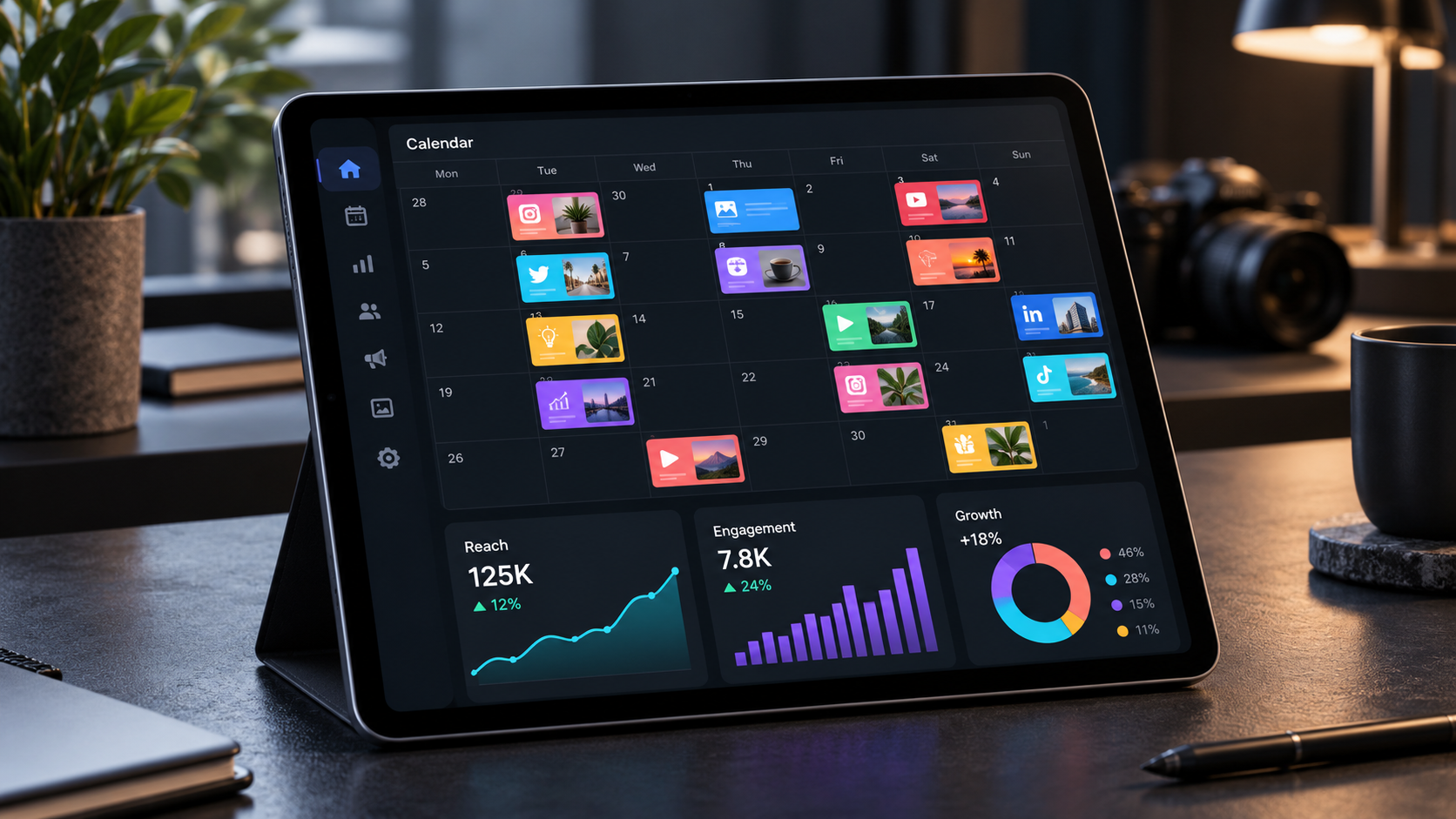
SMMplanner: Best for Focused, Efficient Scheduling
SMMplanner is a practical option for marketers who primarily need to prepare content in advance and maintain a reliable publishing rhythm. Its focused approach is valuable when a sprawling enterprise platform would introduce more administration than benefit. Freelancers, creators and small marketing teams can use it to move recurring publishing work out of native platform interfaces and into a more orderly process.
The platform is especially relevant when the operational problem is inconsistency. Instead of interrupting each workday to publish manually, a marketer can batch captions and media, assign publication times and review the upcoming schedule as a whole. That supports better campaign pacing and makes it easier to balance promotional, educational, community and entertaining content.
To get the most from SMMplanner, build campaigns before individual posts. Define the objective, audience segment, offer, core message and success metric first. Then create a sequence containing an attention post, educational proof, a conversion-oriented post and a follow-up. Scheduling a connected narrative is more effective than filling isolated calendar slots.
As with any socialmedia planner, check current support for your account types and preferred formats before migrating the entire workflow. Run a pilot with one brand, inspect every published post and document any features that require a native-platform finish. This simple validation step prevents surprises during a major launch.
Buffer: Best for Simplicity and Flexible Multi-Channel Publishing
Buffer remains one of the most approachable options for creators, consultants and small businesses. Its composer, queues and calendar reduce the learning curve for users who want to start scheduling quickly. Marketers can prepare tailored versions of a message for different networks instead of copying identical text everywhere.
The platform is a strong fit for lean teams because the workflow is easy to explain and repeat. A content lead can set posting slots, organize connected channels and establish a consistent cadence without building a complicated operating system. Calendar views also make it easier to identify crowded days or neglected channels.
Buffer is most effective when the team values clarity over deep enterprise governance. It offers planning and performance tools, but organizations with extensive legal reviews, granular permissions or advanced social listening should compare those requirements carefully. Evaluate the total cost using the number of channels and collaborators you actually need, not merely the entry-level offer.
A useful Buffer workflow is to create one core idea, adapt it for each selected channel and then review the complete week for repetition. Change the hook, media crop, call to action and level of detail according to the platform. Cross-channel efficiency should never mean publishing a context-free duplicate.

Later: Best for Visual Brands and Creator-Led Campaigns
Later is a natural candidate for marketers whose calendars are built around images and short-form video. Its visual orientation helps fashion, food, travel, beauty, retail and lifestyle brands see how upcoming assets work together. A visual Instagram planner, media library and calendar-based publishing workflow make it easier to move from a folder of raw assets to a coherent feed.
Its media organization features are particularly valuable when a brand produces content in batches. Teams can upload assets, apply organizational labels and reuse approved material without searching through message threads or personal drives. Best-time recommendations can provide a starting point for scheduling, although teams should validate those suggestions against campaign goals and their own performance data.
Later also suits creators who capture content on a phone and need to continue the workflow on desktop. However, teams should not select it solely because their primary network is visual. Test whether its approval, reporting and account-management structure matches the wider business, especially when multiple brands or external clients are involved.
Use Later’s visual strengths to plan variety, not simply aesthetics. Review whether successive posts vary in subject, framing, format and purpose. An attractive grid can still underperform if every post makes the same claim or ignores the audience’s questions.

Planable and Metricool: Strong Choices for Collaboration and Measurement
Planable deserves attention from agencies and internal teams that lose time in approval chains. Its central value is making planned content easy to preview, discuss and approve. Stakeholders can evaluate how a post will appear rather than deciphering captions and filenames inside a spreadsheet. This reduces ambiguous feedback and helps teams establish a visible record of decisions.
Planable is particularly useful when content passes through writers, designers, account managers, brand owners and compliance reviewers. Define approval stages before inviting everyone into the workspace. Too many mandatory reviewers can reproduce email bottlenecks inside a better-looking interface, so give final approval authority to the smallest sensible group.
Metricool is compelling for marketers who want publishing and measurement closer together. It combines calendar planning with competitor monitoring, account analytics and reports, helping users connect execution with performance. This makes it useful for consultants and agencies that need to explain results to clients without manually assembling every chart.
Use Metricool to create a recurring review habit. At the end of each campaign, compare results by objective and content type rather than ranking posts by likes alone. A product post may be judged by qualified clicks, a tutorial by saves or watch time, and a community post by substantive replies. The right planner should make these distinctions easier to see.
SocialBee and Sprout Social: Best for Evergreen Systems and Enterprise Control
SocialBee stands out for category-based scheduling and evergreen content management. A small business can define categories such as tutorials, customer stories, offers, industry commentary and company culture, then assign each category to appropriate calendar slots. This creates a balanced publishing structure while reducing the weekly burden of starting from nothing.
Evergreen recycling must be managed responsibly. Review recurring posts for outdated claims, expired links, seasonal references and audience fatigue. Establish expiration dates for promotional material and refresh strong posts with new creative or evidence. Automation should preserve relevance, not turn a brand account into a visible loop.
Sprout Social is better suited to organizations that need structured governance alongside publishing. Its calendar, approval workflows, asset management, permissions, reporting and engagement capabilities support departments with numerous profiles and stakeholders. Calendar sharing and multiple viewing options can also make campaign status easier to communicate outside the social team.
The tradeoff is scale. A small operation may pay for capabilities it rarely uses or spend more time configuring workflows than creating content. Sprout becomes more persuasive when approval risk, reporting complexity and cross-team coordination already create measurable costs. Calculate the hours currently lost to manual reporting, duplicated responses and unclear ownership before deciding whether an enterprise platform will deliver a return.
How to Choose the Best Social Media Planner for Your Workflow
Begin with a requirements sheet based on work your team performs every week. List active profiles, required post formats, monthly publishing volume, number of users, approval stages, asset sources and reporting obligations. Mark each requirement as essential, useful or optional. This prevents an impressive demonstration from distracting you with features that do not solve an existing problem.
Next, calculate the realistic cost. Some tools charge per user, others per profile, brand, workspace or channel. Include additional approvals, analytics, listening, AI usage and client access where applicable. Prices and plan inclusions can change, so verify them on the vendor’s current pricing page before purchasing.
Use a trial to test five critical actions: creating a platform-specific post, moving it on the calendar, requesting approval, replacing media and locating its result in analytics. Invite the least technical regular user into the test. If that person cannot complete routine work without repeated assistance, adoption will suffer regardless of the platform’s capabilities.
Also assess exit friction. Check whether drafts, reports and media can be exported and whether disconnected accounts can be transferred cleanly. A planning tool becomes operational infrastructure over time, so portability matters.
The final decision should reflect the team’s dominant constraint. Choose SMMplanner or Buffer when straightforward publishing is the priority; Later for visual planning; Planable for review cycles; Metricool for accessible measurement; SocialBee for controlled evergreen distribution; and Sprout Social for advanced governance. The best social media planner is the one that removes the most expensive bottleneck while remaining simple enough to use every day.
A Practical Planning System for Any App
Software cannot replace a content strategy, but a consistent operating system can make almost any capable planner more valuable. Start each month by identifying one or two business outcomes. Translate those outcomes into campaign themes, target audiences and measurable actions such as qualified visits, registrations, inquiries or purchases.
Build a content mix around the customer journey. Awareness posts should make the audience recognize a problem or possibility. Consideration content can teach, compare approaches and demonstrate expertise. Conversion posts should clarify the offer and next step. Retention content can help existing customers succeed and encourage advocacy.
Batch production by task rather than finishing posts one at a time. Research several ideas together, write multiple scripts in one session, record videos under consistent conditions and edit related assets as a group. Then upload the finished materials to the planner, customize them by platform and submit them for review.
Reserve space for responsiveness. A calendar filled weeks in advance leaves no room for useful trends, customer questions or unexpected news. Many teams benefit from planning roughly 70 to 80 percent of their publishing capacity and preserving the remainder for timely content.
Complete the cycle with a short weekly review. Confirm that scheduled posts have the correct links, crops, tags, time zones and approval status. Review recent performance, record one actionable lesson and apply it to the next batch. The top social media planners amplify this discipline; they do not create it automatically.
Frequently Asked Questions
What is the best social media planner in 2026?
The best choice depends on the workflow. SMMplanner and Buffer are strong for focused scheduling, Later for visual-first brands, Planable for collaborative approvals, Metricool for integrated measurement, SocialBee for evergreen content and Sprout Social for enterprise-level management. Test finalists using your real profiles and formats before subscribing.
What features should social media planning apps include?
Prioritize reliable publishing, platform-specific customization, a clear calendar, drafts, media organization, approvals and useful analytics. Depending on the team, you may also need client access, role-based permissions, social inboxes, bulk scheduling, campaign labels, listening or exportable reports.
Can one planner publish every type of social media post?
Usually not. Social networks control publishing through their APIs, and certain features may require a notification or a manual finish in the native app. Verify support for specific account types, Stories, Reels, carousels, music, tags and other essential features rather than relying on a general list of supported networks.
How far ahead should social media content be planned?
Most teams benefit from planning core campaign content two to four weeks ahead while retaining open capacity for timely ideas. Longer lead times suit regulated or production-heavy campaigns, whereas news-driven brands need more flexibility. Review the schedule weekly so planned content remains accurate, relevant and appropriate.