
Social Media Management Calendar: How to Plan Effectively
Effective social media management requires a well-structured calendar to plan posts, track campaigns, and boost engagement across platforms consistently.


A social media management calendar is a practical system for deciding what to publish, where to publish it, when it should go live, and who is responsible for each step. Used effectively, it connects daily content production with larger marketing goals, helps teams maintain a consistent presence, and makes scheduling less stressful. The best calendar is not merely a list of dates: it is a working plan that combines strategy, creative briefs, approval statuses, campaign deadlines, and performance insights.
What Is a Social Media Management Calendar? | Build the Calendar Around Goals and Content Pillars | Choose the Right Calendar Fields and Workflow | Create a Realistic Planning and Production Rhythm | Plan Platform-Specific Content Without Duplicating Work | Select Compatible Software for Planning and Scheduling | Schedule, Review, and Publish With Quality Controls | Measure Performance and Improve the Next Calendar | Common Calendar Mistakes to Avoid | Frequently Asked Questions
What Is a Social Media Management Calendar?
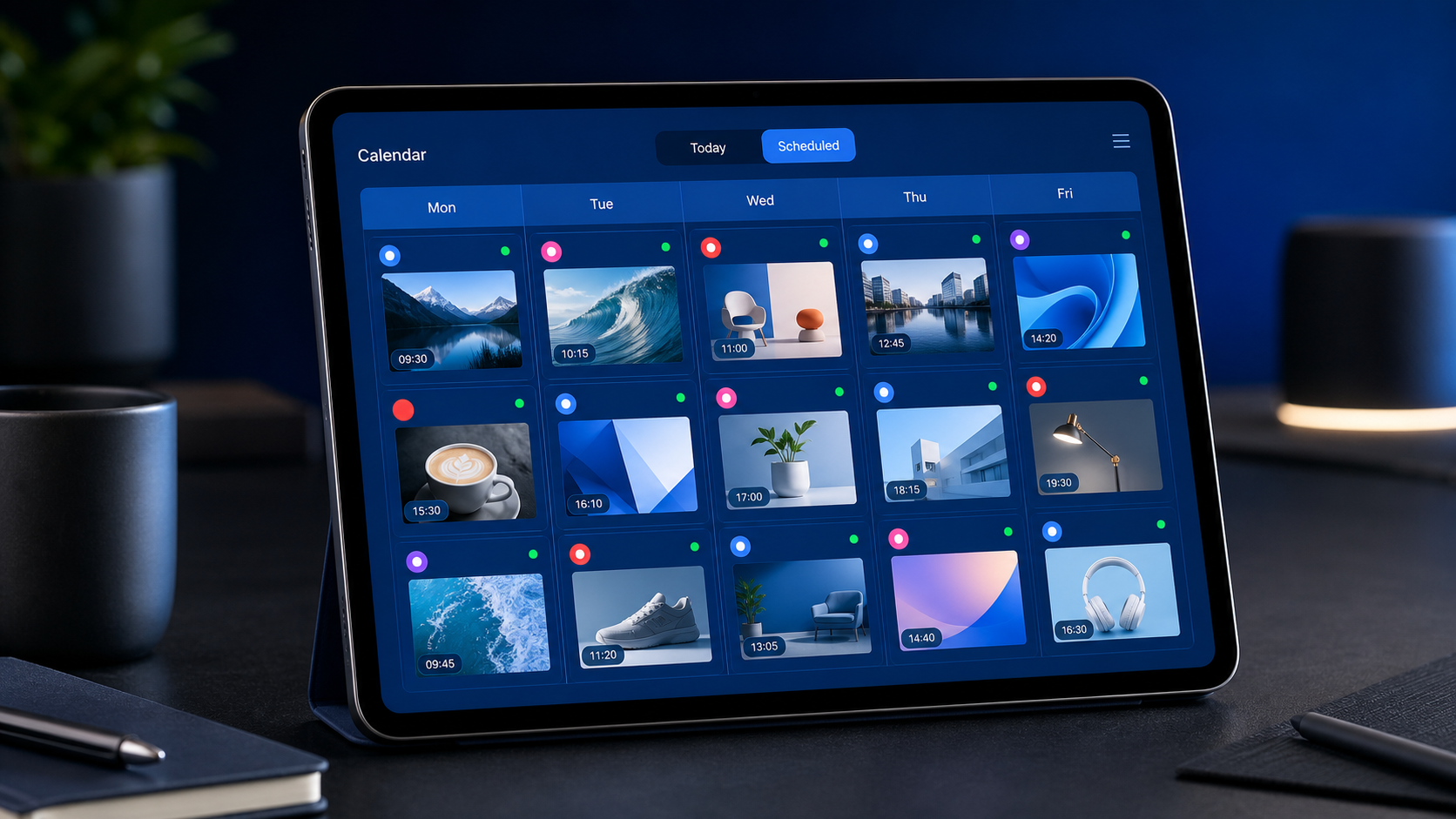
A social media management calendar is a centralized schedule of planned content across social networks. It can live in a spreadsheet, a project management platform, a dedicated publishing tool, or a combination of systems. Each calendar entry represents a post or content asset and normally includes a publication date, platform, format, topic, caption, creative file, link, campaign, owner, and production status.
The calendar provides a shared view of what a brand intends to communicate. A marketing manager can use it to check campaign coverage, an SMM specialist can coordinate publishing, a designer can see upcoming creative requests, and a stakeholder can review posts before they are scheduled. For an independent creator, the same calendar can turn a collection of ideas into a manageable production routine.
A calendar differs from a general content strategy. Strategy defines the audience, objectives, positioning, channel roles, and content pillars. The calendar translates those decisions into specific actions. If a strategy says that educational content should build authority on LinkedIn, the calendar determines which educational post will be published next Tuesday, who will write it, what visual it needs, and how success will be measured.
It also differs from a simple publishing queue. A queue may show posts that are ready to go live, while a management calendar covers the entire workflow—from idea to analysis. This broader view helps marketers identify missing assets, overloaded production days, repeated topics, and campaigns that lack sufficient promotion before those problems affect results.

Build the Calendar Around Goals and Content Pillars
Effective planning begins with business and marketing goals, not empty calendar cells. Before choosing posting dates, define what social media needs to accomplish during the planning period. Common objectives include increasing qualified reach, generating leads, supporting a launch, driving ecommerce sales, improving customer retention, or building a recognizable creator brand.
Turn each objective into an observable outcome. “Increase engagement” is too broad to guide content decisions. “Increase saves and shares on educational Instagram posts by 15% this quarter” is more useful because it suggests suitable formats, topics, and metrics. Likewise, a lead-generation objective might prioritize webinar promotions, customer proof, problem-solving carousels, and posts linked to downloadable resources.
Next, establish three to six content pillars: recurring subject areas that connect audience interests with brand expertise. A marketing software company might use social media education, workflow advice, product tutorials, customer stories, and industry analysis. A fitness creator might plan around technique, nutrition, motivation, personal experience, and client transformations.
Assign a purpose to every pillar. One may attract new viewers, another may build trust, and another may move existing followers toward a purchase. This prevents the common mistake of filling a planner for social media posts with content that looks varied but serves no strategic function.
Create a flexible content mix rather than enforcing rigid percentages. For example, a monthly plan could include eight educational posts, four community-focused posts, three proof-based posts, and three promotional posts. Adjust the balance during launches, seasonal campaigns, or major company announcements. The calendar should create discipline without preventing timely communication.
Platform roles matter as well. Avoid assuming that every idea must be published everywhere in the same form. Instagram may emphasize visual education and community interaction, LinkedIn may support professional insights, TikTok may favor concise demonstrations, and Pinterest may extend the lifespan of evergreen ideas. Record the intended role of each channel so that repurposing becomes adaptation rather than duplication.
Choose the Right Calendar Fields and Workflow
A useful calendar contains enough detail to eliminate confusion but not so much that updating it becomes a separate full-time job. Start with essential fields: publication date and time, social network, account, content pillar, format, working title, caption, call to action, asset link, campaign, owner, and status.
Add fields that support your specific workflow. A regulated company may need legal approval and disclaimer fields. An ecommerce team may track product links, promotional codes, inventory checks, and UTM parameters. A video-first creator may need fields for hook, filming location, raw footage, audio, subtitles, cover image, and editing status.
Use clear workflow statuses that reflect real production stages. A practical sequence is “Idea,” “Briefed,” “In Production,” “Ready for Review,” “Changes Requested,” “Approved,” “Scheduled,” “Published,” and “Analyzed.” Keep status definitions consistent. If “Approved” sometimes means editorial approval and sometimes means final legal approval, the calendar will create uncertainty instead of reducing it.
Assign one accountable owner to every post, even when several people contribute. The owner does not have to complete every task; they are responsible for moving the item forward and resolving blockers. Include separate contributor or approver fields when necessary.
Store creative files in a stable, shared location and link to them from the calendar. Avoid attaching multiple versions across messages, email threads, and individual task cards. Use a naming convention such as campaign, platform, format, date, and version number. This small operational habit reduces the risk of publishing an outdated visual or unapproved caption.
A well-designed social media content scheduling calendar should also distinguish between production deadlines and publication deadlines. If a video goes live on Friday, filming may be due Monday, editing Wednesday, and approval Thursday. Backward planning exposes capacity problems while there is still time to address them.

Create a Realistic Planning and Production Rhythm
Planning works best at multiple time horizons. Use quarterly planning for major objectives, launches, seasonal moments, and recurring campaigns. Use monthly planning to select themes and allocate formats. Use weekly planning to finalize briefs, captions, assets, and scheduling. Daily work should focus mainly on community management, monitoring, and timely adjustments rather than inventing the entire content plan from scratch.
Begin each monthly session by placing fixed events on the calendar: launches, webinars, holidays, sales periods, partnerships, reports, and company milestones. Then add campaign phases such as anticipation, announcement, education, proof, conversion, and follow-up. Finally, fill remaining space with evergreen content from your pillars.
Plan backward from important dates. A product launch should not appear as one isolated promotional post. It may require teaser content two weeks earlier, an educational series that explains the problem, creator or customer proof, a launch-day announcement, product demonstrations, and follow-up answers to common objections.
Build production batches around format or setting. A creator can record four short videos in one session while lighting, camera placement, and audio equipment are already prepared. A design team can produce several carousel covers using one approved visual system. A writer can draft a group of related captions while the research is fresh. Batching lowers setup time while preserving room for individual creative ideas.
Leave intentional gaps. Scheduling every available slot weeks in advance can make a brand sound disconnected from its community. Reserve capacity for responses to customer questions, relevant trends, breaking industry developments, user-generated content, and strong posts worth expanding into follow-ups.
Use recurring calendar templates for dependable series, but review them regularly. A weekly tip, monthly case study, or recurring question format can strengthen recognition. However, repetition should serve the audience rather than merely make production convenient. Retire formats when performance and audience feedback show that they are no longer useful.

Plan Platform-Specific Content Without Duplicating Work
Efficient social media planning does not require creating every asset from zero. Start with a central idea or source asset, then adapt it to each platform’s audience behavior and format conventions. A webinar can become a LinkedIn document post, several short vertical videos, an Instagram carousel, a quote graphic, a question post, and a set of evergreen tips.
Record these relationships in the calendar using a parent-content or source-asset field. This makes repurposing visible and helps teams calculate the full value of substantial content. It also prevents accidental repetition when several contributors are working from the same campaign material.
Adapt the opening, length, visual framing, call to action, and publishing time for every channel. A professional case study may open with a business result on LinkedIn, a surprising process detail on TikTok, and a visual before-and-after comparison on Instagram. The central message can remain consistent while the execution respects platform expectations.
Check technical requirements before production. Track aspect ratio, duration, safe zones, thumbnail needs, caption length, subtitle requirements, and link placement in the brief. Designing one landscape asset and cropping it at the last moment often produces weak mobile content. Format decisions should be made while the post is being planned.
Do not judge frequency independently of quality and capacity. Publishing five times per week is not automatically better than publishing three useful, distinctive posts. Set a sustainable baseline for each network, then increase frequency only when the team can maintain standards and community engagement.
Select Compatible Software for Planning and Scheduling
The right software depends on team size, workflow complexity, publishing requirements, and reporting needs. A solo creator may need a lightweight visual planner and reliable scheduling. An agency may need client workspaces, approval controls, role permissions, bulk operations, and cross-account reporting.
Spreadsheets are an accessible starting point. Google Sheets or Microsoft Excel can support content pillars, dates, ownership, and basic status tracking. They are flexible and familiar, but manual updates become difficult as the number of channels, assets, and approvers grows.
Project management tools such as Trello, Asana, ClickUp, Notion, or Airtable can be useful when production coordination is the main challenge. They support tasks, views, deadlines, templates, comments, and dependencies. Their limitation is that publishing may require another tool, so teams should decide which system is the authoritative source of information.
Dedicated social media platforms such as SMMplanner, Buffer, Hootsuite, Later, Sprout Social, or Metricool can combine scheduling with channel previews, account management, and performance data. Feature availability varies by network and plan, so test the workflows that matter most: video uploads, first comments, approval, link tracking, account permissions, and analytics exports.
For many teams, the best setup is a connected system. Strategic campaigns and production tasks may live in a project management workspace, final assets in cloud storage, and approved posts in a publishing platform. Keep integrations simple and define where each type of information belongs. Complex automation is not helpful if team members cannot tell which record is current.
When evaluating a planner for social media posts, run a two-week pilot using real content. Include a routine post, a video, a multi-platform campaign, an approval request, a rescheduled item, and a performance review. The practical test will reveal more than a feature checklist.
Schedule, Review, and Publish With Quality Controls
Scheduling should happen only after a structured quality check. Confirm the account, publication time, caption, spelling, tags, links, creative version, aspect ratio, thumbnail, accessibility details, and campaign tracking. Preview the post on mobile whenever possible because line breaks, crops, and on-screen text may appear differently from the desktop planning view.
Create an approval rule based on risk. Evergreen tips may need one editorial review, while legal claims, partnerships, major announcements, and crisis-sensitive posts may require specialist approval. Not every post needs a long approval chain. Excessive review slows production and encourages stakeholders to focus on minor preferences instead of audience value.
Use scheduling windows informed by account data rather than universal “best time to post” claims. Audience location, platform behavior, content format, and response capacity all matter. Test several time blocks, compare results over a meaningful period, and schedule important posts when someone can monitor comments and technical issues.
Prepare a pause procedure for sensitive events or rapidly changing circumstances. The team should know who can stop scheduled content, which campaigns require immediate review, and how decisions will be communicated. A calendar improves control only when it can be adjusted quickly.
After publishing, add the live URL and confirm that the post rendered correctly. Automated publishing is efficient, but it does not eliminate the need for a quick verification. Check links, tags, audio, image order, formatting, and platform-generated previews.
Measure Performance and Improve the Next Calendar
A calendar becomes more valuable when it records results and informs future decisions. Track metrics that correspond to the purpose of each post. Awareness content may be evaluated through reach, qualified video views, and profile visits. Educational content may prioritize saves, shares, completion rate, or meaningful comments. Conversion content may focus on clicks, leads, purchases, or assisted revenue.
Avoid comparing unlike posts solely through total engagement. A short entertaining video and a detailed customer case study perform different jobs. Compare content within the same pillar, format, campaign stage, and platform whenever possible.
Hold a monthly review and ask practical questions. Which topics attracted the intended audience? Which hooks improved retention? Which calls to action produced action? Which posts required disproportionate production time? Which formats generated reusable insights or customer conversations? Record the answers in a short decision log.
Turn analysis into calendar changes. If tutorials consistently earn saves, create a recurring tutorial series. If product announcements underperform, add more problem education and customer proof before the next launch. If a platform generates reach but no relevant action, reconsider its role rather than automatically publishing more.
Maintain an evergreen library of successful posts that can be refreshed, expanded, or adapted. Update statistics and examples before republishing, and avoid repeating time-sensitive claims. The goal is not to recycle mechanically; it is to extract more value from ideas the audience has already found useful.
Common Calendar Mistakes to Avoid
The first common mistake is planning based only on posting frequency. A full calendar may still be strategically empty if posts lack a clear audience, purpose, or connection to current campaigns. Every planned item should answer three questions: who is it for, why should they care, and what should happen next?
Another mistake is treating the calendar as fixed. Scheduling creates structure, but social media remains responsive. Review the plan weekly and move, replace, or cancel posts when audience needs or external circumstances change.
Teams also underestimate production time. A post labeled “video” may require research, scripting, filming, editing, subtitles, a cover, review, and upload. Break complex assets into milestones so that delays become visible before the publication date.
Finally, avoid separating planning from community insight. Comments, direct messages, sales conversations, support tickets, and search queries contain strong content ideas. Create a simple process for transferring recurring questions into the calendar’s idea backlog. This keeps the plan grounded in real audience language and problems.
Frequently Asked Questions
How far in advance should a social media calendar be planned?
Plan major campaigns and events one quarter ahead, build the detailed content mix monthly, and finalize production weekly. Most teams benefit from having one to four weeks of approved content while retaining open space for timely posts and community responses.
What should a social media management calendar include?
At minimum, include the publication date, platform, format, topic, content pillar, caption, creative link, call to action, owner, and workflow status. Add campaign, approval, tracking, and performance fields when they support genuine decisions.
Can one calendar manage multiple social media platforms?
Yes. Use filters or separate views for each platform while maintaining one central campaign view. Create an individual entry for every platform adaptation so that captions, formats, timing, and technical requirements can be managed correctly.
How often should the calendar be reviewed?
Check production status at least weekly, monitor scheduled posts daily, and conduct a deeper performance review monthly. Quarterly reviews should revisit goals, content pillars, channel roles, resources, and the overall publishing cadence.