
Social Media Management Scheduler Tools for Efficient Planning
Effective social media management scheduler tools streamline content planning and posting, boosting efficiency and engagement across multiple platforms.


A social media management scheduler helps marketers, SMM specialists, and creators plan content, publish consistently, coordinate campaigns, and manage multiple accounts from one workspace. The best tools go beyond basic scheduling: they support cross-platform calendars, approvals, analytics, engagement, asset management, and platform-specific features for TikTok, Instagram, Facebook, and other networks. Choosing the right scheduler can reduce repetitive work, prevent publishing mistakes, and turn an improvised posting routine into a reliable content operation.
Why Social Media Scheduling Is Now a Core Management Function | Features That Define the Best Social Media Scheduler | Planning TikTok, Instagram, and Facebook Without Losing Platform Context | How to Build an Efficient Scheduling Workflow | Choosing a Scheduler for Your Team, Budget, and Scale | Measurement, Optimization, and Governance | Common Scheduling Mistakes and How to Avoid Them | Frequently Asked Questions
Why Social Media Scheduling Is Now a Core Management Function
Scheduling was once treated as a simple convenience: upload a post, select a time, and move on. Modern social media operations are more complex. A single campaign may include a TikTok video, an Instagram Reel, Facebook posts, Stories, carousels, community replies, paid promotion, and several rounds of internal approval. Managing that work through separate platform interfaces creates unnecessary friction and makes it difficult to see the campaign as a whole.
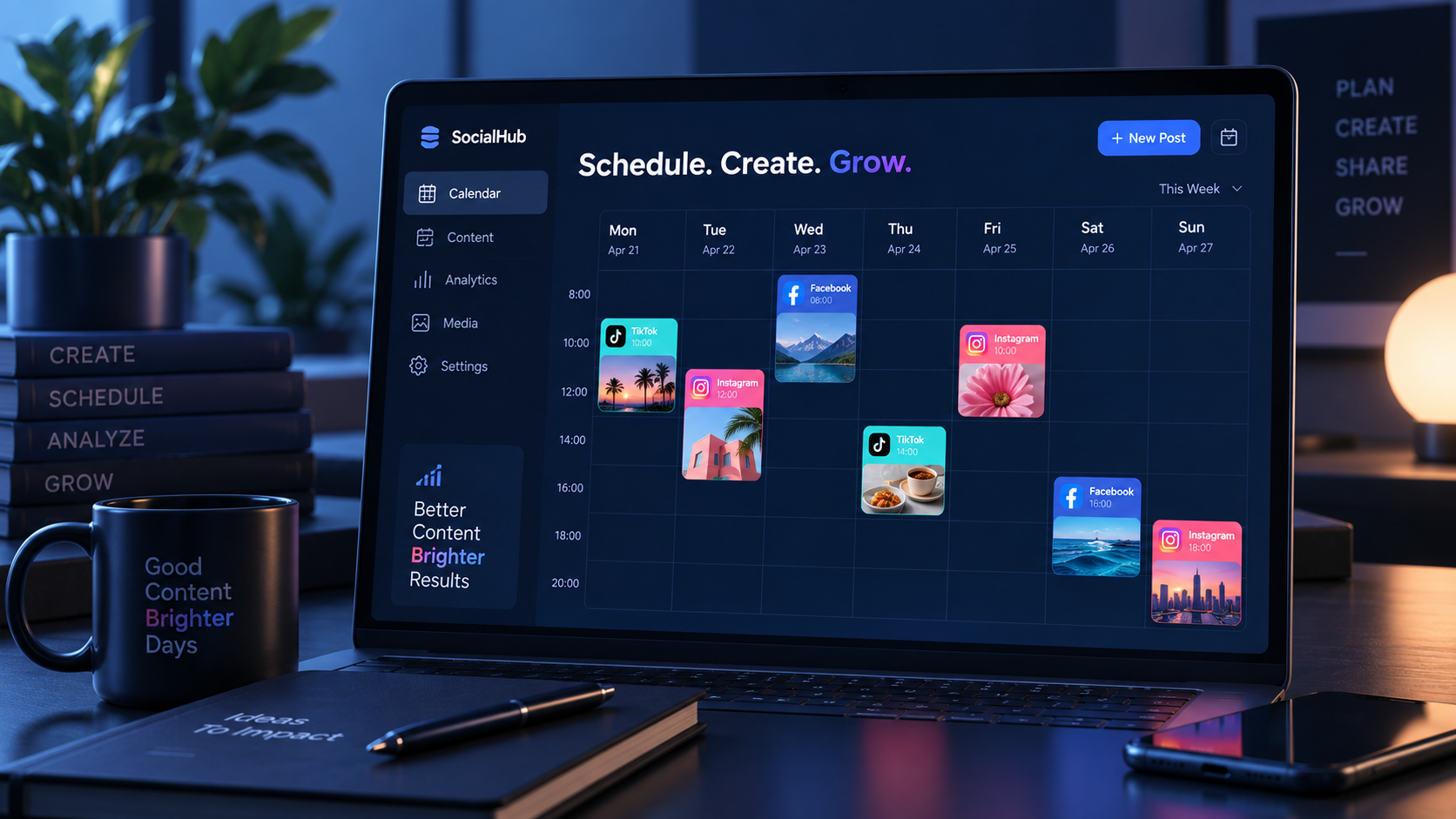
A capable social media management scheduler provides a central view of what is planned, what is ready, what requires approval, and what has already been published. This visibility is especially valuable when multiple people contribute to content. Designers can attach assets, copywriters can add captions, managers can review posts, and community specialists can prepare follow-up activity without relying on scattered messages or spreadsheets.
Centralized scheduling also improves consistency. When teams work reactively, urgent requests often displace evergreen content, posting gaps appear, and several posts may accidentally compete for attention on the same day. A visual calendar makes these problems visible before they affect performance. Marketers can balance educational, promotional, entertaining, and community-focused content across the week instead of judging each post in isolation.
Efficiency does not mean removing human judgment. It means applying that judgment at the right stage. Instead of deciding what to publish minutes before a post goes live, teams can develop ideas in batches, review them in context, and reserve real-time work for conversations, trends, and genuine opportunities. The scheduler becomes the operational layer connecting strategy with daily execution.

Features That Define the Best Social Media Scheduler
The best social media scheduler is not necessarily the product with the longest feature list. It is the one that supports a team’s actual workflow without creating more administrative work than it removes. Start by evaluating publishing coverage. Confirm that the tool supports the post formats you use, not merely the platforms you use. A scheduler may publish standard Instagram images but handle Reels, Stories, collaborator tags, product tags, or trending audio differently.
A strong content calendar should make posts easy to move, duplicate, filter, and review. Useful views include weekly and monthly calendars, campaign labels, account filters, draft status, and warnings for incomplete posts. Bulk scheduling and content recycling can save significant time, but teams should retain enough control to prevent repetitive captions or outdated offers from being republished automatically.
Collaboration features matter as soon as more than one person touches the content. Look for role-based permissions, approval stages, internal comments, version history, and client-friendly review links. Agencies may need separate workspaces and approval flows for each customer, while an in-house team may prioritize access controls for regional marketers or product divisions. Clear ownership is more valuable than a crowded activity feed.
Media management is another important consideration. A searchable asset library, shared caption bank, campaign folders, and integrations with cloud storage can eliminate time spent locating the latest image or approved video. The tool should preserve asset quality and clearly display platform requirements such as dimensions, duration, file size, and aspect ratio.
Finally, examine analytics and engagement capabilities. Basic metrics can help teams compare publishing times and content formats, while deeper reporting may connect posts to campaign goals. A unified inbox can also reduce the cost of switching between platforms, provided it reliably supports comments, mentions, and direct messages that matter to your brand. Do not pay for advanced reporting or social listening unless someone has a defined process for using the results.
Planning TikTok, Instagram, and Facebook Without Losing Platform Context
Cross-platform scheduling is most useful when it accelerates production without making every channel look identical. TikTok, Instagram, and Facebook have overlapping formats, but audiences use them differently. The same core idea can work across all three platforms, yet its opening hook, caption length, visual framing, calls to action, and publishing time may need to change.
When evaluating a social media scheduler for TikTok, confirm whether it supports direct publishing for the content and account types you manage. Some workflows may still require a mobile notification to finish publishing when a platform feature cannot be applied automatically. Check support for covers, captions, privacy settings, mentions, music, and other native options. A tool should clearly distinguish between fully automated publishing and reminder-based publishing so that no one assumes a video is live when it is still waiting on a phone.
A Facebook and Instagram post scheduler should make it easy to use shared campaign assets while customizing each placement. For example, a product video may become an Instagram Reel with a concise caption, a Facebook video accompanied by more context, and an Instagram Story with a direct interaction prompt. The scheduler should let marketers create these variations efficiently rather than forcing them to rebuild every post from the beginning.
Platform previews are useful, but they should be treated as quality-control aids rather than perfect simulations. Text truncation, device size, interface changes, and dynamic elements can affect the published result. Establish a final checklist for crop, safe zones, subtitles, thumbnail, link destination, tags, and first-line copy. Short-form videos should also be reviewed with sound off because many viewers encounter content in muted environments.
Use a master campaign record to preserve strategic consistency. That record can contain the central message, audience, offer, creative concept, required disclosure, landing page, and success metric. Build platform-specific posts beneath it. This approach gives teams one source of truth while protecting the distinctive style that makes content feel native to each network.

How to Build an Efficient Scheduling Workflow
An effective workflow begins before content enters the scheduler. Define a small set of content pillars aligned with business and audience needs. A software brand might use education, customer proof, product guidance, industry opinion, and company culture. A creator might use tutorials, behind-the-scenes stories, personal perspective, community questions, and offers. These pillars make planning faster because the team is choosing among intentional categories rather than facing an empty calendar.
Plan at two levels. First, create a monthly framework covering campaigns, launches, seasonal moments, recurring series, and major deadlines. Second, complete detailed production and scheduling in weekly batches. Monthly planning provides direction, while weekly planning leaves room for trends, news, and performance feedback. Locking every post too far in advance can make a brand efficient but irrelevant.
Assign a clear status to every item, such as idea, briefed, in production, ready for review, approved, scheduled, and published. Each status should describe a real condition and have an owner. If “in review” can mean that nobody has opened the post or that feedback has already been delivered, the label will not help the team. Set approval deadlines earlier than publishing deadlines so revisions do not become emergencies.
Batch similar tasks whenever possible. Write several captions in one session, film multiple short videos while the set is ready, and review a full week of posts together. Context switching is expensive: moving repeatedly between ideation, editing, uploading, and reporting slows work and increases errors. Batching creates more time for thoughtful creative decisions.
Build reusable templates for recurring formats, but include fields that encourage variation. A video template might request the audience problem, three-second hook, proof point, visual pattern interrupt, caption, and call to action. An Instagram and Facebook post scheduler can then hold repeatable structures without reducing posts to generic formulas.
Leave deliberate gaps in the calendar. A practical starting point is to reserve part of the weekly capacity for reactive content and community opportunities. The exact percentage depends on the industry: entertainment and news-driven brands need more flexibility than organizations with long compliance cycles. Scheduled content should provide a dependable baseline, not occupy every available publishing moment.

Choosing a Scheduler for Your Team, Budget, and Scale
Begin the buying process with requirements rather than product demos. Document the number of brands, profiles, users, posts, approval steps, and reports involved in a typical month. List the platforms and specific formats that are essential. Separate required capabilities from features that would merely be pleasant to have. This prevents an impressive demonstration from distracting the team from daily operational needs.
Solo creators and small businesses often benefit from simplicity, a clear calendar, reliable publishing, and affordable account limits. They may not need multi-stage approvals or elaborate dashboards. Agencies need stronger workspace separation, permissions, client approvals, bulk operations, and branded reporting. Larger organizations may also require single sign-on, audit logs, data retention controls, procurement support, and integrations with broader marketing systems.
Evaluate pricing against the entire workflow. A low subscription price can become expensive if employees still spend hours manually publishing unsupported formats or assembling reports. Conversely, an enterprise platform can waste money if only a fraction of its capabilities are adopted. Estimate time saved per month, reduced error risk, and any tools the scheduler could replace. Include extra charges for users, accounts, analytics, listening, storage, or AI features.
Run a realistic trial using actual content. Connect representative accounts, schedule different media formats, request approval from a colleague, make a revision, publish test content where appropriate, and export a report. Test the mobile experience as well as the desktop interface. If the team handles time-sensitive posts outside office hours, mobile reliability is not optional.
Pay close attention to how the provider handles failed posts and platform changes. Social networks frequently update permissions, APIs, and publishing requirements. The scheduler should display actionable error messages, notify the correct person, and make retrying straightforward. Responsive support and clear product documentation may be more valuable than a novelty feature that appears impressive during onboarding.
Measurement, Optimization, and Governance
Scheduling creates useful structure, but publishing on time is not the final objective. Connect each recurring content type to a meaningful metric. Awareness posts may be assessed through reach, video retention, or non-follower exposure. Educational content may prioritize saves and qualified profile visits. Conversion-oriented posts should be evaluated using tracked clicks, leads, sign-ups, or sales rather than engagement alone.
Use performance data to improve decisions in cycles. A weekly review can identify immediate execution issues such as failed posts, weak hooks, or missed community responses. A monthly review is better for comparing content pillars, formats, posting windows, and campaign results. Avoid changing the strategy after one unusually strong or weak post; look for repeatable patterns across a useful sample.
Timing recommendations from scheduler tools are helpful starting points, not universal rules. Audience habits vary by region, platform, subject, and content format. Test defined publishing windows while keeping other variables reasonably consistent. Over time, build separate timing guidance for each account instead of applying one “best time to post” across every network.
Governance protects both quality and account security. Define who may connect profiles, approve content, change links, respond to users, and access reports. Remove former employees and contractors promptly. Use individual accounts rather than shared credentials wherever possible, enable multifactor authentication, and review integrations periodically.
Maintain an emergency process for scheduled content. News, crises, product incidents, or cultural events can make previously appropriate posts appear insensitive. Assign responsibility for pausing the queue, document how stakeholders are notified, and identify which evergreen posts can safely resume later. Automation should increase control, including the ability to stop.
Common Scheduling Mistakes and How to Avoid Them
The most common mistake is publishing identical content everywhere. Cross-posting saves time, but indiscriminate duplication ignores audience expectations and technical differences. Reuse the central idea while adapting the creative, caption, metadata, and call to action. Even small changes can make a post feel intentional rather than automated.
Another mistake is treating the calendar as a volume target. Filling every slot can encourage weak posts and audience fatigue. Establish a minimum quality standard and publish only when the content serves a defined role. Consistency is valuable, but consistency should refer to a sustainable presence and recognizable value, not constant output.
Teams also lose efficiency when they create too many approval layers. Every reviewer should have a specific responsibility, such as brand accuracy, legal compliance, or campaign ownership. Set response deadlines and clarify who has final authority. Otherwise, subjective feedback accumulates and timely content expires before it can be published.
Do not automate engagement carelessly. Saved replies can speed up routine support, but public conversations require context and empathy. Use scheduler inboxes to organize messages, prioritize questions, and assign owners while allowing humans to write responses that match the situation. A fast irrelevant reply can damage trust more than a slightly slower thoughtful one.
Finally, avoid building a workflow that depends entirely on one tool. Keep campaign assets organized, preserve important reports, document account ownership, and maintain a simple record of major publishing commitments. A scheduler should be the control center for execution, but the team should still understand the strategy and processes that make the system work.
Frequently Asked Questions
What is a social media management scheduler?
A social media management scheduler is a tool for planning, creating, approving, publishing, and often analyzing content across social networks. More advanced platforms may also include shared asset libraries, team permissions, campaign labels, social inboxes, reporting, and content recycling. It combines publishing automation with the operational features needed to manage a consistent social presence.
What should I look for in the best social media scheduler?
Look for reliable support for your required platforms and post formats, an intuitive calendar, approvals, permissions, media management, error notifications, and useful reporting. Compare pricing based on profiles and users, then test the product with real posts. The best social media scheduler is the one your team can use consistently with minimal manual work.
Can one scheduler publish to TikTok, Instagram, and Facebook?
Many cross-platform tools support all three, but individual publishing features can vary by post type, account type, and platform permissions. A social media scheduler for TikTok may require mobile completion for certain native features, while Facebook and Instagram publishing options may differ for Stories, Reels, tags, or collaborators. Verify each essential format before subscribing.
How far in advance should social media posts be scheduled?
Most teams benefit from setting monthly campaign direction and scheduling detailed posts one or two weeks ahead. Evergreen and promotional content can often be prepared earlier, while trend-led content should remain flexible. Keep open capacity for timely ideas, review the queue regularly, and pause scheduled posts when external events change the context.