
Social Media Marketing Scheduling Tools: Strategies and Best Choices
Effective social media marketing scheduling tools help streamline content posting and boost engagement with the right strategies and top tool choices.


Social media marketing scheduling tools help businesses plan, organize, approve, publish, and measure content from one central workspace. The right platform does more than automate posting: it turns disconnected ideas into a reliable campaign system, gives teams visibility into upcoming content, and protects time for creative and strategic work. For most businesses, the best approach is to combine a realistic publishing calendar with a tool that supports their channels, approval process, analytics needs, and budget.
Why Social Media Scheduling Matters for Marketing Teams | How to Build a Social Media Posting Schedule for Business | How to Pre Plan Social Media Posts Efficiently | Essential Features in Social Media Marketing Scheduling Tools | Best Scheduling Tool Choices for Different Use Cases | Scheduling Strategies That Improve Campaign Performance | Measurement, Optimization, and Common Mistakes | Frequently Asked Questions
Why Social Media Scheduling Matters for Marketing Teams
Consistency is one of the hardest parts of social media marketing. A business may publish frequently during a product launch, then disappear when the team becomes busy with client work, sales campaigns, or internal projects. Scheduling solves this operational problem by allowing marketers to prepare content in focused batches and distribute it over days or weeks.
A dependable social media posting schedule for business accounts also creates strategic consistency. Instead of choosing topics at the last minute, marketers can balance educational posts, customer stories, product demonstrations, promotional offers, community conversations, and brand-building content. This makes the feed more useful to the audience and prevents every post from becoming a sales pitch.
Scheduling also improves campaign coordination. A launch might require teaser videos, behind-the-scenes Stories, an announcement post, creator collaborations, customer emails, and follow-up content. Placing these assets on a shared calendar reveals gaps, timing conflicts, and dependencies before they become public mistakes.
Automation should not eliminate active participation. Scheduled publishing handles predictable work, while marketers remain available for comments, direct messages, trends, customer questions, and time-sensitive events. The strongest workflow combines advance planning with room for spontaneous, human interaction.

How to Build a Social Media Posting Schedule for Business
Start with business objectives rather than posting frequency. Decide whether social content needs to generate awareness, qualified traffic, leads, sales, event registrations, customer retention, or community participation. Each objective requires different formats and calls to action. Brand-awareness campaigns may prioritize short-form video and shareable ideas, while lead-generation campaigns need stronger landing pages, offers, and conversion tracking.
Next, map the audience’s decision journey. People rarely move from first impression to purchase after seeing one post. Plan content for discovery, consideration, conversion, and retention. Discovery posts can address broad problems or entertaining observations. Consideration content can demonstrate expertise through tutorials, comparisons, case studies, and FAQs. Conversion posts should explain the offer and provide a clear next step. Retention content can help existing customers achieve better results.
Create three to six repeatable content pillars. A software company might use practical education, product workflows, customer results, industry commentary, company culture, and promotional campaigns. These categories make brainstorming easier and help maintain a varied feed. Assigning each idea to a pillar also exposes imbalances, such as a calendar dominated by announcements but lacking useful educational content.
Choose a sustainable cadence for each network. Posting every day is not automatically better than publishing three strong posts per week. Account for production capacity, review time, channel expectations, and the amount of meaningful interaction your team can support. Begin with a cadence you can maintain for eight to twelve weeks, measure the results, and expand only when the data justifies it.
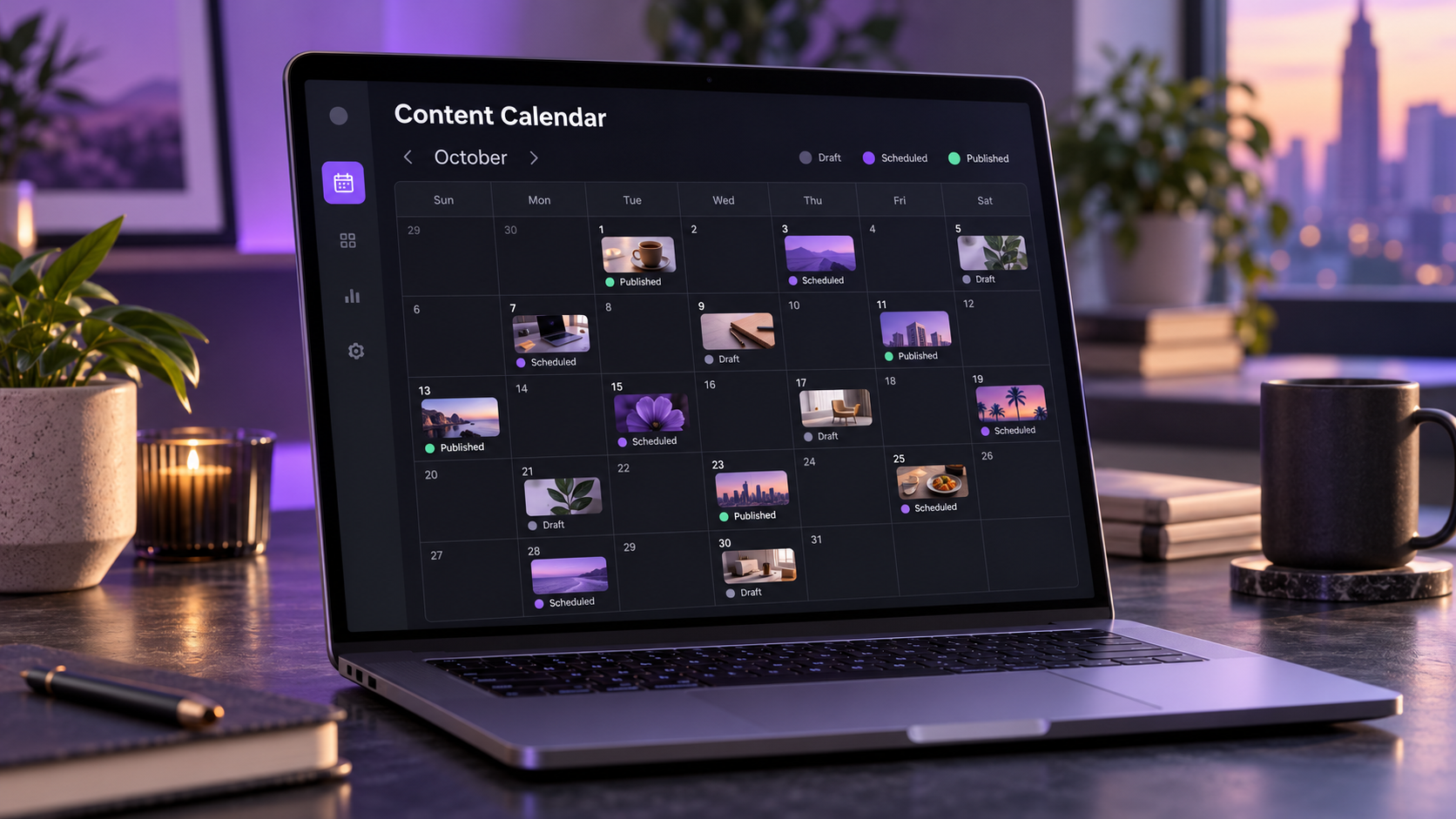
Your calendar should record more than publication dates. Include the platform, content pillar, format, objective, audience segment, draft copy, creative asset, call to action, destination URL, campaign tag, owner, approval status, and scheduled time. These fields transform a basic calendar into an operational system.
Reserve open space for reactive content. A practical starting point is to schedule roughly 70 to 80 percent of planned output and keep the remaining capacity available for trends, company news, community responses, or unexpected opportunities. This provides structure without making the brand feel rigid.
How to Pre Plan Social Media Posts Efficiently
The fastest way to pre plan social media posts is to work in batches. Switching repeatedly between research, writing, filming, editing, and scheduling creates unnecessary friction. A batch workflow groups similar tasks: research ideas together, draft several captions in one session, record multiple videos during one production block, and schedule approved material at the end.
Begin each planning cycle with a short review of performance and business priorities. Identify the posts that generated meaningful outcomes, not merely impressive-looking numbers. A post with fewer views but more qualified website visits may be more valuable than a viral post that attracted the wrong audience. Use these findings to select themes worth repeating, expanding, or adapting.
Turn one substantial idea into multiple platform-specific assets. A webinar can become short video clips, a carousel, a quotation graphic, a LinkedIn text post, an FAQ, and several Stories. Repurposing reduces production pressure, but each version should still fit the destination platform. Change the opening hook, aspect ratio, caption length, visual pacing, and call to action rather than publishing an identical asset everywhere.
Develop reusable briefs and templates. A short-form video brief might include the target viewer, hook, central promise, talking points, visual notes, proof, and call to action. Caption templates can cover common structures such as problem-solution, myth-versus-fact, checklist, customer story, and objection handling. Templates should accelerate thinking without making every post sound formulaic.
Build an approval deadline into the schedule. If a post must go live on Friday, the first draft may need to be ready by Tuesday and the final asset approved by Thursday. Working backward protects the publication date and prevents reviewers from becoming last-minute bottlenecks. For regulated industries, add explicit checkpoints for legal, compliance, or brand review.
Finally, maintain an evergreen content library. Store approved tips, testimonials, product explanations, seasonal ideas, frequently asked questions, and high-performing posts that can be refreshed. Tag assets by topic, format, audience, and funnel stage so marketers can find suitable material quickly when the calendar has a gap.

Essential Features in Social Media Marketing Scheduling Tools
Not every scheduler is built for the same type of user. A solo creator may need fast visual planning and simple publishing, while an agency may require multiple client workspaces, permissions, approval trails, and detailed reports. Evaluate software against the workflow you actually use rather than choosing the product with the longest feature list.
Reliable platform support is the first requirement. Confirm that the tool supports the networks and post formats central to your strategy, including video, carousels, Stories, first comments, link previews, location tags, and account mentions where relevant. Some formats may require a mobile notification instead of fully automated publishing because social networks impose different technical limitations.
A useful content calendar should make campaigns easy to understand at a glance. Look for weekly and monthly views, drag-and-drop rescheduling, filters, color coding, draft status, campaign labels, and asset previews. Teams should be able to identify what is planned, what is waiting for approval, and what has already been published without opening every item.
Collaboration features become important as soon as multiple people contribute. Role-based permissions, internal notes, assigned tasks, approval stages, version history, and client-facing review links can replace long email threads. The goal is to establish one authoritative version of each post.
Analytics should connect publishing activity to strategic decisions. Basic reach and engagement data are useful, but stronger tools also provide post comparisons, audience growth, best-time insights, link tracking, exports, and customizable reports. Before purchasing, determine whether the platform measures the outcomes your stakeholders actually request.
Also evaluate content libraries, integrations, security, support, and scalability. Ask whether the tool integrates with cloud storage, design platforms, URL shorteners, analytics systems, or team communication software. Review how access is revoked when employees or contractors leave. A low introductory price can become expensive if essential features require higher tiers or additional user seats.
Best Scheduling Tool Choices for Different Use Cases
The best scheduling platform depends on the size of the operation and the complexity of its campaigns. Shortlist two or three options, test them with real content, and include the people who will use the software every week.
- SMMplanner: A practical choice for marketers and creators who want to prepare content in advance, organize publication across social accounts, and maintain a consistent posting routine. It is especially relevant when straightforward scheduling is the primary need.
- Buffer: Well suited to creators, small businesses, and lean teams seeking an accessible publishing workflow. Its relatively simple interface can reduce setup time for teams that do not need an elaborate enterprise system.
- Hootsuite: A broad option for organizations managing multiple profiles, team workflows, monitoring, and reporting. It can suit established marketing departments that want publishing and account management in one environment.
- Sprout Social: A strong candidate for larger teams that place significant value on collaboration, social customer care, listening, and detailed reporting. Its feature depth is generally most useful when social media is a mature business function.
- Later: Useful for visual-first planning and creator-led workflows, particularly when marketers want to preview content and organize media assets. It can be attractive to lifestyle, retail, hospitality, and personal-brand accounts.
- Metricool: Worth considering when publishing, competitor tracking, advertising visibility, and reporting need to sit within one workflow. It can serve freelancers, agencies, and businesses managing several brands.
- Agorapulse: Designed for teams that need publishing alongside inbox management, approvals, and reports. Agencies and customer-facing brands may benefit from having engagement workflows connected to their content calendar.
Do not select software from feature tables alone. Run a short pilot using a complete campaign. Import media, create platform-specific variations, request approval, reschedule a post, publish multiple formats, respond to engagement, and generate a report. This exposes everyday friction that sales pages rarely reveal.
Compare total cost rather than the advertised entry price. Include the number of users, social profiles, approval seats, analytics access, historical data, listening features, and client workspaces. The right tool should save enough coordination and production time to justify its ongoing cost.
Scheduling Strategies That Improve Campaign Performance
Start with timing data, but treat it as a hypothesis. Recommended posting times are based on broad patterns or historical account activity; they cannot account for every campaign or audience. Test several time windows while keeping the content type reasonably consistent. Compare reach, watch time, clicks, saves, replies, and conversions to find patterns that matter.
Schedule content around campaign sequences rather than isolated posts. For example, introduce a customer problem, teach a useful framework, demonstrate the solution, share evidence, address objections, and then present the offer. This sequence gives the audience context and makes promotional content feel earned.
Avoid publishing simultaneously on every network by default. Audiences may overlap, and each platform has different usage patterns. Staggering posts can extend the lifespan of an idea, allow the team to learn from the first publication, and reduce the operational burden of responding everywhere at once.
Use platform-specific copy even when the underlying campaign is shared. A professional network may reward a detailed business lesson, while a short-form video platform needs an immediate visual hook. The message can remain consistent while its expression changes.
Create rules for pausing scheduled content. News events, service disruptions, safety incidents, or public crises can make an ordinary promotional post appear careless. Assign responsibility for reviewing the queue and document how scheduled posts can be paused quickly across every account.
Measurement, Optimization, and Common Mistakes
Measure scheduling success at three levels: operational efficiency, content performance, and business impact. Operational metrics include time saved, on-time publication rate, approval turnaround, and the percentage of posts prepared before deadline. Content metrics include retention, engagement, saves, shares, profile visits, and clicks. Business metrics include leads, sales, registrations, and customer-support outcomes.
Use campaign tags and consistent link parameters so published posts can be connected to website behavior. Without disciplined tracking, teams may know which post received attention but not which content influenced meaningful action. Review results weekly for tactical changes and monthly or quarterly for larger strategic decisions.
A common mistake is filling the calendar simply to maintain volume. Scheduled content still needs a clear audience, purpose, and value. Another mistake is allowing automation to create distance from the community. Allocate time after important posts go live so someone can answer questions, acknowledge responses, and escalate customer issues.
Teams also fail when they plan too far ahead without reviewing assumptions. Preparing evergreen material several weeks in advance can be efficient, but promotional claims, links, prices, product details, and references to current events should be checked before publication. Add a final quality-control step for spelling, accessibility, branding, tags, links, and platform previews.
Optimization should be systematic. Change one meaningful variable at a time, such as the hook, format, posting window, call to action, or creative style. Record the result and apply what you learn to the next planning cycle. Over time, the schedule becomes a learning system rather than a static queue.
Frequently Asked Questions
What are social media marketing scheduling tools?
Social media marketing scheduling tools are platforms that let users prepare content and arrange future publication across one or more social networks. Many also offer calendars, asset libraries, collaboration, approvals, engagement management, analytics, and reporting.
How far in advance should a business schedule social media posts?
Most businesses benefit from planning core content two to four weeks ahead while preserving space for timely posts. Evergreen campaigns can be prepared further in advance, but links, claims, creative assets, and contextual references should be reviewed shortly before publication.
Is it safe to automate every social media post?
No. Recurring educational and promotional content can often be scheduled safely, but breaking news, sensitive announcements, customer responses, and trend-based material require human judgment. Businesses should monitor scheduled queues and maintain a process for pausing inappropriate content.
How do I choose the right scheduling tool?
List your essential networks, formats, number of accounts, team roles, approval requirements, analytics needs, integrations, and budget. Then test the strongest candidates with a real campaign. Choose the tool that makes regular work easier and provides the necessary control without adding unnecessary complexity.