
Social Media Posting Managers: Tools and Tips for Effective Post Scheduling
Effective social media posting managers simplify scheduling and boost engagement by organizing posts across platforms with ease and precision.


A social media posting manager brings your accounts, content calendar, publishing workflow, and performance data into one place. The right tool lets you schedule social media posts across multiple platforms, adapt each post to its destination, coordinate approvals, and maintain a consistent publishing rhythm without spending every day copying content between apps. This guide explains how posting managers work, how to compare current options, and how to build a scheduling system that saves time without sacrificing content quality.
What Is a Social Media Posting Manager? | How to Choose the Right Social Media Scheduler App | Current Tools to Schedule Social Media Posts | Build a Scheduling Workflow That Prevents Mistakes | How to Create an Effective Social Media Content Calendar | Best Practices for Scheduling Without Losing Engagement | Measure and Improve Your Posting System | Frequently Asked Questions
What Is a Social Media Posting Manager?
A social media posting manager is software used to prepare, organize, schedule, and publish content to social networks. Instead of logging into every platform separately, marketers can manage upcoming posts through a central calendar or queue. Depending on the product, the manager may also provide drafts, media storage, team approvals, analytics, AI-assisted writing, link tracking, and reusable publishing schedules.
The most important benefit is operational visibility. A conventional calendar can show that a campaign is planned for Thursday, but a purpose-built social media post organizer can show the final caption, attached media, destination accounts, assigned reviewer, publishing status, and tracking link. That makes it easier to spot missing assets, repetitive topics, conflicting campaigns, or gaps in the schedule before they affect the audience.
Posting managers generally use one of two publishing methods. Direct publishing sends approved content automatically through an integration with the social platform. Notification-based publishing sends a reminder when manual action is necessary, such as adding a native-only effect, music track, sticker, or another feature unavailable through the platform’s API. A dependable workflow accounts for both methods rather than assuming every format can be fully automated.
Scheduling does not mean publishing identical content everywhere. The strongest managers provide a common starting point while letting you customize the hook, length, hashtags, link placement, image dimensions, and call to action for each channel. A concise LinkedIn insight, an Instagram carousel, and a TikTok video may communicate the same campaign idea, but they should still feel native to their respective feeds.

How to Choose the Right Social Media Scheduler App
Begin with your workflow, not the length of a vendor’s feature list. A solo creator publishing to three profiles has different needs from an agency handling approvals for 20 clients. Document the number of brands, users, profiles, weekly posts, content formats, and approval stages you expect to manage. Then separate essential capabilities from convenient extras.
Network and format support should be your first filter. Confirm that a tool supports the specific combinations you use, such as Instagram Reels, Stories, TikTok videos, LinkedIn documents, YouTube Shorts, Pinterest Pins, or Telegram posts. Do not settle for a generic claim that a platform is supported. Ask whether your priority formats can be published directly, require a mobile reminder, or carry restrictions on features such as collaborators, trending audio, polls, first comments, and product tags.
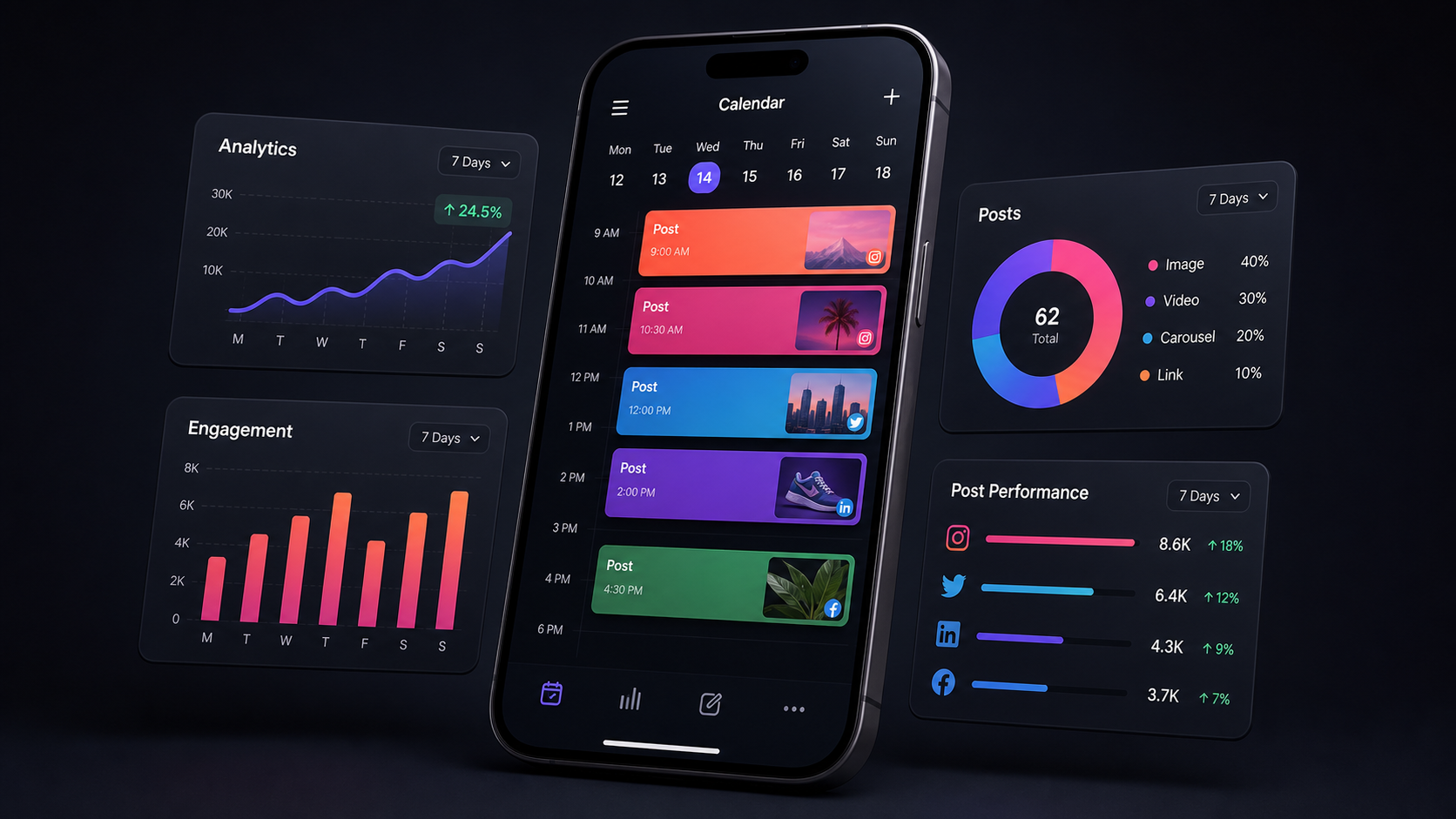
Next, evaluate the calendar and composition experience. An effective social media scheduler app should make it easy to see content by brand, channel, campaign, and status. Look for drag-and-drop rescheduling, platform previews, duplication, saved caption elements, bulk actions, and clear warnings about invalid media. A monthly overview helps with campaign balance, while a detailed weekly view helps operators catch execution problems.
Collaboration matters as soon as more than one person touches a post. Useful controls include roles, assignments, internal notes, approval stages, activity history, and client-friendly review links. A good approval system identifies who can draft, edit, approve, and publish. This reduces accidental posting and prevents feedback from becoming scattered across email, chat, and spreadsheets.
Also examine reliability, support, and pricing structure. Some products charge by user, some by connected channel, and others by workspace or plan. Calculate the cost at your expected scale rather than comparing entry prices. Test failed-post alerts, account reconnection procedures, media processing, mobile notifications, and support response times during a trial. The least expensive manager is not economical if the team must constantly verify whether posts were published.
Finally, review analytics and data portability. At minimum, you should be able to identify published posts, export results, and compare performance by network or campaign. UTM controls, campaign tags, and downloadable reports make the scheduler more useful as a marketing system. Avoid treating proprietary “best time” scores as unquestionable instructions; they should supplement your own audience data and experiments.
Current Tools to Schedule Social Media Posts
There is no universal winner among the tools to schedule social media posts. The best choice depends on the networks you use, the amount of collaboration required, and whether you need a focused publisher or a broader management suite. The following options represent distinct approaches worth testing.
SMMplanner
SMMplanner is designed around automated publishing and practical content production. Its published feature set includes scheduling for text, photos, and video, project-based account organization, reusable schedules, media editing, caption elements, UTM links, Stories and Reels tools, analytics, and AI-assisted content creation. This combination is useful for creators, marketers, and agencies that want production tools alongside delayed posting.
A practical SMMplanner workflow is to create one project per brand, connect the relevant accounts, establish recurring publishing slots, and prepare platform-specific versions of each post. Use the calendar to check distribution, then add tracking parameters and perform a final media-format review before scheduling. When a format has platform-specific requirements, test it on a noncritical post before using it in a major campaign.
Buffer
Buffer is a streamlined option for individuals and small teams that prioritize a straightforward queue and calendar. Its publishing tools include customizable posting schedules, platform-specific post variations, drafts, campaign tags on eligible plans, link tracking, and support for a broad set of social channels. Buffer is particularly approachable when the main goal is to establish a dependable publishing routine without adopting a complex enterprise suite.
Sprout Social
Sprout Social is suited to organizations that need structured collaboration, reporting, and governance. Its publishing suite includes a collaborative calendar, drafts, queues, multi-profile publishing, approval workflows on eligible plans, campaign tags, bulk scheduling, asset management, and data-informed send-time recommendations. It is a strong candidate for larger teams, regulated workflows, and agencies where review history and permissions are central requirements.
Native platform schedulers
Native tools can be effective for teams concentrated on one ecosystem. They may expose platform-specific capabilities sooner and eliminate the cost of a separate scheduler. However, they rarely provide a unified cross-network calendar, consistent campaign tagging, or consolidated approval process. A hybrid system often works best: use a central manager for routine publishing and a native app for content that depends on trending audio, interactive stickers, or newly released features.
How to run a fair tool trial
Create the same seven-day campaign in each shortlisted tool. Include a static image, carousel, short-form video, link post, long caption, first comment, and one post that requires approval. Measure setup time, editing effort, preview accuracy, publication success, reporting usefulness, and the number of manual handoffs. This test reveals much more than a feature checklist because it exposes the friction your team will encounter every week.


Build a Scheduling Workflow That Prevents Mistakes
A scheduler only saves time when it is supported by a repeatable process. Start with campaign objectives and content pillars. For example, a software brand might divide its output among education, product use cases, customer proof, company perspective, and community conversation. Assigning every scheduled post to a pillar helps maintain variety and makes performance analysis more meaningful.
Use a clear status system. A practical sequence is idea, brief, production, internal review, client or stakeholder approval, scheduled, published, and analyzed. Every post should have one owner and one next action. If the tool supports custom tags, use tags for campaign and content type—not as a substitute for status—so filters remain understandable.
Batch work by activity rather than completing posts one at a time. Research several topics together, write several captions in one session, record multiple videos during one shoot, and schedule approved material in a dedicated publishing block. Context switching is expensive; batching gives creators more uninterrupted production time and gives reviewers a coherent set of content to assess.
Create a preflight checklist for scheduled posts. Confirm the destination account, date, time zone, caption, link, UTM parameters, mentions, media order, crop, subtitles, alt text, thumbnail, and approval status. Check whether the call to action matches the landing page and whether time-sensitive wording will still be accurate when the post goes live. For important launches, assign someone to verify the live result soon after publication.
Maintain an emergency pause procedure. Scheduled content that was appropriate yesterday may become insensitive during breaking news, a crisis, or an operational incident. Document who can pause queues, which accounts must be reviewed, and how publishing will resume. Automation should make the team faster, not remove human judgment.
How to Create an Effective Social Media Content Calendar
Start with fixed business dates: launches, events, seasonal moments, promotions, reporting deadlines, and partnerships. Add lead time for production and approval, then fill the remaining calendar with evergreen content. This outside-in method prevents routine posts from crowding out strategically important campaigns.
Plan at three levels. Use a quarterly view for themes and major campaigns, a monthly view for channel distribution and production capacity, and a weekly view for final captions, media, timing, and responsibilities. Trying to manage strategic direction and caption-level details in one view usually creates either clutter or blind spots.
Set a sustainable baseline before increasing frequency. Three strong weekly posts published consistently are more valuable than an ambitious daily schedule that collapses after two weeks. Reserve some calendar capacity for timely content and audience responses. A schedule filled months in advance can become inflexible and detached from current conversations.
Balance formats as well as topics. If the calendar contains five educational posts, check whether they are all static graphics or whether the idea can be distributed through video, carousel, text, live content, or Stories. Format diversity creates more opportunities to learn how different audience segments prefer to consume information.
Use color and tags intentionally. A color can represent a campaign, while tags identify content pillar, funnel stage, market, or experiment. Keep the taxonomy small enough that everyone applies it consistently. A calendar with dozens of overlapping labels becomes harder to use than a simple spreadsheet.
Best Practices for Scheduling Without Losing Engagement
Schedule for audience behavior, not generic posting-time charts. Begin with platform analytics and your scheduler’s recommendations, but validate them with controlled tests. Compare similar content published in different time windows over several weeks. Focus on outcomes that matter—qualified clicks, saves, watch time, replies, or conversions—not only early likes.
Adapt every post before cross-publishing. Change the opening line, length, visual crop, hashtags, and call to action where appropriate. Remove references such as “link in bio” from destinations where a direct link is more useful. Check usernames and mentions independently because handles frequently differ between networks.
Leave room for community management. Scheduling creates time, and some of that time should be reinvested in replies, comments, social listening, and relationship building. If a post asks a question, make sure someone is available to continue the conversation after publication. A perfectly timed post with no follow-up can underperform a less polished post supported by active engagement.
Build a reusable evergreen library, but establish expiration rules. Tutorials, definitions, checklists, and customer stories can often be refreshed and republished. Offers, statistics, screenshots, product claims, and platform instructions need regular verification. Record a review date and original source so that old information does not circulate automatically.
Review failed and partially published posts every day. APIs, permissions, expired tokens, media specifications, and platform incidents can interrupt automation. Configure alerts, but do not depend on alerts alone. A short daily publishing audit catches failures while the content is still timely.
Measure and Improve Your Posting System
Evaluate both content performance and workflow performance. Content metrics show whether the audience responded; operational metrics show whether the system is sustainable. Track on-time publication rate, failed-post rate, approval turnaround, revision count, production lead time, and the percentage of posts scheduled at least several days in advance.
Tag posts by content pillar, format, campaign, and objective. Then compare like with like. An awareness video should not be judged solely by direct conversions, and a conversion-focused offer should not be celebrated merely because it reached many people. Choose a primary metric for each post before publication and record the result after an appropriate measurement window.
Run a monthly retrospective. Identify the posts that exceeded expectations, those that missed their objective, and any operational bottlenecks. Look for patterns in the hook, creative format, topic, publishing time, audience segment, and call to action. Turn each finding into a specific test, such as shortening video introductions or moving educational carousels to a different weekday.
Do not automate reporting without interpretation. Dashboards describe what happened, but marketers still need to explain why it may have happened and what to do next. Add campaign context, creative observations, customer feedback, and external factors. Over time, this decision log becomes more valuable than a collection of disconnected charts.
Frequently Asked Questions
What is the best social media posting manager for a small business?
The best option is usually the simplest tool that supports all essential networks and formats. Small businesses should prioritize an understandable calendar, reliable direct publishing, reusable schedules, basic analytics, and affordable scaling. SMMplanner and Buffer are practical candidates to test, while a native platform scheduler may be sufficient for a business focused on one ecosystem.
Do scheduling tools reduce organic reach?
Scheduling itself is not a reason to expect lower reach. Performance is more strongly influenced by content relevance, creative quality, audience response, and platform distribution systems. Problems arise when automation encourages generic cross-posting, outdated content, or a lack of community engagement. Use legitimate integrations, customize posts for each channel, and monitor live results.
How far in advance should social media posts be scheduled?
For most brands, scheduling routine content one to four weeks ahead creates useful breathing room without making the calendar rigid. Major campaigns may require a longer production horizon, while news-driven posts should remain flexible. Review all scheduled material at least weekly and recheck sensitive or time-dependent posts immediately before publication.
Can one social media post organizer manage every content format?
No tool can guarantee full automation for every network feature. Platform APIs may limit music, stickers, interactive elements, collaborators, product tags, or newly released formats. Choose a manager that clearly distinguishes direct publishing from reminder-based workflows, and keep native apps available for posts that depend on platform-exclusive creative features.