
Social Post Planner: Organize Your Social Media Calendar
Social Post Planner helps you organize your social media calendar efficiently, ensuring consistent and timely posts across all your platforms.


A social post planner helps you organize ideas, campaigns, creative assets, approvals, and publishing dates in one reliable system. By using a structured social media calendar planner, you can maintain a consistent posting schedule, reduce last-minute work, and ensure every post supports a clear marketing goal. The best approach combines a practical planning workflow with a tool that gives your team visibility without making content production unnecessarily complicated.
Why a Social Post Planner Matters | Build a Repeatable Social Media Planning Workflow | Create a Social Media Calendar That Teams Can Actually Use | How to Choose a Social Media Content Planner App | Organize Ideas, Assets, and Approvals | Plan a Consistent Posting Schedule Without Burning Out | Measure Performance and Improve the Calendar | Common Social Media Planning Mistakes | Frequently Asked Questions
Why a Social Post Planner Matters
Social media becomes difficult to manage when content lives in scattered notes, message threads, spreadsheets, and design folders. An idea may be approved in one place, written in another, and scheduled somewhere else. This fragmentation creates missed deadlines, duplicated work, inconsistent messaging, and rushed posts that do not reflect the quality of the brand.
A social post planner creates a single source of truth. It shows what will be published, when it will go live, which channel it belongs to, who owns it, and what still needs to be completed. Instead of asking colleagues for updates or searching through folders, marketers can review the calendar and understand the current publishing plan immediately.
Planning also improves strategic consistency. When posts are viewed together, it becomes easier to identify an unbalanced content mix. You might discover that an entire month is filled with promotional offers but contains no educational content, customer stories, or community-focused posts. A calendar makes those gaps visible before they affect audience engagement.
Consistency does not mean publishing at the same frequency as every competitor. It means choosing a sustainable cadence and meeting audience expectations. A small business publishing three useful posts each week can build more trust than a brand that posts several times a day for one week and then disappears for a month.
A planner also gives creative teams more time. Designers can prepare visual assets in batches, copywriters can develop stronger hooks, and video creators can schedule filming around related topics. This shift from reactive posting to planned production usually improves both efficiency and content quality.

Build a Repeatable Social Media Planning Workflow
An effective workflow begins before content enters the calendar. Start by defining the business objectives social media should support. Common objectives include increasing brand awareness, generating qualified leads, driving product adoption, educating customers, building a community, or improving retention. Every planned post should connect to at least one objective, even if that connection is indirect.
Next, define three to six content pillars. These are recurring themes that make your brand useful and recognizable. A software company might use product education, customer success, industry insights, company culture, and practical tutorials. A fitness creator might focus on workouts, nutrition, recovery, motivation, and personal experience. Content pillars prevent random posting while leaving enough room for creative variety.
Turn those pillars into a simple production process. A reliable workflow may include idea capture, prioritization, briefing, creation, review, approval, scheduling, publication, and analysis. Assign a status to each stage so that everyone understands what “in progress” actually means. Clear statuses such as “Brief needed,” “Drafting,” “Design,” “Awaiting approval,” “Scheduled,” and “Published” are more useful than a vague label such as “Open.”
Establish ownership at the same time. Every post should have one person responsible for moving it forward, even when several specialists contribute. Shared responsibility often becomes no responsibility. The owner does not need to create every asset, but they should know whether the caption, video, design, link, and approval are ready.
Finally, separate planning from production. Hold a monthly or quarterly session to select themes and campaigns, then use a shorter weekly review to confirm details. This prevents every team meeting from becoming an open-ended brainstorming session. It also creates space for timely posts without allowing trends and urgent requests to take over the entire calendar.
Create a Social Media Calendar That Teams Can Actually Use
A useful calendar contains enough information to guide execution but not so much that maintaining it becomes a second job. At minimum, record the publication date, time, platform, content pillar, format, campaign, owner, production status, caption, asset link, destination URL, and call to action. Add approval notes or tracking parameters when they are relevant to your process.
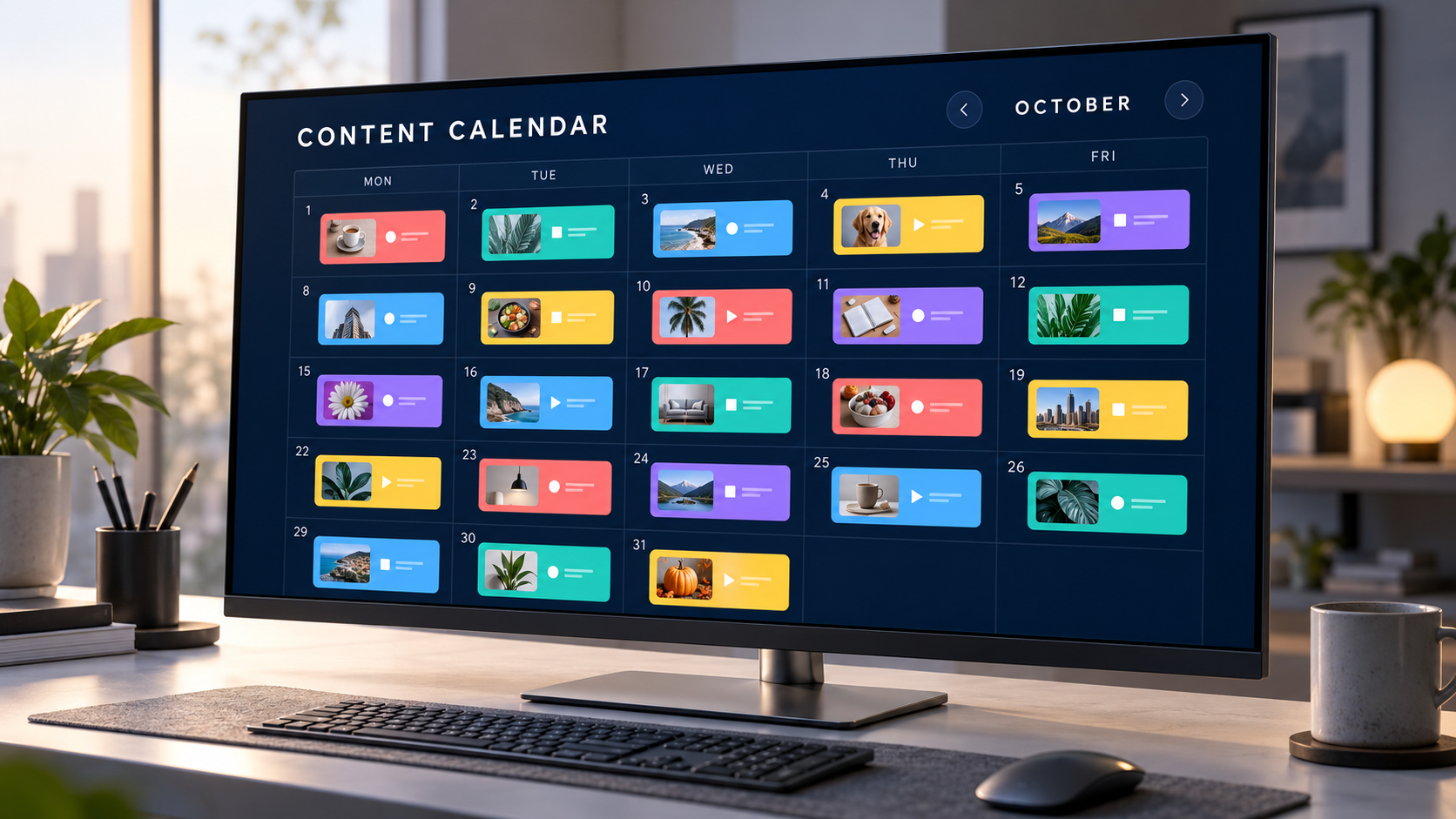
Choose a calendar view that matches the decision you are making. A monthly view is useful for assessing campaign timing, content balance, and publishing frequency. A weekly view is better for production management. A list or board view can help creators filter work by owner, channel, or status. Strong planning tools let you switch between these views without duplicating information.
Use color carefully. Assigning a color to every possible attribute can make a calendar harder to understand. Instead, color-code one strategically important dimension, such as content pillar or campaign. A quick glance should reveal whether the month contains a balanced mix of educational, promotional, community, and brand-building content.
Plan channel-specific execution rather than copying identical posts everywhere. One campaign idea can produce a LinkedIn document post, an Instagram Reel, a short-form video, a discussion prompt, and a series of Stories. The core message remains consistent, but the format, opening hook, caption length, and call to action should match the behavior of each platform’s audience.
Build flexibility into the schedule. Reserve some open space for product news, cultural moments, audience questions, or fast-moving trends. A practical rule is to plan roughly 70 to 80 percent of the calendar in advance and leave the remainder available for timely opportunities. The exact ratio should reflect the speed and nature of your industry.
Your social media calendar planner should make changes easy. Marketing priorities shift, launches move, and assets sometimes require revision. Drag-and-drop scheduling, clear dependencies, version history, and visible approvals help a team adapt without losing information or accidentally publishing outdated content.

How to Choose a Social Media Content Planner App
The right social media content planner app should solve the bottlenecks in your workflow. A solo creator may need fast idea capture, visual scheduling, and automated publishing. An agency may prioritize multiple client workspaces, approval controls, role-based access, and consolidated reporting. A large marketing team may require integrations with asset libraries, project management systems, and analytics platforms.
Begin by identifying essential capabilities. Look for support for the networks you actively use, not the longest possible list of integrations. Confirm that the app handles the formats that matter to you, including video, carousels, Stories, first comments, link previews, and platform-specific publishing options. Social networks change their technical requirements frequently, so dependable product maintenance is important.
Collaboration features should reflect the size of your team. Useful options include comments attached to individual posts, internal notes, approval stages, activity logs, and permissions that separate editors from approvers. If clients or senior stakeholders review content, check whether they can approve posts without navigating a complex production interface.
Evaluate the preview experience as well. A good preview reduces formatting mistakes by showing how the post is likely to appear on each platform. It should make missing assets, excessive text, incorrect dimensions, and incomplete fields obvious before scheduling.
Analytics are valuable when they help you make decisions. Focus on whether the app can compare content pillars, formats, campaigns, and publishing times. A large dashboard full of numbers is less useful than a clear answer to questions such as: Which recurring topic produces the most saves? Which format drives profile visits? Which posts create qualified website traffic?
Before committing, test the tool with a real two-week schedule. Invite the people who will use it, upload actual assets, complete an approval cycle, reschedule a campaign, and review the published results. A short practical trial will reveal more than a feature comparison page.

Organize Ideas, Assets, and Approvals
A social media post organizer should manage more than publication dates. The strongest calendars connect early ideas to final results. Create an idea backlog where team members can record potential topics as soon as they arise. Each idea should include a short concept, the audience problem it addresses, a proposed format, and a possible business objective.
Review the backlog regularly rather than moving every idea directly into production. Score ideas according to relevance, strategic value, timeliness, effort, and potential for repurposing. This helps the team prioritize concepts that can create meaningful results instead of simply producing the easiest posts first.
Use consistent naming conventions for creative assets. A filename such as “final-video-new-3.mp4” provides little useful information. A structured name containing the campaign, platform, format, topic, and version is easier to search and less likely to be published incorrectly. Store source files and approved exports separately, and link the approved asset directly from the calendar entry.
Create templates for recurring formats. A template might include the objective, target audience, key message, opening hook, supporting points, visual direction, call to action, required links, and success metric. Templates reduce briefing time while protecting quality, especially when freelancers or multiple departments contribute content.
Keep approvals specific and time-bound. Identify who approves factual accuracy, brand voice, design, and legal or regulatory requirements. Not every post needs the same level of review. A routine community post may require one editor, while a product claim or partnership announcement may need several specialists. Define approval deadlines so reviewers understand when their feedback is needed.
When feedback arrives, consolidate it in the planner instead of spreading revisions across email and chat. Comments should identify the requested change and the reason behind it. Clear feedback helps creators make better revisions and prevents repeated debate about subjective preferences.
Plan a Consistent Posting Schedule Without Burning Out
A sustainable schedule begins with capacity, not ambition. Estimate how many posts your team can research, create, review, and publish at a consistent standard. Include the hidden work: resizing graphics, adding captions, checking links, responding to comments, reporting results, and adapting content for different channels.
Choose a baseline cadence for each platform. Base it on audience expectations, available resources, and performance data. Avoid setting a frequency simply because a generic benchmark recommends it. If additional posts reduce quality or prevent community engagement, the extra volume may work against your goals.
Batch similar tasks to reduce context switching. Write several captions in one session, record multiple short videos during one shoot, and prepare a group of visual assets using shared templates. Batching works particularly well when posts belong to the same campaign or content pillar because the research and creative direction can be reused.
Repurposing is another important capacity tool. A webinar can become short video clips, a carousel, a quote graphic, a checklist, and several discussion prompts. Repurposing should transform the idea for each format rather than reposting the same material without adaptation. Select the strongest insight and rebuild it around the consumption habits of each channel.
Create contingency content for busy periods. Evergreen tutorials, frequently asked questions, customer tips, behind-the-scenes posts, and curated resources can fill unexpected gaps. Keep these posts approved and ready, but review them before publication to ensure links, product details, and cultural context remain current.
Protect time for community management. Publishing is only one part of a consistent social presence. Schedule time to answer questions, acknowledge comments, monitor customer feedback, and participate in relevant conversations. A full calendar with no capacity for interaction can create visibility without building relationships.
Measure Performance and Improve the Calendar
Your calendar should become smarter as performance data accumulates. Review results at least monthly and compare them with the objective assigned to each post. Awareness content may be evaluated through reach, video completion, and shares. Educational content may be judged by saves and meaningful comments. Conversion-focused posts may be measured through clicks, leads, trials, or sales.
Avoid ranking every post with one universal engagement rate. Different formats and goals produce different behaviors. A customer story may generate fewer impressions but influence high-value prospects, while a short entertaining video may reach a large audience without creating website traffic. Evaluate content according to its intended role.
Tag posts consistently so you can identify patterns. Useful tags include content pillar, format, campaign, audience segment, funnel stage, creative style, and call to action. After several weeks, compare performance across those categories. You may find that expert-led videos generate more saves, product demonstrations drive more clicks, or community questions produce stronger comments.
Record qualitative insights alongside metrics. Note recurring audience questions, objections, positive reactions, and language used in comments. These observations can shape future hooks, educational topics, product messaging, and sales materials. Some of the most valuable insights will not appear in an automated analytics chart.
End each reporting cycle with specific decisions. Continue the formats that consistently serve their intended purpose, improve promising concepts, and retire recurring posts that consume resources without producing useful outcomes. Add those decisions to the next planning session so reporting directly influences the calendar.
Do not optimize too quickly based on one unusually successful or unsuccessful post. Look for repeated patterns across comparable content. Social performance is affected by timing, distribution, creative execution, and external events, so reliable conclusions require a meaningful sample.
Common Social Media Planning Mistakes
One common mistake is filling the calendar before defining a strategy. A complete schedule may look productive, but volume does not compensate for unclear objectives or irrelevant topics. Start with audience needs and business priorities, then decide what deserves a publishing slot.
Another mistake is planning too far into the future at a detailed level. Quarterly themes and campaign milestones are useful, but writing every caption months in advance can create unnecessary rework. Use longer planning horizons for strategic direction and shorter horizons for final production.
Teams also lose time when they treat every platform as an isolated content machine. A coordinated campaign should share research, ideas, and assets across channels while allowing platform-specific execution. This approach provides consistency without forcing identical posts into different environments.
Over-automation can weaken quality. Scheduling tools are excellent for reliability, but automated publishing does not replace final checks or active community management. Review scheduled posts before they go live, particularly during breaking news or sensitive events. Pause content when the surrounding context makes a planned message inappropriate.
Finally, avoid building a planning system that is more complex than the work itself. Too many fields, statuses, and approval steps discourage adoption. Begin with the minimum information needed to publish confidently. Add structure only when it solves a recurring problem.
Frequently Asked Questions
What is a social post planner?
A social post planner is a system or application used to organize, create, review, schedule, and track social media content. It typically includes a calendar, post details, asset links, production statuses, ownership, and publishing information. Some planners also provide automated posting, collaboration, approval, and analytics features.
How far in advance should social media posts be planned?
Most teams benefit from setting campaign themes one to three months ahead and finalizing individual posts one to four weeks before publication. Fast-moving industries may require a shorter timeline, while seasonal campaigns may need several months of preparation. Leave open calendar space for timely news, trends, and audience conversations.
What should a social media calendar planner include?
Include the publication date and time, platform, format, content pillar, campaign, objective, owner, status, caption, creative asset, link, call to action, approval state, and performance notes. Keep the structure focused on information your team genuinely uses. Excessive fields make the planner harder to maintain.
Can a small business use a simple spreadsheet as a social media post organizer?
Yes. A spreadsheet can work well for a solo creator or small team with a modest publishing schedule. As the number of channels, contributors, assets, and approvals grows, a dedicated social media content planner app can reduce manual work and improve visibility. The best tool is the simplest one that reliably supports your current workflow and can accommodate near-term growth.