
Specialized Scheduling Tools: TikTok and Twitter Post Schedulers
Specialized scheduling tools streamline posting on TikTok and Twitter, helping users plan and manage content efficiently across these social platforms.


A specialized TikTok scheduling tool or Twitter post scheduler helps marketers publish consistently while respecting the distinct workflow of each platform. TikTok scheduling revolves around video production, mobile-first review, sounds, captions and trend timing, while Twitter scheduling focuses on concise copy, threads, conversation monitoring and rapid responses. Agencies should therefore evaluate platform-specific publishing features alongside approvals, permissions, analytics and multi-client management—not simply choose the tool with the longest feature list.
Why TikTok and Twitter Need Different Scheduling Workflows | What to Look for in a TikTok Scheduling Tool | How to Choose and Use a Twitter Post Scheduler | Best Social Media Scheduler for Agencies: Essential Selection Criteria | Comparing Native, Specialized and All-in-One Schedulers | A Practical TikTok and Twitter Scheduling Process | Common Scheduling Mistakes to Avoid | Frequently Asked Questions
Why TikTok and Twitter Need Different Scheduling Workflows
Scheduling is often treated as a universal process: upload content, choose a time and press a button. In practice, TikTok and Twitter—now officially called X, although many marketers still use the Twitter name—demand very different operating systems.
TikTok is a production-heavy channel. A single post may involve a strategist, presenter, videographer, editor and account manager. The team needs to manage video files, cover images, captions, hashtags, approvals and publication settings. Someone may also need to complete a final mobile check because platform-native effects, sounds or interactive features are not always available through external publishing tools.
Twitter moves at a faster editorial pace. A social team might prepare evergreen tips and campaign announcements in advance, but it must also react to news, customer questions and conversations. An effective Twitter post scheduler should support drafts, media attachments, threads, queue management and quick rescheduling without making spontaneous publishing difficult.
The difference affects measurement as well. TikTok teams often examine watch time, completion rate, rewatches, shares and follower growth. Twitter teams are more likely to monitor replies, reposts, link clicks, profile visits and the performance of individual posts within a thread. A useful scheduling tool should help teams connect these metrics to their content plan instead of presenting a generic engagement total.
Before comparing products, document the actual workflow for each platform. Identify who creates the post, who approves it, which features require native-app access and how quickly the team must respond after publication. This exercise usually reveals more than a feature-comparison table.

What to Look for in a TikTok Scheduling Tool
The most important requirement for a TikTok scheduling tool is reliable video handling. Check accepted file formats, size and duration limits, thumbnail controls and whether the scheduler validates content before publication. Early validation prevents a failed upload from becoming an empty slot in the content calendar.
Next, distinguish direct publishing from reminder-based scheduling. Direct publishing sends an eligible post to TikTok automatically. Reminder-based scheduling alerts a user to open the mobile app and finish the post manually. The second approach is not necessarily inferior: it can be the better choice when a creator needs to add a trending sound, use an effect, tag a product or perform another native action. The tool should make the difference clear so account managers know whether a post is genuinely automated.
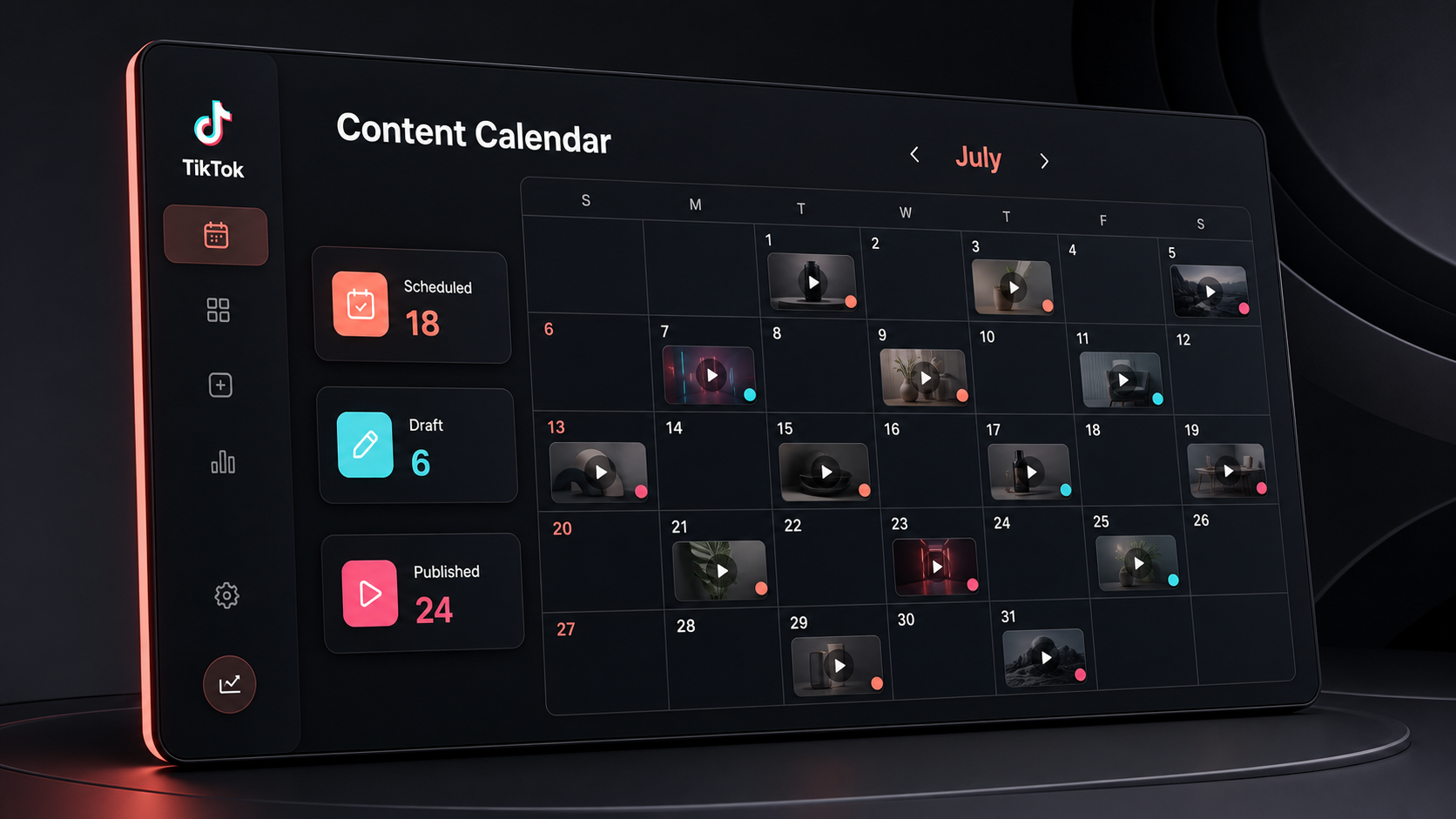
A visual calendar is particularly valuable for TikTok. It allows marketers to balance educational videos, trends, product demonstrations, testimonials and campaign content. Teams can also spot repetitive opening shots or topics before the feed becomes monotonous. Useful tools provide previews, draft statuses, internal notes and a clear record of requested changes.
For collaborative production, look for an approval process that separates content creation from publishing authority. A freelance editor may need to upload a video without gaining access to the client’s social account. A client reviewer may need to comment or approve without being able to modify other campaigns. Granular permissions reduce operational risk and make onboarding easier.
Analytics should go beyond counting views. Compare retention, average watch time, completion rate, shares and audience activity where these data are available. Use the findings to refine hooks, pacing and video length. For example, a high view count paired with weak retention may indicate that distribution was strong but the opening promise was not sustained.
Native TikTok scheduling can suit individual creators with straightforward needs. Broader platforms such as SMMplanner, Later, Buffer, Metricool, Hootsuite and Sprout Social are commonly considered when teams need cross-channel planning or collaboration. Availability and publishing capabilities can vary by account type and platform integration, so test the precise workflow you intend to use before committing.
How to Choose and Use a Twitter Post Scheduler
A capable Twitter post scheduler should make short-form publishing faster without removing human judgment. At minimum, it should support text, images, video, links and a manageable queue. If threads are central to your strategy, confirm that the tool can schedule an entire sequence in the correct order and display it clearly during review.
Start by dividing scheduled content into three categories. Evergreen posts include reusable advice, resources and brand principles. Campaign posts support launches, events and promotions. Timely posts respond to current conversations and usually require manual judgment. Scheduling the first two categories creates room for the third without leaving the account silent on quieter days.
Queue tools are useful for evergreen publishing because they assign posts to predefined time slots. Calendar-based scheduling is better for launches and messages tied to a specific date. Strong platforms support both approaches, enabling a marketer to maintain a baseline cadence while controlling important campaign moments precisely.
Preview quality matters more than it seems. Review how images crop, whether links consume unnecessary space and how a thread reads from beginning to end. Keep the opening post understandable on its own, because it may receive substantially more exposure than later replies. Each subsequent post should add information rather than repeat the hook.
Do not schedule a full day of posts and then ignore the account. Twitter rewards participation as much as publication. Assign responsibility for monitoring replies, answering questions and escalating sensitive comments. During breaking news or a brand issue, pause the queue and review every upcoming post for unintended associations.
Native scheduling can be sufficient for solo users and small editorial calendars. Third-party options become more useful when teams require shared drafts, client approvals, reporting or coordination with other networks. SMMplanner and multi-network tools such as Buffer, Hootsuite, Metricool and Sprout Social can be evaluated for this purpose. The best option is the one that supports both planned publishing and fast human intervention.

Best Social Media Scheduler for Agencies: Essential Selection Criteria
The best social media scheduler for agencies is not automatically the product with the most integrations. It is the system that reduces coordination time while keeping client accounts secure, visible and easy to manage. The decision should be based on workflow cost, not only subscription price.
Begin with account structure. An agency should be able to separate clients into workspaces, assign team members selectively and prevent one client from viewing another client’s content. Role-based access is essential when employees, contractors and client stakeholders require different levels of control.
Approval features should match the agency’s service model. Some clients want to approve every post; others only review campaign assets or regulated topics. Look for comments, version history, approval deadlines and notifications that identify exactly what requires attention. A shareable review link can also be useful when a client does not want another login.
A social media scheduler for agencies should provide a unified calendar without erasing platform differences. The calendar should show the full campaign, but TikTok videos and Twitter threads still need platform-specific previews, fields and publication instructions. Blindly copying the same asset and caption across networks usually produces weaker creative.
Reporting is another major consideration. Check whether reports can be filtered by client, account, platform, campaign and date range. Agencies often need both an executive summary and post-level evidence. Branded exports, scheduled delivery and clear definitions of metrics can save hours at the end of every month.
Finally, calculate operational cost. Include subscription fees, extra-user charges, account limits, approval time, manual publishing time and the cost of correcting errors. A moderately priced platform that saves several account-management hours each month may be more economical than a cheaper scheduler with limited collaboration.
Comparing Native, Specialized and All-in-One Schedulers
Native schedulers are usually the simplest starting point. They are close to the platform, require fewer integrations and may offer reliable access to supported publishing features. They work well for individual creators, small businesses and teams managing only one or two accounts. Their main limitation is fragmentation: marketers must switch between separate calendars, analytics views and approval processes.
Specialized tools focus on a narrower use case. A TikTok-oriented platform might emphasize visual planning, creator workflows and video analytics. A Twitter-focused product might prioritize queues, threads, content recycling or writing assistance. This depth is valuable when one network drives a large share of the organization’s results.
All-in-one platforms centralize multiple social networks, team permissions and reports. They are often the strongest candidates for agencies, but breadth can come at the expense of platform-specific functionality. An integration may technically support TikTok while still requiring manual completion for particular post settings. Likewise, a tool may publish single Twitter posts but handle threads awkwardly.
A hybrid setup is often practical. An agency can use SMMplanner or another cross-network calendar as the primary planning environment, then complete posts in the native application when a platform-only feature is essential. The key is documenting the handoff. Calendar labels such as “ready for direct publishing” and “requires mobile completion” eliminate ambiguity.
Run a controlled trial before signing an annual contract. Use two representative client accounts, several users and real content formats. Test uploads, approvals, rescheduling, failed-post notifications, reporting and account removal. A polished demonstration cannot reveal all the friction that appears during a busy production week.
A Practical TikTok and Twitter Scheduling Process
Begin with campaign objectives rather than empty calendar slots. Define the action each platform should encourage. TikTok may be responsible for discovery and product education, while Twitter supports conversation, thought leadership or traffic. These roles determine the appropriate content mix and metrics.
Plan content in weekly production batches. Record several TikTok videos during one session, but vary locations, framing, clothing or visual hooks so the posts do not feel identical. Draft related Twitter posts at the same time, adapting the idea to the platform instead of copying the TikTok caption.
For every scheduled item, record the owner, approval status, publication method and response plan. TikTok posts that require native sounds should have a named person responsible for mobile completion. Twitter campaign posts should have someone available to monitor replies after publication.
Schedule evergreen material first, then add campaigns and timely opportunities. Avoid filling every slot weeks in advance. Leaving open space makes it easier to respond to trends without pushing a large backlog of approved content into unsuitable dates.
Use a final quality-control checklist. Confirm the account, time zone, date, media, caption, links, mentions and accessibility elements. Watch each video with sound and without sound. Read every thread in order. For high-risk accounts, require a second reviewer before publication.
After publishing, evaluate content in batches rather than reacting emotionally to a single post. Compare similar formats, topics and posting windows. Turn the results into concrete decisions: repeat an effective hook, shorten slow introductions, adjust the publishing cadence or stop recycling a Twitter format that no longer attracts meaningful responses.
Common Scheduling Mistakes to Avoid
The first mistake is treating automation as a substitute for community management. A scheduler can publish on time, but it cannot replace informed responses, creator participation or sensitivity to context. Allocate monitoring time as part of the publishing workflow.
The second mistake is cross-posting without adaptation. TikTok and Twitter have different consumption patterns, creative conventions and audience expectations. Reuse the underlying insight, not necessarily the same execution. A 30-second demonstration might become a concise observation, a short thread or a question designed to begin a conversation.
Another common problem is excessive scheduling. A calendar packed for the next month leaves little room for new information, trends or performance insights. Use a rolling planning window: lock immediate campaign content, prepare the following week and keep later ideas flexible.
Teams also overlook time zones and access changes. Verify the scheduler’s workspace time zone and each client’s intended market. Remove former employees and contractors promptly, audit connected accounts regularly and enable available security protections.
Finally, do not select a tool solely because it appears on a list of the best social media schedulers for agencies. Product fit depends on your number of clients, publishing volume, approval requirements and reporting obligations. Test the complete route from idea to report with the people who will actually use it.
Frequently Asked Questions
Can TikTok posts be scheduled automatically?
Yes, eligible TikTok posts can often be scheduled through native or third-party tools. However, some sounds, effects, product features or publishing settings may require completion inside the TikTok app. Confirm whether each post will publish directly or trigger a mobile reminder.
What should I look for in a Twitter post scheduler?
Prioritize reliable publishing, thread support, previews, queue and calendar options, media handling, team approvals and clear failure notifications. Agencies should also look for client workspaces, granular permissions and report filtering.
Is a specialized scheduler better than an all-in-one platform?
A specialized scheduler is useful when TikTok or Twitter is strategically dominant and the team needs deeper platform-specific functionality. An all-in-one platform is usually more efficient for cross-channel campaigns and multiple clients. Many teams use a hybrid workflow when native features are required.
What is the best social media scheduler for agencies?
There is no universal winner. The best social media scheduler for agencies is the one that fits the agency’s client structure, approval process, account volume, security requirements and reporting workflow. Compare tools such as SMMplanner and other established scheduling platforms through a realistic trial using actual content and team roles.