
Specialized Social Media Calendars for Business and Real Estate
Specialized social media calendars help businesses and real estate professionals plan content efficiently to boost engagement and streamline marketing efforts.


A specialized social media calendar helps businesses and real estate professionals plan content around their actual sales cycles, customer questions, local events, property milestones, and campaign goals. Unlike a generic posting schedule, it connects every post to a target audience, business objective, publishing channel, approval process, and measurable result. The right calendar makes content production more consistent while giving marketers enough flexibility to respond to new listings, market changes, customer feedback, and timely opportunities.
Why Specialized Social Media Calendars Produce Better Results | What a Business Social Media Calendar Should Include | How to Build a Social Media Calendar for Real Estate | A Practical Weekly Real Estate Publishing Framework | Choosing a Social Media Content Calendar Planner | How to Use Social Media Calendar Templates Without Becoming Generic | Creating a Sustainable Planning and Review Cycle | Common Calendar Mistakes to Avoid | Frequently Asked Questions
Why Specialized Social Media Calendars Produce Better Results
Most organizations do not struggle because they lack content ideas. They struggle because ideas are scattered across notes, messages, spreadsheets, and unfinished drafts. Without a shared planning system, teams publish reactively, repeat topics, miss important dates, and spend too much time deciding what to post. A specialized calendar turns those disconnected activities into a repeatable workflow.
A useful business social media calendar shows more than publication dates. It should document the purpose of each post, the intended audience, the content format, the responsible team member, the production deadline, and the desired action. This context helps a marketer distinguish between a post designed to generate leads and one intended to educate existing customers or strengthen brand recognition.
Specialization matters because different industries operate on different rhythms. A software company may organize content around product releases, webinars, case studies, and renewal periods. A restaurant may prioritize seasonal menus, local events, and weekend promotions. A real estate professional must account for listings, open houses, neighborhood activity, financing questions, and changes in market conditions.
A calendar also protects quality as publishing volume increases. Writers can prepare captions before they become urgent, designers can batch related graphics, and stakeholders can review claims or property details before publication. Scheduling content in advance reduces rushed work without eliminating timely posts. Instead, it creates enough breathing room to handle spontaneous opportunities well.
The strongest calendars therefore function as operational tools rather than decorative schedules. They reveal whether the content mix supports the organization’s priorities and whether the team has enough production capacity to execute the plan. When every planned asset has a clear role, social media becomes easier to manage and more accountable.

What a Business Social Media Calendar Should Include
A practical calendar begins with a few essential fields: publication date, platform, campaign, topic, format, status, owner, caption, creative asset, link, and call to action. Teams may also track audience segment, funnel stage, paid support, approval status, and performance metrics. The goal is not to create the most detailed spreadsheet possible; it is to capture the information needed to move an idea from planning to publication.
Organize content around strategic pillars that reflect the business and its customers. A service company might use educational advice, customer proof, behind-the-scenes content, team expertise, offers, and community involvement. A product brand might add demonstrations, comparisons, user-generated content, product launches, and care instructions. Assigning a pillar to each post makes gaps and overused themes immediately visible.
Next, map content to the customer journey. Awareness posts should introduce a problem, idea, or brand point of view. Consideration content can explain processes, answer objections, compare options, and demonstrate expertise. Conversion posts should present a clear offer or next step. Retention content can provide useful tips, highlight advanced features, celebrate customers, and invite referrals.
Business social media planning should also reflect operational reality. If a designer needs three days to create a carousel and a manager needs two days to approve it, those deadlines belong in the calendar. Working backward from the publication date prevents bottlenecks. A post scheduled for Friday might require a final caption on Monday, design completion on Tuesday, and approval by Wednesday.
Use status labels that everyone understands, such as idea, brief approved, in production, awaiting review, scheduled, published, and repurpose. Establish one owner for each item even when several people contribute. Shared responsibility often becomes invisible responsibility; a named owner keeps work moving.
Finally, add a lightweight measurement field. Record the metric most closely connected to the post’s objective rather than judging every post by likes. That metric might be qualified comments, link clicks, saves, video completion rate, leads, or booked calls. Reviewing results inside the same planning system helps future decisions reflect evidence instead of habit.
How to Build a Social Media Calendar for Real Estate
A social media calendar for real estate must accommodate both planned educational content and fast-moving property activity. Listings can become available with little notice, price changes may need prompt communication, and an open house may require several posts within one week. The calendar should provide a stable editorial structure while preserving space for market-driven updates.
Start with recurring categories. Useful real estate pillars include new listings, property tours, neighborhood guides, buyer education, seller advice, market updates, client stories, agent expertise, home maintenance, local businesses, and frequently asked questions. These categories prevent an account from becoming a repetitive stream of listing advertisements.
Then plan around property milestones. A single listing can support a sequence of content: a teaser, launch announcement, photo carousel, short-form video tour, feature spotlight, neighborhood post, open-house reminder, frequently asked question, status update, and closing story. The sequence should change according to the property, platform, and stage of the transaction rather than following an identical script every time.
A useful real estate content calendar also separates evergreen material from inventory-dependent content. Buyer checklists, explanations of closing costs, staging advice, and neighborhood introductions can be prepared in advance. Listing announcements and market commentary require current information. Maintaining both types gives agents a reliable baseline without making the feed feel outdated.
Local relevance is especially important. Schedule content around school calendars, seasonal maintenance, municipal developments, community festivals, moving patterns, and regional weather. Avoid making broad claims that cannot be supported. When sharing market statistics, record the data source, geographic area, reporting period, and review date in the calendar.
Real estate teams should include a compliance checkpoint in their workflow. Property details, availability, photography permissions, testimonials, advertising disclosures, and housing-related language may require review. Rules vary by location and organization, so the calendar should identify who verifies each item before it is scheduled.
Finally, reserve flexible slots each week. These spaces can accommodate a new property, a timely client question, or a meaningful local development. If no urgent topic emerges, fill the slot with a prepared evergreen post. This approach combines reliability with responsiveness and reduces the temptation to publish weak content merely to maintain frequency.
A Practical Weekly Real Estate Publishing Framework
A weekly framework can simplify decisions without forcing every channel into the same posting frequency. Begin by identifying the platforms that matter to the target market. An agent may use Instagram for visual discovery, Facebook for community reach, LinkedIn for professional relationships, YouTube for property and neighborhood videos, and a business profile for local search visibility.
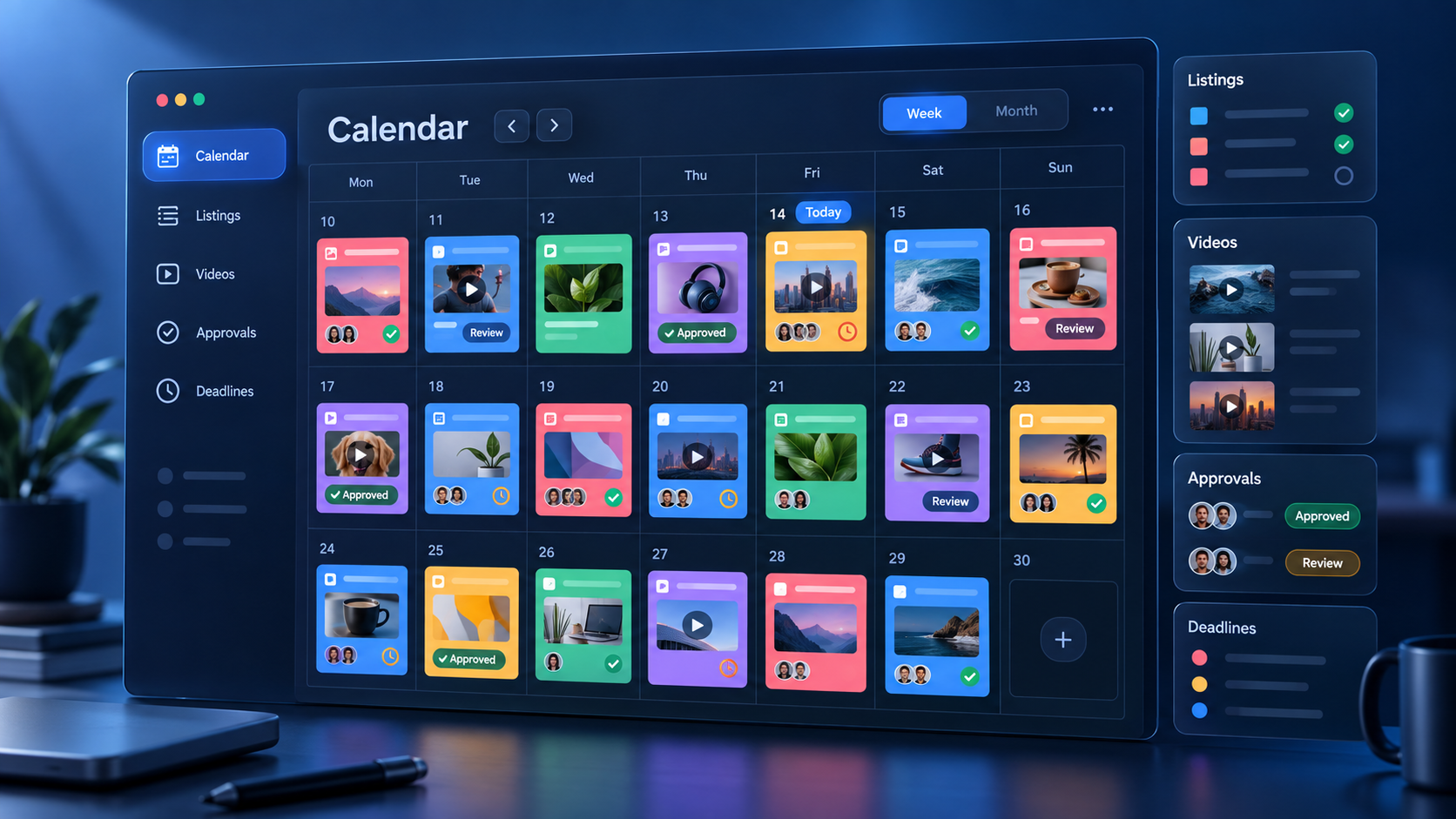
Monday can focus on market education: a concise statistic, mortgage concept, or explanation of a common transaction step. Tuesday might feature a neighborhood, local business, commute option, or community amenity. Wednesday can highlight a property through a carousel, vertical video, or live tour. Thursday can answer a buyer or seller question, while Friday can present a client story, team moment, or weekend open-house plan.
This framework should be treated as a starting point, not a rigid rule. If audience data shows that property tours perform best on Saturday mornings, schedule them then. If detailed market analysis succeeds on LinkedIn but not on Instagram, adapt the format and distribution. Consistency means maintaining a dependable standard and cadence, not posting identical material everywhere.
Each core idea can generate several assets. A neighborhood guide might become a long video, three short clips, a carousel, a poll, and an email link. A seller question can become a talking-head video, a checklist, and a story sequence. Repurposing works best when each version is designed for its platform rather than copied without adjustment.
Include engagement activity in the plan as well. Set aside time to reply to comments, answer direct messages, interact with local organizations, and follow up with warm leads. Publishing is only one part of social media marketing; a calendar that ignores conversation leaves much of the potential value unused.

Choosing a Social Media Content Calendar Planner
The best social media content calendar planner is the one a team can maintain during busy periods. It should make upcoming work easy to understand, support collaboration, and reduce the distance between approval and scheduling. Complexity is worthwhile only when it solves a genuine workflow problem.
Look for multiple views. A monthly view helps stakeholders understand campaign balance, while a weekly or list view supports production. Filters should allow users to isolate a platform, campaign, property, content owner, or approval status. For real estate teams, the ability to group posts by listing or neighborhood is particularly helpful.
Collaboration features should include assignments, comments, approval stages, and visible deadlines. Asset attachments reduce the risk of scheduling an outdated image or incorrect video. A searchable archive makes it easier to reuse successful concepts, locate approved language, and avoid publishing the same idea too frequently.
Direct scheduling can save time, especially when several platforms are involved. However, planners should still allow platform-specific captions, media dimensions, links, and publishing times. A tool that encourages identical cross-posting may simplify the wrong part of the process. Efficient distribution should preserve each channel’s context.
Analytics are valuable when they lead to decisions. Look for reporting that helps compare topics, formats, platforms, and posting times. Teams should be able to answer questions such as: Which educational themes generate saves? Which neighborhood videos produce profile visits? Which calls to action result in inquiries? These insights should inform the next planning cycle.
Before choosing a tool, run a short test using real content. Ask a writer, designer, approver, and scheduler to complete one workflow. Note where information is duplicated, where notifications become noisy, and where users need workarounds. A modest tool that fits the process often performs better than a feature-heavy platform that the team avoids.

How to Use Social Media Calendar Templates Without Becoming Generic
Social media calendar templates provide a useful structure, but they should not dictate strategy. A template cannot know the organization’s sales cycle, audience objections, local context, approval requirements, or production limits. Treat it as a framework to customize rather than a finished publishing plan.
Begin by removing unnecessary fields. Then add the information that affects execution, such as property address, campaign objective, legal review, source link, filming location, or lead destination. Clear fields make handoffs easier and prevent essential details from being buried in comments.
Templates should also contain prompts that improve content quality. Instead of a vague field labeled “idea,” include audience problem, key takeaway, proof, format, and next action. For real estate, add property status, location focus, factual source, and disclosure check. For general business content, add offer, customer segment, funnel stage, and campaign attribution.
A strong template includes capacity limits. Mark how many videos, carousels, photographs, or long captions the team can realistically produce each week. This keeps the plan grounded. Four excellent posts with deliberate engagement often create more value than seven rushed posts that repeat the same message.
Review the template every quarter. Remove fields nobody uses, add steps that repeatedly occur outside the planner, and update content pillars to reflect current goals. The calendar should evolve with the business. A system designed for a solo agent may need new approval, assignment, and reporting fields when the team expands.
Creating a Sustainable Planning and Review Cycle
A sustainable planning rhythm usually combines quarterly direction, monthly scheduling, weekly production, and regular performance review. At the quarterly level, choose the main business priorities and audience needs. For example, a brokerage might prioritize seller acquisition in one neighborhood, while a small business might focus on launching a service or increasing repeat purchases.
During monthly planning, translate those priorities into campaigns and content themes. Confirm important dates, offers, events, listing expectations, and production requirements. Leave a portion of the calendar open for timely material. A fully packed month may look organized, but it can prevent the team from responding to real-world developments.
Use a weekly production meeting to resolve blockers rather than brainstorm from scratch. Review what is due, confirm owners, identify missing assets, and approve near-complete work. New ideas can enter a backlog and be evaluated during the next planning session unless they are genuinely time-sensitive.
Performance reviews should focus on patterns across several posts. One weak result does not necessarily invalidate a topic, just as one viral post does not guarantee a repeatable strategy. Compare similar formats and themes over an appropriate period. Consider whether reach, engagement quality, traffic, and conversions match the intended objective.
Create a simple decision log after each review. Record what the team will continue, stop, test, or modify. Examples might include producing more neighborhood walkthroughs, shortening video introductions, replacing generic calls to action, or publishing customer stories more frequently. This turns analytics into specific improvements for the next calendar.
The ultimate purpose of business social media planning is not to fill every empty date. It is to build a reliable system for creating relevant content, distributing it efficiently, learning from audience behavior, and supporting business goals. A good calendar reduces uncertainty while leaving room for judgment—the combination that strong marketing teams need.
Common Calendar Mistakes to Avoid
One common mistake is planning by format alone. A calendar filled with labels such as “Reel,” “carousel,” and “photo” says nothing about audience value. Every item should communicate a topic, purpose, and next step. Format supports the idea; it does not replace it.
Another mistake is using the same publishing plan for every platform. Audiences may overlap, but behavior and expectations differ. Adapt hooks, visual dimensions, caption length, links, and calls to action. Reuse the central insight while presenting it in a way that feels native to each channel.
Overplanning is equally risky. Preparing every caption months ahead may produce stale statistics, unavailable listings, or irrelevant promotions. Plan evergreen campaigns early, but schedule checkpoints for facts that can change. Any time-sensitive post should have a named person responsible for final verification.
Teams also lose efficiency when approval happens through scattered email and chat threads. Keep feedback connected to the calendar item or attached asset whenever possible. Establish a deadline after which minor revisions move to a future post instead of delaying the entire schedule.
Finally, avoid measuring calendar success by publishing consistency alone. A perfectly maintained schedule can still support weak strategy. Evaluate whether the calendar improves content quality, shortens production time, supports qualified conversations, and contributes to meaningful business outcomes.
Frequently Asked Questions
How far in advance should a business social media calendar be planned?
Most businesses benefit from planning themes and campaigns four to twelve weeks ahead while finalizing individual posts one to four weeks before publication. Keep some capacity available for timely announcements, customer questions, industry developments, and reactive opportunities.
How often should a real estate professional post on social media?
There is no universal number. Choose a cadence that can be sustained with useful, accurate content. For many agents, three to five thoughtful weekly posts across priority channels is a practical starting point. Measure audience response and lead quality, then adjust frequency by platform.
What should be included in a real estate content calendar?
Include the publication date, platform, property or campaign, content pillar, format, caption, creative asset, owner, status, approval deadline, call to action, and performance metric. Add fields for property status, factual sources, permissions, disclosures, and final accuracy checks where appropriate.
Should one calendar cover every social media platform?
A single master calendar is usually helpful because it gives the team a complete view of campaigns and workload. Within that calendar, create platform-specific entries or fields for captions, formats, publishing times, links, and results. This preserves coordination without forcing identical content across channels.