
Top Post Scheduling Apps for Seamless Social Media Management
Top post scheduling apps streamline social media management by saving time and improving content consistency across multiple platforms effortlessly.


The best post scheduling app is the one that matches your publishing volume, social networks, approval process, and reporting needs. For most small teams, Buffer offers an accessible starting point; Hootsuite and Sprout Social suit organizations requiring deeper collaboration and analytics; Later is particularly useful for visual planning; and SMMplanner provides practical scheduling and automation for managing consistent content delivery. The comparison below will help you choose a user-friendly, feature-rich platform without paying for capabilities your team will not use.
What to Look for in a Social Media Post Scheduling Tool | Best Post Scheduling Apps at a Glance | Best Options for Simple, Reliable Publishing | Best Apps for Visual Planning and Evergreen Content | Best Tools for Teams, Agencies, and Complex Approvals | How to Choose the Best App for Scheduling Social Media Posts | A Practical Workflow for Better Scheduled Content | Common Scheduling Mistakes to Avoid | Frequently Asked Questions
What to Look for in a Social Media Post Scheduling Tool
Scheduling is the baseline, not the entire job. A capable platform should make it easy to create, preview, approve, publish, and evaluate content across the networks that matter to your brand. Before comparing products, document your current workflow: who develops ideas, who creates assets, who approves posts, and who responds after publication. This reveals which features will genuinely save time.
Begin with network support. Confirm that the tool works with your required account types and content formats, including short-form video, carousels, Stories, first comments, link previews, and platform-specific tags. Support can vary by network because social platforms impose different API restrictions. A scheduler may publish an Instagram Reel automatically, for example, while requiring a mobile notification for another format.
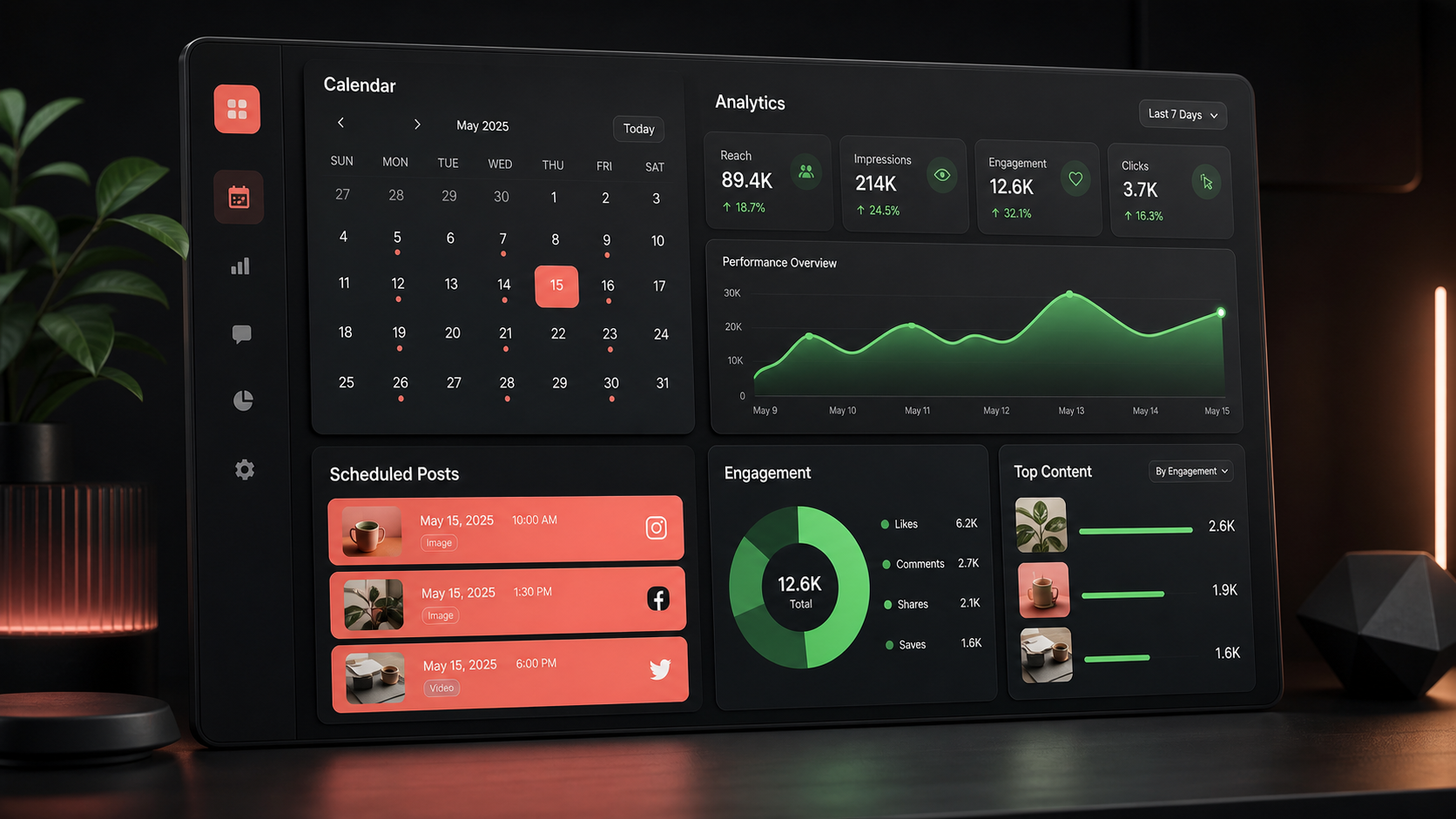
Next, evaluate the content calendar. The strongest calendars provide weekly and monthly views, drag-and-drop rescheduling, filters for campaigns or accounts, and clear post statuses. A visual calendar should answer three questions immediately: what is going live, where it will appear, and whether it is ready.
Collaboration also matters. Freelancers may only need drafts, while agencies and larger marketing departments often require roles, internal comments, client approvals, version history, and audit trails. If posts are currently approved through scattered emails or chat messages, a structured approval workflow can be more valuable than sophisticated analytics.
Finally, examine reporting, engagement management, integrations, and pricing limits. Check whether plans are priced by user, channel, workspace, or scheduled-post volume. Look beyond the attractive entry price and calculate the cost for the team and account portfolio you expect to manage six months from now.

Best Post Scheduling Apps at a Glance
The market includes lightweight publishing tools, comprehensive social suites, and specialized visual planners. The following apps to schedule social media posts serve different operational needs, so there is no universal winner.
| App | Best for | Notable strength | Primary consideration |
|---|---|---|---|
| SMMplanner | Creators, businesses, and practical publishing workflows | Focused scheduling and content automation | Check support for every required network and format |
| Buffer | Individuals and small teams | Simple interface and fast onboarding | Advanced team needs may require a higher plan |
| Hootsuite | Multi-channel marketing teams | Broad management and monitoring capabilities | May feel complex for a solo creator |
| Sprout Social | Established brands and service teams | Analytics, engagement, and collaboration | Typically aimed at larger budgets |
| Later | Visual brands and creator-led businesses | Visual content planning | Confirm depth for non-visual channels |
| Metricool | Performance-focused marketers | Planning combined with analytics | Reporting needs should be tested during a trial |
| SocialBee | Evergreen content programs | Category-based scheduling and recycling | Requires careful rules to prevent repetitive feeds |
| Planable | Agencies and approval-heavy teams | Review and client collaboration | Assess whether its reporting matches your needs |
Use this table to create a shortlist rather than making an immediate purchase. Choose three candidates, build the same campaign in each one, and invite the people who will actually use the software. A tool that looks impressive in a feature chart can still create friction during daily production.
Best Options for Simple, Reliable Publishing
SMMplanner
SMMplanner is a practical choice for marketers and creators who want to organize content in advance and automate routine delivery. Its central value is straightforward: prepare posts in batches, assign publication times, and maintain a dependable presence without manually opening every social network throughout the day.
It is particularly relevant for teams developing repeatable content systems. A marketer can prepare campaign assets, arrange posts around launches or promotions, and review the schedule before content goes live. This reduces last-minute publishing errors and helps balance educational, promotional, and community-focused material.
SMMplanner should be evaluated against your exact mix of channels and formats. During testing, upload real images and videos, reproduce captions with line breaks, verify links, and inspect published results on each destination. This hands-on check is essential for any post scheduling app because a convenient composer is only valuable if the final posts render correctly.
Buffer
Buffer is widely associated with approachable social publishing. Its uncluttered workflow makes it a strong candidate for solo marketers, founders, creators, and small businesses that want to schedule posts without learning an enterprise system. Users can establish posting queues, customize content for different channels, and review upcoming posts in a calendar.
Its simplicity is both an advantage and a selection criterion. If your priorities are planning, publishing, and basic performance review, Buffer can keep the process efficient. If you need complex permissions, extensive social listening, or highly customized reporting, compare its appropriate paid tier with a broader platform before committing.
Metricool
Metricool combines scheduling with measurement, making it useful for marketers who want publishing and performance data in one environment. It can help teams plan campaigns, monitor results, and identify which topics and formats deserve further investment.
This option is especially appealing when reporting is part of the weekly routine. Rather than treating analytics as an end-of-month task, marketers can use performance signals to refine the next scheduled batch. Test the reports with stakeholders, however: a dashboard that works for an SMM specialist may not provide the executive summary a client or director expects.
Best Apps for Visual Planning and Evergreen Content
Later
Later is designed around visual content planning, which makes it attractive to Instagram-focused brands, lifestyle businesses, retailers, and creators. A visual preview can help marketers judge the rhythm of a feed, notice repetitive imagery, and coordinate product photographs, graphics, and video covers before publishing.
Its planning experience is valuable when brand appearance influences purchase decisions. Fashion, food, beauty, travel, and design accounts can use visual organization to prevent adjacent posts from looking too similar. Teams should still prioritize business outcomes over a perfectly coordinated grid: reach, saves, clicks, and conversions matter more than decorative consistency alone.
SocialBee
SocialBee stands out for category-based scheduling and evergreen content workflows. Instead of filling every calendar slot manually, marketers can create categories such as tutorials, customer stories, product benefits, industry insights, and promotional offers. Publishing rules then help maintain a deliberate content mix.
This approach is effective for brands with libraries of useful, reusable material. A strong article, checklist, case study, or podcast episode can be introduced through multiple angles over time. Recycling should remain controlled, particularly on networks where followers notice repeated copy. Refresh the hook, creative, example, and call to action so recurring subjects continue to feel useful.
The best app to schedule social media posts for an evergreen strategy must also provide visibility into what has already been published. Look for expiration dates, variation controls, category pauses, and post history. These safeguards prevent an outdated promotion, seasonal message, or old statistic from resurfacing automatically.


Best Tools for Teams, Agencies, and Complex Approvals
Hootsuite
Hootsuite is a broad social media management platform suited to organizations managing multiple accounts, contributors, and ongoing conversations. In addition to scheduling, its wider toolset can support monitoring, engagement, team assignments, and reporting. This makes it a candidate for companies seeking a central operational workspace rather than a publishing-only utility.
The tradeoff is complexity. Teams should define which components they need and configure views carefully. Without governance, a powerful platform can become crowded with unused streams, inconsistent tags, and unclear ownership. Assign an administrator, establish naming conventions, and document the process for drafting, approval, escalation, and reporting.
Sprout Social
Sprout Social is often considered by established teams that value publishing, engagement, analytics, and structured collaboration. It can be particularly useful when social media supports both marketing and customer care, because incoming messages need clear ownership and response standards.
Its reporting and workflow capabilities can justify the investment for organizations that actively use them. Before selecting it, quantify the time currently spent gathering data, preparing client reports, routing messages, and securing approvals. The platform should reduce measurable operating costs or improve decisions—not merely add another dashboard.
Planable
Planable emphasizes content review and approval, making it a compelling option for agencies, distributed teams, and regulated workflows. Stakeholders can see posts in context, leave feedback, and approve work without relying on long email chains or static screenshots.
This is important because approval delays often disrupt publishing more than content creation does. Establish deadlines for reviewers, distinguish required approvers from optional commenters, and define what happens when someone misses a deadline. Software can organize feedback, but the team still needs rules that prevent endless revision cycles.
How to Choose the Best App for Scheduling Social Media Posts
Start with a requirements scorecard. List ten capabilities and label each one as essential, useful, or unnecessary. Essential items might include a specific social network, video scheduling, client approvals, bulk uploading, link tracking, or downloadable reports. Give the greatest weight to tasks performed every day.
Then run a realistic trial. Do not judge social media post scheduling tools by their demo data. Import a genuine two-week content plan, connect test accounts where appropriate, and reproduce a campaign containing images, links, video, hashtags, mentions, and platform-specific captions. Ask each user to complete their normal tasks without assistance and record where they hesitate.
Evaluate reliability and control as carefully as interface design. Look for failed-post notifications, permission alerts, account reconnection guidance, time-zone settings, preview accuracy, and a searchable publishing history. Determine whether the scheduler makes failures obvious and gives the team enough information to resolve them quickly.
Calculate total cost using your projected number of users and social profiles. Include add-ons for analytics, listening, approvals, artificial intelligence features, and additional workspaces. Annual billing may reduce the headline cost, but a monthly trial period can be sensible until the platform has proven its value.
The best app for scheduling social media posts should shorten production time without separating marketers from their audience. Automation handles delivery; people still need to monitor conversations, respond thoughtfully, recognize trends, and adjust content when news or customer sentiment changes.
A Practical Workflow for Better Scheduled Content
Begin with content pillars tied to marketing objectives. For example, an education pillar can build authority, customer stories can strengthen trust, product demonstrations can support consideration, and offers can drive conversion. Assign a rough percentage of the calendar to each pillar so promotional posts do not overwhelm the audience.
Plan in monthly themes, produce in weekly batches, and retain room for timely content. A useful schedule might reserve 70 to 80 percent of slots for planned material and leave the remainder flexible. This provides consistency without making the brand sound detached from current conversations.
Create reusable templates for briefs, captions, creative sizes, accessibility checks, tracking links, and approvals. Templates reduce avoidable decisions while preserving room for original ideas. Every scheduled post should have a clear owner, audience, objective, destination, publication time, and success metric.
Customize posts for each platform. Cross-posting identical copy may be quick, but channel behavior differs. Rewrite hooks to suit the audience, adapt calls to action, verify handle mentions, and use the correct aspect ratio. A scheduling tool should facilitate these variations rather than encouraging indiscriminate duplication.
Review the calendar at least twice: once for editorial quality and once for operational accuracy. The editorial review checks relevance, tone, repetition, and campaign balance. The operational review checks links, dates, time zones, tags, assets, disclosures, and approvals. After publication, evaluate performance in recurring review sessions and transfer the lessons into the next batch.
Common Scheduling Mistakes to Avoid
The first mistake is scheduling too far ahead without review points. Content prepared months in advance can become inaccurate, insensitive, or inconsistent with current priorities. Add mandatory checkpoints for campaigns with changing prices, product availability, event details, or legal requirements.
Another problem is optimizing for posting frequency instead of audience value. Publishing more often is not automatically better. Monitor whether additional posts improve reach, qualified engagement, website activity, leads, or sales. If quality declines, reduce volume and invest more effort in research, creative development, and distribution.
Teams also overlook time zones and daylight-saving changes. Confirm the time zone at the account, workspace, and individual-post levels, especially when campaigns target multiple regions. For high-stakes launches, schedule a test post and require a final calendar verification.
Finally, avoid “set and forget” social management. Scheduled posts can arrive at an inappropriate moment or attract questions that require quick responses. Maintain a pause procedure for emergencies, assign daily monitoring responsibilities, and define escalation paths for complaints, misinformation, or sensitive comments. The best tools for social media managers support judgment; they do not replace it.
Frequently Asked Questions
What is a post scheduling app?
A post scheduling app is software that lets users prepare social media content in advance and set a date and time for publication. Many platforms also include calendars, previews, approval workflows, analytics, engagement inboxes, asset libraries, and automation features. Capabilities vary by social network and subscription plan.
What is the best app for scheduling social media posts?
The best choice depends on the workflow. Buffer is a strong option for simple publishing, Later suits visual planning, SocialBee supports evergreen category systems, Planable focuses on approvals, and Hootsuite or Sprout Social can serve teams needing broader management features. SMMplanner is well suited to marketers seeking practical scheduling and consistent automated delivery. Test shortlisted platforms with real content before purchasing.
Can scheduling apps publish every type of social media content automatically?
Not always. Automatic publishing depends on the network, account type, content format, and permissions available through the platform’s integration. Some formats may require a mobile reminder or final manual step. Verify support for Reels, Stories, carousels, first comments, tags, and other essential features during a trial.
How far in advance should social media posts be scheduled?
Most teams benefit from scheduling routine content one to four weeks ahead while leaving space for timely posts. Evergreen campaigns may be planned further in advance, but they should have regular review dates. Promotions, news-related content, and sensitive announcements require closer checks to ensure that details and context remain appropriate.