
Top Tools for Social Media Calendar Creation and Management
Effective social media calendar tools streamline content planning and scheduling, helping teams stay organized and boost engagement across platforms.


The best social media calendar tools combine visual planning, reliable publishing, team collaboration and performance analytics in one manageable workflow. Buffer is an accessible choice for creators and small businesses, Later excels at visual content planning, Metricool connects scheduling with detailed analytics, Planable is particularly strong for approvals, and SMMplanner offers practical scheduling for teams that want precise control over publication. The right choice ultimately depends on how many brands, channels and collaborators you manage—not simply which platform has the longest feature list.
What to Look for in a Social Media Calendar Tool | Quick Comparison of the Best Social Media Calendar Tools | SMMplanner: Flexible Scheduling for Hands-On Marketers | Buffer: Best for Simplicity and Fast Adoption | Later: Best for Visual Content Planning | Metricool: Best for Connecting Planning with Analytics | Planable: Best for Reviews and Client Approvals | Hootsuite and Sprout Social: Best for Broader Social Operations | How to Choose and Implement the Right Tool | Frequently Asked Questions
What to Look for in a Social Media Calendar Tool
A useful social media calendar should show more than publication dates. It should make your entire content pipeline visible: ideas awaiting development, assets in production, drafts under review, approved posts and published content. If a calendar only displays scheduled posts, your team may still need spreadsheets, chat threads and shared folders to manage the work surrounding them.
Start by checking channel coverage. Confirm that the tool supports the specific formats you publish—not just the social network itself. Instagram Stories, collaborative posts, TikTok videos, LinkedIn documents, YouTube Shorts and multi-image posts may have different publishing restrictions. Some platforms can publish a format automatically, while others can only send a mobile reminder. Test the formats central to your strategy during a free trial.
Next, evaluate usability. Drag-and-drop rescheduling, weekly and monthly views, filters for brands or campaigns, reusable captions and an organized media library can eliminate hours of administrative work. A creator operating three profiles may value speed above everything else. An agency, however, will also need workspaces, permissions, internal comments, client approvals and activity histories.
Pricing deserves careful analysis because vendors use different billing units. One service may charge per social channel, another per user, brand, workspace or group of profiles. Estimate the cost using your actual configuration, including extra users, client workspaces and premium analytics. Prices and plan limits change, so verify current terms on each provider’s website before subscribing.
Finally, consider reporting and integrations. The best scheduling tools for social media should help you learn what to publish next. Look for post-level results, audience activity data, exportable reports and integrations with the design, storage and automation tools your team already uses. Scheduling saves time; scheduling connected to analysis improves strategy.

Quick Comparison of the Best Social Media Calendar Tools
The following shortlist covers different operating models, from solo creation to multi-client approval workflows. It is more useful to identify the tool that fits your process than to declare one universal winner.
| Tool | Best for | Standout capability | Pricing model |
|---|---|---|---|
| SMMplanner | Creators, marketers and businesses needing focused scheduling | Practical calendar-based publishing and precise timing | Usage and plan-dependent |
| Buffer | Creators and small businesses | Simple queue-based scheduling with a low learning curve | Free tier; paid plans scale by channel |
| Later | Visual brands and Instagram-first teams | Visual feed planning and media-oriented workflows | Plans based on social sets, users and features |
| Metricool | Data-conscious marketers and agencies | Publishing, competitor research and reporting together | Free tier; paid plans scale by number of brands |
| Planable | Teams with formal review and approval processes | Contextual feedback and multi-level approvals | Free trial tier; paid plans generally scale by workspace |
| Hootsuite | Larger social teams | Broad publishing, engagement and governance capabilities | Premium plans based on accounts and users |
| Sprout Social | Organizations needing advanced management and reporting | Powerful inbox, analytics and enterprise workflows | Premium per-user pricing with higher-tier features |
For an individual creator, Buffer or SMMplanner may provide the shortest route from idea to publication. A visually driven retail or lifestyle brand may prefer Later. Metricool is compelling when performance data and competitor tracking influence weekly decisions. Planable becomes valuable when content repeatedly passes between copywriters, designers, managers, compliance reviewers and clients.
Hootsuite and Sprout Social offer broader management environments, but their cost and complexity can exceed the needs of a small team. They make more sense when social customer care, permissions, listening, governance and extensive reporting are part of the requirement. Avoid paying for an enterprise operating system if you primarily need a dependable online social media calendar.
SMMplanner: Flexible Scheduling for Hands-On Marketers
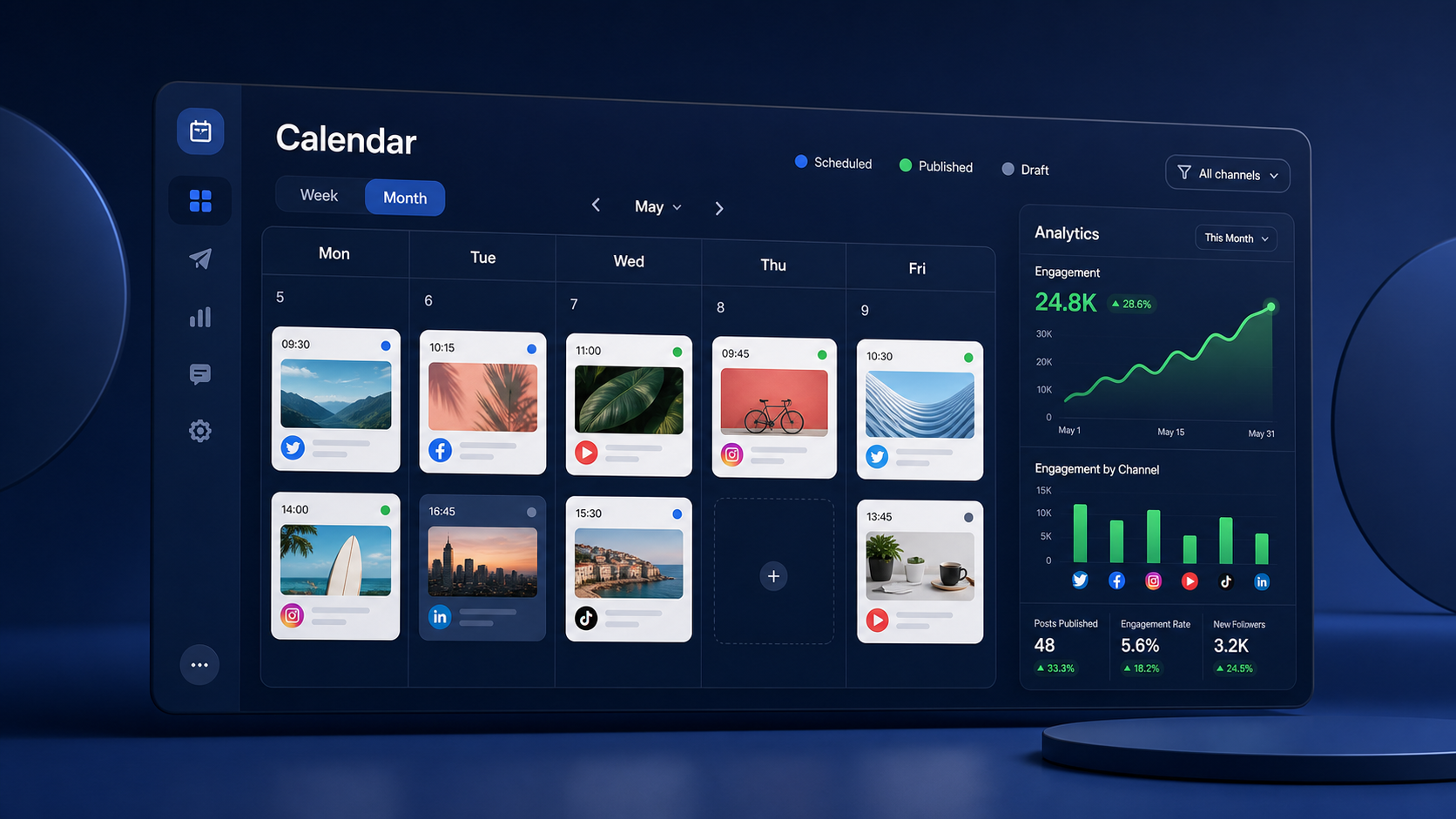
SMMplanner is designed around the essential job of preparing and publishing content consistently. Its calendar-driven workflow helps marketers distribute posts across connected accounts, select publication times and maintain an overview of upcoming activity. This focused approach is useful when scheduling accuracy and day-to-day efficiency matter more than a large suite of enterprise features.
The platform is a practical fit for creators, small businesses and SMM specialists who manage recurring content across several communities. Teams can prepare copy and media in advance instead of logging into each network at publication time. That separation between production and posting makes batching easier: a marketer can create a week of content in one session, review the sequence and let the schedule handle delivery.
SMMplanner is especially worth considering when you want control over cadence. A calendar can reveal overloaded days, neglected platforms and repetitive promotional sequences before they go live. Use labels or a consistent naming convention for campaigns, then alternate educational, community-building, entertaining and commercial posts. The result is a balanced feed rather than a queue filled in the order ideas happened to arrive.
Its suitability depends on the networks, formats and collaboration features required by your particular workflow. Before committing, connect representative accounts and test real posts containing video, carousels, links and platform-specific copy. Also compare current plan limits against your monthly posting volume. SMMplanner is strongest when treated as the operational center of a clear content process, not merely as a last-minute autopublisher.
Buffer: Best for Simplicity and Fast Adoption
Buffer remains one of the easiest social media calendar tools to understand. Its queue-based model lets users establish publishing times and add content to the next available slots. A calendar view then provides control over the sequence. This combination works well for creators and small teams that want to become consistent without building a complicated production system.
The platform supports idea storage, drafting, scheduling, an AI assistant and analytics, with capabilities varying by plan. Its clean interface reduces training time, while browser and mobile workflows make it convenient to capture and schedule content. Buffer also allows users to customize a post for different networks rather than forcing identical copy everywhere—a small feature with a meaningful effect on content quality.
Buffer offers a free plan for up to three channels with a limited number of scheduled posts per channel. Its paid Essentials offering has been advertised from approximately $5 per month for one channel when billed annually, with the total increasing as channels are added. Because the model is channel-based, it can be economical for a focused brand but becomes more expensive as the account portfolio grows.
Choose Buffer if usability is your first priority and approvals are relatively straightforward. It may be less suitable for agencies requiring elaborate client sign-off, extensive social listening or deeply customized reports. During evaluation, calculate the price for every account you will connect rather than comparing only the entry price.

Later: Best for Visual Content Planning
Later is built for marketers who think visually. Its calendar, media library and feed preview help teams see how upcoming images and videos work together before publication. This is especially valuable for fashion, beauty, food, travel, retail and creator-led brands where visual rhythm affects profile presentation.
Users can drag media into calendar slots, save caption elements, prepare platform-specific posts and plan short-form video. Depending on the plan, Later also provides analytics, recommended posting times, link-in-bio functionality, social inbox features and approval workflows. The media-first experience is generally more intuitive for visual production than a conventional list of scheduled messages.
Later’s pricing structure uses social sets, which group supported profiles for a brand. Published pricing has varied by billing cycle and promotion; entry paid plans have recently started in the range of roughly $17 per month with annual billing, while plans offering more sets, users, posts, analytics and approvals cost more. Teams should verify current rates and carefully inspect scheduling limits.
Later is one of the best social media calendar tools for visual brands, but a feed preview should not dictate strategy by itself. Evaluate how well the platform handles the networks outside Instagram and TikTok that contribute to your funnel. If LinkedIn, Pinterest or YouTube plays an important role, run a representative cross-channel campaign before making your decision.

Metricool: Best for Connecting Planning with Analytics
Metricool combines content planning with analytics, competitor monitoring, inbox management, advertising data and reporting. Its calendar can display scheduled content across networks, while performance tools help marketers identify which formats, topics and posting times deserve further investment. For data-driven teams, this shortens the distance between publishing and optimization.
A notable strength is the brand-based workspace structure. Each brand can contain its associated social profiles, making the platform suitable for freelancers and agencies managing separate clients. Higher plans add collaboration, roles, approvals, customized report templates and integrations with automation or business-intelligence tools.
Metricool has a free plan for one brand with a limited monthly publishing allowance and restricted network access. Recent listed pricing starts around $25 per month for a paid Starter plan in the United States, with higher allowances and agency functions available on Advanced plans. Regional currencies, monthly versus annual billing, add-ons and the number of brands can change the final cost.
Choose Metricool when reporting is part of the weekly workflow rather than an end-of-month obligation. Define a small measurement scorecard—such as reach, meaningful engagement, clicks, leads and video retention—before configuring dashboards. More data is not automatically better; the goal is to connect calendar decisions to business outcomes.
Planable: Best for Reviews and Client Approvals
Planable approaches the social calendar as a collaborative workspace. Posts appear much as they will on the destination network, allowing reviewers to comment beside the actual content rather than discussing ambiguous filenames in email or chat. This contextual workflow can substantially reduce revision cycles.
The platform supports internal comments, version history, multiple calendar views, role-based access and approval processes. Teams can separate work by brand or client and decide whether a post requires one approval, approvals from several people or a particular sequence of reviewers. That makes Planable especially useful in agencies and regulated organizations.
Its free option has historically allowed users to explore the feature set with a lifetime cap on created posts. Current paid plans have been listed from approximately $39 per workspace each month, with a lower effective monthly rate when billed annually; more advanced tiers add capabilities. Since workspace and user requirements can affect the real total, model the cost around your client structure.
Planable’s main advantage is not merely scheduling—it is reducing coordination friction. It may be excessive for a solo creator who approves everything personally, and teams may still need separate advanced listening or analytics software. Select it when feedback, accountability and approval speed are more expensive problems than publishing itself.
Hootsuite and Sprout Social: Best for Broader Social Operations
Hootsuite expands beyond calendar management into engagement, monitoring, analytics and team governance. Its planner is appropriate for organizations managing numerous accounts and contributors, while inbox and monitoring capabilities help teams respond after content goes live. Permissions and assignment tools are valuable when different employees own publishing, customer care and campaign reporting.
Sprout Social similarly combines publishing with a unified inbox, reporting, listening options and workflow management. Its reporting depth and polished collaboration features appeal to larger companies that need consistent processes across departments. Teams can use performance information to refine content categories, publication timing and response strategies.
Both products occupy the premium end of the market, and pricing can rise quickly with additional users or advanced modules. Their value depends on whether your organization will actively use engagement management, listening, governance and sophisticated analytics. Request a tailored quote or check the latest public pricing, then calculate the annual cost per active user and managed brand.
During a trial, do not evaluate only the calendar. Ask community managers to test the inbox, analysts to reproduce an existing report and administrators to configure permissions. A platform may look powerful in a sales demonstration but still create unnecessary clicks for the tasks your team performs every day.
How to Choose and Implement the Right Tool
Begin with a workflow audit. List every step between receiving an idea and reporting its results. Record who writes, designs, reviews, approves, publishes and analyzes each post. The best tool is the one that removes the most expensive handoffs while preserving essential checks.
Create a requirements scorecard with weighted criteria. Channel and format support might account for 25%, usability for 20%, collaboration for 20%, analytics for 15%, integrations for 10% and total cost for 10%. Adjust the weighting to reflect your operation. This prevents an impressive but nonessential feature from dominating the decision.
Shortlist two or three platforms and run the same seven-day campaign in each. Schedule several content formats, revise a post, move it to another date, request approval and generate a performance report. Invite the people who will use the system daily; purchasing software without their input often produces an expensive calendar nobody trusts.
Once selected, establish content pillars, naming conventions, approval deadlines and ownership rules. Use status labels such as idea, in production, review, approved and scheduled. Build reusable campaign briefs and quality-control checklists. Maintain a rolling view of at least two to four weeks while leaving space for timely content.
Review the system after 30 days. Measure time spent preparing posts, missed deadlines, revision cycles and publishing errors. Also check whether the calendar improved content balance and strategic visibility. An online social media calendar should reduce operational pressure and support better decisions; if it only moves a spreadsheet into a prettier interface, redesign the workflow around it.
Frequently Asked Questions
What is the best social media calendar tool for a small business?
Buffer and SMMplanner are strong starting points because they emphasize straightforward scheduling and manageable workflows. Later may be better for a highly visual business, while Metricool suits owners who want scheduling and analytics together. Compare the cost for your exact number of profiles and test your most important post formats before subscribing.
Can I use a free social media calendar?
Yes. Several providers offer free plans, although they typically limit channels, brands, users or scheduled posts. A free plan can be sufficient for a creator managing a small number of profiles. Upgrade when scheduling limits, analytics restrictions or missing collaboration features begin costing more time than the subscription would cost.
What is the difference between a content calendar and a scheduling tool?
A content calendar organizes themes, campaigns, formats, responsibilities and publication dates. A scheduling tool sends completed posts to social networks at predetermined times. Modern platforms often combine both functions, but some are stronger at strategic planning while others focus on reliable publishing. The ideal system keeps planning context attached to scheduled content.
How far ahead should social media content be scheduled?
Most teams benefit from planning themes four to eight weeks ahead and finalizing routine posts one to four weeks ahead. Keep flexible space for news, trends and community conversations. Review scheduled content before publication during sensitive events, and avoid automating posts so far in advance that facts, offers or creative references become outdated.