
Top Twitter Post Scheduling Tools to Streamline Your Strategy
Effective Twitter post scheduling tools help streamline your social media strategy by saving time and boosting engagement with timely content delivery.


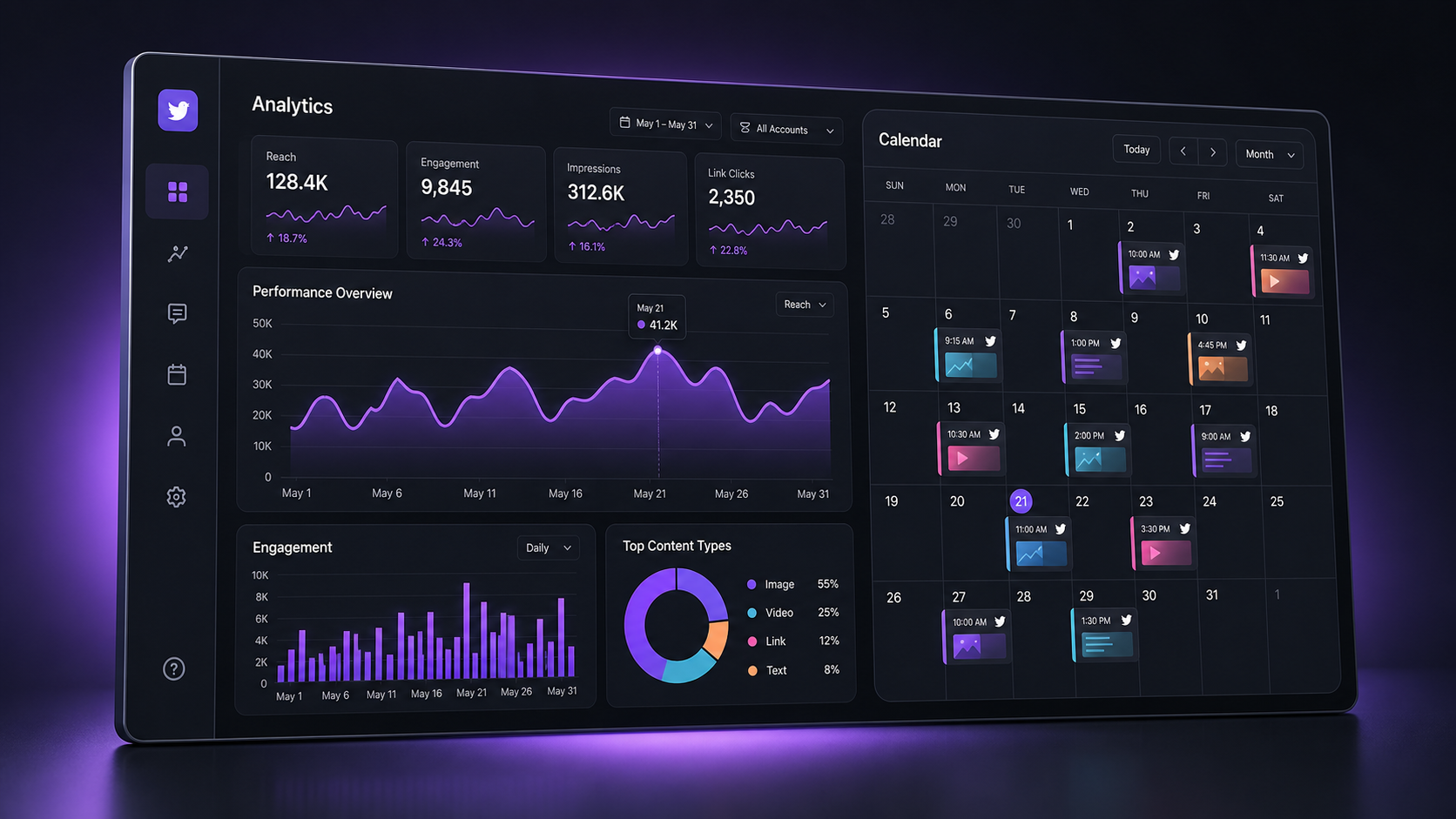
A reliable Twitter post scheduler helps marketers plan content in advance, publish at high-engagement times, maintain a consistent presence, and measure which posts generate meaningful results. The best options range from Twitter’s free native scheduler to advanced platforms such as SMMplanner, Buffer, Hootsuite, Sprout Social, Later, and SocialBee. The right choice depends on your publishing volume, approval process, analytics requirements, and the number of social networks you manage.
Why Twitter Scheduling Matters for a Modern Content Strategy | How to Choose the Best Twitter Post Scheduler | The Best Twitter Post Scheduling Tools Compared | How to Automate Twitter Posting Without Losing Authenticity | How to Find and Optimize the Best Posting Times | Measuring Engagement and Improving Your Content Calendar | Common Scheduling Mistakes to Avoid | A Practical Workflow for Selecting and Implementing a Scheduler | Frequently Asked Questions
Why Twitter Scheduling Matters for a Modern Content Strategy
Twitter, now officially known as X, moves quickly. A useful post can disappear from a follower’s timeline within minutes, while trending conversations can gain momentum just as fast. Scheduling gives marketers a structured way to participate without spending the entire day watching the feed. Instead of publishing whenever someone on the team remembers, you can create a deliberate cadence around audience behavior, campaigns, launches, and recurring content themes.
Consistency is the first major advantage. An inactive account can lose visibility and audience attention, but posting manually several times each day is difficult to sustain. A scheduler lets you build a queue of educational threads, product updates, customer stories, questions, curated links, and timely promotional posts. This creates a dependable baseline while leaving room for spontaneous commentary and real-time engagement.
Scheduling also improves quality. Batch production gives writers time to check facts, tighten hooks, improve calls to action, and confirm that links and visual assets are correct. Teams can review posts before publication, reducing duplicated messages, off-brand language, and preventable errors. When campaigns involve several channels, a social media scheduling app can coordinate Twitter posts with Instagram, LinkedIn, Facebook, and other platforms from one calendar.
Automation should not make an account feel robotic. The strongest strategy separates planned publishing from live community management. Schedule evergreen and campaign content, but continue responding to comments, joining relevant discussions, and adapting to breaking news. Automation creates operational breathing room; human participation creates trust.

How to Choose the Best Twitter Post Scheduler
Start by mapping your actual workflow rather than selecting the platform with the longest feature list. A solo creator publishing one or two posts per day has different needs from an agency managing twenty client accounts. Consider how many profiles, users, scheduled posts, approval stages, and reporting exports you need. Pricing often changes sharply when additional accounts or collaborators are added.
Examine the publishing experience closely. A good composer should provide an accurate preview, media support, thread creation, draft storage, link handling, and a clear calendar. Bulk uploading is valuable for high-volume campaigns, while reusable queues are useful for evergreen content. If you regularly publish multi-post narratives, confirm that the tool can schedule complete threads rather than isolated updates.
Collaboration features matter when several people touch the content. Look for user permissions, internal comments, approval requests, version visibility, and an audit trail. Agencies may also need separate workspaces and client-friendly reports. These controls prevent an unfinished draft from being published and make accountability clearer without forcing the team to coordinate through scattered messages and spreadsheets.
Analytics should go beyond counting impressions. Useful reporting connects individual posts and content categories with engagement rate, link clicks, follower growth, conversions, and publishing time. Some tools recommend time slots based on historical performance. Others provide only general benchmarks, so verify whether “best time” recommendations are genuinely personalized to your account.
Finally, evaluate reliability, integrations, and usability. Confirm that the platform supports Twitter’s current publishing capabilities and account permissions. Check whether it connects with your link tracker, design software, cloud storage, or analytics stack. A sophisticated platform provides little value if the team finds it cumbersome and returns to manual posting.
The Best Twitter Post Scheduling Tools Compared
The following platforms serve different types of users, from individual creators to large social teams. Trial periods and free plans can help you test the composer, calendar, approval workflow, and reporting before making a long-term commitment. Because platform features and prices can change, assess the current plan limits against your publishing requirements.
SMMplanner: Flexible Planning for Multi-Platform Publishing
SMMplanner is well suited to marketers and creators who want to organize posts across social networks from a centralized workspace. Its planning-led approach helps users prepare content in batches, control the publishing schedule, and reduce repetitive manual work. This is particularly useful for campaigns that require coordinated messaging across multiple channels.
The platform is a practical option for freelancers, small businesses, and social media specialists who value a visual overview of upcoming content. Use it to establish content categories, prepare media and copy ahead of time, and maintain a regular Twitter presence alongside other networks. Before committing, match the supported networks, account allowances, and automation features to the channels in your current strategy.
Twitter’s Native Scheduler: Best for Simple, Free Scheduling
Twitter’s web composer offers straightforward native scheduling. It is useful for individuals and small teams that need to prepare standard posts without paying for a separate platform. Because publishing happens within Twitter, the interface is familiar and there is no additional dashboard to learn.
The tradeoff is limited workflow depth. Native scheduling is not designed to provide a unified multi-network calendar, sophisticated approvals, bulk campaign management, or comprehensive cross-channel reporting. It is an effective starting point, but growing teams may quickly need more organization and analysis.
Buffer: Best for Creators and Small Teams
Buffer emphasizes a simple queue-based workflow. Users can define preferred posting times, add content to the queue, and see upcoming posts in a clean calendar. Its approachable interface makes it attractive to creators, startups, and small marketing teams that want to begin scheduling without a lengthy setup process.
Buffer is especially useful for maintaining an evergreen publishing rhythm. Its analytics and engagement features can help users identify successful posts and manage conversations, although capabilities depend on the selected plan. It may be less suitable for organizations that require complex approval chains, extensive social listening, or highly customized enterprise reporting.
Hootsuite: Best for Multi-Account Management
Hootsuite combines publishing, engagement, monitoring, and analytics in a mature social media management environment. Its calendar supports campaigns across multiple networks, while team features help organizations assign responsibilities and govern access. Marketers can also monitor streams for mentions, searches, and relevant conversations.
The breadth of the platform is useful for established teams and agencies, but it can be more than a solo creator needs. Compare plan limits carefully, particularly for user seats, connected profiles, reporting, and advanced listening. Hootsuite delivers the most value when its broader monitoring and collaboration capabilities are used alongside scheduling.
Sprout Social: Best for Analytics and Collaboration
Sprout Social is built for teams that need structured publishing, engagement management, social intelligence, and detailed reporting. Its shared calendar and approval tools make it easier to coordinate stakeholders, while performance reports help connect content decisions with measurable outcomes.
It is a strong option for brands where social media supports customer care, reputation management, or executive reporting. The platform’s depth is reflected in its positioning, so smaller teams should determine whether they will use enough of the analytics and collaboration suite to justify the investment.
Later: Best for Visual Content Calendars
Later is widely associated with visual planning, making it appealing to brands that coordinate image-led campaigns across Twitter and visually oriented networks. A calendar-based workflow helps marketers see how assets, captions, promotions, and publishing dates fit together.
It is particularly relevant for lifestyle brands, ecommerce businesses, and creators who reuse a core campaign idea across several platforms. Twitter-specific power users should still test thread handling, reporting detail, and engagement workflows to ensure the platform supports their preferred way of working.
SocialBee: Best for Evergreen Content Categories
SocialBee centers its workflow on content categories and recurring queues. A marketer might create separate categories for tips, case studies, blog promotion, questions, industry commentary, and product education, then assign each category to suitable time slots. This prevents a feed from becoming overly promotional or repetitive.
The system works well for businesses with a substantial evergreen library. However, recycled posts should be reviewed regularly. Refresh statistics, revise outdated claims, rotate visuals, and avoid repeating the same message so frequently that loyal followers begin to ignore it.
How to Automate Twitter Posting Without Losing Authenticity
Begin with a content architecture. Choose three to six pillars that reflect both audience needs and business goals. A software company might use product education, customer outcomes, industry insights, team expertise, and practical tutorials. Assign a target share of the publishing calendar to each pillar so that promotional content does not dominate the feed.
Next, create a sustainable baseline schedule. Three thoughtful posts per week are better than an aggressive daily plan that collapses after one month. If your audience responds well to higher frequency, increase gradually. Reserve specific slots for recurring formats such as a Monday insight, a Wednesday tutorial thread, or a Friday community question.
Batch content in focused sessions. Draft several hooks for every idea, select the strongest version, and adapt the format to the message. A short observation may work as a single post, while a complex framework deserves a thread, graphic, video, or linked article. Add posts to the scheduler only after checking claims, mentions, links, media dimensions, and accessibility text.
Build guardrails for sensitive moments. Pause automated promotional content during emergencies, major tragedies, or events that make the scheduled message inappropriate. Assign someone to review the queue when the news environment changes. Brands often damage trust not because automation failed technically, but because nobody considered the context in which a post would appear.
Keep space in the calendar for live participation. A practical model is to plan most educational and campaign content while leaving a meaningful portion of activity unscheduled. Use that flexible capacity to reply to customers, quote relevant experts, comment on industry developments, and share observations from events. A Twitter post scheduler should support your voice, not replace it.

How to Find and Optimize the Best Posting Times
Generic “best time to post” studies can provide a starting hypothesis, but your own audience data is more valuable. Time zone, profession, commute patterns, work schedule, and content type all affect response. A business-to-business audience may be active during weekday working hours, while entertainment communities may engage most heavily during evenings and weekends.
Run a structured test over four to six weeks. Select several time windows and distribute comparable content formats across them. Avoid testing only your best creative in one slot and weaker posts in another, because that confuses timing with content quality. Record impressions, engagement rate, clicks, replies, conversions, and follower changes for every window.
Measure the speed as well as the total volume of engagement. Early replies and reposts can expand distribution, so track performance after the first hour and again after twenty-four hours. If a post receives quick engagement but few clicks, its hook may be strong while its offer or call to action needs work. If impressions are low but engagement rate is high, the topic may be valuable even though the time slot limited its initial reach.
Use the scheduler’s recommended-time feature as an input rather than an unquestionable rule. Compare its suggestions with your analytics and campaign objectives. Launch announcements may need to align with support-team availability, embargo times, or an event, even if another hour normally produces more engagement.
Reassess timing at least quarterly. Audience growth, seasonal behavior, geographic expansion, and algorithm changes can shift effective windows. Save your findings in a simple playbook so future scheduling decisions are based on evidence rather than habit.

Measuring Engagement and Improving Your Content Calendar
A scheduling strategy should be evaluated against business objectives, not posting volume alone. Awareness campaigns may prioritize qualified reach, profile visits, video completion, and follower growth. Educational campaigns may focus on saves, replies, link clicks, or newsletter sign-ups. Product campaigns should connect social activity with trials, purchases, demos, or other conversions.
Use engagement rate carefully. Divide interactions by impressions or reach consistently, and document the formula used in reports. A post with a high engagement rate but very low reach may not contribute as much as a broadly distributed post with a slightly lower rate. Review absolute numbers and rates together.
Add tracking parameters to important links so web analytics can distinguish campaigns, platforms, and individual posts. A link shortener or campaign naming convention can keep URLs manageable while preserving attribution. When conversions happen later, assisted-conversion and customer-journey reports may reveal that Twitter played an earlier role than last-click reporting suggests.
Tag content by pillar, format, objective, campaign, and creative style. After collecting enough data, compare categories rather than isolated winners. You may discover that short text posts generate conversation, tutorial threads drive follows, and customer examples produce qualified clicks. These insights can guide the next month’s content mix.
Complete a monthly review with three decisions: what to repeat, what to improve, and what to stop. Turn successful themes into a series instead of copying the same post. Diagnose underperformance by examining the hook, relevance, format, timing, distribution, and call to action. The goal is a learning system in which every reporting cycle improves the next calendar.
Common Scheduling Mistakes to Avoid
Over-automation is the most visible mistake. An account filled with scheduled links and no replies feels like a broadcast channel rather than a community participant. Set daily time aside for conversation, or assign engagement shifts to team members. Publishing and community management should appear in the same strategy even if different people own them.
Another mistake is duplicating identical copy across every network. The campaign idea can remain consistent, but the execution should reflect each platform’s norms and audience expectations. On Twitter, concise opinions, timely commentary, questions, and threads often work better than captions copied from visually focused platforms.
Avoid setting an evergreen queue and forgetting it. Old offers expire, screenshots become inaccurate, links break, and industry advice changes. Audit recurring content regularly and establish expiration dates for anything tied to prices, events, product functionality, regulations, or research.
Do not ignore creative fatigue. If every post uses the same opening formula, stock image style, or call to action, performance can decline even when the underlying ideas remain useful. Rotate formats and test different angles: a contrarian observation, a checklist, a mini case study, a behind-the-scenes lesson, or a direct question.
Finally, do not treat the list of best social media posting apps as a substitute for strategy. Software can publish at the right time and organize approvals, but it cannot define a distinctive point of view. Invest first in audience research, valuable ideas, and a recognizable voice; then choose the technology that helps deliver them consistently.
A Practical Workflow for Selecting and Implementing a Scheduler
Create a shortlist of two or three tools based on essential requirements. Separate must-have features from optional ones, and include the full cost of users, profiles, reporting, and integrations. Then run the same small campaign through each platform so the comparison reflects real work rather than a polished demonstration.
Ask every person involved to test the tasks they perform most often. Writers should evaluate drafting and previews, editors should test approvals, community managers should inspect engagement tools, and analysts should export reports. Record friction points as well as strengths. A feature only has practical value when the team can use it reliably.
Once you choose a platform, document naming conventions, approval responsibilities, posting frequency, link tracking, queue review, and emergency-pausing procedures. Import only current, reviewed content rather than transferring an entire outdated backlog. Begin with a two-week calendar, monitor publication closely, and expand after the workflow proves stable.
The best social media posting apps reduce administrative work while increasing strategic control. Success is not measured by how many posts the software can queue. It is measured by whether the team publishes better content, responds more quickly, learns from performance, and spends more time on creative and community-building work.
Frequently Asked Questions
Can you schedule posts directly on Twitter?
Yes. Twitter provides native scheduling through its web composer for standard posts. It is a convenient free option for simple planning, but marketers who need bulk scheduling, cross-platform calendars, approvals, reusable queues, or advanced analytics will usually benefit from a dedicated tool.
What is the best Twitter post scheduler for small businesses?
The best choice depends on budget and workflow. SMMplanner, Buffer, and SocialBee are practical candidates for small businesses that want accessible planning and multi-platform publishing. Twitter’s native scheduler may be sufficient for one account with basic needs. Test the composer, calendar, analytics, and plan limits before subscribing.
How far in advance should Twitter posts be scheduled?
Evergreen educational content can often be planned several weeks ahead, while news commentary and trend-based posts should remain flexible. Many teams maintain a rolling calendar covering two to four weeks, review it weekly, and leave open slots for timely conversations. Campaign posts can be prepared earlier but should be checked again before publication.
Does scheduling Twitter posts reduce engagement?
Scheduling itself does not inherently reduce engagement. Performance depends more on relevance, creative quality, timing, and active participation after publication. Monitor scheduled posts, respond to early comments, and adjust the queue when circumstances change. Accounts that combine consistent scheduling with genuine real-time interaction are better positioned to build durable engagement.