
Using Social Media Campaign Calendars to Organize Your Posts
Social media campaign calendars help organize posts efficiently, ensuring consistent content delivery and improved audience engagement across platforms.

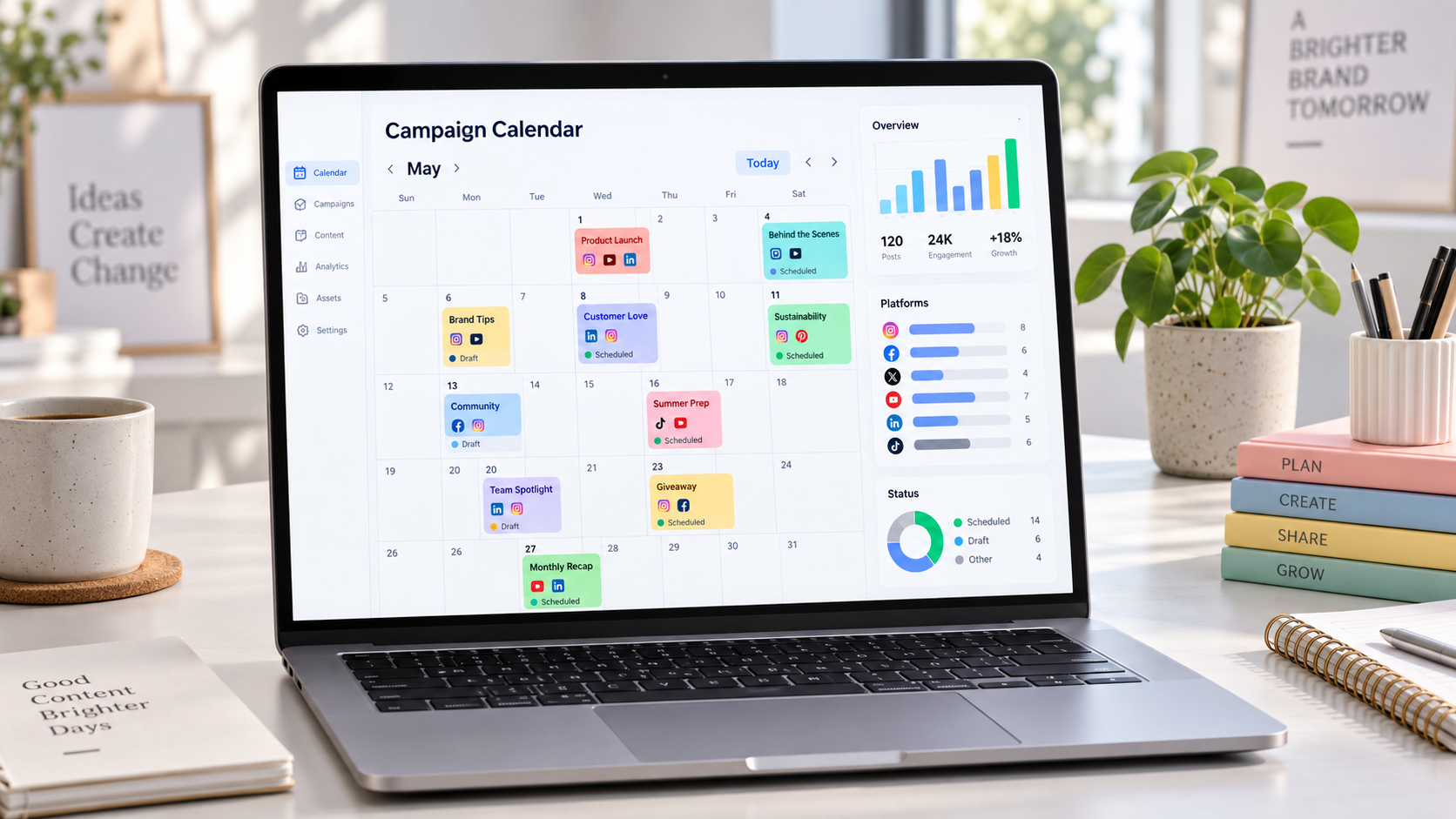
A social media campaign calendar is a practical system for organizing what your brand will publish, where each post will appear, when it will go live, and how it supports a larger marketing goal. Instead of managing content as a stream of disconnected ideas, marketers can use one calendar to coordinate campaign milestones, production deadlines, publishing schedules, approvals, and performance reviews. The result is a more consistent social presence, fewer last-minute problems, and a clearer path from strategy to execution.
What Is a Social Media Campaign Calendar? | Why Campaign Calendars Improve Social Media Marketing | How to Build a Campaign Planning Calendar Step by Step | How to Plan a Balanced Mix of Campaign Content | A Practical Four-Week Campaign Calendar Example | Scheduling, Approval, and Collaboration Best Practices | How to Measure and Improve Your Calendar | Common Calendar Mistakes to Avoid | Frequently Asked Questions
What Is a Social Media Campaign Calendar?
A social media campaign calendar is a planning document that connects individual posts to a defined marketing campaign. It may be built in a spreadsheet, project management platform, dedicated scheduling tool, or shared workspace. Regardless of the format, it should show the relationship between campaign objectives, content themes, distribution channels, deadlines, and publishing dates.
This makes it more focused than a basic posting schedule. A posting schedule might say that an Instagram Reel will be published on Tuesday at 2 p.m. A campaign planning calendar adds the context: the Reel is part of a product launch, targets new customers, demonstrates a specific benefit, directs viewers to a landing page, and must be approved three days before publication.
A broader social media marketing calendar may contain evergreen posts, community content, seasonal moments, partnerships, and multiple active campaigns. Within it, each campaign can have its own timeline or label. This structure gives the marketing team both a high-level view of the month and a detailed view of every promotional initiative.
Useful calendar fields commonly include:
- Campaign name and business objective
- Publication date and time
- Social network and account
- Content format and topic
- Caption, creative brief, or asset link
- Target audience or customer segment
- Call to action and destination URL
- Content owner, reviewer, and approval status
- Paid or organic distribution details
- Tracking parameters and performance metrics
The calendar should provide enough information to eliminate ambiguity without becoming difficult to maintain. A small creator may need only eight or ten fields. A larger team may add legal approval, localization, media budget, campaign codes, or regional publishing information.
Why Campaign Calendars Improve Social Media Marketing
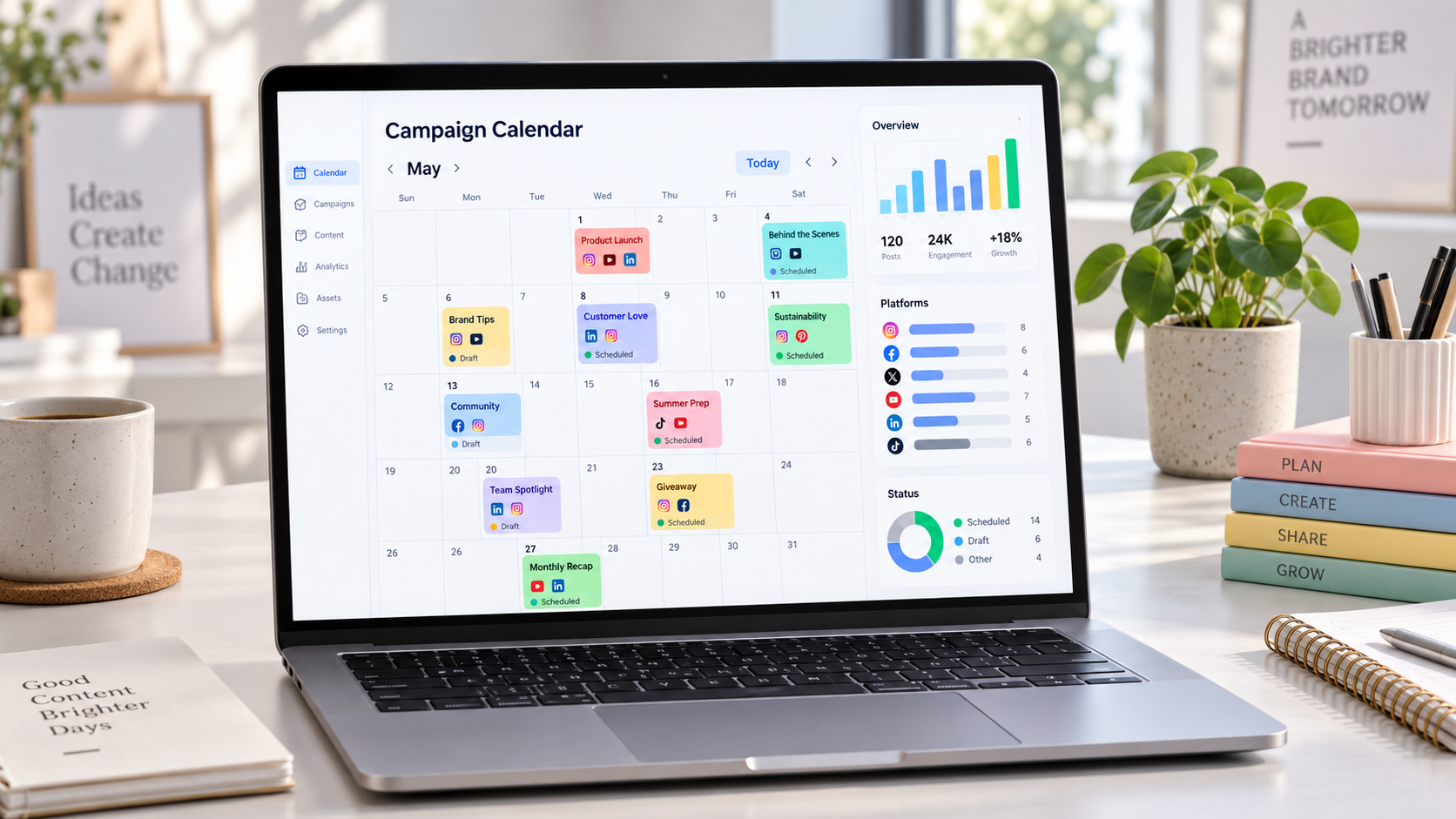
The first benefit of a campaign calendar is visibility. Everyone can see what is scheduled, what is being produced, and what still needs attention. This reduces duplicate work and prevents important content from being forgotten. It also makes gaps easy to identify. If a launch week contains only sales-focused posts, for example, the team can add educational, entertaining, or community-driven content before the schedule becomes repetitive.
A calendar also protects strategic consistency. Social media moves quickly, and teams can easily become distracted by trends, urgent requests, or stakeholder preferences. Trends can be useful, but they should not replace the campaign’s purpose. By keeping the objective, audience, message, and call to action visible, a social media campaign calendar helps each post contribute to the same desired outcome.
Production becomes more efficient because related assets can be created in batches. A creator can record several short-form videos during one session, while a designer produces campaign graphics from a shared visual system. Copywriters can draft captions together, and reviewers can approve a complete sequence rather than responding to individual posts at the last minute.
Calendars also make channel coordination easier. A product announcement rarely depends on one post. It may involve teaser Stories, an educational carousel, a launch-day video, a live demonstration, customer testimonials, and follow-up posts. Mapping these assets together ensures that audiences receive a coherent story instead of encountering isolated promotional messages.
Finally, a documented schedule creates a useful performance record. After the campaign, marketers can compare what was planned with what was published and how each post performed. That evidence improves future decisions about formats, frequency, timing, creative concepts, and resource allocation.

How to Build a Campaign Planning Calendar Step by Step
Begin with the campaign objective, not the posting frequency. A useful objective describes the result the campaign should influence, such as generating qualified leads, increasing webinar registrations, driving product trials, or improving awareness among a defined audience. Add a measurable target and a deadline whenever possible.
Next, define the audience and the campaign’s central message. Avoid trying to communicate every benefit in every post. Select one primary promise, problem, or idea that can be explored from several angles. For example, a scheduling platform might build a campaign around helping freelance creators reclaim five hours each week. Individual posts can then demonstrate workflows, address objections, share customer results, and present product features within that theme.
Choose the channels based on audience behavior and campaign needs. LinkedIn may support expert commentary and lead generation, while Instagram and TikTok can deliver demonstrations, behind-the-scenes material, and creator-led stories. YouTube may be appropriate for detailed tutorials. A campaign does not need to appear on every network. Focus resources where the intended audience is active and the available format strengthens the message.
Then identify key campaign dates. Work backward from the launch, event, offer deadline, or other central milestone. Add internal deadlines for briefing, production, editing, stakeholder review, revisions, scheduling, community management, and reporting. A post scheduled for Friday is not truly planned if the team has not decided when its video must be filmed.
Organize the campaign into stages. A straightforward sequence might include:
- Awareness: Introduce the problem, insight, or upcoming event.
- Education: Explain the topic and demonstrate relevant expertise.
- Consideration: Present proof, benefits, comparisons, or case studies.
- Conversion: Publish the offer and a clear call to action.
- Follow-up: Answer questions, reinforce urgency, and share results.
Assign a format and role to every planned post. One post may attract attention, another may explain the solution, and another may overcome hesitation. This prevents the common mistake of publishing the same sales message repeatedly with minor visual changes.
Finally, establish a simple status workflow. Labels such as “idea,” “briefed,” “in production,” “in review,” “approved,” “scheduled,” and “published” are usually sufficient. Assign one accountable owner to each item, even when several people contribute. Clear ownership keeps tasks from remaining indefinitely between production and approval.

How to Plan a Balanced Mix of Campaign Content
An effective campaign needs repetition, but repetition should not feel monotonous. Audiences often need several exposures before they remember a message or take action. The calendar allows marketers to repeat the central idea through different formats, perspectives, and levels of detail.
Start with a few content pillars connected to the campaign. A software launch might use education, product demonstration, customer proof, founder perspective, and frequently asked questions. A seasonal retail campaign could use inspiration, product selection, practical tips, social proof, and limited-time offers. These pillars provide structure while leaving room for creative variation.
Balance promotional content with posts that create independent value. A useful rule is to ask whether someone who is not ready to buy would still learn, feel, or discover something worthwhile. Tutorials, checklists, industry observations, entertaining scenarios, and audience questions can attract attention before a direct sales post asks for action.
Vary the format according to the message. Short videos work well for demonstrations and human stories. Carousels can break a complex idea into steps. Stories are useful for reminders, polls, countdowns, and informal updates. Static graphics can communicate one memorable point, while live sessions create space for detailed explanations and real-time objections.
The campaign planning calendar should also account for content fatigue. Avoid publishing visually similar assets on consecutive days, especially when the audience follows the brand on multiple platforms. Alternate people-led creative with graphics, screen recordings, customer content, product imagery, and text-led posts. This creates rhythm while preserving campaign recognition through consistent colors, language, or recurring visual elements.

A Practical Four-Week Campaign Calendar Example
Imagine a small marketing team promoting a free webinar about building a repeatable content workflow. The objective is to generate 500 registrations over four weeks. The primary audience is freelance marketers and small business owners who struggle to post consistently.
During week one, the team focuses on awareness. Monday’s LinkedIn post presents data about time lost to unplanned content production. Wednesday’s Instagram Reel dramatizes the experience of creating posts at the last minute. Friday’s carousel introduces a simple three-stage workflow and ends with a soft invitation to join the webinar.
Week two builds authority and interest. The brand publishes a short tutorial on batching content, a behind-the-scenes Story showing the speaker’s planning process, and a customer quote about improving consistency. Each item links the campaign problem to a practical solution, but only some posts directly promote registration.
Week three moves toward conversion. The team shares the complete webinar agenda, a speaker introduction, and a video answering the most common audience objection: “I do not have enough time to use a calendar.” Retargeting ads reuse the strongest organic creative, while the community manager collects new questions from comments.
Week four creates urgency and supports attendance. Posts announce that registration is closing, Stories use countdown stickers, and a final short video explains what attendees will be able to implement immediately. After the webinar, the team publishes a takeaway carousel, thanks participants, and promotes the recording to registered users who did not attend.
In the social media marketing calendar, every post includes its campaign stage, format, owner, call to action, asset link, approval deadline, and tracking URL. This makes the campaign easy to manage and creates a template the team can adapt for the next webinar.
Scheduling, Approval, and Collaboration Best Practices
A calendar is only effective when the team uses it consistently. Keep the process simple enough that contributors update their tasks without needing reminders. If information is spread across several documents, define one calendar as the source of truth and link outward to briefs, design files, captions, and reports.
Create deadlines based on production complexity. A text post may require only a short review window, while a customer video may involve permissions, filming, editing, subtitles, and brand approval. Build reasonable buffers around complex assets and campaigns involving several stakeholders.
Establish who can request changes and when. Endless feedback weakens creative work and delays scheduling. A clear approval path might begin with the campaign manager checking strategic alignment, followed by a brand or legal reviewer checking accuracy. Consolidate feedback so the creator receives one coherent revision request.
Schedule approved posts in advance, but leave controlled space for timely content. Many teams benefit from reserving a small portion of the calendar for relevant trends, community conversations, or company news. When a spontaneous post is added, evaluate whether it conflicts with scheduled messages or creates excessive publishing volume.
Prepare community management alongside publishing. Add notes about expected questions, approved answers, escalation procedures, and response ownership. A strong campaign can generate significant interaction, and delayed or inconsistent replies may waste the attention that the content successfully created.
How to Measure and Improve Your Calendar
Do not treat publication as the final calendar status. Add a reporting stage and record results after enough time has passed for meaningful evaluation. The exact measurement window depends on the network, content format, and campaign length.
Choose metrics that match the objective. Awareness campaigns may prioritize reach, video completion, and engaged audience growth. Consideration campaigns may examine saves, shares, profile visits, and landing-page sessions. Conversion campaigns should track leads, registrations, trials, purchases, or another defined action.
Evaluate both individual posts and the full campaign journey. The post with the most views may not generate the most conversions, but it may introduce thousands of people to the campaign. A lower-reach case study might influence a smaller, more qualified audience. Use tracking links, platform analytics, and conversion data to understand these different roles.
Hold a short retrospective after each campaign. Identify which themes, formats, hooks, channels, and calls to action performed well. Note production bottlenecks and missed deadlines as carefully as content results. A campaign may succeed publicly while placing unsustainable pressure on the team.
Turn the findings into specific calendar changes. Instead of recording that “videos worked,” note that short customer demonstrations with a problem-first opening produced the highest completion and click-through rates. That insight can directly shape the next creative brief.
Common Calendar Mistakes to Avoid
One common mistake is filling every available date before confirming the campaign strategy. A busy calendar can create an illusion of progress while containing content that does not support a meaningful goal. Define the campaign logic first, then decide how many posts are necessary.
Another mistake is publishing identical content across every platform. Reusing a core idea is efficient, but the execution should respect each network’s formats, audience expectations, and user behavior. Adapt the opening, length, visual treatment, and call to action instead of copying everything unchanged.
Teams also underestimate approval and production time. Add internal dates to the social media campaign calendar, not just publication dates. Without them, delays become visible only when it is already too late to respond.
Finally, avoid making the calendar so rigid that it cannot respond to performance. If an educational video generates unusually strong engagement, the team may benefit from creating a follow-up. If an angle consistently underperforms, reconsider the remaining posts. The calendar should provide direction while supporting informed adjustments.
Frequently Asked Questions
What is the difference between a content calendar and a social media campaign calendar?
A content calendar organizes the brand’s overall publishing activity, including evergreen, editorial, community, and promotional content. A social media campaign calendar focuses on posts connected to a specific objective, audience, message, and timeline. Many teams manage campaign items inside a larger content calendar using labels, filters, or separate views.
How far in advance should a social media campaign be planned?
Simple campaigns may require two to four weeks of preparation, while product launches, partnerships, and video-heavy campaigns may need several months. Plan far enough ahead to complete production and approval responsibly, but retain flexibility for current conversations and performance-driven changes.
How often should a campaign planning calendar be updated?
Update statuses whenever work moves to a new stage and review the calendar at least weekly. During a major launch, a brief daily check can help the team address delays, monitor responses, and adjust upcoming posts. Performance data should be added at agreed reporting intervals.
What is the best tool for creating a social media marketing calendar?
The best tool is one the entire team can access and maintain reliably. A spreadsheet may be sufficient for a creator or small business. Larger teams may prefer project management software or a social media platform that combines planning, approvals, scheduling, and analytics. The workflow and information structure matter more than the tool itself.