
Visual Instagram Planner: Tools to Design and Schedule Posts Visually
Visual Instagram planners help design and schedule posts efficiently, enhancing your content strategy with easy-to-use tools for better engagement.


A visual Instagram planner helps marketers preview their feed, organize upcoming content, and schedule posts from one workspace. Instead of publishing images individually and hoping they look cohesive, you can arrange posts on a visual grid, coordinate campaigns through a content calendar, prepare captions and approvals, and automate publishing. The result is a more consistent brand presence, a faster production workflow, and a clearer connection between feed aesthetics and marketing goals.
What Is a Visual Instagram Planner? | Core Features to Look for in an Instagram Visual Planner | Types of Visual Planning Tools and How to Choose | How to Build a Cohesive Instagram Feed Without Making It Repetitive | A Practical Instagram Content Calendaring Workflow | How to Schedule Posts for Aesthetics and Engagement | Common Visual Planning Mistakes to Avoid | Frequently Asked Questions
What Is a Visual Instagram Planner?
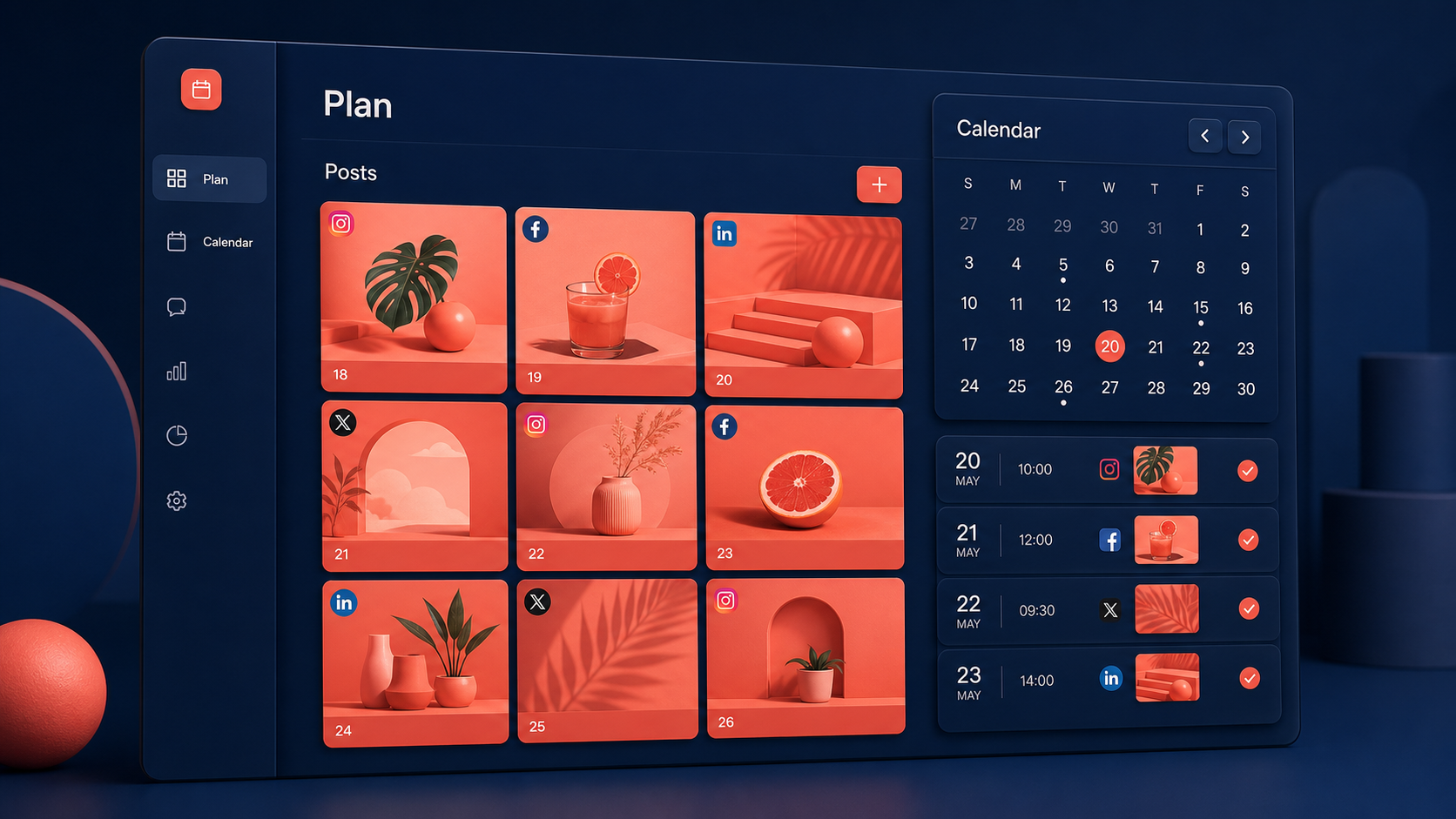
A visual Instagram planner is a tool that shows how scheduled or draft posts will appear together on an Instagram profile. Its defining feature is usually a drag-and-drop grid where users can rearrange images, videos, and carousel covers before anything goes live. Many platforms also include scheduling, caption writing, media storage, collaboration, analytics, and approval features.
This visual layer matters because Instagram posts do not exist in isolation. A strong image may perform well in the feed, but it also becomes part of the profile grid that potential followers see when they evaluate an account. Color, composition, subject matter, typography, and publishing sequence all shape that first impression. An Instagram visual planner makes those relationships visible before they become permanent.
The best tools go beyond creating an attractive grid. They connect visual design with Instagram content calendaring, helping teams decide what to publish, when to publish it, and what business purpose it serves. A planned week might balance product education, customer proof, behind-the-scenes content, creator partnerships, and promotional posts rather than repeating the same format several days in a row.
A planner is especially useful for brands with recognizable visual systems, creators who publish frequently, agencies managing multiple accounts, and teams that require approval before publishing. It replaces scattered folders, spreadsheets, chat messages, and last-minute uploads with one understandable workflow.

Core Features to Look for in an Instagram Visual Planner
Start with the feed preview. A useful planner should display unpublished posts alongside existing Instagram content so you can judge the transition from the current grid to the next campaign. Drag-and-drop rearrangement should feel immediate, allowing you to test several sequences without changing scheduled dates manually.
Next, examine the publishing calendar. A monthly calendar is valuable for campaign planning, while weekly and daily views help manage production details. Look for clear status labels such as idea, in production, awaiting approval, scheduled, and published. Color coding by campaign, content pillar, account, or format can make gaps and imbalances visible at a glance.
Scheduling capabilities deserve careful attention. Confirm whether the tool can automatically publish single-image posts, carousels, Reels, and Stories or whether some formats require a mobile notification and manual completion. Also check whether it supports first comments, location tags, collaborator workflows, alt text, user tagging, and reusable caption templates. Feature availability can vary by account type and platform permissions, so verify the current details before committing.
Media management is another major differentiator. A shared library should make it easy to find approved photos, videos, graphics, logos, and cover designs. Search, labels, campaign folders, aspect-ratio warnings, and duplicate detection become increasingly important as a content operation grows. If assets live elsewhere, integrations with cloud storage or design tools can reduce downloading and re-uploading.
Finally, consider collaboration and measurement. Teams benefit from comments attached to individual posts, version history, approval controls, user permissions, and notifications. Analytics should connect publishing decisions to results such as reach, saves, shares, profile visits, website clicks, and follower growth. The goal is not merely to produce a beautiful feed; it is to identify which visual and editorial choices contribute to meaningful engagement.
Types of Visual Planning Tools and How to Choose
Visual Instagram planning tools generally fall into several categories. Grid-first apps focus on arranging images and previewing the profile. They are often simple, mobile-friendly, and well suited to individual creators or small brands that primarily care about feed cohesion. Their limitations may appear when you need detailed approvals, multiple client workspaces, or sophisticated reporting.
Social media management platforms combine visual planning with scheduling across several networks. These tools are a stronger fit for marketers coordinating Instagram with Facebook, TikTok, LinkedIn, Pinterest, or other channels. They typically offer broader calendars, team permissions, analytics, and account management, although their Instagram grid preview may be less flexible than that of a specialized aesthetic planner.
Content calendar and project-management systems provide another option. They are useful when social publishing is only one part of a larger campaign involving email, paid media, blog content, video production, or product launches. However, a general-purpose calendar may not display the Instagram grid accurately or support direct publishing. Some teams therefore combine a campaign calendar with a dedicated scheduler.
Design platforms can also play a role. They help teams create templates, resize assets, prepare carousel slides, and maintain brand consistency. While some include scheduling, their planning and analytics features may not be as comprehensive as those of a dedicated social media tool. The right solution depends on whether design production or publishing operations create the bigger bottleneck.
Choose based on workflow rather than the longest feature list. A solo creator may prioritize a fast mobile preview and affordable scheduling. An agency may need separate client approvals, permissions, and exports. An ecommerce brand may care about product tagging and campaign analytics. Create a shortlist, upload a real week of content, and test the complete process from asset selection to publication. A tool that looks impressive in a demo can still introduce friction during daily use.


How to Build a Cohesive Instagram Feed Without Making It Repetitive
A cohesive feed does not require every post to use the same background, filter, or layout. In fact, excessive uniformity can make content feel artificial and reduce the visual contrast needed to stop scrolling. Cohesion comes from a controlled set of repeated choices: a recognizable color palette, consistent image treatment, complementary type styles, deliberate spacing, and recurring subject matter.
Begin by defining three to five content pillars tied to audience needs and business goals. A software brand might use education, product demonstrations, customer stories, industry commentary, and company culture. A creator might focus on tutorials, personal perspective, finished work, process, and community questions. Assigning every planned post to a pillar makes it easier to maintain variety without drifting away from the account’s purpose.
Then define a compact visual system. Select core colors, accent colors, typography rules, photography characteristics, and a limited family of branded templates. Document when each treatment should be used. For example, educational carousels might use a light background and bold headline, while case studies use customer photography and a distinct accent color. This creates recognition while preserving enough variation to keep the grid lively.
Use the visual planner to manage rhythm. Avoid placing several text-heavy covers, close-up portraits, or product shots next to one another unless the repetition is intentional. Alternate wide and detailed compositions, light and dark frames, people and objects, or designed graphics and photography. Check individual rows, but also zoom out to inspect the profile as a whole.
Do not let the grid override the quality of individual posts. Most followers encounter content in the home feed, Reels tab, Explore page, or through shares—not by studying a perfect three-column pattern. Each cover should therefore communicate clearly on its own. Treat grid harmony as a useful constraint, not the primary objective.
A Practical Instagram Content Calendaring Workflow
An effective workflow starts with campaign priorities rather than available images. At the beginning of each month, identify launches, seasonal moments, promotions, partnerships, community events, and evergreen topics. Translate those priorities into measurable objectives such as increasing saves, generating qualified website visits, collecting leads, or supporting a product release.
Next, assign content pillars and formats. Decide which ideas work best as Reels, carousels, single images, Stories, or Live sessions. Match the format to the message: use carousels for structured teaching, Reels for demonstrations and discovery, single images for strong visual statements, and Stories for timely interaction. This prevents the calendar from becoming a sequence of whatever asset happens to be ready.
Create entries in the planner with a clear brief. Each entry should include the intended audience, objective, key message, format, call to action, owner, deadline, and required assets. Add a draft caption and accessibility notes early rather than treating copy as the final task before publishing. For video, specify the hook, on-screen text, cover concept, and safe placement of essential elements.
Move content through defined production stages. A practical sequence is idea, brief approved, asset in production, copy review, final approval, scheduled, and published. Assign one accountable owner at each stage. If several people can approve a post but nobody is responsible for doing so, scheduling delays are almost inevitable.
Before scheduling, preview the feed and check the publishing cadence. Look for visual clashes, repeated topics, missing content pillars, competing calls to action, and dates overloaded with promotions. Then conduct a technical review: confirm crop, resolution, caption, links, tags, alt text, cover frame, time zone, and publication time.
After publishing, record results at consistent intervals. Early engagement can reveal whether the hook worked, while later saves, shares, clicks, and conversions provide a fuller picture of value. Add short observations to the calendar so future planning benefits from the evidence. This feedback loop turns the visual Instagram planner into a decision-making system rather than a decorative scheduling board.
How to Schedule Posts for Aesthetics and Engagement
Aesthetic planning and performance planning should reinforce each other. Begin with audience behavior: publish when followers are likely to be active, but avoid treating a single recommended time as universally optimal. Review account analytics by weekday and hour, test multiple time slots, and separate results by format. Reels may follow a different pattern from educational carousels or product posts.
Sequence content according to audience readiness. A campaign should usually build context before making a direct offer. For example, publish a problem-focused Reel, follow with an educational carousel, share customer proof, address objections in Stories, and then present the offer. In the grid, these posts can still use complementary colors and covers, but their order is determined by the customer journey.
Protect room for timely content. Scheduling every slot weeks in advance can make an account feel detached from current conversations. Reserve a portion of the calendar for reactive posts, community responses, trends, or unexpected company news. Evergreen scheduled content can often be moved without disrupting a larger campaign.
Use automation selectively. Automatic publishing is ideal for approved evergreen posts and campaigns with fixed timing. Posts that depend on live context, complex native features, trending audio, or immediate community interaction may benefit from a reminder-based workflow. Regardless of the method, make sure someone is available to monitor comments and respond after publication.
Measure more than likes. Saves can signal practical value, shares can indicate relevance, comments can reveal community depth, and profile actions can show commercial interest. Compare posts within the same format and objective; a brand-awareness Reel and a conversion-focused carousel should not be judged by identical standards.
Common Visual Planning Mistakes to Avoid
The first mistake is designing exclusively for the profile grid. Cropping an image or weakening a headline to preserve a pattern can reduce performance in the main feed. Always preview the post at the size and placement where users are most likely to encounter it, including thumbnail, feed, and full-screen views.
Another mistake is overusing templates. Templates accelerate production, but repeating the same structure can make followers ignore posts before reading them. Build a flexible system with several layouts, image treatments, and cover styles. Retain consistent brand cues while varying composition and pacing.
Teams also lose time when their calendar lacks ownership. A post can appear complete while its caption, final asset, legal review, or publishing settings remain unresolved. Use required fields and deadlines, and define what “approved” means. If regulated claims, licensed music, customer images, or creator agreements are involved, include those checks in the workflow.
Finally, avoid filling the calendar simply to maintain frequency. Consistency matters, but low-value content can dilute positioning and exhaust production resources. Choose a sustainable cadence that leaves enough time for research, creative development, community management, and analysis. Three purposeful posts may contribute more than seven rushed ones.
Frequently Asked Questions
What is the best visual Instagram planner?
The best visual Instagram planner is the one that fits your publishing workflow, account volume, team size, and budget. Individual creators may prefer a simple mobile grid preview, while marketing teams often need approvals, asset management, analytics, and multi-account scheduling. Test shortlisted tools with real content before choosing.
Can a visual planner automatically publish Instagram posts?
Many planners can automatically publish supported Instagram formats, but capabilities vary by tool, account type, and Instagram permissions. Some posts may require a mobile reminder, especially when they use features that must be added inside Instagram. Confirm support for your specific formats, tags, audio, and publishing requirements.
How far ahead should I plan Instagram content?
Plan major campaigns four to eight weeks ahead, prepare routine posts one to four weeks ahead, and preserve open space for timely content. The ideal horizon depends on production complexity. A small creator can move quickly, while a multi-stakeholder brand may need longer review and approval cycles.
Does an Instagram visual planner improve engagement?
A planner does not improve engagement automatically, but it can support better results by creating a balanced content mix, reducing rushed publishing, improving consistency, and enabling strategic sequencing. Engagement grows when visual planning is combined with strong ideas, relevant formats, compelling hooks, active community management, and regular performance analysis.