
Weekly Social Media Calendar Tips and Templates
Effective weekly social media calendar tips and templates help streamline content planning and boost engagement across all platforms consistently.


A weekly social media calendar is a practical plan that shows what your brand will publish, where it will appear, when it will go live, and who is responsible for it. By organizing seven days of posts in advance, marketers and creators can maintain a consistent presence, balance promotional and audience-focused content, and reduce the daily pressure of deciding what to publish. The most effective calendar is simple enough to update quickly but detailed enough to guide production, approval, scheduling, and performance review.
Why a Weekly Social Media Calendar Works | What to Include in Your Weekly Content Schedule | How to Build a Weekly Social Media Calendar Step by Step | Three Practical Social Media Calendar Templates | Tips for Creating Content Faster Without Sacrificing Quality | How to Balance Planned Posts with Trends and Real-Time Content | How to Review and Improve Your Calendar Every Week | Common Weekly Calendar Mistakes to Avoid | Frequently Asked Questions
Why a Weekly Social Media Calendar Works
Social media consistency rarely comes from inspiration alone. It comes from a repeatable system. When ideas, deadlines, assets, and publishing times live in separate messages or documents, even a capable team can miss posts or rush content. A weekly social media calendar creates one reliable source of truth for the entire workflow.
A seven-day planning window is especially useful because it offers more structure than planning one post at a time without becoming as rigid as a detailed quarterly schedule. You can respond to trends, breaking news, product updates, and audience feedback while still preparing most content in batches. That balance makes weekly planning valuable for solo creators, small businesses, agencies, and larger marketing teams.
Your calendar also makes the purpose of each post visible. Looking at the week as a whole helps you spot an excessive number of sales messages, repeated formats, neglected platforms, or long publishing gaps. You can then create a healthier mix of educational, entertaining, conversational, community-focused, and promotional content.
The calendar supports efficiency beyond publishing. A designer can see which graphics are needed, a video editor can prioritize upcoming clips, and a manager can review captions before deadlines become urgent. When responsibilities and statuses are included, the calendar becomes a lightweight production system rather than a simple list of dates.
Finally, weekly planning improves measurement. Instead of evaluating isolated posts, you can compare content pillars, formats, calls to action, and publishing times across a consistent period. Those observations can inform the following week, creating a manageable cycle of planning, execution, review, and improvement.

What to Include in Your Weekly Content Schedule
A useful weekly content schedule should answer the essential production questions without becoming difficult to maintain. At minimum, include the publication date, publishing time, social network, content format, topic, caption, creative asset, call to action, owner, and workflow status. Add campaign names or tracking links when they support reporting.
Use one row for each post rather than one row for each day. This matters when you publish on several platforms or schedule multiple posts on the same network. A row-based structure allows you to sort by date, filter by channel, and assign individual items without squeezing too much information into a single cell.
Give every post a content pillar. Common pillars include education, product expertise, customer stories, industry commentary, brand culture, community participation, and promotion. Content pillars make your strategy easier to see and prevent last-minute ideas from pulling the account away from its positioning.
Add a format field that distinguishes short-form video, static image, carousel, story, live broadcast, poll, text post, or link post. This reveals whether your schedule has enough creative variety. It also helps the team estimate production effort: a short text post may take minutes, while an interview video might require scripting, filming, editing, captions, and approval.
A clear status system is equally important. Keep the options limited and actionable, such as “Idea,” “Drafting,” “Design,” “Review,” “Approved,” “Scheduled,” and “Published.” Too many labels create ambiguity. If a post is blocked, record what is missing and who can resolve it rather than relying on a generic “In progress” status.
Consider including an engagement field for planned community activity. Publishing is only one part of social media management. Your schedule can reserve time for answering comments, reacting to mentions, joining relevant conversations, and engaging with partners or customers. This turns engagement into a planned responsibility instead of an optional task.
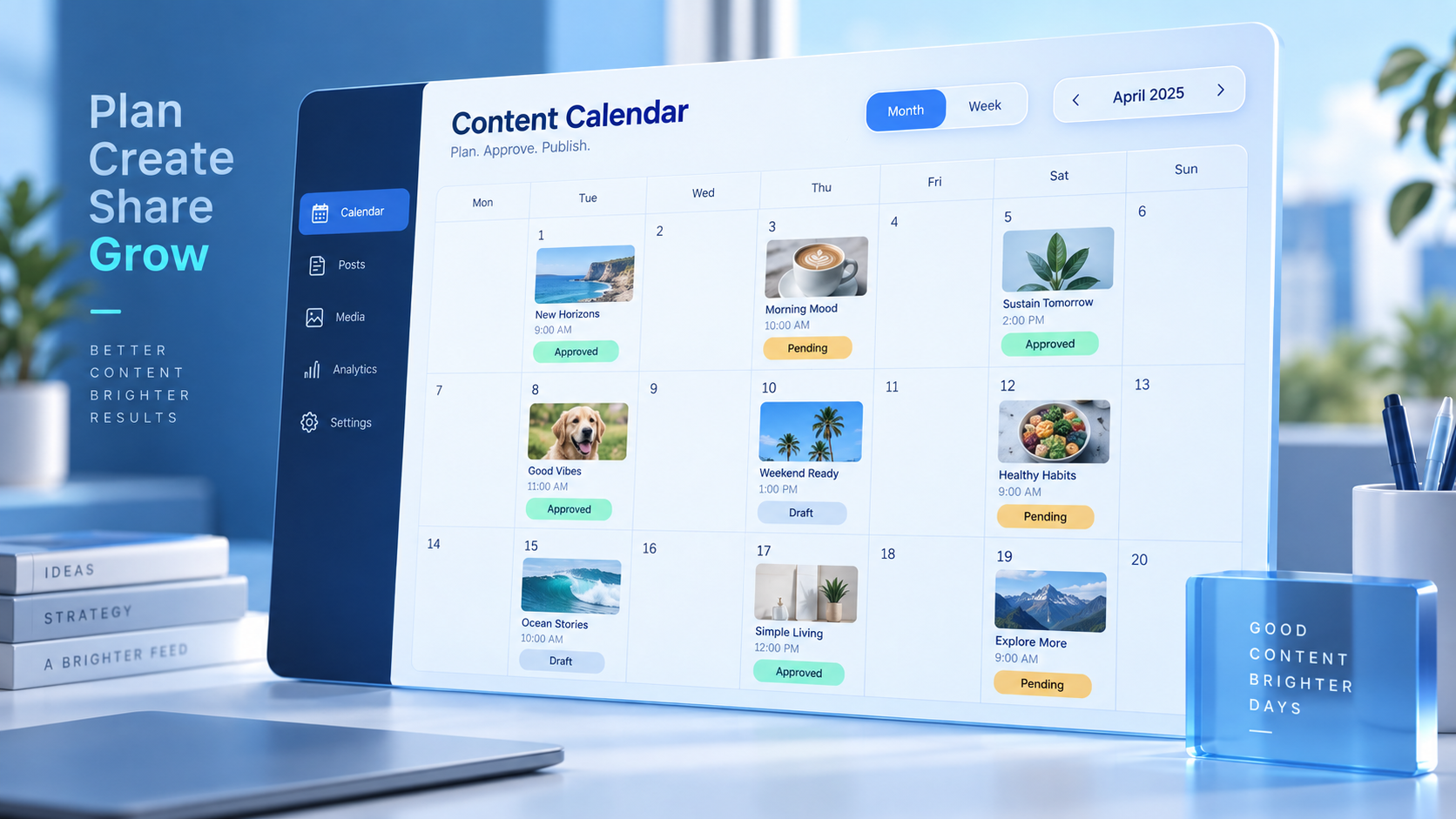
How to Build a Weekly Social Media Calendar Step by Step
Begin with the goals for the week. Choose one or two priorities, such as increasing awareness for a launch, generating qualified website visits, strengthening customer trust, or encouraging more comments. A focused weekly objective makes it easier to decide which ideas deserve space.
Next, note fixed dates and commitments. Add launches, events, webinars, holidays, collaborations, recurring series, and campaign deadlines before filling the remaining slots. Confirm whether each event is genuinely relevant to your audience; a crowded calendar of generic observances can make a brand sound opportunistic rather than useful.
Review recent performance before selecting topics. Identify posts that earned meaningful results, not merely high impression counts. Saves can signal practical value, shares may reveal relevance, comments can indicate conversation potential, and clicks can show commercial interest. Reuse the underlying lesson without copying the original post. For example, turn a successful tutorial video into a carousel, checklist, story sequence, or opinion-led text post.
Then assign a role to each publishing slot. A balanced week might include two educational posts, one community conversation, one proof-oriented customer story, one entertaining or timely post, and one promotional message. The exact ratio depends on the brand, but every item should have a reason to exist.
Draft the core message and call to action before producing the visual asset. This prevents a common workflow problem in which a polished design is completed before the team agrees on what the post needs to communicate. The creative should strengthen the message, not determine it by accident.
Adapt the idea for each platform instead of pasting an identical post everywhere. A detailed LinkedIn perspective may become a concise Instagram carousel, a quick TikTok demonstration, or a discussion prompt on another network. Preserve the central insight while adjusting the hook, length, format, and call to action to match audience behavior.
Assign an owner and deadline for every production stage. If one person handles the full process, use calendar blocks for writing, recording, editing, scheduling, and engagement. Teams should specify who prepares the copy, who creates the asset, who approves the post, and who responds after publication.
Complete the workflow by scheduling approved posts in advance. Check preview formatting, tagged accounts, links, thumbnail crops, subtitles, accessibility text, and time zones. Leave one or two flexible slots for timely opportunities rather than filling every available hour.

Three Practical Social Media Calendar Templates
Different teams need different levels of detail. The following social media calendar templates can be recreated in a spreadsheet, project-management board, shared document, or scheduling platform. Start with the simplest version that supports your actual workflow.
Template 1: Simple Weekly Posting Calendar
This template is ideal for solo creators and small businesses publishing once per day or several times per week.
| Day | Platform | Content Pillar | Format | Topic | Call to Action | Status |
|---|---|---|---|---|---|---|
| Monday | Education | Text and image | Common customer mistake | Share your experience | Scheduled | |
| Tuesday | Product expertise | Carousel | Five-step tutorial | Save for later | Design | |
| Wednesday | TikTok | Brand culture | Short video | Behind the scenes | Follow for part two | Drafting |
| Thursday | Instagram Stories | Community | Poll | Audience preference | Vote in the poll | Approved |
| Friday | Customer proof | Photo and caption | Customer success story | Visit the case study | Idea |
Template 2: Multi-Platform Production Calendar
Agencies and marketing teams often need workflow details in addition to publishing information. Use these columns: publication date, platform, campaign, content pillar, working title, format, copy link, asset link, writer, designer or editor, reviewer, due date, publishing time, tracking URL, and status.
Create filtered views for each contributor. Writers should see copy deadlines; designers should see assets awaiting production; approvers should see items ready for review; and social media managers should see approved posts ready to schedule. One shared dataset can therefore support several workflows without duplicating information.
Template 3: Theme-Based Weekly Calendar
A theme-based template is useful when ideation is the main obstacle. Assign a broad function to each day while allowing the individual topic to change:
- Monday: Teach a foundational concept or correct a common misconception.
- Tuesday: Demonstrate a product, process, tool, or repeatable technique.
- Wednesday: Share a behind-the-scenes moment or team perspective.
- Thursday: Invite participation through a question, poll, challenge, or prompt.
- Friday: Publish customer proof, a result, a testimonial, or a case study.
- Saturday: Offer lighter entertainment, inspiration, or curated recommendations.
- Sunday: Recap the week or preview what the audience can expect next.
Treat themes as prompts, not inflexible rules. If analytics show that tutorials perform best on Thursdays, follow the evidence. Templates should reduce decision fatigue while leaving room for platform insights and creative judgment.

Tips for Creating Content Faster Without Sacrificing Quality
Batch similar tasks whenever possible. Writing five captions in one focused session is usually faster than writing one caption each day because you spend less time switching contexts. Apply the same principle to filming, graphic production, editing, approvals, and scheduling.
Create content from larger source materials. A webinar can produce short video clips, quote graphics, a question-and-answer post, a carousel summary, and a behind-the-scenes story. A customer interview can become a testimonial, case study, objection-handling post, and sales enablement asset. This approach increases output without forcing your team to invent unrelated ideas continually.
Build reusable production frameworks. Caption structures might include “problem, insight, example, action” or “hook, three steps, takeaway, question.” Visual templates can establish consistent dimensions, typography, colors, and logo placement. Reusable systems accelerate production while leaving the substance of each post original.
Maintain an idea bank beside your weekly social media calendar. Capture customer questions, comment themes, sales objections, search queries, competitor gaps, team insights, and examples from daily work. Tag each idea by pillar, format, funnel stage, and platform so you can retrieve relevant options quickly.
Set realistic posting frequencies. Publishing three thoughtful posts and engaging actively may produce better outcomes than rushing seven low-value posts. Your weekly content schedule should reflect available capacity, including the time required for community management and analysis.
Use automation for repetitive work, but keep human review in the process. Scheduling, link tracking, asset organization, and recurring reminders are excellent candidates for automation. Strategic judgment, sensitive replies, topical commentary, and brand voice still benefit from direct attention.
How to Balance Planned Posts with Trends and Real-Time Content
A calendar should provide direction without preventing timely participation. Reserve approximately 10 to 20 percent of your weekly capacity for reactive content if trends matter in your category. This buffer can accommodate relevant news, audience conversations, event updates, or unexpectedly strong user-generated content.
Evaluate a trend before joining it. Ask whether your target audience recognizes it, whether it connects naturally to your brand, whether you can add an original perspective, and whether the trend creates reputational risk. Speed matters, but relevance and judgment matter more.
Mark flexible posts in your calendar. Evergreen tips, general quotes, and non-urgent product reminders can often move to another date without damaging a campaign. Fixed posts tied to launches, partnerships, or deadlines should remain protected.
Establish a lightweight approval process for real-time publishing. Decide who can approve reactive posts, what claims require verification, and which topics are off-limits. A clear process lets the team move quickly without abandoning brand or legal safeguards.
If a serious event affects your audience, review scheduled content immediately. A playful or highly promotional post can appear insensitive when published automatically during a crisis. Pausing or adjusting the queue is a core part of responsible calendar management.
How to Review and Improve Your Calendar Every Week
Schedule a short weekly review rather than waiting for a monthly report. Examine whether posts went live on time, which production stages caused delays, and whether the content mix matched your plan. Operational reliability is a performance metric because a strategy cannot work consistently if the workflow repeatedly breaks.
Compare results with each post’s intended objective. Evaluate awareness posts with reach, qualified views, or video completion; engagement posts with comments, shares, saves, and meaningful replies; and conversion posts with clicks, leads, sign-ups, or sales. Avoid judging every post by the same number.
Look for patterns across content pillars and formats. Record observations such as “step-by-step carousels earned more saves” or “customer videos generated more profile visits.” An observation becomes useful when it leads to a test. Schedule a related variation for the next week and change one major element at a time.
Review qualitative feedback as well. Comments, direct messages, customer questions, and sales conversations often reveal valuable insights that a dashboard cannot explain. Add recurring questions to your idea bank and use them to shape future posts.
End the review with three decisions: what to repeat, what to adjust, and what to stop. Carry those decisions directly into the next weekly social media calendar. This creates continuity between analysis and production and prevents reporting from becoming an administrative exercise with no effect on future content.
Common Weekly Calendar Mistakes to Avoid
Overplanning is a common mistake. Filling every channel with multiple daily posts may look productive, but it can overwhelm the production team and reduce the time available for engagement. Begin with a sustainable baseline and expand only when resources and results justify it.
Another mistake is treating every platform identically. Cross-posting can be efficient, but identical execution ignores differences in format, audience expectations, and discovery behavior. Adapt each idea enough to feel native while preserving a consistent brand message.
Do not build the calendar around promotional announcements alone. Audiences need reasons to pay attention between purchases. Useful education, honest perspectives, entertainment, conversations, and customer stories create the trust that makes promotional content more effective.
Avoid vague ownership. If everyone is responsible for a post, no one is clearly accountable for completing it. Assign one owner to each deliverable and document specific review deadlines.
Finally, do not keep using a complicated template simply because it looks comprehensive. Empty fields and outdated statuses create noise. Remove any column that does not influence a decision, handoff, publication, or measurement. The best calendar is the one your team updates consistently.
Frequently Asked Questions
What is a weekly social media calendar?
A weekly social media calendar is a seven-day plan for creating, approving, scheduling, and reviewing social media content. It typically records the platform, publishing date and time, topic, format, caption, asset, call to action, owner, and status for each post.
How many social media posts should I schedule each week?
The right number depends on your platforms, audience, goals, and production capacity. Start with a frequency you can maintain without lowering quality, such as three to five primary posts per week, and adjust based on performance. Include time for responding to comments and participating in conversations rather than measuring consistency only by publishing volume.
Should I use the same weekly content schedule for every platform?
You can coordinate platforms through one master schedule, but individual posts should be adapted. Change the format, opening hook, caption length, creative dimensions, and call to action according to the platform. A central idea can remain consistent while its presentation becomes native to each channel.
How far in advance should social media content be planned?
Plan routine content at least one week ahead and prepare major campaigns several weeks in advance. Keep some capacity open for current conversations and timely opportunities. Reviewing and updating the calendar weekly gives you structure without making the plan too inflexible to respond to new information.