
OneUp Scheduler: Affordable and Effective Social Media Automation
OneUp Scheduler offers affordable social media automation tools that simplify posting and boost online engagement for businesses of all sizes.

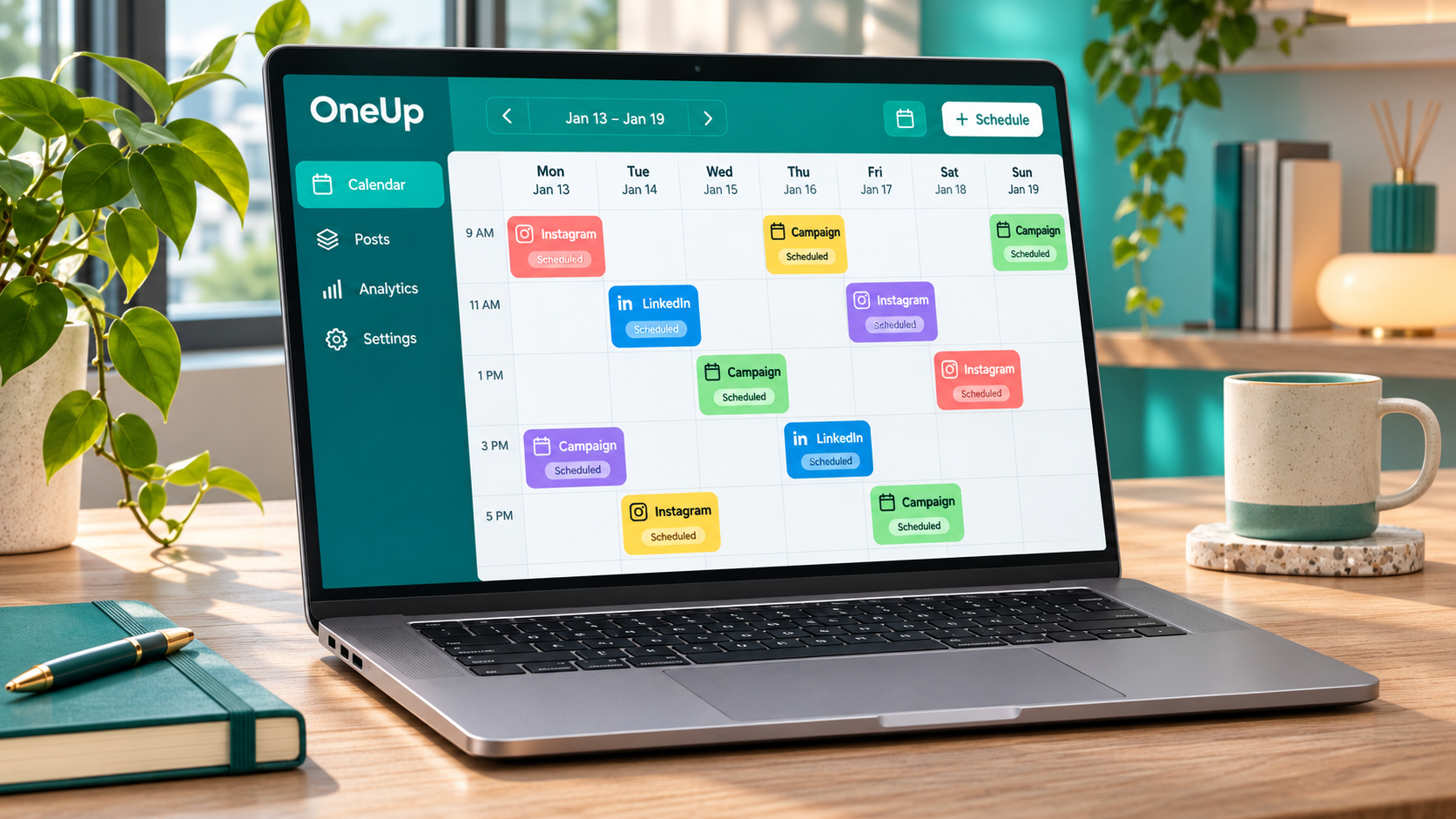
OneUp Scheduler is a practical social media management platform for marketers, creators, agencies, and local businesses that want to publish consistently without paying for an oversized enterprise suite. It combines multi-network scheduling, recurring posts, bulk uploads, approval workflows, analytics, and engagement features in one dashboard. For teams comparing social media automation tools, the main attraction is straightforward: OneUp can reduce repetitive publishing work while keeping campaigns organized, adaptable, and easy to review.
What Is OneUp Scheduler and Who Is It For? | Core Features That Make OneUp Effective | How to Set Up OneUp Scheduler Step by Step | OneUp Pricing and Overall Value | What User Reviews Commonly Highlight | How to Maximize Content Automation Without Losing Quality | OneUp Scheduler Compared With Other Content Scheduling Tools | A Practical 30-Day OneUp Implementation Plan | Frequently Asked Questions
What Is OneUp Scheduler and Who Is It For?
OneUp is a content scheduling and social media management tool designed to centralize publishing across multiple accounts. Instead of opening each social platform, uploading the same assets repeatedly, and remembering when every post should go live, users can build a publishing queue from one calendar. The platform is particularly well suited to small marketing teams, freelance social media managers, creators, agencies, franchises, and businesses managing several locations.
The defining feature of the OneUp social media planner is its support for recurring content. A useful evergreen post can be scheduled to publish again at selected intervals rather than disappearing after a single use. This is valuable for podcast promotion, blog distribution, customer testimonials, event reminders, recurring offers, job openings, and educational resources that remain relevant for months.
OneUp supports major social channels, although specific publishing capabilities can differ by network because each platform provides different API permissions. Depending on the account type and current integration, marketers can use it with platforms such as Facebook, Instagram, LinkedIn, Google Business Profile, Pinterest, TikTok, YouTube, Threads, and X. Before subscribing, verify that OneUp supports the exact combination of network, post format, and account type required by your strategy.
OneUp is less compelling for organizations that need enterprise-grade social listening, complex attribution modeling, or extensive customer-service routing. Its strength lies in making everyday planning and publishing efficient. For a lean marketing operation, that focused approach can offer better value than paying for dozens of advanced features that nobody uses.
Core Features That Make OneUp Effective
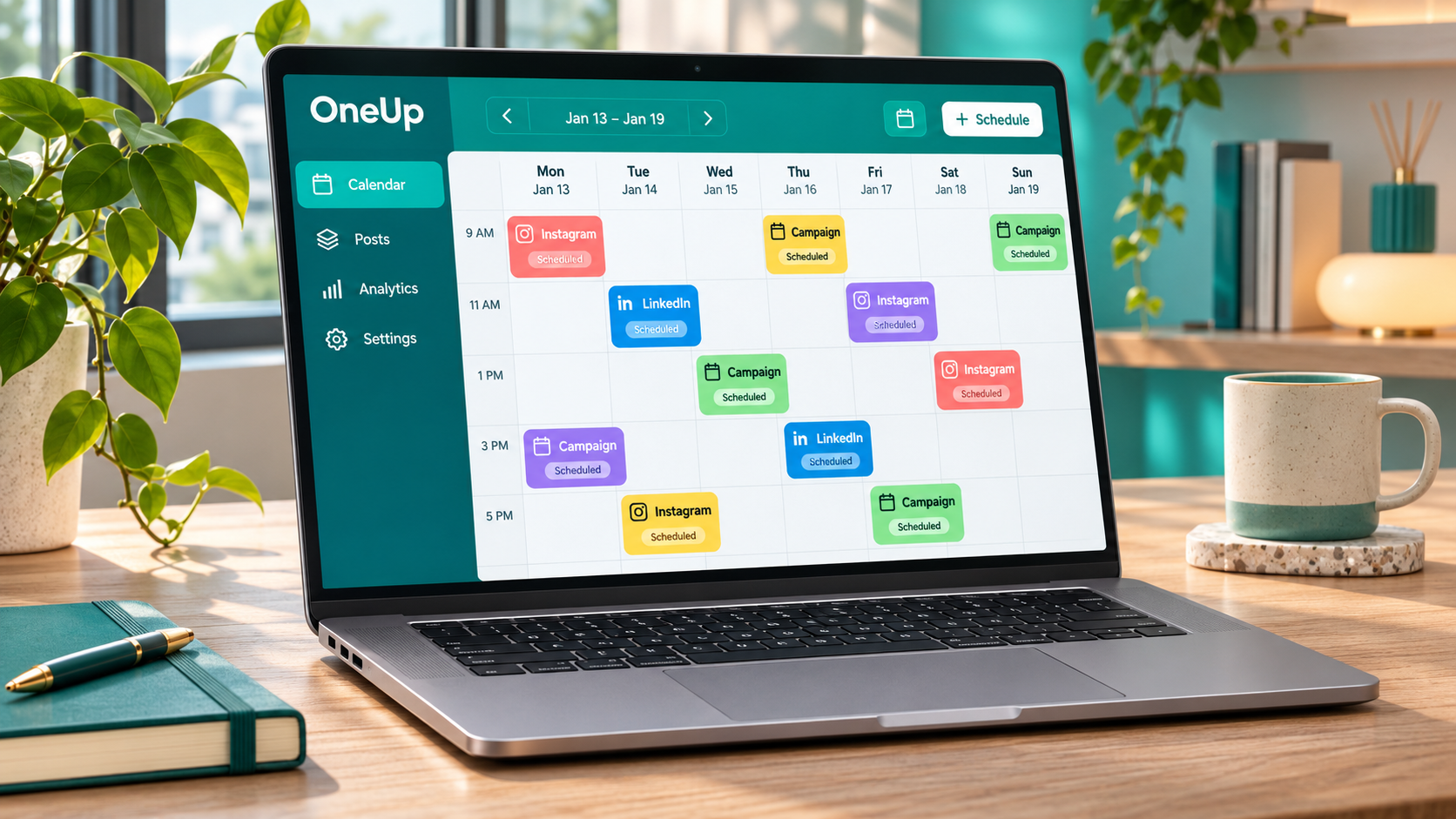
The publishing calendar is the operational center of OneUp Scheduler. Users can create posts, choose one or several accounts, preview scheduled content, and move items to more suitable dates. A visual calendar makes gaps and overlaps easier to identify, helping teams balance promotions, educational posts, community content, and brand storytelling.
Posts can be published once, placed into a repeating schedule, or added to category-based queues. Categories are useful when a strategy includes recurring themes such as Monday tips, weekly case studies, product education, or monthly event reminders. By assigning posting times to categories, marketers can maintain a dependable content mix without choosing a new date for every individual update.
Bulk uploading is another meaningful efficiency feature. A marketer planning dozens of posts can prepare content in a spreadsheet and upload it in batches rather than entering every caption manually. This is especially helpful for agencies onboarding a new client, businesses importing an approved campaign, and multi-location brands distributing variations of the same message.
The platform also offers content organization tools such as drafts, labels, media storage, and saved assets. Approval options allow a colleague or client to review content before publication, reducing the risk of an unfinished caption, incorrect offer, or unapproved creative going live. Depending on the plan and network, users may also have access to analytics, inbox or engagement functionality, link tracking, first-comment scheduling, location tagging, and post-specific customization.
OneUp’s Google Business Profile functionality is particularly relevant to local marketers. Scheduling updates, photos, offers, and location-specific content can make it easier to keep multiple profiles active. Multi-location features can save substantial time for franchises, healthcare groups, real estate businesses, restaurants, and service providers that would otherwise update each location separately.
How to Set Up OneUp Scheduler Step by Step
Begin by defining what the automation system should accomplish. List the accounts you manage, the formats you publish, the number of people who need access, and whether posts require approval. This prevents the common mistake of connecting every account before deciding how the workflow should operate.
Next, create the workspace and connect one social profile at a time. Confirm that each connection has the necessary administrative permissions, then publish or schedule a low-risk test post. Check the live result for image cropping, line breaks, tags, links, and platform-specific formatting. Testing is especially important for video, carousel, short-form, and location-based posts because publishing requirements can vary.
Once the accounts are verified, create content categories based on strategic purpose rather than network. Useful categories might include education, product proof, community, promotion, thought leadership, and evergreen resources. Assign each category a visual label and several appropriate time slots. This structure lets the calendar reflect the campaign strategy at a glance.
Build a starter queue with two to four weeks of content. Include platform-specific variations instead of sending an identical caption everywhere. A LinkedIn post may need professional context and a discussion prompt, while an Instagram version may benefit from a shorter opening, stronger visual framing, and a carefully chosen set of hashtags. Automation should streamline distribution, not erase the differences between audiences.
Use recurring schedules selectively. Start with genuinely evergreen posts that remain accurate over time. Set an end date when information could become outdated, and leave enough space between repetitions to avoid audience fatigue. A helpful guide might recur every eight to twelve weeks, while a weekly event reminder may recur until the event date.
Finally, invite collaborators and define responsibilities. One person might prepare drafts, another verify brand and compliance requirements, and a third approve publication. Document who responds to comments and who pauses scheduled posts during emergencies. A scheduler is most effective when its ownership rules are as clear as its calendar.

OneUp Pricing and Overall Value
OneUp generally uses tiered subscription pricing based on factors such as connected social accounts, team access, and feature limits. Entry-level options are intended for individuals or small businesses, while higher tiers accommodate agencies and teams managing larger account portfolios. Monthly and annual billing may be available, with annual payment typically offering a lower effective monthly cost.
Because software prices, plan names, trials, account allowances, and promotions can change, confirm the current figures on OneUp’s official pricing page before making a purchase. Do not compare plans by headline price alone. Calculate the cost using the actual number of social accounts, brands, locations, users, and approval participants you need.
OneUp often appears affordable when evaluated against the labor it can replace. Suppose a manager spends five hours each week logging into networks, duplicating posts, uploading media, and checking calendars. If scheduling and bulk operations reduce that work by even two hours, the subscription can pay for itself quickly. Recurring posts create additional savings for organizations with large evergreen libraries.
Look closely at scaling costs. A low starting price is less important if adding clients, team members, or accounts forces an immediate jump to a much larger plan. Agencies should estimate their likely requirements six to twelve months ahead and calculate a per-client operating cost. Local businesses should count every profile and location before choosing a tier.
Compare value using a simple scorecard: required networks, direct publishing support, recurring posts, approvals, analytics, engagement tools, bulk imports, account limits, and customer support. OneUp may provide strong value when scheduling is the priority. A more expensive platform may be justified if advanced listening, competitive intelligence, or enterprise governance is essential.
What User Reviews Commonly Highlight
Positive user feedback about OneUp frequently centers on ease of use, recurring scheduling, multi-account management, and responsive support. Users who previously managed content through spreadsheets and native platform tools often appreciate having a single calendar and a repeatable queue. Agencies and local marketers also tend to value the ability to manage many profiles without constructing an unnecessarily complicated technology stack.
Recurring posts are often the feature that differentiates OneUp from basic content scheduling tools. Reviewers commonly describe using recurrence for evergreen articles, testimonials, videos, listings, and reminders. When used carefully, this feature extends the useful life of good content and reduces pressure to create something entirely new every day.
Critical feedback typically reflects the limitations common to third-party social publishing. Certain formats or features may require manual completion, mobile notifications, or native posting because networks restrict their APIs. Users may also want deeper analytics, more sophisticated listening, or additional customization in particular workflows.
Interpret reviews in the context of the reviewer’s operating model. A solo consultant managing ten profiles has different expectations from a global customer-care team handling thousands of conversations. Look for reviews from users with a similar number of accounts, approval structure, content volume, and network mix. Recent reviews are more useful because integrations and product capabilities evolve.
A free trial or short evaluation period is more informative than ratings alone. Import several real posts, test every critical format, invite an approver, and examine the published results. A scheduler that feels intuitive during a realistic campaign is more likely to be adopted consistently by the whole team.
How to Maximize Content Automation Without Losing Quality
The best automation strategy separates reusable work from work that requires live judgment. Evergreen distribution, campaign reminders, approved promotional posts, and routine profile updates are excellent candidates for automation. Breaking news, sensitive announcements, community responses, and trend participation should usually receive human review close to publication.
Create a modular content library. Turn one substantial asset into several platform-ready posts: a blog article can become a LinkedIn insight, an Instagram carousel, a short video script, a question post, and multiple evergreen tips. Store each item with its intended audience, campaign, expiration date, and call to action. This makes the OneUp social media planner a distribution system for a coherent strategy rather than a container for disconnected posts.
Use automation to preserve consistency, then rely on analytics to improve decisions. Review performance by content theme, format, network, publishing time, and objective. Identify posts that generate qualified clicks, saves, replies, leads, or profile visits—not merely impressions. Promote high-performing ideas into evergreen queues and retire content that repeatedly underperforms.
Schedule a monthly content hygiene session. Check recurring posts for outdated prices, broken links, expired offers, old statistics, unavailable products, and language that no longer fits the brand. Add expiration dates to time-sensitive content. Repetition magnifies both quality and error, so maintenance is essential.
Keep flexible space in the calendar. A completely filled schedule can make a brand sound detached when important industry or community events occur. Reserve publishing capacity for timely content and establish a pause procedure. One person should have clear authority to stop the queue if scheduled messaging becomes inappropriate.
Finally, connect automation to measurable marketing goals. Assign every category a purpose, such as awareness, engagement, lead generation, retention, or local discovery. Add trackable links where appropriate and review results at regular intervals. Effective social media automation tools reduce manual effort, but their real value comes from helping a team learn and improve faster.

OneUp Scheduler Compared With Other Content Scheduling Tools
OneUp competes with products ranging from simple publishing calendars to broad social media management suites. The right comparison depends on the problem being solved. If the priority is evergreen repetition, multi-account scheduling, and an accessible workflow, OneUp deserves serious consideration. If the priority is enterprise listening, sentiment analysis, employee advocacy, or complex service operations, a larger suite may be more appropriate.
When evaluating alternatives, build a test campaign that includes the hardest parts of your workflow. Schedule a video, create a multi-image post, customize captions by platform, submit content for approval, import posts in bulk, and review analytics. This exposes practical differences that feature tables often hide.
Pay attention to speed and clarity. Count how many actions are required to schedule a post across three accounts, locate an old draft, edit a recurring item, or approve a campaign. Small usability differences accumulate when a team publishes hundreds of posts each month.
Also examine support quality, integration reliability, and product communication. Social networks change their publishing rules frequently, so every scheduling provider must adapt. A dependable tool should explain limitations clearly, maintain integrations actively, and provide useful guidance when a network changes its requirements.
A Practical 30-Day OneUp Implementation Plan
During the first week, audit existing accounts and content. Remove inactive connections, identify evergreen assets, define categories, and establish goals for each network. Connect profiles and run test posts before migrating the full calendar.
In the second week, build a two-week publishing queue and configure a limited number of recurring posts. Customize content for each platform and introduce a simple approval process. Record how much time scheduling takes so you can establish a baseline for measuring efficiency.
During week three, expand the library through repurposing. Convert top-performing articles, videos, webinars, reviews, and frequently asked questions into new social formats. Add tracking parameters to campaign links and confirm that analytics are capturing the intended actions.
In week four, review both performance and workflow. Measure publishing time saved, approval turnaround, failed posts, audience response, clicks, and conversions. Remove weak recurring content, refine category time slots, and document the process for future collaborators. At the end of 30 days, the team should know whether OneUp is improving consistency, efficiency, and business outcomes.
Frequently Asked Questions
Is OneUp Scheduler suitable for beginners?
Yes. Its calendar and queue-based workflow are accessible to beginners, particularly those moving from manual posting. New users should connect a small number of accounts first, test essential post formats, and add recurring content gradually. This makes it easier to learn the system without cluttering the calendar.
Can OneUp automatically repost evergreen content?
Yes, recurring scheduling is one of OneUp’s most notable capabilities. Users can set appropriate intervals for evergreen posts and, where available, define recurrence conditions or end dates. Every repeated post should be reviewed periodically to ensure its message, creative, offer, and destination link remain current.
Does OneUp publish directly to every social network?
OneUp supports multiple major networks, but direct-publishing options depend on the platform, account type, media format, and current API permissions. Some content may require a notification or final manual step. Test every format central to your strategy and consult OneUp’s current integration documentation before subscribing.
Is OneUp worth the cost for a small business?
It can be, especially when a business manages several accounts, posts frequently, or has reusable evergreen content. Compare the subscription cost with the hours saved through centralized scheduling, bulk uploads, approvals, and recurrence. OneUp is most valuable when the saved time is redirected toward better creative work, community engagement, and campaign analysis.